Best Browser Stack Alternatives in 2026: 8 Platforms Compared
Need browser stack alternatives for cross-browser testing? We compared 8 platforms on real devices, automation, pricing, free trials, and team scale in 2026.
- Editor's choice
 LambdaTest
Low-cost cross-browser testing
Starts at$15 per monthVisit lambdatest.comFull review - Great alternative
 Sauce Labs
Enterprise-scale testing
Starts atSee websiteVisit saucelabs.comFull review - Also consider
 TestingBot
Parallel test execution
Starts at$20 per monthVisit testingbot.comFull review
TL;DR:
- LambdaTest and TestingBot offer lower entry prices than enterprise testing clouds, while Sauce Labs suits larger teams.
- Pricing models differ sharply, so compare per-parallel, per-seat, and per-minute plans against your actual test volume.
- Real device coverage matters most for mobile apps, while desktop browser clouds suit web teams with fewer device needs.
- A free tier or trial is useful for a smoke test, but it rarely reflects speed and reliability at full CI scale.
Quick comparison
| Tool | Best for | Starts at | Free plan? | |
|---|---|---|---|---|
| LambdaTest | Low-cost cross-browser testing | $15 per month | Yes | Visit |
| Sauce Labs | Enterprise-scale testing | See website | Free trial | Visit |
| TestingBot | Parallel test execution | $20 per month | Free trial | Visit |
 Kobiton | Mobile test automation | $83 per month | Free trial | Visit |
 Browserling | Instant browser access | $9 per month | Yes | Visit |
 Katalon | Integrated test automation | $84 per user per month | Yes | Visit |
 BitBar | Flexible test infrastructure | $47 per month | Free trial | Visit |
 AWS Device Farm | AWS-native mobile testing | See website | Yes | Visit |
The best browser stack alternatives
BrowserStack is a strong default, but its pricing and plan structure do not fit every team. These browser stack alternatives cover the same core job, which is testing a site or app across browsers, operating systems, and real devices, with different pricing and strengths.
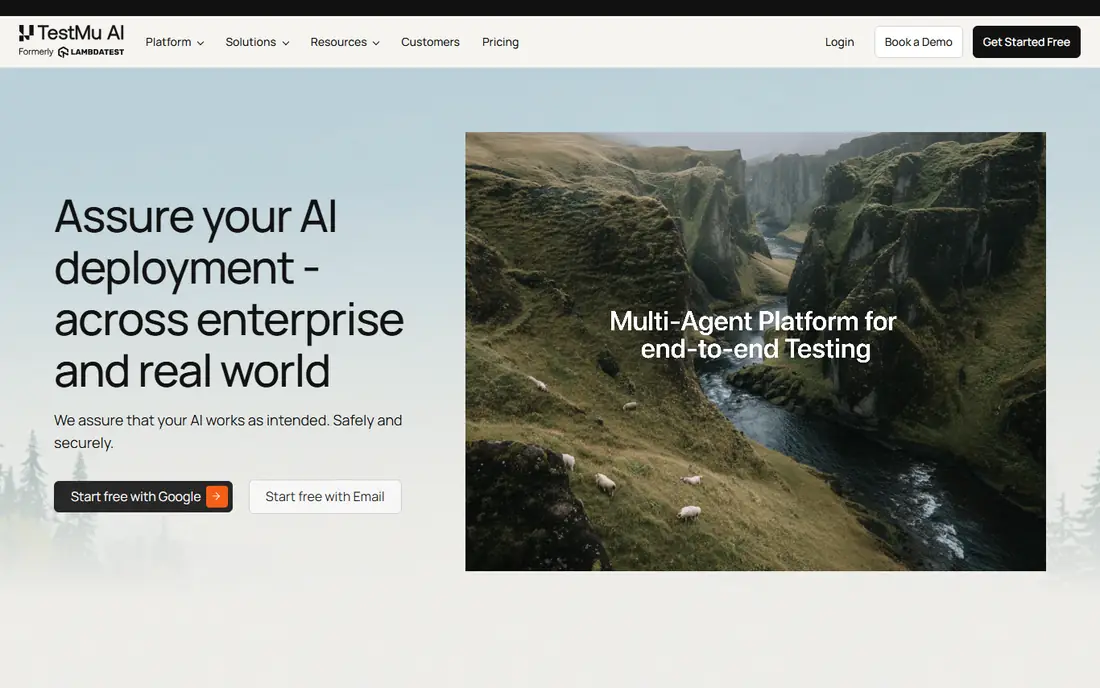
LambdaTest, now also presented as TestMu AI in some listings, is our pick for small teams that need broad coverage without an enterprise bill. Live interactive testing lets a developer check a layout quickly, while automated Selenium, Cypress, and Playwright runs cover regression work. The entry price undercuts many rivals, which makes it easy to trial on a real project.
The limit is scale. Large suites with many parallels need a higher tier, and speed can vary when demand is high. Start with the entry plan, run your full suite during the trial, and check run times before you commit to a yearly plan.
- Low entry price
- Broad browser and OS coverage
- Live and automated testing in one platform
- Performance can vary at high volume
- Free tier is limited
Sauce Labs suits teams that need a proven cloud for web and mobile testing at scale. It offers virtual and real device clouds, detailed test analytics, and integrations with common CI tools. Enterprises often value its compliance features and support structure more than the lowest sticker price.
Small teams should price the exact parallel count they need, since real device automation sits on higher tiers. If your suite is small and your budget is tight, LambdaTest or TestingBot may fit better. If you run hundreds of tests per day across many devices, Sauce Labs is a safer long-term choice.
- Large device and browser cloud
- Strong CI integrations
- Enterprise compliance options
- Higher price for real device plans
- Pricing varies by parallel and plan
TestingBot is a practical middle option for European teams and for teams that want straightforward parallel pricing. It supports live browser testing and automated runs, and its EU hosting is a clear point of difference for teams with data residency needs. The interface is less flashy than larger rivals, but it covers the core job well.
The catalog is smaller than Sauce Labs or LambdaTest, so check that your exact browser, OS, and device combinations are available before you buy. A short trial with your real test suite will reveal any gaps faster than a feature page will.
- EU-based hosting option
- Clear parallel pricing
- Live and automated testing
- Smaller device catalog than the largest clouds
- Pricing is published in euros on some pages
Kobiton focuses on mobile, which makes it a good BrowserStack alternative for app teams rather than pure web teams. Real devices, automated mobile tests, and visual checks help catch device-specific bugs that emulators miss. Scriptless options also help QA teams that do not want to maintain large test codebases.
The price reflects that mobile focus, and web-only teams may find better value elsewhere. If your product is an app, run a trial on the devices your users actually own, not just the newest flagship phones. That test will show whether Kobiton earns its higher entry cost.
- Real device focus
- AI-assisted mobile automation
- Scriptless test options
- Higher entry price
- Desktop browser coverage is less central than mobile
Browserling is the simplest tool on this list. Open a browser, pick a version, and check a page. That speed makes it useful for support teams, designers, and developers who need a fast visual check without setting up a test suite. The low price and free tier make it easy to keep on hand.
It is not a replacement for automated testing at scale. Mobile coverage is limited, and CI integration is weaker than on LambdaTest or Sauce Labs. Use Browserling for quick checks, and pair it with a full automation cloud if you run regular regression suites.
- Very quick to start
- No complex setup
- Useful for one-off layout checks
- Limited mobile testing
- Limited automation compared with full clouds
Katalon suits teams that want more than browser access. It bundles test authoring, execution, and reporting, with low-code tools for testers who do not write code daily. That integration can reduce the number of tools a QA team maintains, especially in midsize companies.
The per-user price is higher than a basic browser cloud, so it fits teams that will use the full platform, not just live browser sessions. Trial it with a real test case, and check how easily tests run in your CI pipeline before you buy seats for the whole team.
- Test creation, execution, and reporting in one platform
- Low-code options
- Broad framework support
- Higher per-user price
- Heavier setup than a simple browser cloud
BitBar, formerly Testdroid, offers a flexible cloud for web and mobile testing. Teams can choose device and parallel options that match their suite size, rather than buying a fixed enterprise bundle. API and CI support make it workable for teams that automate heavily.
The platform is less well known than Sauce Labs, so support and documentation quality matter during a trial. Check device availability, run times, and reporting before you commit. For teams that want flexibility without an enterprise contract, BitBar is worth a trial.
- Flexible parallel and device options
- Web and mobile testing
- API and CI support
- Interface feels less polished than larger rivals
- Pricing needs careful reading
AWS Device Farm fits teams that already run on AWS and test Android and iOS apps on real devices. You can run automated tests, view logs and screenshots, and pay for device minutes rather than a fixed seat plan. That model suits teams with irregular test volume.
It is not the friendliest option for a web-only team that wants one-click browser sessions. Setup takes more AWS knowledge, and pricing depends on device minutes and test types. If your team already uses AWS, the integration benefit is real. If not, a dedicated testing cloud will be faster to adopt.
- Real devices in AWS
- Pay-as-you-go options
- Strong fit for teams already on AWS
- Setup is more technical
- Web browser testing is less central than mobile
How we picked these
We compared official pricing pages, product documentation, and public comparison pages for testing clouds that offer live browser access, automated testing, or real device testing in October 2026. We kept only platforms that are actively sold and that cover at least one core BrowserStack use case, such as cross-browser web testing or mobile device testing. We favored a mix of low-cost, enterprise, mobile-focused, and simple tools, so teams of different sizes can find a fit.
What to check before you buy
Count parallels before you count seats. Many testing clouds charge by parallel sessions, which is how many tests run at the same time, not by how many people log in. A team with ten testers but a slow suite may need only one or two parallels, while a team with a fast CI pipeline may need more.
Also check device and browser coverage against your analytics. List the top browsers, operating systems, and phone models your users actually use, then confirm each one is available on the platform. Run your full suite during the trial, and measure total run time, flaky test rate, and report quality. A cheap plan that doubles CI time can cost more in developer waiting time than it saves in subscription fees.
FAQ
What is the best BrowserStack alternative for a small team?
LambdaTest is a strong small-team pick because of its low entry price and broad browser coverage. TestingBot is also worth a trial, especially for teams that want EU hosting or simple parallel pricing.
Are there free browser stack alternatives?
Browserling and LambdaTest offer free tiers with limits, and most other platforms offer a free trial. Free tiers suit one-off checks, but regular automated testing usually needs a paid plan.
Which alternative is best for mobile app testing?
Kobiton and AWS Device Farm focus on real mobile devices, while Sauce Labs covers both web and mobile at scale. Choose based on whether you need scriptless mobile tests, AWS integration, or a broad enterprise device catalog.
Do these tools work with Selenium, Cypress, and Playwright?
LambdaTest, Sauce Labs, TestingBot, and BitBar support common automation frameworks, though exact support varies by plan. Confirm your framework and language bindings on the vendor page before you buy.
How is pricing usually charged for testing clouds?
Common models are per parallel session, per seat, and per device minute. Per-parallel pricing means your bill follows concurrency, not team size, so estimate how many tests must run at once to finish your pipeline on time.