Best Wholesale and Distribution Accounting Software in 2026: 8 Systems Compared
Compare the best wholesale & distribution accounting software in 2026, with inventory, order, warehouse and finance features, plus pricing guidance. with
- Editor's choice
 Oracle NetSuite
Multi-entity distributors
Starts atSee websiteVisit netsuite.comFull review - Great alternative
 Acumatica
User-heavy distributors
Starts atSee websiteVisit acumatica.comFull review - Also consider
 Microsoft Dynamics 365 Business Central
Microsoft shops
Starts at$80 per user per monthVisit microsoft.comFull review
TL;DR:
- Distributors need inventory, order and warehouse control in the same system as accounting, or margins leak through manual reconciliations.
- NetSuite and Acumatica suit larger distributors, while Business Central and Odoo give mid-size firms a lower cost route to the same core functions.
- Most enterprise pricing is quote based, so compare implementation, user model and transaction costs, not just the headline subscription.
- Lot tracking, landed cost and multi-location inventory separate true distribution systems from general accounting tools.
Quick comparison
| Tool | Best for | Starts at | Free plan? | |
|---|---|---|---|---|
| Oracle NetSuite | Multi-entity distributors | See website | No | Visit |
| Acumatica | User-heavy distributors | See website | No | Visit |
| Microsoft Dynamics 365 Business Central | Microsoft shops | $80 per user per month | Free trial | Visit |
 Sage Intacct | Finance-led distributors | See website | No | Visit |
 SAP Business One | Growing distributors | See website | Free trial | Visit |
 Odoo | Flexible mid-size firms | See website | Yes | Visit |
 Epicor Kinetic | Manufacturers turned distributors | See website | No | Visit |
 Infor CloudSuite Distribution | Large distributors | See website | No | Visit |
The best wholesale and distribution accounting software
These systems combine the general ledger with purchasing, inventory, order management and warehouse functions, which is what distribution accounting actually requires.

NetSuite is the default shortlist entry for distributors that have outgrown a basic accounting tool. It links sales orders, purchase orders, inventory, fulfilment and the general ledger, so margin and stock figures come from one system rather than from spreadsheets reconciled at month end. Multi-entity and multi-currency features suit distributors selling across states or countries.
The cost is the main barrier. NetSuite does not publish pricing, and the total depends on users, modules and service tier, plus implementation. Smaller distributors may find it heavy, but for a growing firm with several warehouses or entities, the breadth is hard to match in a single product.
- Finance, inventory, order and warehouse in one cloud system
- Strong multi-entity and multi-currency support
- Large partner network
- Quote-based pricing that rises with seats and modules
- Implementation needs careful planning and partner support
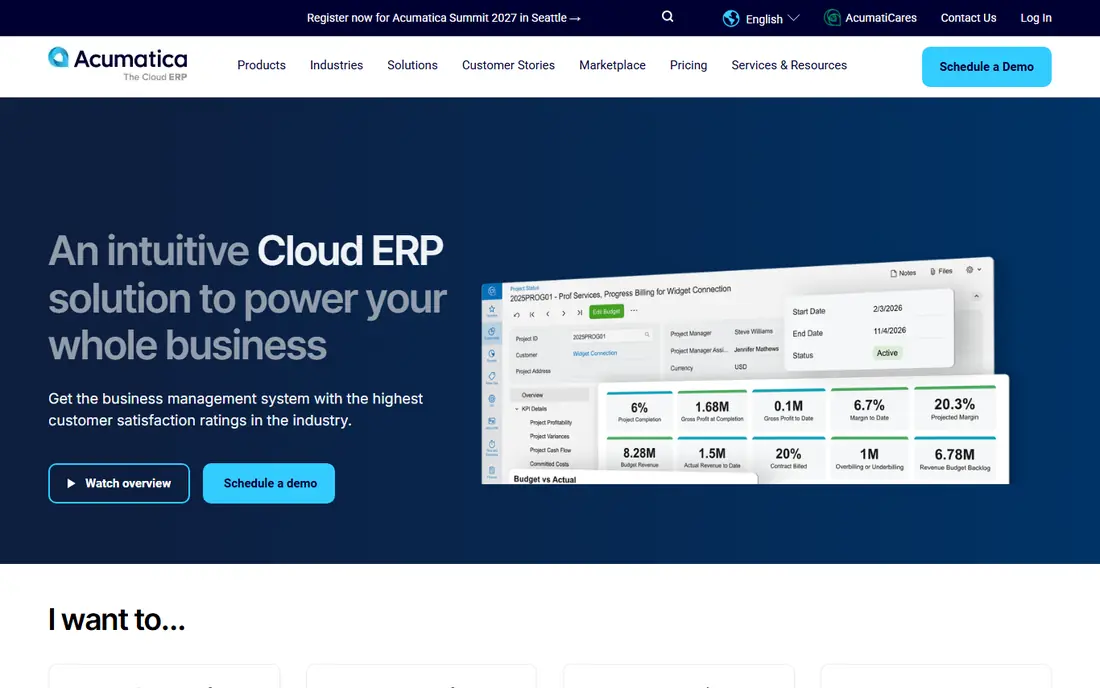
Acumatica appeals to distributors with many occasional users, such as warehouse staff, sales reps and branch managers, because pricing is based on resources used rather than on every seat. The distribution edition covers inventory, order management, purchasing, warehouse management and financials in one cloud system, with mobile access for the floor and the field.
Partner-led sales mean you should compare more than one Acumatica partner and ask for references from distributors of your size. Transaction volume and resource tier shape the bill, so model a busy month, not an average one. For user-heavy operations, the licensing model alone can change the maths.
- Unlimited users under a consumption model
- Dedicated distribution edition
- Good inventory and warehouse features
- Sold through partners, so quote quality varies
- Implementation still needs a capable partner

Business Central is a practical middle path for distributors already using Microsoft 365. Finance, sales, purchasing, inventory and warehouse basics sit in one system, and the familiar Microsoft interface shortens training. Published Essentials and Premium pricing also makes budgeting easier than with quote-only rivals.
The limit is depth. Advanced warehouse automation, complex pricing or specialised distribution workflows may need partner add-ons, and those add-ons add cost and maintenance. If your operation is standard wholesale distribution with a Microsoft stack, Business Central is a strong, predictable choice.
- Published pricing
- Strong fit with Microsoft 365 and Teams
- Solid inventory, purchasing and finance features
- Complex warehouse and manufacturing needs may need add-ons
- Partner-led implementation adds cost
Sage Intacct is bought for finance first. Its dimensional ledger, multi-entity reporting and approval workflows give finance teams clean, auditable numbers, and it handles complex revenue and cost reporting well. Distributors that already run operations in a separate warehouse or order system often pair Intacct with that tool.
If you need deep inventory, lot tracking and warehouse control inside the accounting system, Intacct alone may fall short, and the integration work must be budgeted. For finance-led distributors that value reporting over warehouse depth, it remains a respected option.
- Strong dimensional general ledger and reporting
- Good multi-entity consolidation
- Reliable cloud finance core
- Inventory and warehouse depth is thinner than dedicated distribution systems
- Often needs a connected operations tool
SAP Business One gives growing distributors a single system for accounting, inventory, sales, purchasing and customer management, with room to add warehouse and production features as the business scales. It suits firms that want an SAP route without the scale or cost of a large enterprise SAP deployment.
Pricing is quote based and implementation quality depends heavily on the partner, so check partner experience in wholesale distribution specifically. For a distributor with steady growth and complex inventory needs, Business One offers a durable platform. For a very small wholesaler, it may be more system than the business needs yet.
- Integrated finance, inventory, sales and purchasing
- Strong for distributors planning to scale
- Large partner ecosystem
- Quote-based pricing
- Implementation and customisation can be lengthy
Odoo takes a modular approach: pick the accounting, inventory, sales, purchase and warehouse apps you need, and add more later. That flexibility suits mid-size distributors that want to start with core functions and grow, without paying for a full enterprise suite on day one. The free tier and published app pricing help smaller firms test the system.
The trade-off is consistency. Third-party apps vary in quality, and a poorly planned configuration can create the same spreadsheet workarounds Odoo was meant to remove. Plan the chart of accounts, inventory locations and pricing rules before migration. For firms with internal technical help, Odoo offers strong value.
- Modular apps for sales, inventory, accounting and warehouse
- Lower entry cost than enterprise ERP
- Open app ecosystem
- Quality varies across third-party apps
- Configuration and data migration still need care
Epicor Kinetic suits distributors that also manufacture, assemble or kitting products, because it handles production, inventory and supply chain in one system alongside finance. Lot and serial tracking, costing and warehouse features are built for firms where stock accuracy directly affects margin.
A pure wholesaler with no production may find Kinetic broader than needed, and pricing is quote based. If your business blends making and distributing, though, Kinetic avoids the split between a manufacturing system and a separate accounting tool, which is where many margin errors begin.
- Strong inventory, supply chain and manufacturing depth
- Good for firms that both make and distribute products
- Solid reporting
- Quote-based pricing
- Distribution-only firms may pay for manufacturing depth they do not use
Infor CloudSuite Distribution is designed around distribution workflows rather than adapted from general accounting. Pricing management, rebates, warehouse operations, order management and finance sit in one cloud system, which suits large distributors with complex customer pricing and multiple branches.
That depth comes with enterprise cost and implementation effort, and small distributors will find it excessive. For a large distributor that lives on thin margins and complex pricing, however, a system built for distribution can protect margin in ways a general ledger cannot. Shortlist it when scale and pricing complexity are the main problems.
- Built specifically for distribution
- Strong pricing, rebate and warehouse features
- Suited to large, complex operations
- Enterprise pricing and implementation
- Too heavy for small wholesalers
How we picked these
We compared official product and pricing pages and distributor-focused reviews for systems actively sold in October 2026. We required a real general ledger plus inventory and order functions, not just invoicing, and we favoured systems with multi-location inventory, purchasing, warehouse support and margin reporting. We excluded general accounting tools that cannot track stock, lots or warehouse fulfilment in a useful way.
What to check before you buy
Start with inventory truth: locations, lots, serial numbers, landed cost, and how returns and damaged stock are handled. Then test order flow from quote to pick, pack, ship and invoice, including backorders and partial shipments. Pricing rules matter just as much, so test customer-specific pricing, volume breaks and rebates with your real price lists.
Next, model total cost over three years, including implementation, partner time, add-ons and the user or consumption model. Ask for a distributor reference of similar size and warehouse count, and run a trial with your own SKUs, suppliers and customers. A system that looks good on a sales demo can still fail on your picking process or your rebate rules, and those failures show up only with real data.
FAQ
What is the difference between distribution accounting software and QuickBooks?
General accounting tools handle invoicing, bills and the ledger well, but they often lack deep multi-location inventory, warehouse picking, landed cost and distributor pricing. Distribution systems link those operations to the ledger, so stock, margin and fulfilment stay in step. Small wholesalers may start with a general tool, but growing distributors usually need the connected system.
Do I need an ERP, or is accounting plus inventory enough?
It depends on volume and complexity. A wholesaler with one warehouse, simple pricing and a few hundred SKUs may manage with accounting plus a connected inventory tool. Once you add multiple warehouses, complex pricing, rebates, or high order volume, a single ERP reduces reconciliation work and margin errors, and the extra cost often pays for itself in fewer stock mistakes.
Why is pricing mostly quote based?
Enterprise distribution systems price by users, modules, transaction volume, entities and implementation scope, so a single list price would mislead most buyers. Ask vendors for a written quote that separates subscription, implementation, add-ons and support, and compare three-year totals rather than first-year prices.
How long does implementation usually take?
For mid-size distributors, a typical rollout takes several months, covering chart of accounts design, inventory migration, pricing rules, warehouse setup, training and testing. Larger or multi-warehouse rollouts take longer. Budget staff time as well as vendor fees, because your team must validate stock, pricing and order flows before go-live.
Can these systems handle e-commerce and marketplace orders?
Most can, either natively or through connectors, but the depth varies. Check how orders from your store or marketplaces flow into inventory and fulfilment, how stock is reserved, and how returns are handled. Test with a real order, including a partial shipment and a return, before you commit.
Sources
- https://www.netsuite.com/portal/products/erp.shtml
- https://www.acumatica.com/cloud-erp-software/distribution-management/
- https://www.microsoft.com/en-us/dynamics-365/products/business-central
- https://www.sageintacct.com/
- https://www.sap.com/products/erp/business-one.html
- https://www.odoo.com/pricing
- https://www.epicor.com/en-us/erp/kinetic/
- https://www.infor.com/products/cloudsuite-distribution