Best Weight Loss Apps for Women Over 50 in 2026: 8 Apps Compared
The best weight loss app for women over 50 offers gentle coaching, simple tracking and support for changing metabolism, sleep and joint health. See our picks.
- Editor's choice
 Noom
behaviour coaching and habit lessons
Starts at$70 per monthVisit noom.comFull review - Great alternative
 WeightWatchers
a simple points system and group support
Starts at$23 per monthVisit weightwatchers.comFull review - Also consider
 MyFitnessPal
a large food database and simple logging
Starts atFreeVisit myfitnesspal.comFull review
TL;DR:
- Noom is our first pick for most readers, because it balances features, price and ease of use better than the narrower options below.
- WeightWatchers and MyFitnessPal are the best alternatives when the first pick does not fit your phone, budget or style.
- Free plans vary a lot: some give a genuinely usable daily tool, while others are only a short trial, so check the free plan column before you install.
- Prices change often, so confirm the current price on the official site or in the app store listing before you subscribe, and use a trial where one is offered.
- Note: This article gives general information only and is not medical advice. Talk with your clinician before starting a new eating plan, exercise plan or medication, especially if you have a health condition or take regular medicine.
Quick comparison
| Tool | Best for | Starts at | Free plan? | |
|---|---|---|---|---|
| Noom | behaviour coaching and habit lessons | $70 per month | No | Visit |
| WeightWatchers | a simple points system and group support | $23 per month | No | Visit |
| MyFitnessPal | a large food database and simple logging | Free | Yes | Visit |
 Lose It | beginner-friendly calorie budgets | Free | Yes | Visit |
 Cronometer | detailed nutrient and protein tracking | Free | Yes | Visit |
 Healthi | a low-cost points-style plan | Free | Yes | Visit |
 MyNetDiary | free barcode tracking with diet plans | Free | Yes | Visit |
 MacroFactor | adaptive calorie and macro targets | $11.99 per month | Free trial (7 days) | Visit |
The best weight loss apps for women over 50
We compared official feature pages, pricing pages, app store listings and public reviews to build this list. For women over 50, a plan that respects sleep, bone health, muscle and a changing metabolism matters more than a strict calorie target. Prices below are in United States dollars where a vendor publishes them, and we use See website where a price is not published plainly on the official site.
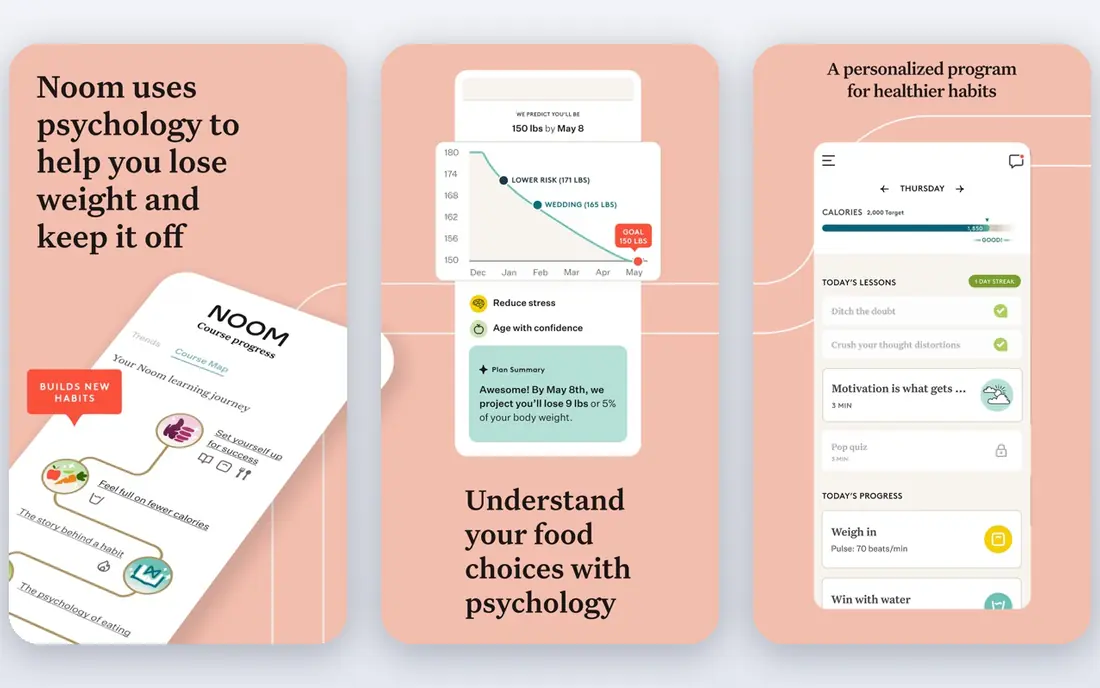
A strong option for Noom is a fit for behaviour coaching and habit lessons. Noom pairs food logging with short daily lessons on habits, triggers and stress, which suits people who eat well in theory but struggle with consistency. In daily use, that strength shows up in small moments: a quicker log, a clearer reminder, or a result you can actually act on, rather than a feature list you never open. The monthly price is high compared with simple trackers, and the program asks for daily reading and logging, so it can feel like homework on busy weeks. Before you pay, check the plan that includes the features you will use, and test the free tier or trial for at least a week. A tool that fits your routine in week one is far more useful than a richer tool you stop opening in week three.
- Daily lessons
- Colour-based food guide
- Coaching support
- Higher monthly price
- Coaching depth varies by plan
For readers who want WeightWatchers is a fit for a simple points system and group support. WeightWatchers turns food choices into points, which many people find easier to hold in mind than grams and calories. Workshops and community check-ins add accountability without a strict diet label. In daily use, that strength shows up in small moments: a quicker log, a clearer reminder, or a result you can actually act on, rather than a feature list you never open. The points model can hide nutrient detail, so people who want to track protein, fibre or sodium closely may need a second tool or a careful look at the app reports. Before you pay, check the plan that includes the features you will use, and test the free tier or trial for at least a week. A tool that fits your routine in week one is far more useful than a richer tool you stop opening in week three.
- Points system is easy to learn
- Workshops and community
- App barcode scanner
- Nutrition detail is less deep than Cronometer
- Price varies by offer
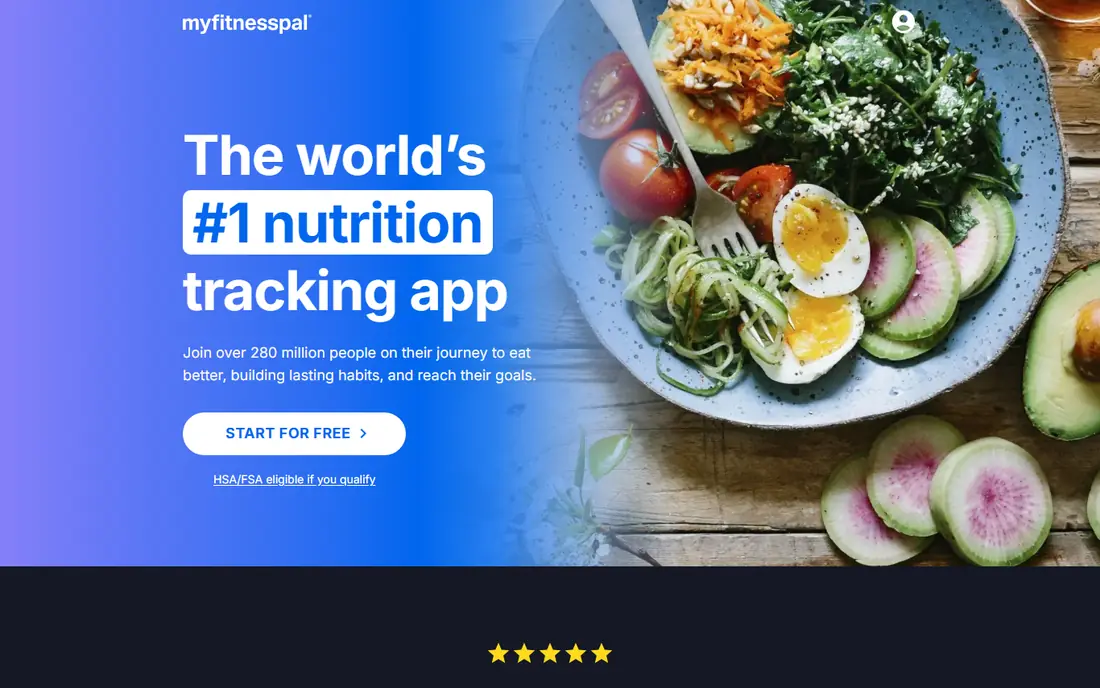
Our pick for most people is MyFitnessPal is a fit for a large food database and simple logging. MyFitnessPal is the easiest place to log a meal quickly, because most packaged foods and restaurant items already appear in search. That speed matters when you are trying to build a daily habit. In daily use, that strength shows up in small moments: a quicker log, a clearer reminder, or a result you can actually act on, rather than a feature list you never open. Free logging is solid, but barcode, photo and voice logging sit behind Premium in the United States, and a few entries can be inaccurate, so check portions on foods you eat often. Before you pay, check the plan that includes the features you will use, and test the free tier or trial for at least a week. A tool that fits your routine in week one is far more useful than a richer tool you stop opening in week three.
- Very large food database
- Barcode scanning on paid plans
- Links to many wearables
- Some database entries are user submitted
- Best logging tools need Premium
A strong option for Lose It is a fit for beginner-friendly calorie budgets. Lose It keeps the daily view simple: a budget, what you have logged, and what remains. That plain layout suits people who felt lost in busier apps. In daily use, that strength shows up in small moments: a quicker log, a clearer reminder, or a result you can actually act on, rather than a feature list you never open. The free plan covers basics only, and the app focuses on calories rather than deep nutrient analysis, so it is less useful if micronutrients are your main interest. Before you pay, check the plan that includes the features you will use, and test the free tier or trial for at least a week. A tool that fits your routine in week one is far more useful than a richer tool you stop opening in week three.
- Simple daily budget
- Barcode and photo logging on Premium
- Clear weight trend charts
- Free plan is basic
- Some features need Premium
For readers who want Cronometer is a fit for detailed nutrient and protein tracking. Cronometer is the pick when detail matters, such as protein at each meal, fibre, calcium or vitamin D. Its verified entries give more confidence than a purely user-built database. In daily use, that strength shows up in small moments: a quicker log, a clearer reminder, or a result you can actually act on, rather than a feature list you never open. All that detail can feel heavy at first. If you only want a quick calorie total, start with a small set of nutrients and hide the rest until the habit settles. Before you pay, check the plan that includes the features you will use, and test the free tier or trial for at least a week. A tool that fits your routine in week one is far more useful than a richer tool you stop opening in week three.
- Tracks many nutrients
- Verified food data
- Barcode scanning in free plan
- Interface shows more data than some people want
- Gold needed for some reports
Our pick for most people is Healthi is a fit for a low-cost points-style plan. Healthi offers a points-style system at a lower price than the biggest names, with several plan styles to match different eating patterns. That makes it a good trial option before committing to a pricier program. In daily use, that strength shows up in small moments: a quicker log, a clearer reminder, or a result you can actually act on, rather than a feature list you never open. Some community and plan features need PRO, and the app is less widely known, so local workshop support is not part of the offer in the same way as WW. Before you pay, check the plan that includes the features you will use, and test the free tier or trial for at least a week. A tool that fits your routine in week one is far more useful than a richer tool you stop opening in week three.
- Points-style BITES system
- Free basic plan
- Community features on PRO
- PRO needed for full community and some plans
- Smaller brand than WW
A strong option for MyNetDiary is a fit for free barcode tracking with diet plans. MyNetDiary gives a strong free tier, including barcode scanning, plus diet plans that suit people who want structure without paying first. It also has options that pay attention to blood sugar patterns. In daily use, that strength shows up in small moments: a quicker log, a clearer reminder, or a result you can actually act on, rather than a feature list you never open. Premium adds the newer AI and analysis tools, and the design is functional rather than stylish. People who want coaching or a lively community may find it quiet. Before you pay, check the plan that includes the features you will use, and test the free tier or trial for at least a week. A tool that fits your routine in week one is far more useful than a richer tool you stop opening in week three.
- Barcode scanning in free plan
- Structured diet plans
- Diabetes-aware options
- Advanced AI tools need Premium
- Interface is practical rather than pretty
For readers who want MacroFactor is a fit for adaptive calorie and macro targets. MacroFactor adjusts your calorie and macro targets as your weight trend changes, rather than leaving you on a fixed number for months. That adaptive approach suits people who already log and want targets that respond to real results. In daily use, that strength shows up in small moments: a quicker log, a clearer reminder, or a result you can actually act on, rather than a feature list you never open. It only works if you log steadily, and there is no permanent free plan, only a short trial. It is a tracker for committed loggers, not a gentle first step for someone new to tracking. Before you pay, check the plan that includes the features you will use, and test the free tier or trial for at least a week. A tool that fits your routine in week one is far more useful than a richer tool you stop opening in week three.
- Targets adapt from your logged trend
- Detailed macro tracking
- No food moralising
- No free plan, only a trial
- Needs consistent logging to work well
How we picked these
We started with products that exist and work in October 2026, and that truly fit the topic, not just products with a similar name. For each one, we checked the official homepage, the pricing page or app store listing, and the free plan terms, and we noted where a price was not published plainly. We favoured products with clear privacy terms, honest limits and a usable free tier or trial, and we kept a mix of well-known leaders and strong smaller options. We did not claim hands-on testing that did not happen. Instead, we compared what vendors publish, what app store listings show, and what public reviews report about everyday use. Where a product had a known weakness, such as a high price, a limited free tier or missing export, we say so in its write-up, because that weakness often decides the choice.
What to check before you choose
Start with the job, not the feature list
Write down the one job you need done every week, then check that job first in a trial. A long feature list is easy to admire and hard to use, while a tool that does your main job well will still be useful when you are busy or tired. If the main job needs a paid plan, price that plan, not the free tier, before you commit.
Check the real monthly cost
Monthly prices, annual prices and per-user fees can tell very different stories, and some tools add processing, marketplace or add-on charges. Add the plan you need, the users or locations you need, and any extra fees, then compare that total across two or three finalists. A trial that asks for a card should come with a calendar reminder to review it before renewal.
Test on your own phone and data
A tool that looks good in screenshots can feel different with your photos, your accounts and your daily routine. Use your own data in the trial, test the main flow twice, and check export, sharing and cancellation before you build a long history inside one app. If export is missing, keep a simple backup of key records elsewhere.
FAQ
What is the best weight loss app for women over 50?
There is no single answer for every person. Noom suits people who want behaviour coaching, while WW suits people who like a simple points system and group support. MyFitnessPal suits people who mainly want a large food database. Pick the style you will still use in three months.
Are the best weight loss apps for women over 40 different from apps for women over 50?
The core tools are similar, but priorities often shift. After 50, protein, muscle, sleep, joint comfort and bone health deserve more attention. An app that lets you track protein and activity, and that does not push very low calorie targets, is usually a better fit.
Do I need a paid weight loss app?
Not always. Free tracking in MyFitnessPal, Lose It or Cronometer covers food logging for many people. Paid plans add coaching, lessons, deeper nutrient detail or a structured program. Start free where possible, then pay only if the extra help changes your habits.
Can an app help with menopause weight gain?
An app can help you notice patterns in food, sleep, activity and stress, and it can support steadier habits. It cannot diagnose hormone changes or replace medical care. If weight changes feel sudden or unexplained, speak with your clinician.
Is calorie counting safe after 50?
For many adults, moderate tracking is a useful awareness tool. Very low targets, rapid loss goals or skipping meals can be risky, especially with low muscle mass or other health issues. Use the app as a guide, keep protein and strength activity in view, and ask a clinician or dietitian if you are unsure.