Best Video Editing Software Comparison: 8 Editors Compared
Best video editing software comparison: Premiere Pro, DaVinci Resolve, Final Cut Pro and more on price, platform, free plans and ease of use for creators.

- Editor's choice
 DaVinci Resolve
Pro editing, free
Starts atFreeVisit blackmagicdesign.comFull review - Great alternative
 Adobe Premiere Pro
Adobe professionals
Starts at$22.99 per monthVisit adobe.comFull review - Also consider
 Final Cut Pro
Mac creators, one-time buy
Starts at$299.99 one-timeVisit apple.comFull review
TL;DR:
- DaVinci Resolve offers the strongest free editor, while Final Cut Pro gives Mac users a one-time purchase with no subscription.
- Adobe Premiere Pro costs 22.99 dollars per month on an annual plan and suits professionals inside the Adobe ecosystem.
- CapCut is fastest for short-form social video, while Filmora and Clipchamp suit beginners who want templates and guidance.
- The cheapest editor over five years is usually a free tool or a one-time purchase, not a monthly subscription.
- Check your computer and platform first, since Final Cut Pro is Mac only and some pro tools need strong hardware.
Quick comparison
| Tool | Best for | Starts at | Free plan? | |
|---|---|---|---|---|
| DaVinci Resolve | Pro editing, free | Free | Yes | Visit |
| Adobe Premiere Pro | Adobe professionals | $22.99 per month | Free trial | Visit |
| Final Cut Pro | Mac creators, one-time buy | $299.99 one-time | Free trial | Visit |
 CapCut | Short-form social video | Free | Yes | Visit |
 Wondershare Filmora | Beginners, templates | $49.99 per year | Yes | Visit |
 Microsoft Clipchamp | Windows, browser editing | Free | Yes | Visit |
 CyberLink PowerDirector | Windows, fast consumer editing | $69.99 per year | Yes | Visit |
 Shotcut | Free open source editing | Free | Yes | Visit |
The best video editing software
We compared official pricing pages and current independent comparisons for eight video editors. All can cut and export polished video, but they differ on price model, platform, learning curve and best audience.

DaVinci Resolve is our pick for most editors who want professional power without a subscription. The free version includes a full timeline editor, industry-leading color grading, Fusion visual effects and Fairlight audio, with 4K export and no watermark. That package rivals software costing hundreds of dollars per year, which is why it tops nearly every best video editing software comparison.
The learning curve is real, and the interface can feel dense for a first-time editor. Studio, at 295 dollars one-time, adds advanced AI tools, stereoscopic 3D and higher-resolution features most hobbyists will never need. If you are willing to learn, Resolve gives you the most capability per dollar in this list.
- Full pro editor free, with color, effects and audio
- No watermark
- Works on Mac, Windows and Linux
- Steep learning curve
- Studio upgrade costs 295 dollars for advanced features
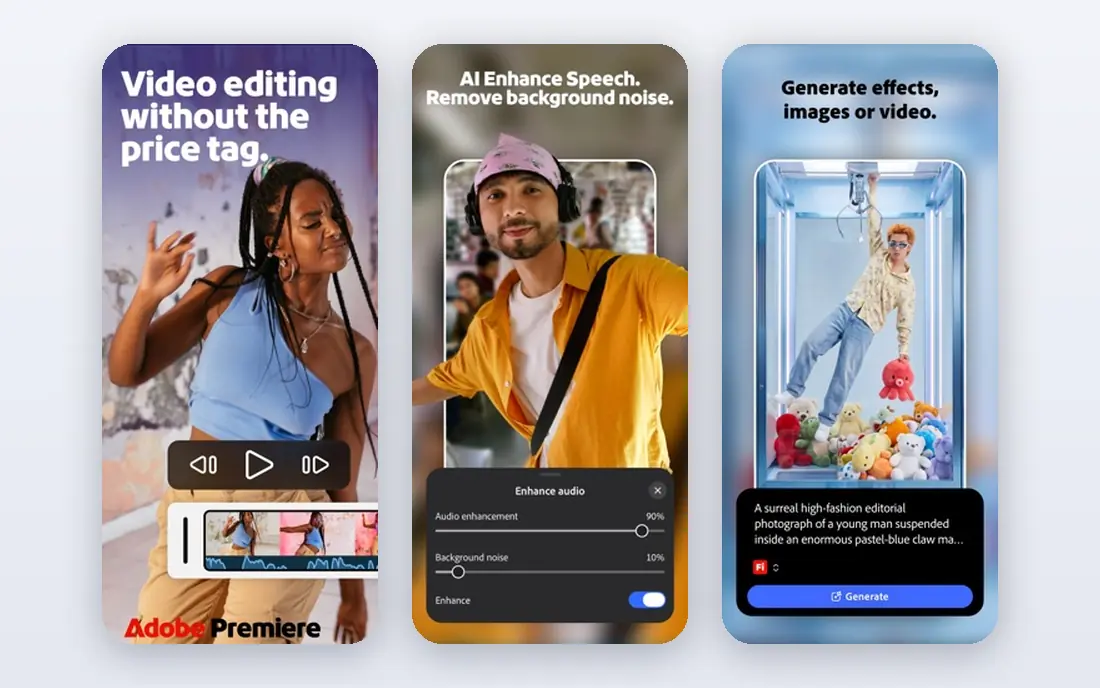
Adobe Premiere Pro remains the industry standard for professional editing, especially for teams already using After Effects, Photoshop and Audition. Text-based editing lets you cut by editing a transcript, and AI tools cover transcription, reframing and generative extend. Collaboration, shared projects and a huge plugin ecosystem suit agencies and production teams.
The price is 22.99 dollars per month on an annual single-app plan, with a 7-day trial and no buyout option. Over five years that totals well over a thousand dollars, so Premiere makes sense when the Adobe ecosystem or client compatibility justifies it. For a solo creator who does not need Adobe tools daily, Resolve or Final Cut Pro saves real money.
- Industry-standard timeline
- Deep Adobe integration
- Text-based editing and AI tools
- Subscription only, with no buyout
- Cost adds up over years

Final Cut Pro is the best choice for Mac creators who hate subscriptions. The one-time price of 299.99 dollars includes the full app with free updates, and performance on Apple Silicon Macs is notably fast, with smooth playback on footage that strains other editors. The Magnetic Timeline keeps clips connected as you trim, which speeds up assembly once you learn it.
Final Cut Pro runs only on Mac, so Windows users must look elsewhere. Apple has also moved some premium content behind Apple Creator Studio, a separate subscription, though the core app remains a buyout. For a Mac-only creator, Final Cut Pro is the best long-term value among paid editors.
- One-time purchase with no subscription
- Fast on Apple Silicon
- Magnetic Timeline is efficient
- Mac only
- Some premium content now sits behind a subscription bundle
CapCut is the fastest way to make short-form social video, and its free tier covers most of what a social creator needs. Auto-captions are among the best available, trending templates and effects update constantly, and the mobile, web and desktop apps share projects. For Shorts, Reels and TikTok, CapCut often finishes a video in half the time of a traditional editor.
Pro adds premium assets, higher-quality exports and extra AI tools for a monthly fee that varies by region. Long-form projects, complex color work and multi-camera edits still belong in Resolve, Premiere or Final Cut Pro. For social-first creators, CapCut is the obvious starting point.
- Generous free tier
- Best auto-captions and trending templates
- Fast for Shorts, Reels and TikTok
- Pro features need a subscription
- Desktop depth trails full timeline editors
Filmora suits beginners and YouTubers who want polished results without learning a pro editor. The interface is clear, templates, transitions and effects are plentiful, and AI tools help with captions, text to video and background removal. Pricing starts around 49.99 dollars per year, with a perpetual license also offered for users who prefer a one-time payment.
The free version watermarks exports, so budget for a paid plan if you publish regularly. Note also that the perpetual license covers the purchased version only, not future versions. For a hobbyist or new creator who wants fast, attractive edits, Filmora is a friendly middle ground.
- Friendly interface with huge template library
- AI tools for text to video and captions
- Perpetual option available
- Free version watermarks exports
- Perpetual license does not include future versions
Clipchamp is the easiest editor for Windows users who want to start without installing software. It runs in the browser, comes built into Windows, and offers templates, stock video, auto-captions and simple timeline editing. The free tier handles basic social and marketing videos well, and exports are straightforward.
Browser editing has limits on very large or complex projects, and premium filters, stock and brand kits sit behind paid plans. For quick Windows edits, school projects or simple marketing clips, Clipchamp is a convenient free choice.
- Free tier with no install needed
- Built into Windows
- Templates and stock library
- Browser-based performance limits
- Advanced features need a paid plan
PowerDirector is a long-running Windows consumer editor with fast rendering and a deep effects library. The 365 subscription, around 69.99 dollars per year, adds AI tools, premium effects and regular updates, while perpetual versions are also sold for users who prefer a one-time purchase. The interface balances power and approachability, which suits enthusiasts moving beyond basic editors.
Mac users get a more limited version, so Windows is the natural home for PowerDirector. For a Windows enthusiast who wants speed, effects and AI help without pro-editor complexity, PowerDirector is a strong pick.
- Fast rendering
- Large effects library
- Good AI tools for consumers
- Subscription focus for the full feature set
- Mac version is more limited
Shotcut is the no-strings free editor in this comparison. It is fully open source, with no account, no watermark and no upsell, and it runs on Mac, Windows and Linux. Multi-track timeline editing, filters, transitions and 4K export cover most hobbyist needs, and the project files stay yours.
The interface is less polished than Filmora or CapCut, and you will not find the same template library or AI tools. For a creator who refuses subscriptions and wants a capable free editor, Shotcut is the honest choice.
- Fully free and open source
- No watermark or account
- Works on Mac, Windows and Linux
- Interface is less polished
- Fewer templates and AI tools than paid editors
How we picked these
We compared official pricing pages and current independent comparisons of video editors, and kept only products with a working homepage and a current release in 2026. We favored editors that cover the main use cases, from pro long-form work to short-form social and beginner editing, and we mixed free, one-time and subscription models so readers can compare true long-term cost. We did not claim hands-on testing, and we used vendor pricing pages as the source for prices.
How to choose a video editor
The right editor depends on your platform, your videos and your budget over time, not on a single feature list.
Start with your platform and computer
Final Cut Pro needs a Mac, PowerDirector shines on Windows, and Resolve, CapCut, Filmora and Shotcut run on both major desktop platforms. Check system requirements against your actual computer, especially for 4K footage, since a pro editor on weak hardware will frustrate you no matter how good its features are. If you edit on a Chromebook or a borrowed machine, Clipchamp in the browser is the practical answer.
Match the editor to the video you make
Short-form social video favors CapCut for speed and captions, while long-form YouTube, weddings or film work favors Resolve, Premiere or Final Cut Pro. Beginners who want templates should start with Filmora or Clipchamp, and creators who refuse subscriptions should start with Resolve free or Shotcut. Switching editors mid-project is painful, so pick for the videos you will make most, not the ones you might make someday.
Compare five-year cost, not monthly price
A 22.99 dollar monthly subscription feels small until you multiply it over five years, while a 299.99 dollar one-time purchase or a free editor costs far less over the same period. Weigh that total against the ecosystem and collaboration benefits of a subscription. If you do not need Adobe collaboration daily, a free or buyout editor usually wins on cost.
FAQ
What is the best video editing software comparison winner for most people?
DaVinci Resolve is the best video editing software comparison winner for most people, because the free version covers pro editing, color, effects and audio with no watermark. Mac creators who prefer a one-time purchase should look at Final Cut Pro, while Adobe teams should stay with Premiere Pro. The right winner depends on your platform and budget.
Is DaVinci Resolve really free?
Yes, the base version of DaVinci Resolve is free, with a full timeline editor, color grading, Fusion effects and Fairlight audio, plus 4K export and no watermark. DaVinci Resolve Studio costs 295 dollars one-time and adds advanced AI tools, stereoscopic 3D and higher-resolution features. Most creators never need Studio, which makes the free version unusually generous.
Is Final Cut Pro better than Premiere Pro?
Final Cut Pro is better for Mac creators who want a one-time purchase and fast Apple Silicon performance, while Premiere Pro is better for teams inside the Adobe ecosystem or working cross-platform. Final Cut Pro costs 299.99 dollars once, while Premiere Pro costs 22.99 dollars per month on an annual plan. Choose by platform and ecosystem, not by brand loyalty.
What is the best free video editing software for beginners?
CapCut is the best free video editing software for beginners making social video, thanks to auto-captions and templates, while Filmora is friendlier for YouTube-style edits once you accept its watermark on the free tier. Shotcut is the best fully free option with no watermark, though its interface is less polished. Try CapCut and Shotcut free before you pay for anything.
Do I need a subscription to edit video professionally?
No. DaVinci Resolve free handles professional work for many editors, and Final Cut Pro and DaVinci Resolve Studio are one-time purchases. Subscriptions make sense when you need Adobe collaboration, constant updates or a large plugin ecosystem. For most solo creators, a free or buyout editor covers professional work without a monthly bill.