Best Video Analytics Software in 2026: 8 Tools Compared
Compare the best video analytics software for marketing, sales and streaming teams, with current prices, viewer tracking and reporting limits explained
- Editor's choice
 Wistia
Marketing video analytics
Starts atFreeVisit wistia.comFull review - Great alternative
 Vimeo
Branded hosting and analytics
Starts at$20 per monthVisit vimeo.comFull review - Also consider
 Vidyard
Sales video tracking
Starts atFreeVisit vidyard.comFull review
TL;DR:
- Wistia and Vimeo are the most practical starting points for marketing teams, because both pair hosting with viewer analytics in one dashboard.
- Vidyard is the strongest fit for sales teams that need to know who watched a video and for how long, with CRM connections on higher plans.
- Mux Data is the right choice for product and engineering teams that stream at scale and need playback quality data, not just view counts.
- YouTube Analytics is free and powerful for public reach, but it cannot replace private hosting, lead capture or viewer-level CRM data.
- Pick your tool by the question you need answered: who watched, where they dropped off, or whether playback worked, because no single tool answers all three equally well.
Quick comparison
| Tool | Best for | Starts at | Free plan? | |
|---|---|---|---|---|
| Wistia | Marketing video analytics | Free | Yes | Visit |
| Vimeo | Branded hosting and analytics | $20 per month | Yes | Visit |
| Vidyard | Sales video tracking | Free | Yes | Visit |
 Mux Data | Streaming quality analytics | Free | Yes | Visit |
 Brightcove | Enterprise video analytics | See website | No | Visit |
 YouTube Analytics | Public video performance | Free | Yes | Visit |
 SproutVideo | Simple business video analytics | See website | Free trial | Visit |
 JW Player | Player and streaming analytics | See website | Free trial | Visit |
The best video analytics software
We compared official pricing pages, feature pages and public documentation for tools that host or measure video today. The eight below cover marketing, sales, streaming and public video, so you can match the tool to the audience you actually serve.

Wistia is our pick for most marketing teams because its analytics answer a marketing question, not just a technical one. Heatmaps show where viewers rewatch or drop off, play rate and completion data show which videos hold attention, and turnstile forms capture emails at a point you choose in the video. That combination helps a team improve a demo page rather than just count plays.
The free plan covers up to ten videos with basic analytics, while Plus starts at $19 per month and Pro at $79 per month on the published figures we checked. Pro adds heatmaps, A/B testing and lead generation features that most serious marketing teams will want. Watch the media limit as your library grows, because extra videos add cost even when views stay flat.
- Viewer heatmaps and engagement graphs
- Lead capture forms inside the player
- HubSpot and marketing integrations
- Video limits on lower plans
- Costs rise with extra media
- Advanced marketing integrations need higher tiers

Vimeo suits teams that care about how a video looks on their site as much as how it performs. The player is clean, ad-free and customizable, and paid plans add analytics, collaboration and, on Advanced, live streaming. For agencies and creative teams that share work with clients, that presentation quality matters.
Starter is $20 per seat per month on monthly billing, or $12 per seat on annual billing, with Standard at $41 and Advanced at $125 on monthly billing. Because pricing is per seat, a five-person team pays more than the headline figure suggests, so confirm the checkout total for your seat count. The free plan is useful for testing, but serious analytics and branding need a paid plan.
- Ad-free branded player
- Analytics on paid plans
- Live streaming on Advanced
- Large creative toolset
- Per-seat pricing can surprise teams
- Storage and video limits vary by plan
- Analytics depth is below Wistia for lead tracking
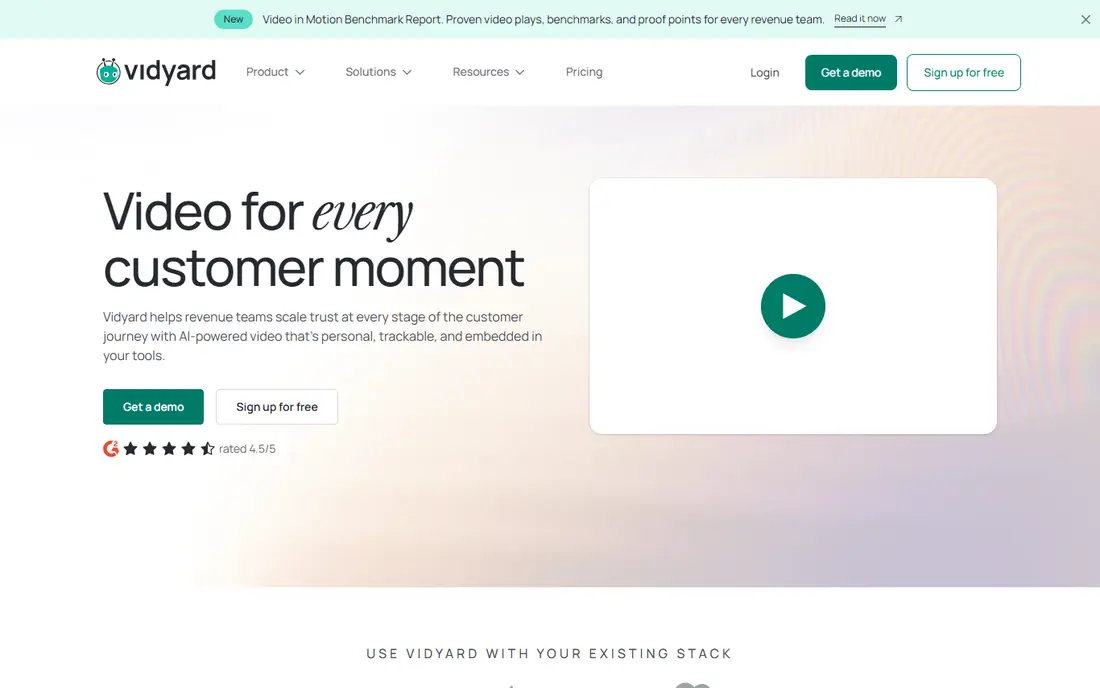
Vidyard is built for a rep who sends a personal video and needs to know what happened next. It records who opened a video, how much they watched, and whether they clicked, then feeds that activity into a CRM on higher plans. For sales teams, that viewer-level detail is the whole point, and it is stronger here than in a general hosting tool.
The free plan covers a small library with basic recording, while Starter is $59 per seat per month on annual billing. Teams and Enterprise are custom priced and add deeper CRM sync, team reporting and security controls. If you only need website hosting, a per-seat sales tool may cost more than you need; if video is part of selling, the per-viewer data can justify it.
- Viewer-level tracking for sales outreach
- Screen and webcam recording
- CRM integrations on team plans
- Per-seat costs add up for large teams
- Best CRM features need Teams or Enterprise
- Free plan is limited
Mux Data answers a different question from Wistia: did playback work well, on which devices, and where did it fail. It tracks startup time, buffering, errors and engagement across web, mobile and TV apps, which helps product teams fix streaming problems before viewers complain. That depth is why many streaming services use it alongside a player.
The pay-as-you-go tier is free for up to 100,000 monthly views, with extra views at a published per-thousand rate, while the Media plan is $499 per month for one million views. That paid floor means Mux Data is not a casual marketing purchase, but for a product team with real streaming volume, the diagnostic detail is worth the setup effort.
- Detailed playback quality and engagement data
- Broad device coverage
- Free tier up to 100,000 monthly views
- Developer setup required
- Paid Media plan starts at $499 per month
- Not a marketing lead tool
Brightcove is the enterprise end of this list, built for publishers and media companies with large catalogs, live events and advertising. Its analytics cover audience behavior, ad performance and content performance across a large library, with controls for rights, monetization and distribution that smaller tools do not offer.
Pricing is custom and quoted by sales, so we list it as See website. That lack of a published entry price is itself a signal: Brightcove fits organizations with a dedicated video team and a budget to match. A small business with a few dozen videos will get faster value from Wistia or Vimeo, while a publisher with thousands of assets and ad revenue may need Brightcove scale.
- Audience and advertising analytics at scale
- Live and on-demand streaming
- DRM and monetization options
- Custom pricing only
- Implementation can be heavy
- Overkill for small libraries
YouTube Analytics is free, and for public video it is hard to beat on depth. Retention graphs show exactly where viewers leave, traffic sources show how people found a video, and audience data shows which videos bring subscribers back. If your goal is reach and discovery, start here before paying for anything else.
The limits are about control. Videos live on YouTube, with YouTube branding, recommendations and ads in many cases, and you cannot capture leads inside the player or track a named viewer in your CRM from YouTube data alone. Most businesses end up using both: YouTube for discovery, and a private host such as Wistia or Vimeo for website and sales videos.
- Free and detailed for public videos
- Audience retention and traffic source data
- Huge built-in audience
- No private branded hosting
- Limited viewer-level CRM data
- YouTube branding and recommendations
SproutVideo appeals to teams that want Wistia-style analytics without a complex setup. It offers engagement timelines, viewer tracking for identified viewers, lead capture forms and privacy controls such as domain restriction and password protection. The dashboard is straightforward, which helps a small team act on data without a dedicated analyst.
We list pricing as See website because published figures have varied and the current page is the reliable source. That is worth a minute before you budget, but it should not deter a trial: SproutVideo is a credible middle option between a free YouTube setup and an enterprise platform, especially for training, internal video and client-facing explainers.
- Clean viewer engagement reports
- Lead capture and calls to action
- Privacy and domain controls
- Smaller integration ecosystem than Wistia
- Pricing changes require checking the current page
- No free permanent plan
JW Player, now part of a larger video platform family, combines a widely used player with analytics for publishers and streaming services. It tracks playback, engagement and audience trends, supports advertising, and offers recommendations to keep viewers watching. For a publisher embedding video across many pages, that player-level view is valuable.
Pricing is listed as See website because plans are often quoted or trialed rather than published as a single entry price. Small marketing teams may find Wistia simpler, but publishers, news sites and streaming services that need a player, ads and analytics in one stack should put JW Player on the shortlist and test it on real traffic.
- Player analytics plus recommendations
- Advertising support
- Scalable streaming for publishers
- Custom and trial-based pricing for many plans
- Setup suits publishers more than small marketers
- Analytics focus is playback and audience, not CRM leads
How we picked these
We compared official pricing pages, feature pages and public documentation for video tools that are live today. We included marketing, sales, streaming and public video tools because the phrase video analytics covers all four jobs, and a tool that excels at one often misses another. We did not claim hands-on testing; our comparison rests on vendor documentation and reported user experience.
We favored tools with published analytics features rather than vague claims: heatmaps, retention graphs, viewer-level tracking, playback quality data or ad reporting. Where pricing was custom or variable, we wrote See website rather than guessing a figure.
How to choose the right analytics for your videos
Start by naming the decision the data must support. A marketing team needs to know which videos drive enquiries, so heatmaps, completion rates and form conversions matter most. A sales team needs named viewer activity, so CRM-connected tracking matters more than aggregate views. A streaming team needs error and buffering data, so playback quality matters more than either.
Next, check how the tool identifies viewers. Aggregate analytics can tell you a video lost half its audience at thirty seconds, but only viewer-level tracking can tell you that a specific prospect watched a pricing demo twice. That distinction decides whether you need a sales tool, a marketing host, or both, and it also affects privacy: named tracking should be disclosed in your privacy notice and used only with a lawful basis.
Finally, test with one high-value video. Publish it through the tool, share it with a real audience, and review the report after a week. Look for a clear action: a cut, a new thumbnail, a shorter intro, a follow-up email to engaged viewers. If the report does not lead to an action, the tool is counting views rather than helping you improve video.
FAQ
What is video analytics software?
Video analytics software measures how people watch video: plays, completion, drop-off points, devices, locations and, in some tools, named viewer activity. Marketing tools add lead capture and CRM data, while streaming tools add playback quality data such as buffering and errors. The right definition depends on whether you care about audience behavior, sales follow-up or technical performance.
Is YouTube Analytics enough for a business?
YouTube Analytics is enough if your videos are public and your goal is reach, retention and subscriber growth. It is not enough if you need a branded player on your website, lead capture inside a video, or named viewer data in your CRM. Many businesses use YouTube for discovery and a private host for website, training and sales videos.
How much does video analytics software cost?
Entry costs range from free for YouTube Analytics, Wistia Free and Vidyard Free to $20 per month for Vimeo Starter and $19 per month for Wistia Plus. Mid-tier marketing plans run $79 to $125 per month, while streaming analytics such as Mux Data Media starts at $499 per month. Enterprise platforms such as Brightcove are custom priced, so request a quote based on volume.
What is a video heatmap, and why does it matter?
A heatmap shows second-by-second engagement across a video, highlighting parts viewers rewatch and parts where they leave. It matters because it turns a single completion rate into an editing decision: a sharp drop at one point suggests a weak intro, a confusing section or an unnecessary detour. Wistia, SproutVideo and similar tools make this view central to their reports.
Do I need viewer-level tracking?
You need viewer-level tracking if sales or account follow-up depends on knowing who watched what, such as a prospect watching a demo or a client watching onboarding. You do not need it for general brand video, where aggregate retention and traffic data are enough. Named tracking raises privacy duties, so disclose it, limit access, and keep data only as long as you need it.
Can video analytics help with SEO?
Video analytics alone does not rank a page, but the insight behind it can help. Retention and drop-off data show which videos hold attention, and that feedback can improve page content, titles and placement. Hosting tools also offer video SEO features such as structured data and sitemaps, which help search engines understand a video, but quality content and a fast page still matter most.