Best Uptime Monitoring Tools in 2026: 9 Services Compared
Compare the best uptime monitoring tools for websites and APIs, with free plans, check intervals, alerts and status pages compared here in 2026 today.

- Editor's choice
 UptimeRobot
Free monitoring for many sites
Starts at$9 per monthVisit uptimerobot.comFull review - Great alternative
 Better Stack
Monitoring plus incident management
Starts at$29 per monthVisit betterstack.comFull review - Also consider
 Pingdom
Global checks and reporting
Starts atSee websiteVisit pingdom.comFull review
TL;DR:
- UptimeRobot is our pick for most small sites, thanks to a generous free plan with 50 monitors and simple setup.
- Better Stack suits teams that want monitoring plus incident management and status pages in one place.
- Pingdom suits larger sites that need global checks, detailed reporting and proven reliability, at a higher price.
- Free plans differ on commercial use, check interval and alert channels, so read the terms before relying on one for a business site.
- StatusCake, at $24.49 per month for its paid tier, is a strong value pick when you outgrow a free plan.
Quick comparison
| Tool | Best for | Starts at | Free plan? | |
|---|---|---|---|---|
| UptimeRobot | Free monitoring for many sites | $9 per month | Yes | Visit |
| Better Stack | Monitoring plus incident management | $29 per month | Yes | Visit |
| Pingdom | Global checks and reporting | See website | Free trial | Visit |
 StatusCake | Value paid plan with many monitors | $24.49 per month | Yes | Visit |
 Uptime Kuma | Self-hosted free monitoring | Free | Yes | Visit |
 Site24x7 | Full infrastructure monitoring | $9 per month | Free trial | Visit |
 Oh Dear | Simple monitoring for developers | See website | Free trial | Visit |
 HetrixTools | Budget monitoring with many checks | $9.95 per month | Yes | Visit |
 Freshping | Simple free monitoring for small sites | Free | Yes | Visit |
The best uptime monitoring tools
Uptime monitoring watches your website or API from outside, and alerts you the moment it stops responding. The best tool is the one that checks often enough, alerts through a channel you actually see, and does not cry wolf with false alarms.
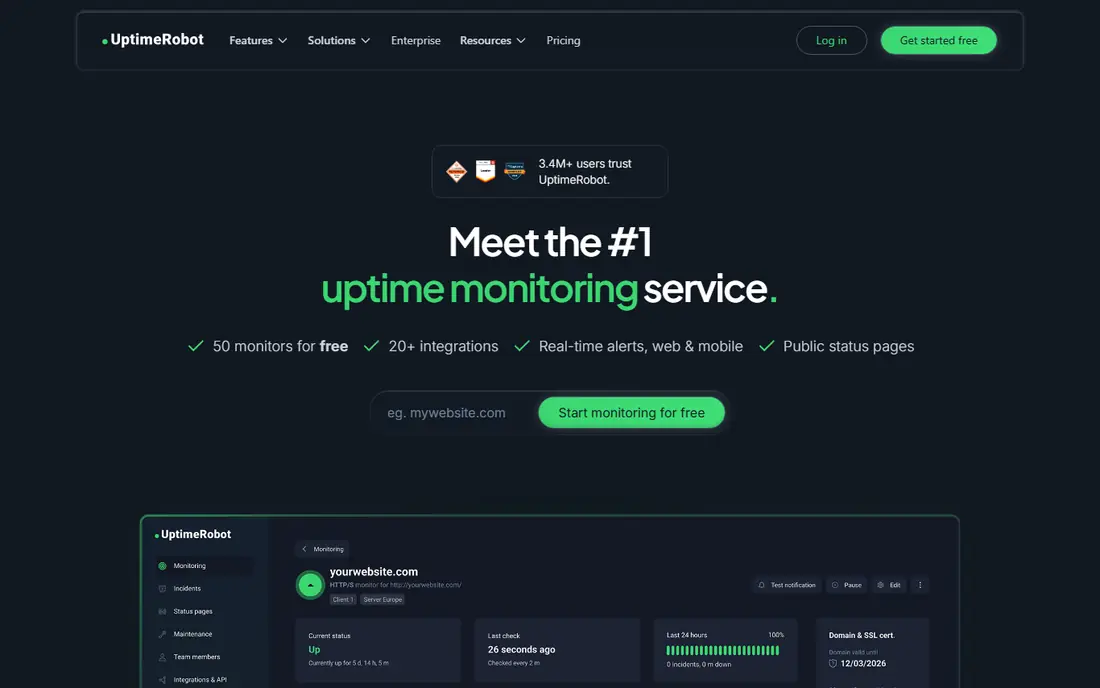
UptimeRobot is the first tool most developers try, and the free plan explains why: 50 monitors, checks every five minutes, a public status page and email alerts, with no time limit. Paid plans start around $9 per month for 10 monitors, with faster checks, SSL monitoring and more integrations as you move up to Team at $35 per month.
The free tier suits personal projects and small business sites with modest needs. If you need 30-second checks, SMS alerts or multi-region confirmation before paging someone at night, a paid plan or a tool like Pingdom fits better. For getting started, UptimeRobot is still the easiest yes.
- Free plan with 50 monitors
- Simple setup
- Status pages and many alert channels
- Free checks run every five minutes
- Advanced alert channels need paid plans
- No multi-region verification on free tier

Better Stack, formerly Better Uptime, combines uptime checks with on-call scheduling, incident timelines and status pages, so a small team can run the whole incident workflow without stitching tools together. The free plan covers 10 monitors and 10 heartbeats, with checks every three minutes, and paid plans start at $29 per month per responder seat.
Per-seat pricing is the catch for larger teams, since every responder adds cost before you monitor anything. For a small team that wants monitoring, paging and a status page in one polished product, Better Stack is a strong, modern choice.
- Uptime, incident management and status pages in one tool
- Clean interface
- Logs and metrics available
- Paid entry is $29 per responder per month
- Extra status pages cost more
- Free plan is limited to 10 monitors
Pingdom, from SolarWinds, is the veteran enterprise choice for website monitoring, with checks from many global locations, real user monitoring and detailed reports that stand up in client and management reviews. That global network helps confirm an outage is real, not a single probe hiccup, which cuts false alarms.
There is no free plan, only a trial, and pricing sits above budget tools, with starter plans reported around $15 per month in older comparisons and higher in current quotes. Large sites and agencies that need credible reporting will find it worth the cost. Small sites should start free elsewhere.
- Global probe network
- Detailed uptime and performance reporting
- Trusted by large sites
- No free plan, trial only
- Higher price than budget rivals
- Status page is a separate consideration
StatusCake gives small teams a clear upgrade path: a free plan with 10 monitors checked every five minutes, then a Superior plan at $24.49 per month, or $20.41 billed yearly, with 100 monitors checked every minute. SSL monitoring, domain checks and page speed tests round out a practical monitoring set.
Status pages are sold separately, which matters if a public page is a core need, and SMS alerts run on credits. For teams that mainly need reliable checks and alerts at a fair paid price, StatusCake is one of the best value options here.
- Free plan with 10 monitors
- Paid plan with 100 monitors checked every minute
- SSL and page speed checks
- Status pages are a separate product
- SMS alerts use credits
- Interface is functional rather than modern
Uptime Kuma is the self-hosted favourite: a clean, open-source monitor you run on your own server, with unlimited monitors, many notification options and status pages included. There is no licence cost, only the server you run it on and the time you spend keeping it updated.
That freedom is also the risk. If the server running Uptime Kuma goes down, your monitoring goes down with it, unless you host it separately from the sites it watches. For developers comfortable with self-hosting, it is a powerful free tool. For teams that want someone else on call, choose a hosted service.
- Free and open source
- Unlimited monitors
- Many notification channels
- Status pages included
- You host and maintain it
- No vendor support
- Uptime depends on your own server
Site24x7 suits teams that outgrow simple website checks and need servers, networks, cloud services and applications monitored together. Website monitoring starts at $9 per month billed annually, with deeper infrastructure plans above it. Alerts cover email, SMS, Slack, Teams and more, and reporting suits IT teams that answer to management.
A team that only needs to know if a homepage is up will find it heavier than UptimeRobot or StatusCake. A team managing a whole stack, with on-call rotations and service-level reporting, will appreciate having everything in one console.
- Website, server, network and cloud monitoring in one platform
- Wide alert options
- Detailed reporting
- Broader than uptime alone, so setup takes longer
- Free tier is trial-based
- Pricing grows with monitors
Oh Dear is built for developers and small agencies that want uptime, certificate expiry, DNS and broken link checks without enterprise complexity. The interface is clean, setup is fast, and status pages help agencies keep clients informed during incidents. It fits teams that manage many small sites and want one simple dashboard.
It lacks the global scale and reporting depth of Pingdom and Site24x7, and pricing should be confirmed on its site for your site count. For developer-led teams that value simplicity over enterprise features, Oh Dear is a pleasant, focused tool.
- Clean developer-focused interface
- Uptime, SSL, DNS and broken link checks
- Status pages
- Quote or tier pricing varies
- Smaller ecosystem than Pingdom
- Less enterprise reporting depth
HetrixTools is a budget-friendly workhorse, with a free tier covering 15 monitors, SSL checks and Slack alerts, and paid plans from $9.95 per month for 30 monitors. It also includes IP blacklist monitoring, which helps email-heavy sites spot deliverability problems early. That combination suits small businesses and side projects on a tight budget.
The interface feels older than Better Stack or UptimeRobot, and incident management is lighter. If your priority is affordable, reliable checks with a generous free tier, HetrixTools deserves a look beside UptimeRobot.
- Free tier with 15 monitors
- Paid plans from $9.95 per month for 30 monitors
- Blacklist monitoring included
- Interface is dated beside newer rivals
- Status page options are simpler
- Less incident management depth
Freshping, from Freshworks, offers simple website monitoring with a free plan that covers the basics for a small site: uptime checks and alerts without a complex setup. It suits a small business that already uses Freshworks tools and wants monitoring in a familiar ecosystem.
Larger fleets and teams that need fast checks, advanced alerting and detailed reporting will outgrow it quickly. For a first monitor on a brochure site or a side project, Freshping is a low-friction, no-cost start.
- Free plan for basic monitoring
- Simple setup
- Part of the Freshworks ecosystem
- Limited depth beside dedicated tools
- Check intervals and limits are modest
- Less suited to large fleets
How we picked these
We compared official feature pages, pricing pages and public reviews for uptime monitoring tools in October 2026, favouring hosted services with real free or trial options, plus one self-hosted choice. We included budget, mid-range and enterprise tools, and we marked quote-based pricing as See website rather than inventing a figure.
What to check before you commit
Choose a check interval that matches your risk: five minutes is fine for a brochure site, while a checkout or API needs one minute or faster. Test alerts through the channel you will actually see at night, confirm multi-region verification if false alarms are costly, and set up a status page before an outage, not during one. Also check SSL expiry, DNS and keyword checks, since a site can return a 200 status while still serving the wrong content.
FAQ
What is the best uptime monitoring software for a small website?
UptimeRobot is the best starting point for a small site, with 50 free monitors and simple alerts. StatusCake and HetrixTools are strong alternatives when you need a paid plan with more monitors or faster checks.
What is the best uptime monitoring tool for an agency?
Better Stack and Oh Dear suit agencies well, thanks to status pages and clean multi-site dashboards. Pingdom suits agencies that need global checks and client-ready reporting, at a higher price.
Is there a free uptime monitoring service?
Yes. UptimeRobot, StatusCake, HetrixTools, Freshping and Uptime Kuma all offer free options. UptimeRobot has the most free monitors, while Uptime Kuma is free to run if you host it yourself.
How often should uptime checks run?
Five-minute checks suit most small sites, while one-minute checks suit stores, SaaS apps and APIs where downtime costs money. Faster checks cost more and can increase false alarms, so balance interval with multi-region confirmation.
What is the difference between uptime monitoring and status pages?
Uptime monitoring checks your site and alerts your team when it fails. A status page tells your customers what is happening during an incident. Many tools include both, but some, like StatusCake, sell status pages separately.
Do I need uptime monitoring if my host already monitors my site?
Yes, external monitoring is still useful, because host monitoring can miss problems that only outside visitors see, such as DNS or regional outages. Independent checks give you an early warning and evidence if you need to raise a host issue.
Sources
- https://uptimerobot.com/pricing
- https://betterstack.com/pricing
- https://www.pingdom.com/pricing
- https://www.statuscake.com/pricing
- https://github.com/louislam/uptime-kuma
- https://www.site24x7.com/pricing
- https://ohdear.app/pricing
- https://hetrixtools.com/pricing
- https://www.freshworks.com/website-monitoring/