Best Trust Accounting Software in 2026: 8 Tools Compared
Find the best trust accounting software for law firms that must keep client funds separate. We compared eight trust accounting tools on compliance and price.
- Editor's choice
 CosmoLex
Accounting-first trust compliance
Starts at$49 per user per monthVisit cosmolex.comFull review - Great alternative
 Clio
Largest ecosystem with trust accounting
Starts atSee websiteVisit clio.comFull review - Also consider
 MyCase
Simple practice management with trust tools
Starts atSee websiteVisit mycase.comFull review
TL;DR:
- CosmoLex leads for firms that want accounting and trust compliance built into practice management, not bolted on.
- Clio and MyCase suit firms that want a large ecosystem or a simple client portal alongside trust accounting.
- Three-way reconciliation is the key compliance check, so confirm it is included, not just promised, on your plan.
- Per-user pricing multiplies fast, so price the whole firm, including billing staff, before you choose.
Quick comparison
| Tool | Best for | Starts at | Free plan? | |
|---|---|---|---|---|
| CosmoLex | Accounting-first trust compliance | $49 per user per month | Free trial | Visit |
| Clio | Largest ecosystem with trust accounting | See website | Free trial | Visit |
| MyCase | Simple practice management with trust tools | See website | Free trial | Visit |
 PracticePanther | Accounting inside practice management | $49 per user per month | Free trial | Visit |
 Smokeball | Document-heavy firms with trust needs | See website | Free trial | Visit |
 Actionstep | Custom workflows with trust accounting | See website | Free trial | Visit |
 LeanLaw | QuickBooks Online firms with trust needs | See website | Free trial | Visit |
 TrustBooks | Standalone trust accounting | See website | Free trial | Visit |
The best trust accounting software
Trust accounting software tracks client funds held in trust, keeps them separate from firm operating money, and produces the reconciliations that bar rules require. The tools below range from full practice management with trust built in, to a standalone trust tool for firms that already use other software.
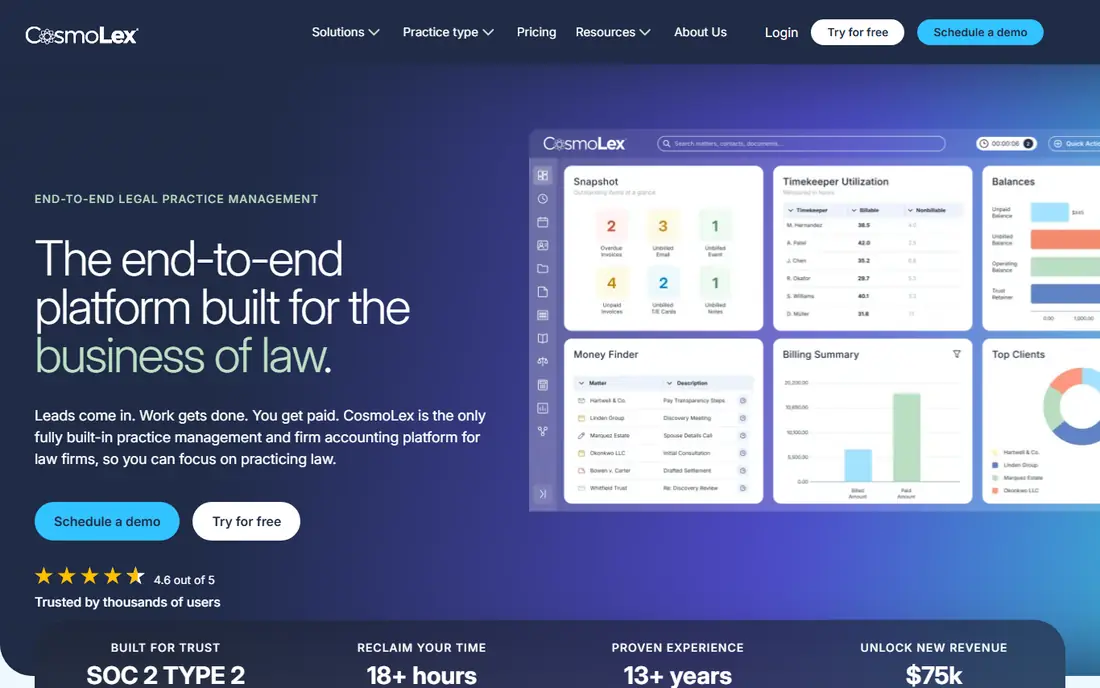
CosmoLex is built around legal accounting first, with practice management, billing, and trust accounting in the same system. That design matters for compliance, since trust transactions, client ledgers, and bank reconciliations stay in one ledger rather than syncing across tools. Launch pricing starts at $49 per user per month, with higher tiers for more accounting and practice features.
The trade-off is ecosystem size. CosmoLex has fewer third-party integrations than Clio, so firms with many add-ons should check compatibility. For firms where trust compliance is the priority and QuickBooks is not required, CosmoLex is a strong first choice.
- Full legal accounting in one system
- Trust and operating ledgers together
- Three-way reconciliation
- Smaller integration ecosystem than Clio
- Higher tiers needed for full features

Clio Manage includes trust accounting across its plans, with matter management, billing, documents, and time tracking in the same system. Its integration library is the largest in legal tech, which helps firms that already use intake, dialer, or reporting tools. A seven-day free trial lets firms test the core workflow before committing.
Pricing is tiered and some features, such as the client portal and advanced workflows, sit on higher plans, so the headline price is not the full cost for every firm. Clio suits firms that value breadth, integrations, and a mature platform, and that can budget for the tier they really need.
- Trust accounting on its plans
- Huge integration library
- Client portal on higher tiers
- Key features sit on higher tiers
- Add-ons for intake and accounting cost extra
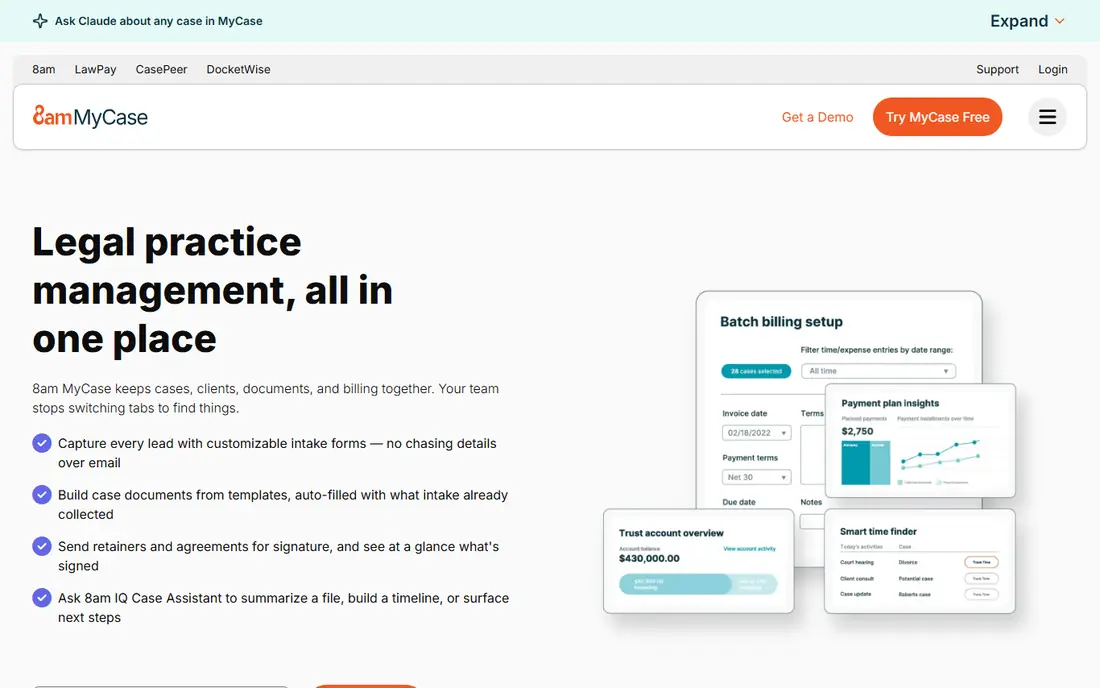
MyCase suits solo attorneys and small firms that want one predictable system for cases, clients, billing, and trust accounting. Its client portal and messaging tools keep communication in one place, which reduces email sprawl. Trust accounting is included in the broader practice management package, with reconciliation tools for client funds.
Tier pricing jumps can be steep when a firm outgrows the entry plan, so check what each tier includes for trust and reporting. MyCase fits small firms that prize simplicity and a single bill over deep customization.
- Simple interface
- Client communication built in
- Trust accounting and billing together
- Tier jumps are large
- Some advanced accounting features need higher plans
PracticePanther publishes four per-user tiers, starting at $49 per user per month for Solo, with Essential, Business, and Business Pro above it. Business Pro adds PantherAccounting Plus, with trust and operating accounting, reconciliation, and deeper financial workflows. That clarity helps firms model total cost before a demo.
The catch is that full trust accounting sits on the top tier, so entry-tier pricing does not tell the whole story for trust-heavy firms. PracticePanther suits growing firms that want code-free automation and a clear upgrade path.
- Clear published tiers
- Trust and operating accounting on higher tiers
- Payment tools included
- Full trust accounting needs Business Pro
- Per-user costs add up across staff
Smokeball is built for firms that live in Microsoft Word and Outlook, with document automation and automatic time capture that reduce manual entry. Trust accounting is part of its practice management package, so billing and client funds stay linked to matters and documents. A seven-day trial is commonly offered.
Pricing is often quote-based, so firms should get a written quote for their user count. Smokeball fits document-heavy small firms that want automation first and trust accounting as part of the same workflow.
- Strong document automation
- Automatic time tracking
- Trust accounting included
- Pricing is quote-based in many cases
- Microsoft Word and Outlook focus
Actionstep suits midsize firms that need workflows shaped to their practice areas, with trust accounting, billing, and document tools in one system. Its customization depth lets firms build intake, matter steps, and reporting around how they actually work, rather than forcing a generic template.
That depth comes with setup time and a learning curve, so firms should budget for implementation help. Actionstep fits firms that have outgrown simple tools and want a system they can shape, with trust accounting included.
- Deep workflow customization
- Trust accounting and billing
- Midsize firm focus
- Setup takes more time
- Learning curve for custom workflows
LeanLaw is the pick for firms whose accountant insists on QuickBooks Online. It adds legal time tracking, billing, and trust accounting workflows on top of QuickBooks, so firm books stay accountant-ready. That link avoids double entry between practice software and accounting software.
The trade-off is dependence on QuickBooks Online. Firms that do not use QuickBooks will get less value, and standalone practice features are narrower than Clio or CosmoLex. LeanLaw suits QuickBooks-committed firms that want legal trust workflows without leaving their accounting system.
- Built around QuickBooks Online
- Trust accounting through QuickBooks
- Time and billing tools
- Needs QuickBooks Online
- Less standalone practice management depth
TrustBooks does one job: trust accounting for law firms, with client ledgers, bank reconciliation, and trust reports. That focus makes setup simple and the price lower than a full practice suite. Firms that already use case or billing software they like can add TrustBooks for compliance without replacing their whole stack.
The limit is scope. TrustBooks does not replace practice management, so firms still need tools for matters, documents, and client communication. It suits small firms and solo attorneys who want a dedicated trust tool at a modest cost.
- Focused only on trust accounting
- Simple setup
- Low cost compared with full suites
- No full practice management
- Needs another tool for cases and billing
How we picked these
We compared legal tools with trust accounting as a stated feature, not just general billing, and we favored tools with three-way reconciliation, client ledgers, and bank reconciliation. We included both full practice suites and a standalone trust tool, so firms can choose by stack. We did not claim hands-on testing. Our findings rest on vendor pricing pages, feature descriptions, and public legal software comparisons. This article is general information, not legal or accounting advice, and firms must follow their state bar trust rules.
What to check before you buy trust accounting software
Start with your state rules. Trust accounting requirements vary by jurisdiction, including how often to reconcile, what reports to keep, and how to handle unclaimed funds. A tool that fits one state may need different reports in another, so confirm the report set with your bar rules in mind.
Reconciliation and reporting
Confirm three-way reconciliation, meaning client ledger, trust bank account, and book balance all match, is included on your plan and not an add-on. Check that the tool produces trust journals, client ledgers, and bank reconciliation reports your accountant can use. Test a sample reconciliation during a trial, not just a demo video.
Separation, permissions, and audit trails
Trust money must stay separate from operating money, so check that the tool enforces that separation and limits who can move trust funds. Look for user permissions, audit trails, and approval steps for trust transfers. A clear audit trail protects the firm if a client or regulator asks questions later.
Migration and total cost
Ask how trust balances migrate from your old system, and who checks that opening balances match. Price all users, including paralegals and billing staff, plus payment processing and add-ons, since per-user pricing multiplies fast. A lower headline price can cost more once every seat is counted.
FAQ
What is the best software for trust accounting?
CosmoLex is a strong pick for accounting-first trust compliance, while Clio suits firms that want the largest integration ecosystem. For a standalone trust tool, TrustBooks is worth checking, and LeanLaw suits QuickBooks Online firms.
What is three-way reconciliation?
Three-way reconciliation checks that the trust bank balance, the book balance, and the total of all individual client ledgers match. It is a core compliance check for law firm trust accounts, and it should be run regularly.
Does Clio include trust accounting?
Yes, Clio Manage includes trust accounting on its plans, with matter, billing, and document tools in the same system. Confirm which plan includes the client portal and reporting features your firm needs.
Can I use QuickBooks for trust accounting?
QuickBooks alone is not built for legal trust compliance, but LeanLaw adds legal trust workflows on top of QuickBooks Online. Firms that use QuickBooks should check that trust ledgers, reconciliation, and reports meet their state rules.
How much does trust accounting software cost?
Costs vary by users and tier, with CosmoLex starting at $49 per user per month and PracticePanther starting at $49 per user per month for its Solo tier. Price the whole firm, not one user, and include payment and add-on fees.
Do I still need an accountant if I use trust software?
Yes, software helps with records and reconciliation, but an accountant or bookkeeper should still review trust accounts regularly. This article is general information, not legal or accounting advice.