Best Tools for Pest Management in 2026: 8 Pest Control Software Options Compared
Compare the best tools for pest management in 2026: 8 pest control software options for routes, recurring service and chemical records, with pricing notes.
- Editor's choice
 GorillaDesk
Small and mid-size pest control companies
Starts at$49 per monthVisit gorilladesk.comFull review - Great alternative
 Jobber
Solo operators and small crews that also do other trades
Starts at$49 per monthVisit getjobber.comFull review - Also consider
 Housecall Pro
Small teams that want payments and marketing in one app
Starts at$59 per month (billed annually)Visit housecallpro.comFull review
TL;DR:
- GorillaDesk is the only pest-focused option in this list that publishes its full price list: plans start at $49 per month for one route, and admin, manager and sales users are free on every plan.
- Jobber ($49 per month on monthly billing) and Housecall Pro ($79 per month monthly, or $59 billed annually) are general field service apps with pest control pages. Both offer a 14-day free trial and cost less up front than the pest-specific systems.
- PestPac, FieldRoutes, Briostack and ServiceTitan do not publish prices. Each sends you to a demo and a quote, and ServiceTitan prices per technician.
- ServiceTitan's own pest control page says smaller pest companies with simpler needs are typically a better fit for FieldRoutes, which is a useful signal about who each product is built for.
- PestTrend is a different kind of tool: it tracks pest data across facilities for large organizations rather than running a pest control company's daily routes.
Quick comparison
| Tool | Best for | Starts at | Free plan? | |
|---|---|---|---|---|
| GorillaDesk | Small and mid-size pest control companies | $49 per month | Free trial | Visit |
| Jobber | Solo operators and small crews that also do other trades | $49 per month | Free trial (14 days) | Visit |
| Housecall Pro | Small teams that want payments and marketing in one app | $59 per month (billed annually) | Free trial (14 days) | Visit |
 FieldRoutes | Residential route-based pest control companies | See website | No | Visit |
 PestPac | Larger and multi-branch pest control operators | See website | No | Visit |
 Briostack | Pest and lawn companies with a door-to-door sales team | See website | No | Visit |
 ServiceTitan | Established multi-truck and multi-branch businesses | See website | No | Visit |
 PestTrend | Facilities managing pest control contracts across sites | See website | No | Visit |
The best tools for pest management
"Pest management tools" can mean traps and sprays, but the searches we see behind this phrase are usually about software: the system a pest control company uses to schedule recurring visits, route technicians, log chemical use and get paid. This list covers that, plus one tool for the customer side of the contract. If you want a physical trap or sprayer, this is not that list.

GorillaDesk is our pick for most small pest control businesses, mainly because you can read the price list and work out your bill before talking to anyone. Plans are priced per route: Basic is $49 per month for one route, Pro is $99 and Growth is $149, and a second route raises those to $99, $149 and $249. Only technicians assigned to a route need a paid seat, while admin, manager, sales and crew users are free.
The Basic plan covers invoices, estimates, automated email and text reminders, material tracking and chemical-use records. Pro adds a customer portal, online booking, subscription billing, review requests, QuickBooks Online sync and device tracking with barcoding for traps and equipment. Growth adds map-based estimating, a sales pipeline and multi-branch support. Plans are month-to-month with no setup fee, and GorillaDesk migrates your data for free.
The catch is the migration limit. GorillaDesk says it can import contact details, addresses, notes and starting balances, but not full service history, so you will keep the old records elsewhere. Its pricing page also does not say how long the free trial lasts.
- Public pricing with no contract
- Unlimited admin, manager and sales users on every plan
- Chemical-use records and material tracking on the cheapest plan
- Basic routing is capped at 25 stops
- QuickBooks sync and the customer portal need the Pro plan
Jobber is a general field service app that has put together a dedicated page for pest control, and the feature list on it is more specific than we expected. It covers recurring treatment programs (monthly, quarterly or seasonal), route optimization on a map, and a log of the pesticides applied that records applicator license numbers and can be filtered by date, client or applicator. Technicians also get a mobile app with job checklists, photo and signature forms, and on-site invoicing.
Pricing is published. The Core plan lists at $49 per month for one user on monthly billing, with lower rates on annual billing ($21 per month for the first year, then $29). The Connect and Grow plans add users, with Grow starting at $199 per month for one user. Extra users are $29 per month each. The 14-day trial gives full access to the Grow plan and needs no credit card.
Jobber suits a solo applicator or a small crew who want clean quotes, invoices and reminders without learning an industry-specific system. It is less suited to a company with hundreds of recurring accounts, termite inspection diagrams or heavy compliance reporting, where the pest-specific systems below go further.
- Cheapest entry price in this list
- Chemical application logging with applicator license numbers
- Clear published plans and a trial with no credit card
- Not built only for pest control
- Extra users cost $29 per month each
Housecall Pro
Best for: Small teams that want payments and marketing in one app
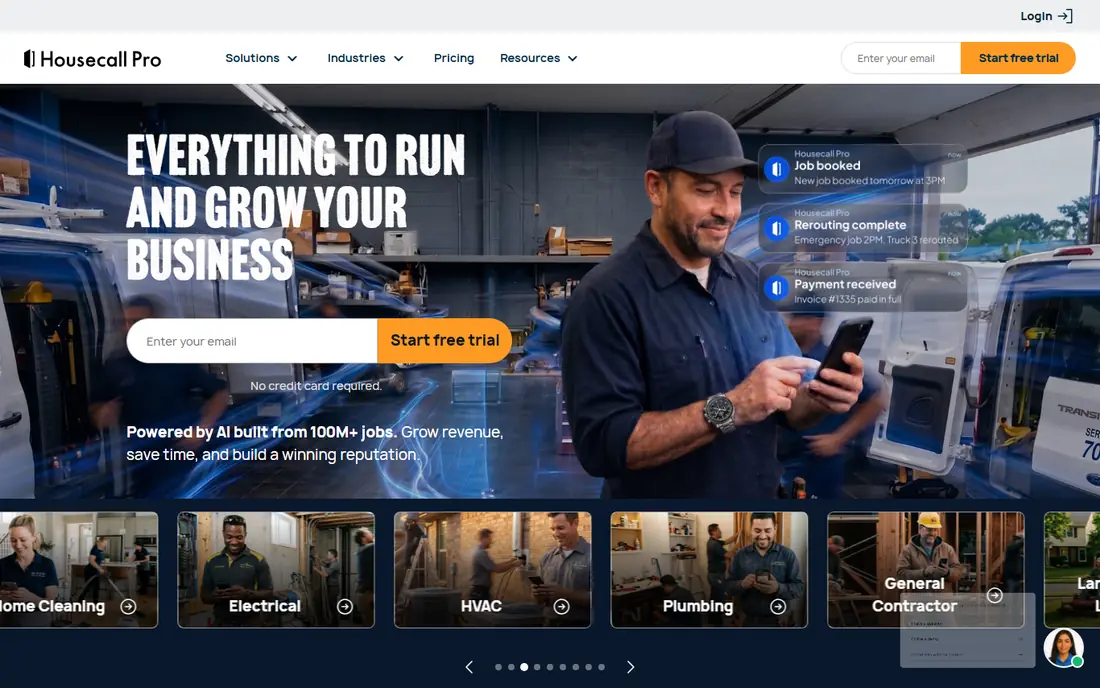
Housecall Pro is another general home-service platform with a pest control page. It lists one-time and recurring jobs, drag-and-drop scheduling, color coding by job type, automatic booking reminders, crew assignment by location and GPS vehicle tracking. A price book lets you pull flat-rate pricing into estimates, and invoices can auto-charge cards on file.
The plans are Basic (one user), Essentials (five users) and Max (eight users). Basic costs $59 per month billed annually or $79 month to month, Essentials is $149 or $189, and Max is $299 or $329, with extra Max users at $35 per month each. Prices exclude sales tax.
The honest weakness for pest work is record keeping. The pest control page we read describes checklists and inspection forms but does not mention logging chemical applications the way Jobber's page does, so ask for a demo of your state's required records before you commit.
- Published plans with a 14-day trial and no credit card
- Drag-and-drop scheduling with on-my-way texts
- Payroll and time tracking are part of the business tools
- Its pest control page does not mention chemical-application logging
- Prices rise quickly as you add users
FieldRoutes (the product formerly known as PestRoutes) is field service software with a clear pest control focus. Its site describes intelligent routing to cut drive time, a drag-and-drop scheduler with automated reminders, a technician app that handles contract signatures, payments and starting service on site, and dashboards that summarize active customers, payments and services.
Pricing is not on the site; you book a demo and receive a quote. Third-party listings such as G2 show FieldRoutes as a ServiceTitan company, and ServiceTitan's own pest control page points smaller, simpler businesses toward it, which fits what we see in its feature set.
Some reviewers on software directories describe the cost as steep for very small operators, so treat it as a tool for a company that already runs several routes. If you are a one-truck business, GorillaDesk or Jobber will probably get you running faster.
- Built around recurring pest routes
- Autopay and payment-issue alerts
- Public API for connecting other tools
- No published pricing
- Demo-first buying process
PestPac, made by WorkWave, is one of the longer-established names in pest control software. Its site lists scheduling and route optimization, CRM, a mobile app, accounting, a customer portal, chemical tracking, termite inspection tools, custom forms and a website builder. A newer analytics product, Wavelytics, consolidates data across branches and flags problems such as callback spikes.
The site names Dominion Pest Control, Arrow and Kingfish Pest Control in testimonials, which tells you the audience: operators with many technicians and sometimes several acquired businesses. WorkWave also quotes performance figures, but they are vendor claims that we could not verify.
Prices are not shown, and we did not find a published demo form on the page we read, only a sales phone line and "Get Started" buttons. A third-party review we read calls the system expensive with a dated design, so budget for onboarding time as well as the subscription.
- Covers scheduling, billing, CRM, termite inspection and chemical tracking
- Analytics tool built for multi-branch and acquisition-heavy companies
- Customer portal and website builder
- No published pricing
- Third-party reviewers call the design dated and the cost high
Briostack was created by a pest control company, and the product leans toward the sales side of the business. Its site lists CRM and lead management, sales territory management, bids and diagramming, direct-mail marketing add-ons, invoicing with QuickBooks integration, and an AI answering service. It serves pest control, lawn care or both.
The technician app, called Brio Tech, runs on iOS and Android and is described as working without data connectivity, which matters in basements and rural routes. It shows service history, gives turn-by-turn directions and records chemical usage.
Briostack publishes no prices and offers a demo request or a phone call rather than a trial. Its customer count and revenue-gain figures are company-reported, so ask for references from a business your size.
- Sales tools such as lead management, territory management and leaderboards
- Mobile app works without a data connection
- Public API and QuickBooks integration
- No published pricing
- No free trial mentioned
ServiceTitan is a large field service platform with a dedicated pest control offering. The pest page covers recurring agreement templates, at-risk account alerts, email and text campaigns tied back to signed agreements, route building by stops per technician, skills and zones, and chemical logging with compliance fields in its field app. For multi-location groups it adds branch permissions and a system-wide audit trail.
Pricing is per technician and by quote; the pricing page shows Starter, Essentials and The Works packages with a "Request Pricing" button instead of numbers. ServiceTitan is direct about its audience. Its pest page says it is aimed at established operations, from multi-truck businesses that have outgrown spreadsheets to multi-branch portfolios, and adds that smaller pest control businesses with less complex needs are typically a better fit for FieldRoutes.
- Agreement templates, renewal tracking and bulk price increases for recurring revenue
- EPA registration and job-level chemical logging
- Permission-based branch access with an audit trail
- Quote-based, per-technician pricing
- More system than a small pest company needs
PestTrend sits on the other side of the contract. It is a digital pest management platform for the organization buying pest control, such as a food business with several facilities, rather than for the contractor doing the visits. It gathers pest control data from one or more sites into an online hub, analyzes trends to warn of problems early, benchmarks sites against each other and lets you assign actions at local, district or group level.
You can enter reports yourself or pay for a serviced option where PestTrend enters them for you. Because the data lives in your account, the site says you can switch pest control contractors without migrating anything. If you run a pest control company, you are not the target customer. If you manage pest programs for several buildings and want one place to see sightings by site, it is the only product in this list built for that job. The service packages are priced on a separate page that we could not read in full, so check the website.
- Collects pest data from many sites in one place
- Trend analysis for early warnings
- Lets you change pest control contractors without moving data
- Aimed at large organizations
- Pricing is not published
How we picked these
We compared each product using its own website, pricing page and pest control feature page, and we cross-checked pricing against published plan tables where they existed. We did not run hands-on trials, so the strengths and weaknesses above come from what each vendor documents plus public software directory reviews, which we flag when we use them. Where a vendor publishes no price, we say "See website" rather than guess.
We included a spread of options: three general field service platforms, four pest-focused systems and one tool for facility managers. Vendor-reported results are labeled as claims, not findings.
How to choose pest management software
Start with your size and how you bill. A route-based per-seat price such as GorillaDesk's rewards a small crew, while per-technician quotes from ServiceTitan or PestPac make more sense once you have many trucks and recurring agreements.
Check the chemical records first
Pesticide application records are a regulatory matter in many places, and the rules differ by state. Ask each vendor to show you the exact record a technician fills in after a treatment, and compare it with what your state's pesticide regulator expects. A tool that logs applicator license numbers, products and quantities will save you the most trouble in an audit.
Test recurring service and routing
Most of your revenue is repeat visits, so set up a quarterly service, move one stop to another day and see how the route changes. Check how the system handles a customer who cancels, a skipped visit and a price increase across all agreements.
Ask about moving your data
Importing is rarely complete. GorillaDesk, for example, states that only contact details, addresses, notes and starting balances can be imported, so keep your old service history in an archive. Ask every vendor what is migrated, what it costs and how long onboarding takes.
Compare the full monthly cost
Add extra routes or users, payment processing fees and add-on modules such as sales tools. Run the numbers at your team size now and in two years.
FAQ
What is pest control software?
Pest control software is a business management system for companies that treat homes and commercial sites. It handles scheduling and routing, recurring service plans, customer messaging, invoicing and payments, and records of the chemicals used on each job.
Is there free software for a pest control business?
We did not find a permanent free plan among the products in this list. Jobber and Housecall Pro offer a 14-day free trial, and GorillaDesk offers a free trial but does not state its length on the pricing page. A spreadsheet works for a handful of customers but gets hard to manage once you have recurring routes.
Which tool is best for a one-truck pest control business?
For a solo operator, we would start with GorillaDesk or Jobber because both publish prices and are built for small teams. Jobber's Core plan lists at $49 per month for one user, and GorillaDesk's Basic plan is $49 per month for one route. Try both free trials with the same ten customers before choosing.
Do these tools track pesticide use?
GorillaDesk, Jobber, PestPac, Briostack and ServiceTitan all describe chemical or material tracking on their pest control pages. Housecall Pro's pest control page does not mention it, so ask for a demo of that feature. Always confirm the record matches what your state requires.
How much does pest control software cost?
Published prices in this list start at $49 per month for GorillaDesk and Jobber, and go up with routes, users and add-ons. PestPac, FieldRoutes, Briostack, ServiceTitan and PestTrend price by quote, so expect to book a demo to get a number.
Sources
- https://www.gorilladesk.com/pricing
- https://www.getjobber.com/pricing/
- https://www.getjobber.com/industries/pest-control-software/
- https://www.housecallpro.com/pricing/
- https://www.housecallpro.com/industries/pest-control-software/
- https://fieldroutes.com/
- https://www.pestpac.com/
- https://www.briostack.com/
- https://www.servicetitan.com/industries/pest-control-software
- https://www.servicetitan.com/pricing
- https://www.pesttrend.com/
- https://www.g2.com/products/fieldroutes-a-servicetitan-company/pricing