Best Tools for Measuring Live Chat Performance in 2026: 8 Tools Compared
Compare the best tools for measuring live chat performance in 2026, with response time, resolution, CSAT, agent coaching, and chat analytics for managers.
- Editor's choice
 Zendesk
Large support teams that need deep chat and ticket analytics
Starts atFrom $19 per agent per monthVisit zendesk.comFull review - Great alternative
 Intercom
Growing teams that want chat, AI, and conversation reporting together
Starts atFrom $29 per seat per monthVisit intercom.comFull review - Also consider
 LiveChat
Dedicated chat teams that want clear agent and chat reports
Starts atFrom $19 per agent per monthVisit livechat.comFull review
TL;DR:
- Response time alone misleads, since fast replies that do not resolve the issue still create repeat chats.
- CSAT, first contact resolution, and chat-to-ticket conversion together give a fairer picture of quality.
- Chat analytics work best when they connect to tickets, CRM, and order data, not when they sit in a separate dashboard.
- AI resolution needs its own reporting, so teams can see what the bot solved and what it handed to humans.
Quick comparison
| Tool | Best for | Starts at | Free plan? | |
|---|---|---|---|---|
| Zendesk | Large support teams that need deep chat and ticket analytics | From $19 per agent per month | Free trial | Visit |
| Intercom | Growing teams that want chat, AI, and conversation reporting together | From $29 per seat per month | Free trial | Visit |
| LiveChat | Dedicated chat teams that want clear agent and chat reports | From $19 per agent per month | Free trial | Visit |
 Freshchat | Small teams that want a free start with chat analytics | Free for up to 10 agents | Yes | Visit |
 Help Scout | Customer-first teams that want chat plus email reporting in one place | From $25 per user per month | Yes | Visit |
 Tidio | Small ecommerce stores that want chat plus AI analytics | From $29 per month | Yes | Visit |
 Crisp | Startups that want flat workspace pricing with chat stats | From $45 per workspace per month | Yes | Visit |
 Zoho SalesIQ | Zoho users that want website chat plus visitor analytics | Free | Yes | Visit |
The best tools for measuring live chat performance
We compared live chat platforms and their built-in analytics, since most teams measure chat performance inside the tool that runs the chat. We focused on response and resolution metrics, CSAT, agent reporting, quality review, and how easily reports can be shared with managers. Prices are from vendor and comparison pages checked in October 2026.

Zendesk gives the deepest measurement stack here, since chat sits inside a full ticketing platform. Explore reporting covers queues, SLA performance, handle time, and CSAT, while quality assurance at about 35 dollars per agent per month and workforce management at about 25 dollars per agent per month add coaching and forecasting on higher tiers.
The cost and setup reflect that depth. Suite Team starts around 55 dollars per agent per month, with Support-only plans from 19 dollars per agent per month, and key AI features cost extra. Small teams may find the interface heavy, but large operations get reporting that chat-only tools cannot match.
- Explore reporting for chat, tickets, and SLAs
- Quality assurance and workforce tools on higher tiers
- Broad integrations
- Per-agent pricing grows fast
- AI and workforce features often need paid add-ons
Intercom
Best for: Growing teams that want chat, AI, and conversation reporting together

Intercom measures chat where the conversation happens, with pre-built reports for response time, resolution, and volume, plus Fin AI reporting that shows how many conversations the AI agent resolves. A Pro add-on at about 99 dollars per month adds CX Score, Topics, Recommendations, Monitors, and Custom Scorecards.
The pricing model needs careful modelling. Seats start at 29 dollars per month, and Fin bills 0.99 dollars per resolution, so high-volume teams can see bills climb even with a small team. If AI performance reporting matters most, Intercom is a strong fit. If you need full workforce planning, Zendesk goes further.
- Pre-built chat reports
- AI resolution reporting for Fin
- Conversation topics and quality insights
- Per-seat plus per-resolution pricing can climb fast
- Advanced insights need a paid add-on
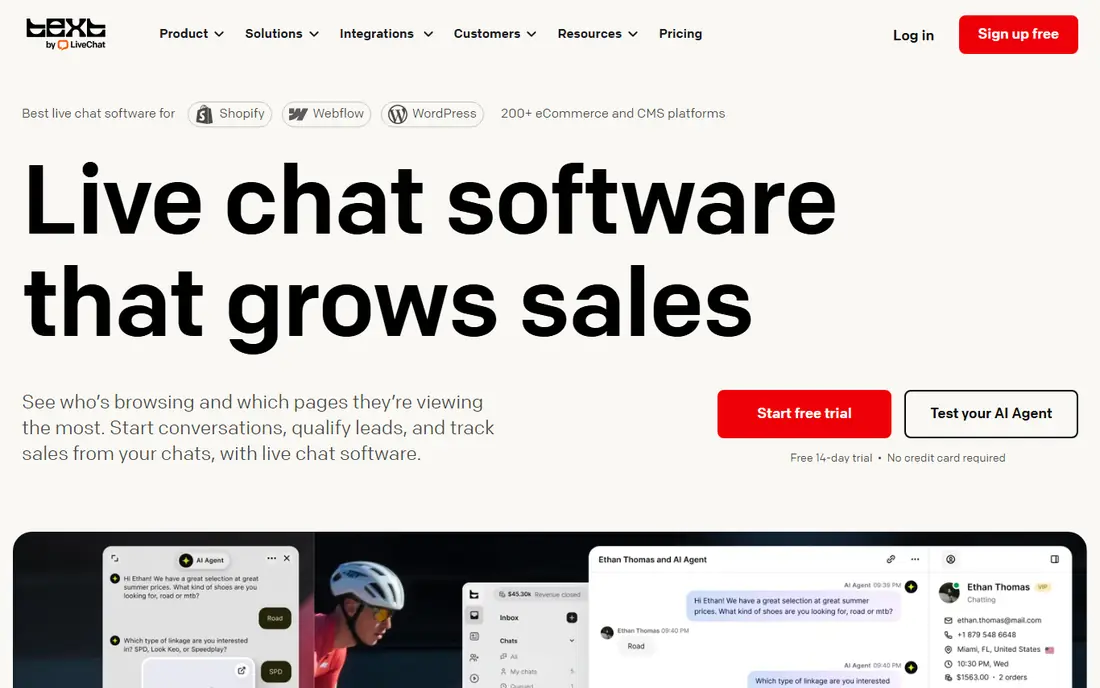
LiveChat is built around chat, so its analytics stay focused on what chat managers actually check each day: response time, handle time, CSAT, missed chats, and agent performance. Tags help teams break results down by topic, and ecommerce links tie chats to carts and sales where that matters.
The limit is scope. LiveChat measures chat well, but teams that also handle email, voice, and social tickets will need another system for full omnichannel reporting. Starting pricing is around 19 dollars per agent per month billed annually, with higher tiers adding more analytics and automation.
- Chat analytics for response time, CSAT, and agent performance
- Tags and canned response reports
- Ecommerce links
- Chat-focused, so ticket and voice reporting needs other tools
- Higher tiers cost more per agent
Freshchat, part of Freshworks, suits small teams that want chat measurement without an immediate fee, since its free plan covers up to 10 agents. Growth plans start around 19 dollars per agent per month billed annually, with reports for response time, resolution, and agent activity.
Freddy AI reporting is bundled into Freshdesk and Freshchat plans, with the first 500 AI sessions included on some plans and variable pricing after that. Small teams get a solid start here, but larger teams that need workforce management or advanced quality tools should compare Zendesk and Intercom.
- Free tier for small teams
- Chat reports for response and resolution
- Freddy AI session reporting on paid plans
- Free tier limits apply
- Deeper analytics and AI features need paid plans
Help Scout
Best for: Customer-first teams that want chat plus email reporting in one place
Help Scout suits teams that handle chat and email together and want one reporting view for both. Its Standard plan starts around 25 dollars per user per month, with AI resolutions billed at about 0.75 dollars each on top of seats in some plans, plus a free plan for very small teams.
The reporting is clear and easy to use, but it does not match Zendesk Explore for complex, multi-brand analysis. That is a fair trade for smaller teams, since setup is faster and managers can still track response time, CSAT, and agent performance without an admin project.
- Shared inbox reporting for chat and email
- CSAT and agent reports
- Simple setup for smaller teams
- Reporting depth is lighter than enterprise helpdesks
- AI resolutions cost extra on some plans
Tidio combines live chat, an AI agent called Lyro, and a shared inbox for web chat, Messenger, Instagram, WhatsApp, and email. Its analytics help small stores see chat volume, response performance, and AI handling, while visitor tracking shows which pages drive chats.
Pricing starts from about 29 dollars per month, with a free plan for basic use, and Lyro AI billed separately. Small stores get a good balance of chat and AI reporting for the price, but larger support teams that need workforce planning or deep quality scoring should look at Zendesk or Intercom.
- Live chat and AI agent reporting
- Visitor tracking
- Multichannel inbox for web, Messenger, and Instagram
- Lyro AI billed separately
- Reporting depth grows with higher tiers
Crisp charges per workspace rather than per agent, starting around 45 dollars per month, with a free plan for up to two seats. That model suits startups with many part-time agents, since adding agents does not automatically raise the bill in the same way per-seat pricing does.
Its chat stats cover the basics well, including response performance and volume, but teams that need deep quality review, workforce forecasting, or complex ticket reporting will find it lighter than Zendesk. For a lean chat team, the flat price and simple reports are the appeal.
- Flat workspace pricing, not per agent
- Chat stats for response and volume
- Shared inbox and automation
- Per-workspace tiers can jump in price
- Analytics depth is lighter than full helpdesks
Zoho SalesIQ suits teams already using Zoho, since website chat, visitor tracking, and proactive triggers sit alongside CRM data. Its free plan includes operator seats and a visitor allowance, with paid tiers adding more operators and features.
Pricing varies by region, with annual plans reported in some markets from a low monthly operator price. Reporting is solid for chat volume, response, and visitor behavior, but teams outside Zoho may get more from a standalone chat tool with deeper helpdesk reporting.
- Free plan with operator seats and visitor tracking
- Proactive chat triggers
- Bot and agent reporting
- Paid tiers vary by region
- Reporting depth depends on plan and Zoho setup
How we picked these
We compared official feature pages, pricing pages, and public reviews for each tool, and we checked that each product exists, works today, and truly fits the topic. Where a vendor quotes rather than publishes a price, we say so instead of guessing a number.
We also weighed fit for different team sizes, since the best choice for a solo operator is rarely the best choice for a larger team. That is why the list mixes well-known leaders with smaller options that suit narrower needs, and why each write-up names an honest weakness as well as a strength.
How to measure live chat performance well
Start with a small set of metrics that match your goal. If the goal is faster help, track first response time and wait time. If the goal is fewer repeat contacts, track first contact resolution and reopen rate. If the goal is happier customers, track CSAT and effort scores after each chat.
Separate bot and human results
AI chatbots can inflate resolution numbers if bot deflections count the same as human resolutions. Report bot resolution, human resolution, and handoff rate separately, and check a sample of bot-resolved chats to confirm customers actually got an answer.
Use agent reports for coaching, not just ranking
Agent-level reports should show handle time, CSAT, resolution, and quality scores together. A fast agent with low CSAT needs different coaching from a slow agent with high CSAT. Share the context behind the numbers before using them in reviews.
Check data quality before trusting dashboards
Test how chats are tagged, how CSAT surveys are sent, and how missed chats are counted. If tagging is inconsistent, topic reports will mislead staffing decisions. Fix tagging and survey timing first, then build dashboards on top.
Before you pay, run a short trial with your real work, not a demo dataset. Check setup time, support response, and the total monthly cost at your real user or volume level. A tool that passes that test is far more likely to still suit you in six months than a tool chosen from a feature list alone.
FAQ
What metrics matter most for live chat?
First response time, average handle time, first contact resolution, CSAT, and chat abandonment rate cover most needs. Add bot resolution and handoff rate if you use AI chat, and add reopen rate if repeat contacts are a problem.
How do I measure live chat CSAT?
Most platforms send a short survey after a chat ends, asking customers to rate the experience. Keep it to one or two questions, send it right after the chat, and report CSAT by agent, topic, and channel so you can act on low scores.
What is a good first response time for live chat?
Targets vary by industry and staffing, but many teams aim for under a minute during staffed hours. A more useful target pairs response time with resolution, since a fast greeting that leaves the customer waiting for an answer is not real help.
Can I measure chat performance without a full helpdesk?
Yes, standalone chat tools include basic analytics for response time, chat volume, and CSAT. You will get deeper reporting, quality review, and workforce tools from a full helpdesk, but a small team can start with chat analytics alone.
How do I report AI chat performance?
Report AI resolution rate, containment rate, handoff rate, and CSAT for bot-handled chats separately from human chats. Review a sample of bot conversations each week to check accuracy and tone, and track which topics still need human help.