Best Tools for In-House SEO in 2026: 8 Tools Compared
Best tools for in-house SEO in 2026: compare 8 platforms for keyword research, audits, rank tracking and content work for a small internal team today.

- Editor's choice
 Semrush
All-in-one SEO for marketing teams
Starts at$139.95 per monthVisit semrush.comFull review - Great alternative
 Ahrefs
Backlink and competitor research
Starts at$29 per monthVisit ahrefs.comFull review - Also consider
 Moz Pro
Beginners and small in-house teams
Starts at$49 per monthVisit moz.comFull review
TL;DR:
- Semrush is the broadest all-in-one choice, while Ahrefs leads on backlink research for many teams.
- Moz Pro is the friendliest entry point, and Google Search Console remains essential because it shows your real clicks.
- Surfer and Clearscope are content tools, not full suites, so budget for them alongside a research platform.
- Start with one suite, add a crawler or content tool only when a clear gap appears.
Quick comparison
| Tool | Best for | Starts at | Free plan? | |
|---|---|---|---|---|
| Semrush | All-in-one SEO for marketing teams | $139.95 per month | Free trial | Visit |
| Ahrefs | Backlink and competitor research | $29 per month | Yes | Visit |
| Moz Pro | Beginners and small in-house teams | $49 per month | Free trial | Visit |
 Surfer SEO | Content optimisation for writers | $59 per month | Free trial | Visit |
 Screaming Frog SEO Spider | Technical site crawls | See website | Yes | Visit |
 Clearscope | Content briefs and grading | See website | Free trial | Visit |
 Sitebulb | Visual technical audits | See website | Free trial | Visit |
 Google Search Console | Your own site real search data | Free | Yes | Visit |
The best tools for in-house SEO
An in-house team needs one reliable source for keyword data, site health, and rank changes, without agency reporting overhead. These tools cover that core work, plus content help where it fits.
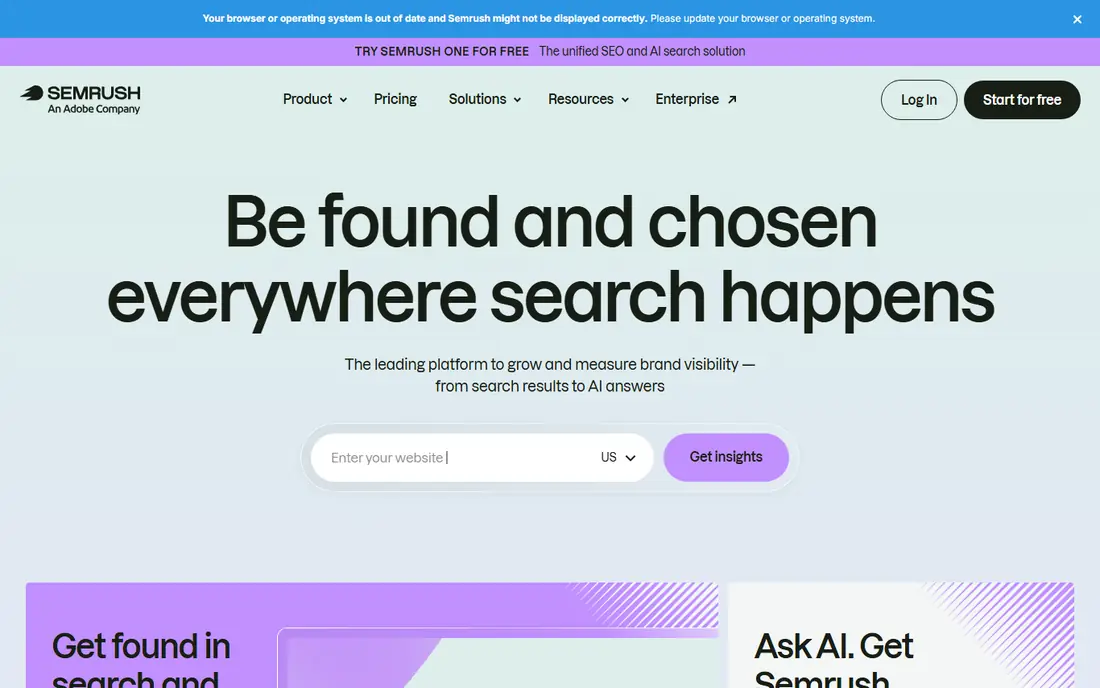
Semrush covers the most jobs in one subscription, from research to audits to reporting. That focus makes it a clear fit for all-in-one seo for marketing teams, and its strongest point is broad keyword, audit, ppc, and content tools. We compared its official feature pages and pricing with the other tools in this list, and it stands out for buyers who want that specific strength without paying for a much larger suite.
Pricing starts at $139.95 per month, and the free option is listed as Free trial. In daily use, expect a straightforward setup for the core job, plus the usual limits that come with a lower tier, such as fewer templates, fewer sends, or fewer seats. The honest catch is busy interface, so check that limit against your real volume before you commit.
Pick this one if all-in-one seo for marketing teams matches your main need and the price fits your budget for the next year. Skip it if you need a wider set of features in one place, since a broader platform may cost more at first but save you from stitching several tools together.
- Broad keyword, audit, PPC, and content tools
- Daily rank tracking
- AI visibility add-on
- Busy interface
- Price rises quickly with extra users

Ahrefs is the first pick when links and competitor pages drive your strategy. That focus makes it a clear fit for backlink and competitor research, and its strongest point is large backlink index. We compared its official feature pages and pricing with the other tools in this list, and it stands out for buyers who want that specific strength without paying for a much larger suite.
Pricing starts at $29 per month, and the free option is listed as Yes. In daily use, expect a straightforward setup for the core job, plus the usual limits that come with a lower tier, such as fewer templates, fewer sends, or fewer seats. The honest catch is rank updates are weekly on lower tiers, so check that limit against your real volume before you commit.
Pick this one if backlink and competitor research matches your main need and the price fits your budget for the next year. Skip it if you need a wider set of features in one place, since a broader platform may cost more at first but save you from stitching several tools together.
- Large backlink index
- Strong competitor page analysis
- Free Webmaster Tools for your own site
- Rank updates are weekly on lower tiers
- Full suites cost more at higher tiers

Moz Pro keeps the basics readable, which helps a small team stay consistent week to week. That focus makes it a clear fit for beginners and small in-house teams, and its strongest point is clear interface. We compared its official feature pages and pricing with the other tools in this list, and it stands out for buyers who want that specific strength without paying for a much larger suite.
Pricing starts at $49 per month, and the free option is listed as Free trial. In daily use, expect a straightforward setup for the core job, plus the usual limits that come with a lower tier, such as fewer templates, fewer sends, or fewer seats. The honest catch is smaller keyword index than rivals, so check that limit against your real volume before you commit.
Pick this one if beginners and small in-house teams matches your main need and the price fits your budget for the next year. Skip it if you need a wider set of features in one place, since a broader platform may cost more at first but save you from stitching several tools together.
- Clear interface
- Familiar Domain Authority metric
- Simple keyword and rank tools
- Smaller keyword index than rivals
- AI tracking is more limited
Surfer helps writers shape a page to match what already ranks, without guessing at structure. That focus makes it a clear fit for content optimisation for writers, and its strongest point is clear content scores and terms guidance. We compared its official feature pages and pricing with the other tools in this list, and it stands out for buyers who want that specific strength without paying for a much larger suite.
Pricing starts at $59 per month, and the free option is listed as Free trial. In daily use, expect a straightforward setup for the core job, plus the usual limits that come with a lower tier, such as fewer templates, fewer sends, or fewer seats. The honest catch is not a full research suite, so check that limit against your real volume before you commit.
Pick this one if content optimisation for writers matches your main need and the price fits your budget for the next year. Skip it if you need a wider set of features in one place, since a broader platform may cost more at first but save you from stitching several tools together.
- Clear content scores and terms guidance
- SERP-based briefs
- Useful editor
- Not a full research suite
- Needs a keyword tool alongside it
Screaming Frog finds broken links, redirect chains, and title problems that dashboards can miss. That focus makes it a clear fit for technical site crawls, and its strongest point is deep technical crawl data. We compared its official feature pages and pricing with the other tools in this list, and it stands out for buyers who want that specific strength without paying for a much larger suite.
Pricing starts at See website, and the free option is listed as Yes. In daily use, expect a straightforward setup for the core job, plus the usual limits that come with a lower tier, such as fewer templates, fewer sends, or fewer seats. The honest catch is desktop tool with a learning curve, so check that limit against your real volume before you commit.
Pick this one if technical site crawls matches your main need and the price fits your budget for the next year. Skip it if you need a wider set of features in one place, since a broader platform may cost more at first but save you from stitching several tools together.
- Deep technical crawl data
- Fast for large sites
- Flexible exports
- Desktop tool with a learning curve
- No keyword database on its own
Clearscope gives editors a shared standard for whether a draft covers a topic well. That focus makes it a clear fit for content briefs and grading, and its strongest point is strong content grading. We compared its official feature pages and pricing with the other tools in this list, and it stands out for buyers who want that specific strength without paying for a much larger suite.
Pricing starts at See website, and the free option is listed as Free trial. In daily use, expect a straightforward setup for the core job, plus the usual limits that come with a lower tier, such as fewer templates, fewer sends, or fewer seats. The honest catch is price is by quote for many teams, so check that limit against your real volume before you commit.
Pick this one if content briefs and grading matches your main need and the price fits your budget for the next year. Skip it if you need a wider set of features in one place, since a broader platform may cost more at first but save you from stitching several tools together.
- Strong content grading
- Clear term suggestions
- Simple reports for writers
- Price is by quote for many teams
- No rank tracking on its own
Sitebulb turns crawl data into prioritised fixes that a developer can work through in order. That focus makes it a clear fit for visual technical audits, and its strongest point is visual audit reports. We compared its official feature pages and pricing with the other tools in this list, and it stands out for buyers who want that specific strength without paying for a much larger suite.
Pricing starts at See website, and the free option is listed as Free trial. In daily use, expect a straightforward setup for the core job, plus the usual limits that come with a lower tier, such as fewer templates, fewer sends, or fewer seats. The honest catch is crawl-only focus, so check that limit against your real volume before you commit.
Pick this one if visual technical audits matches your main need and the price fits your budget for the next year. Skip it if you need a wider set of features in one place, since a broader platform may cost more at first but save you from stitching several tools together.
- Visual audit reports
- Clear issue priority
- Good for large sites
- Crawl-only focus
- Needs research tools for keywords and links
Google Search Console is the free baseline every in-house team should connect, whatever paid tool it buys. That focus makes it a clear fit for your own site real search data, and its strongest point is free real click and query data. We compared its official feature pages and pricing with the other tools in this list, and it stands out for buyers who want that specific strength without paying for a much larger suite.
Pricing starts at Free, and the free option is listed as Yes. In daily use, expect a straightforward setup for the core job, plus the usual limits that come with a lower tier, such as fewer templates, fewer sends, or fewer seats. The honest catch is only covers your verified sites, so check that limit against your real volume before you commit.
Pick this one if your own site real search data matches your main need and the price fits your budget for the next year. Skip it if you need a wider set of features in one place, since a broader platform may cost more at first but save you from stitching several tools together.
- Free real click and query data
- Indexing and coverage reports
- No guesswork on your own site
- Only covers your verified sites
- No competitor keyword data
How we picked these
We compared official pricing pages, feature lists, and public reviews, and we favoured tools with clear keyword limits, audit depth, and reporting a small team can maintain. We treated content-only tools as complements, not replacements, for a research suite. Where a price was not published, we used See website.
How to build an in-house SEO stack without buying everything
Start with one suite and Search Console. That pair covers research, audits, and real performance for most small sites. Add a second tool only when you can name the job it will do each week, such as fixing crawl errors or grading drafts. A tool nobody opens is a cost, not a capability.
Then set a weekly rhythm. Check rank and traffic changes, fix the top audit issues, and publish or update one page. In-house SEO wins come from steady work on a short list, not from owning five dashboards. Review your stack each quarter and drop any tool whose reports you have not acted on.
FAQ
What is the best tool for in-house SEO?
For most small teams, Semrush or Ahrefs as a main suite, plus free Google Search Console, covers research, audits, and tracking. Moz Pro is a gentler start if budget and simplicity matter more than depth.
Do I need more than one SEO tool?
Not at first. One suite plus Search Console is enough. Add a crawler or a content tool later when a specific gap, such as technical errors or thin drafts, slows your work.
How much should an in-house team budget for SEO tools?
A small team often spends from free to about $140 a month for a main suite, plus a content or crawl tool if needed. Start low, prove value from the first tool, then add spend.
Can in-house SEO work without an agency?
Yes, for many small and mid-size sites, if someone owns the work weekly. Agencies help with scale and specialist tasks, but steady audits, content updates, and link work can be done in-house.
How long does in-house SEO take to show results?
Small fixes can help in weeks, while competitive keywords often take months. Track Search Console clicks and rank trends, not daily swings, to judge progress.