Best Tools for Digital Marketing in 2026: 8 Tools Compared
Compare the best tools for digital marketing in 2026, from SEO and email to social, design, and analytics, with prices and free plans for small teams.
- Editor's choice
 Semrush
All-round SEO and competitor research
Starts at$139 per monthVisit semrush.comFull review - Great alternative
 Ahrefs
Backlink and keyword research
Starts at$29 per monthVisit ahrefs.comFull review - Also consider
 HubSpot
CRM, email, and automation together
Starts atSee websiteVisit hubspot.comFull review
TL;DR:
- No single tool covers all digital marketing, so build a small stack around SEO, email, social, design, and analytics.
- Semrush and Ahrefs lead for SEO research, while HubSpot suits teams that want CRM, email, and automation together.
- Mailchimp, Buffer, and Canva give small teams low-cost starting points for email, social, and design.
- Google Analytics remains the free baseline for measuring traffic, leads, and sales from every other tool.
Quick comparison
| Tool | Best for | Starts at | Free plan? | |
|---|---|---|---|---|
| Semrush | All-round SEO and competitor research | $139 per month | Free trial | Visit |
| Ahrefs | Backlink and keyword research | $29 per month | Yes | Visit |
| HubSpot | CRM, email, and automation together | See website | Yes | Visit |
 Mailchimp | Email marketing for small teams | See website | Yes | Visit |
 Buffer | Simple social scheduling | See website | Yes | Visit |
 Canva | Fast marketing design | See website | Yes | Visit |
 Google Analytics | Free website measurement | Free | Yes | Visit |
 Zapier | Connecting marketing apps | See website | Yes | Visit |
The best tools for digital marketing
We compared official feature pages, pricing pages, app store listings, privacy policies, and public reviews to find tools that cover the core jobs of digital marketing: research, email, social, design, measurement, and automation.
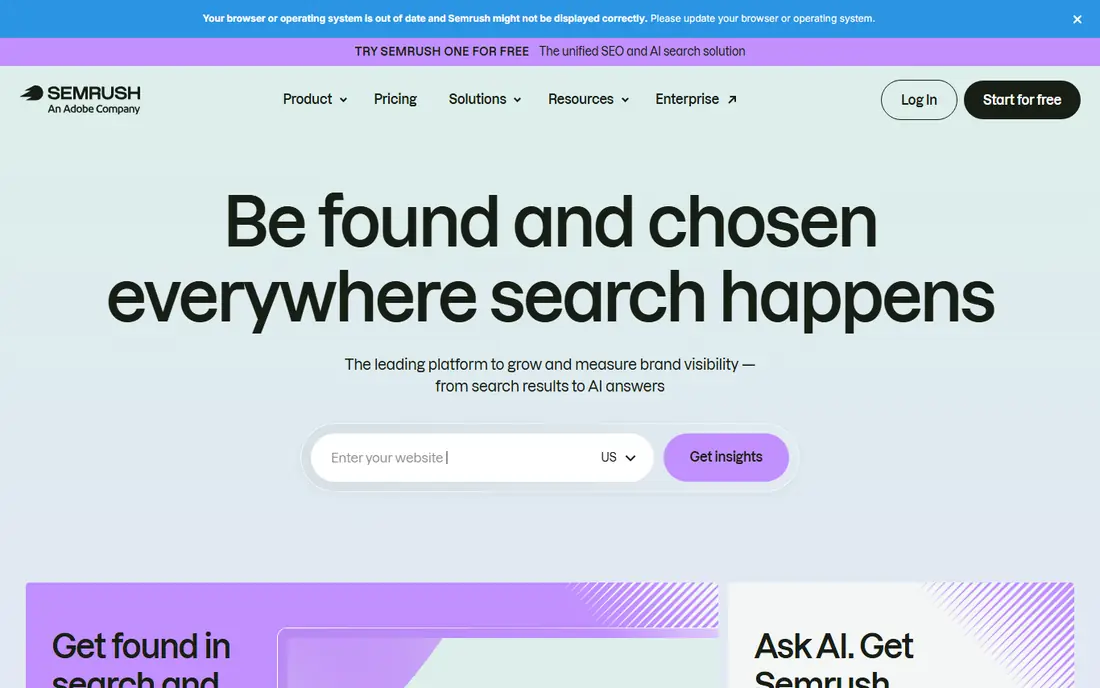
Semrush suits marketers who want one suite for keyword research, competitor analysis, site audits, and content planning. You can compare your site with rivals, find keyword gaps, track rankings, and audit technical issues without buying several separate tools. For agencies and growing brands, that breadth saves time. The price is the main barrier for solo marketers, and the number of tools can feel large at first. Start with keyword research and site audit, then add advertising and social tools as you need them. A trial with your own site and two competitors will show whether the breadth justifies the cost.
- Broad SEO, advertising, and content tools
- Competitor traffic and keyword data
- Site audit and rank tracking
- Higher price than narrow SEO tools
- Full toolkit takes time to learn

Ahrefs is the first choice for many SEOs who focus on backlinks, keyword research, and content gaps. Its crawler data helps you see who links to competitors, which pages earn links, and where your site can improve. Keyword tools show search intent and traffic potential, not just volume. Lower plans use credits, so heavy research can run out before the month ends. The free tier for verified sites helps owners check their own site, but competitor research needs a paid plan. For SEO-led marketing, Ahrefs pairs well with a content and email tool.
- Strong backlink data from its own crawler
- Clear keyword and content tools
- Free tools for verified sites
- Credits limit use on lower plans
- Higher tiers needed for larger projects
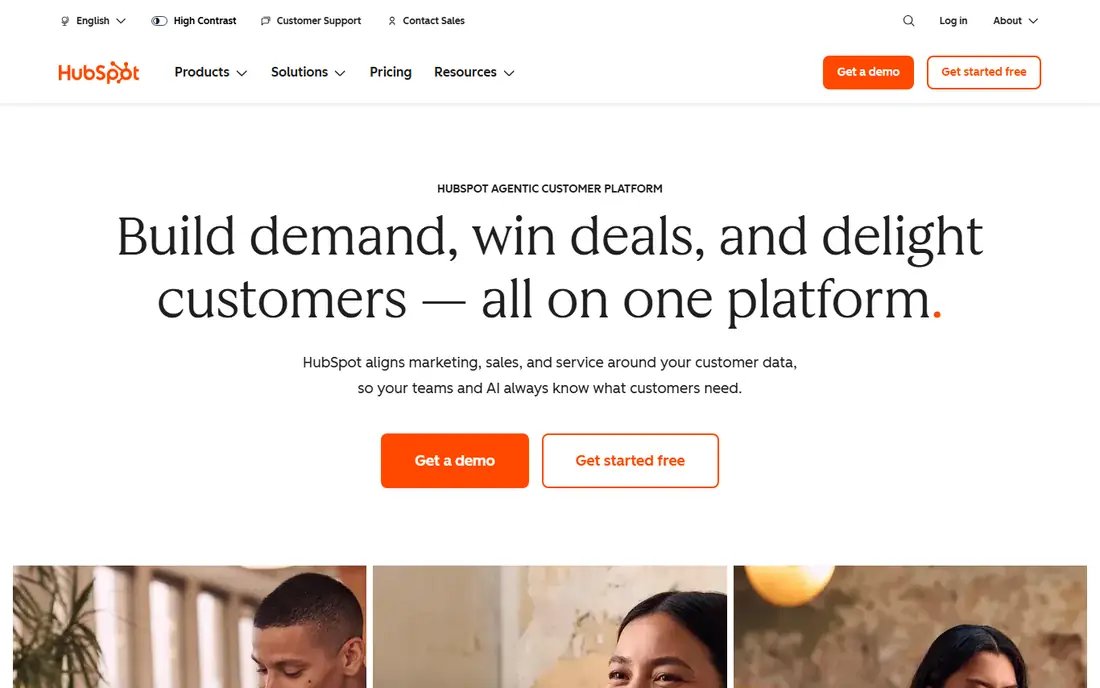
HubSpot suits teams that want marketing, sales, and service data in one place. The free CRM covers contacts, deals, and email tracking, while paid Marketing Hub plans add automation, landing pages, and campaign reporting. That shared data helps a team see which campaigns create leads and which leads become customers. Costs grow with contacts, seats, and hub features, so price a realistic contact count before you commit. Small teams can start free and add a Starter plan when automation matters. For a team that already juggles separate email, CRM, and form tools, HubSpot can replace several subscriptions.
- Free CRM with contacts and pipelines
- Email, landing pages, and automation in one system
- Strong reporting
- Paid hubs rise in price as contacts and features grow
- Setup takes planning for larger teams
Mailchimp remains a practical email pick for small businesses, creators, and nonprofits. You can build emails from templates, segment an audience, set up welcome and abandoned-cart flows, and track opens, clicks, and sales. The free plan helps new lists start without a subscription. Audience-based pricing means costs rise as your list grows, even if you email rarely. Check the current free limits and paid tiers for your list size, and clean inactive contacts regularly. For email-led marketing, Mailchimp is simple, widely supported, and easy to hand to a new team member.
- Easy email builder and templates
- Audience segmentation and automation
- Good reporting for campaigns
- Pricing rises with audience size
- Advanced automation sits on higher plans
Buffer suits small teams and creators who want to plan and publish social posts without a large suite. Scheduling, a visual calendar, and basic analytics cover the daily job, and per-channel pricing keeps costs clear. For a team that posts a few times a week, Buffer is faster than a complex social platform. It is not a full social listening or customer service tool. Teams that need inbox management, listening, and detailed reporting may need a larger suite such as Hootsuite or Sprout Social. For straightforward publishing, Buffer gives the best balance of simplicity and price.
- Simple scheduling across networks
- Clean calendar and queue
- Affordable per-channel pricing
- Listening and deep analytics are lighter than larger suites
- Team features need higher plans
Canva is the design tool most small marketing teams use every day. Templates for social posts, ads, presentations, and print help a non-designer produce clean work quickly, while brand kits keep colours, fonts, and logos consistent. Collaboration tools let a team comment and approve designs without extra software. Pro features, such as background removal, brand kits, and bulk resizing, need a paid plan, and AI allowances vary. For final brand work or complex print design, a professional designer or Adobe tool may still be needed. For daily marketing graphics, Canva is fast, affordable, and easy to learn.
- Huge template library for social, ads, and decks
- Brand kit and resizing on Pro
- Easy for non-designers
- AI features use allowances that need a check
- Not a replacement for pro design software
Google Analytics, in its GA4 form, is the baseline measurement tool for most websites. It shows where traffic comes from, which pages convert, and how campaigns perform, without a subscription. Integration with Google Ads and Search Console gives a fuller picture of search and paid performance. The interface and event setup take time to learn, and privacy rules vary by region, so check consent and data settings for your audience. Even with those caveats, every marketing stack in this list benefits from Analytics as the shared source of truth for website results.
- Free and widely used
- Tracks traffic, conversions, and channels
- Integrates with Google Ads and Search Console
- Setup and reporting take learning
- Privacy settings need care for some regions
Zapier ties a marketing stack together by moving data between apps without code. A new form submission can add a contact to a CRM, trigger an email, and post to a team channel, all from one automation. That glue work saves hours of manual copying and reduces missed leads. Task counts are the key cost. Each step in an automation can count as a task, so a busy flow can hit limits quickly. Start with your highest-volume flows, such as lead capture and email follow-up, and price those tasks before adding more. For a small stack, Zapier often replaces custom integration work.
- Connects thousands of apps without code
- Automates lead capture and follow-up
- Useful templates for common flows
- Task limits decide real cost
- Complex workflows need a higher plan
How we picked these
We compared official feature pages, pricing pages, app store listings, privacy policies, and public reviews. We looked for tools that are active in October 2026, cover a clear marketing job, and work for small and mid-size teams as well as larger ones. We chose one strong option per job, rather than many overlapping tools, so readers can build a stack without duplication.
How to build a digital marketing stack
A good stack has one tool per job, a shared measurement source, and automation between them. Start with your main channel, add measurement, then add tools only when manual work slows you down.
Start with research, email, and measurement
Begin with SEO research, email, and Analytics, since those three cover demand, audience, and results. Semrush or Ahrefs shows what people search for, Mailchimp or HubSpot reaches them, and Analytics shows what worked. Social and design tools can follow once you have a regular publishing rhythm.
Avoid overlap and unused subscriptions
Many suites overlap on scheduling, email, and reporting, so audit your stack every few months. If two tools do the same job, keep the one your team actually opens daily. Cancel or downgrade tools that have not been used for a month, and check seat counts, contact limits, and task limits before renewal.
Automate the handoffs, not just the tasks
Use Zapier or built-in automation to move leads from forms to CRM, from CRM to email, and from email to reporting. Handoffs are where leads get lost, especially when a team is small. Test each automation with a real submission, and add alerts for failures so a broken flow does not go unnoticed for weeks.
FAQ
What are the best tools for digital marketing for small businesses?
For most small businesses, a stack of Google Analytics, Mailchimp, Buffer, and Canva covers measurement, email, social, and design at low cost. Add Semrush or Ahrefs when SEO becomes a priority, and HubSpot when you need CRM and automation together. Start free where possible, then upgrade one tool at a time.
What is the best marketing tool for SEO?
Semrush and Ahrefs are the leading SEO tools, with Semrush offering a broader suite and Ahrefs offering strong backlink data. Semrush suits teams that also want advertising and content tools, while Ahrefs suits SEO-focused teams. Trial both with your own site and competitors, since workflow preference often decides the winner.
Which digital marketing tools are free?
Google Analytics is free, and HubSpot, Mailchimp, Buffer, Canva, Ahrefs, and Zapier all offer free plans with limits. Free plans suit starting teams, but check limits on contacts, channels, tasks, and reports. A free stack can work well until volume, team size, or reporting needs push you to a paid plan.
How do I choose the best digital marketing platform?
Choose based on your main channel and team size, not on feature count. If search drives your business, prioritise SEO. If email drives sales, prioritise email and CRM. If social drives discovery, prioritise scheduling and design. Trial with real campaigns, and keep the stack small enough that your team uses every tool weekly.
Do I need HubSpot or Mailchimp for email marketing?
Mailchimp suits email-only teams that want simple campaigns and automation. HubSpot suits teams that also need CRM, landing pages, and sales follow-up in one system. If you already use a CRM, Mailchimp may be enough. If you need shared lead data across marketing and sales, HubSpot is usually the better fit.
How much should a small business spend on marketing tools?
Many small businesses start on free plans and spend $50 to $200 per month once they add one or two paid tools. SEO suites are the largest single cost, often $29 to $139 per month on entry plans. Budget by channel return, not by tool count, and review subscriptions quarterly to remove tools that no longer earn their cost.