Best To Do List App in 2026: 9 Apps Compared
Find the best to do list app for daily tasks, projects, and team work, with pricing, free plans, and clear strengths and limits for each of the nine picks.
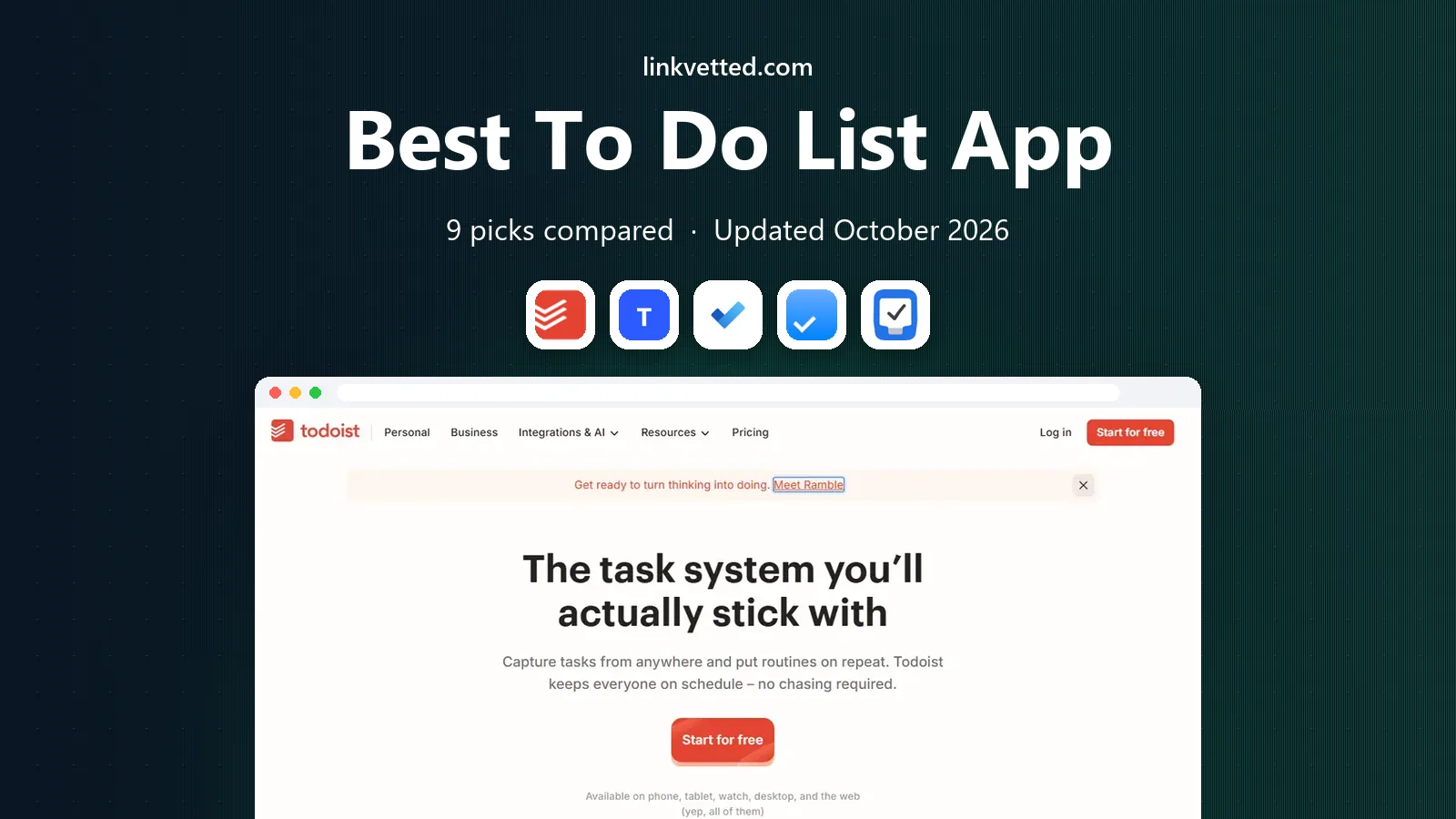
- Editor's choice
 Todoist
Fast capture on any device
Starts atFreeVisit todoist.comFull review - Great alternative
 TickTick
Tasks, calendar, and habits together
Starts atFreeVisit ticktick.comFull review - Also consider
 Microsoft To Do
Free lists inside Microsoft 365
Starts atFreeVisit todo.microsoft.comFull review
TL;DR:
- Todoist is the safest general pick, with fast capture, priorities, and apps on every platform.
- TickTick gives the most features for the price, adding habits, a calendar, and a focus timer.
- Things 3 suits Apple-only users who want a beautiful, one-time purchase instead of a subscription.
- Google Tasks and Microsoft To Do are strong free options when you already use Google or Microsoft tools.
- ClickUp and Asana suit team task management, but they can feel heavy for a simple personal list.
Quick comparison
| Tool | Best for | Starts at | Free plan? | |
|---|---|---|---|---|
| Todoist | Fast capture on any device | Free | Yes | Visit |
| TickTick | Tasks, calendar, and habits together | Free | Yes | Visit |
| Microsoft To Do | Free lists inside Microsoft 365 | Free | Yes | Visit |
 Any.do | Simple lists and shared reminders | Free | Yes | Visit |
 Things 3 | Apple users who want a one-time purchase | See website | Free trial | Visit |
 Remember The Milk | Flexible reminders and smart lists | Free | Yes | Visit |
 Google Tasks | Free tasks inside Gmail and Calendar | Free | Yes | Visit |
 ClickUp | Team task management in one workspace | Free | Yes | Visit |
 Asana | Structured projects and team work | Free | Yes | Visit |
The best to do list app
We compared capture speed, reminders, recurring tasks, and how each app handles a busy day. The best to do list apps make it easy to add a task in seconds and hard to lose it afterward.

Todoist remains the default answer for personal task management because capture is so fast. You can type a task with its date in one line, set a priority, and move on, which means fewer tasks get lost in a notes app. Recurring tasks, labels, and sections help you split work, home, and errands without building a complex system.
The free plan covers a solid personal setup, with projects, priorities, and recurring tasks included. Paid plans add calendar layout, custom filters, and reminders. The main limit is that Todoist does not plan your day for you, so pair it with a calendar habit if time blocking matters to you. For most readers, it is the best to do app to start with.
- Natural language dates and times
- Priorities and labels
- Reliable sync across platforms
- Calendar view needs a paid plan
- Free plan limits projects and filters
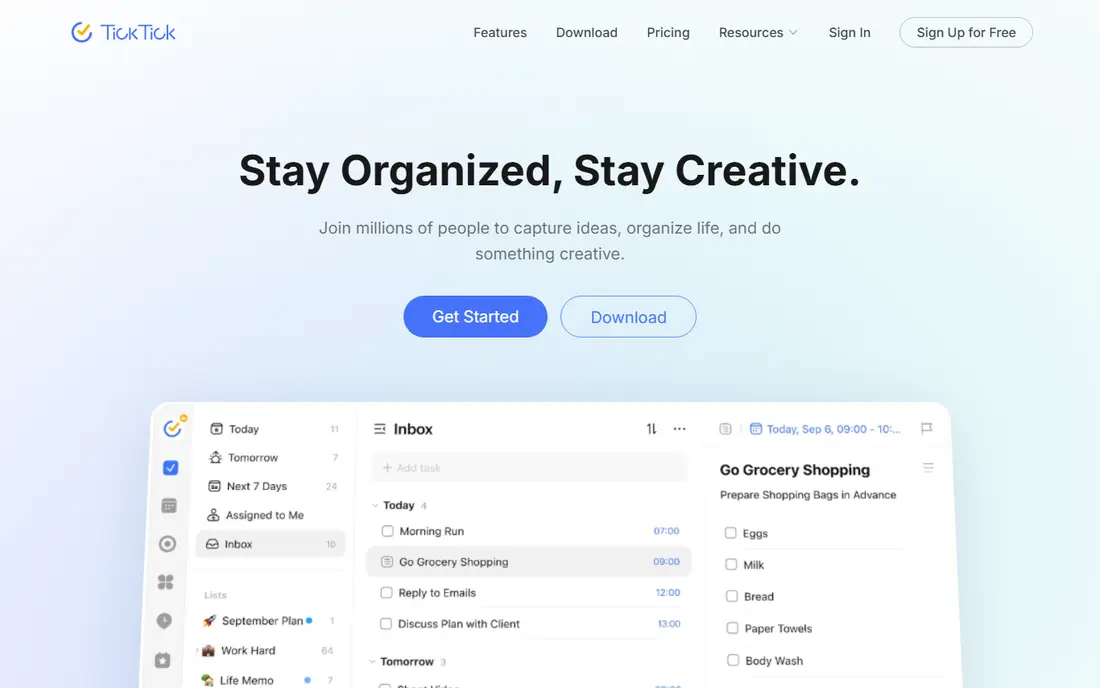
TickTick is the best value pick for readers who want more than a list. Tasks, a calendar, habits, and a focus timer live in one app, so a study session, a workout habit, and a work deadline can share one today view. The premium price is low for what you get, and the free plan is generous enough for many personal setups.
The app can feel busy at first, since every feature is visible until you hide it. Spend a few minutes turning off lists and views you do not need, and the experience becomes much calmer. TickTick is a strong choice for students, freelancers, and anyone who wants habits and tasks in the same place.
- Calendar view, habit tracker, and Pomodoro timer
- Low premium price
- Strong mobile widgets
- Interface can feel crowded
- Some views need Premium
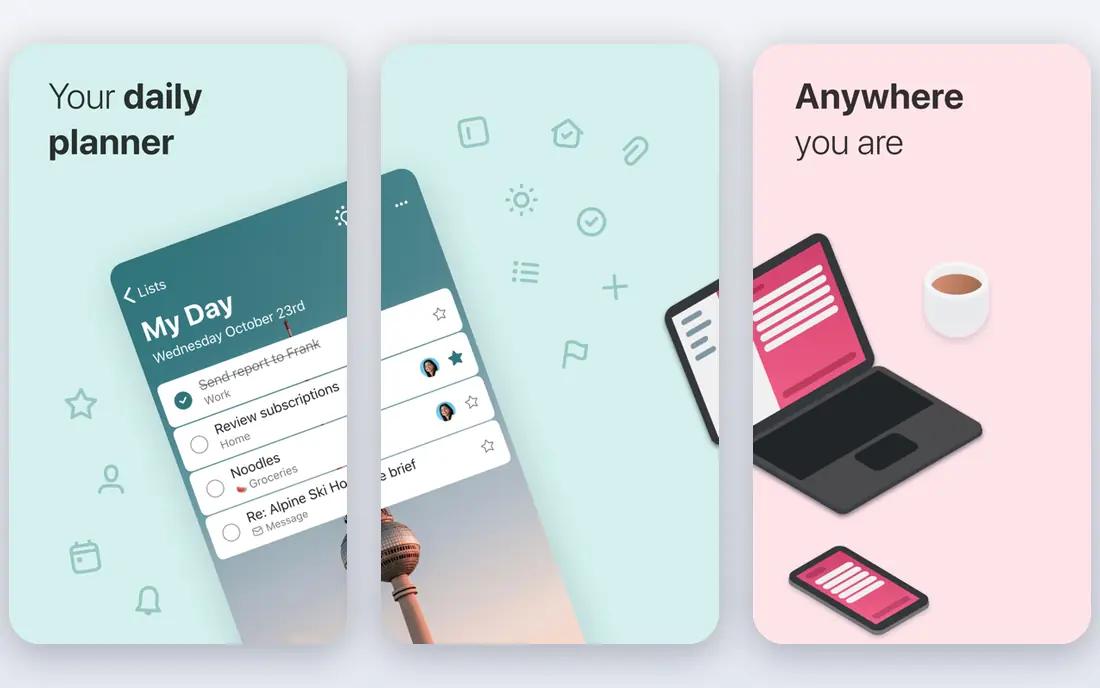
Microsoft To Do is simple, free, and well connected to Outlook, which makes it ideal for work users who already use Microsoft tools. The My Day view asks you to pick a short list each morning, and that small ritual helps prevent an endless list from taking over. Shared lists also work well for households and small teams.
The app is deliberately plain. There is no habit tracker, no time blocking, and fewer filters than Todoist or TickTick. If you need those features, look elsewhere or pair To Do with a calendar. If you want a free, dependable list that fits your work inbox, Microsoft To Do is an excellent fit.
- Free with a Microsoft account
- My Day planning view
- Syncs with Outlook
- No habit tracking
- Fewer views than rivals
- Limited integrations outside Microsoft
Any.do focuses on doing a few things well. Lists are clean, reminders work by time or location, and the calendar view keeps the week in sight. The daily Moment review prompts you to plan the day, which is a useful habit for people whose lists tend to grow without review. Family sharing is also straightforward for chores and shopping.
Advanced users may want more. Filters, templates, and integrations are thinner than in Todoist, and the best features sit behind Premium. For personal and household use, though, Any.do is enough, and its simplicity helps people keep using it. It is one of the best to do list apps for readers who dislike setup.
- Clean design
- Time and location reminders
- Shared lists for family and teams
- Power features need Premium
- Fewer integrations than Todoist
Things 3 is the prettiest task manager on this list, and its design serves a purpose. The Today view, the Upcoming view, and the evening review flow make planning feel calm rather than frantic. Tasks can carry checklists, deadlines, and tags, and the app syncs across Mac, iPhone, iPad, and Apple Watch.
The limits are platform and price structure. Things 3 is Apple only, with separate one-time purchases for Mac and iOS, so Android and Windows users should skip it. Team collaboration is also limited compared with Asana or ClickUp. For an Apple-only user who hates subscriptions, Things 3 is a lasting, satisfying pick.
- Elegant design
- Excellent Today and Upcoming views
- One-time purchase, no subscription
- Apple only
- No web or Android app
- Collaboration is limited
Remember The Milk has been around for years, and its strength is still smart lists. You can build lists from tags, locations, due dates, and priorities, which helps when a single task belongs to several contexts. Reminders can fire by time, location, or message, and the app runs on web, mobile, and desktop.
The design feels older than Todoist or Things, and the free plan limits some Pro features such as subtasks and advanced sharing. Still, for readers who love custom lists and detailed reminders, Remember The Milk offers control that simpler apps lack. It suits long-time list keepers who want their system to bend to their habits.
- Powerful smart lists
- Flexible reminders by location and time
- Works on many platforms
- Design feels dated
- Some features need Pro
- Smaller community than rivals
Google Tasks is the simplest option here, and that is its appeal. Tasks live inside Gmail and Google Calendar, so you can turn an email into a task without opening another app. The interface is plain, with lists, due dates, and subtasks, and it syncs to your phone through the Google Tasks app.
The trade-off is depth. There are no tags, no custom priorities, and no rich project views, and team use is limited. If your work already lives in Google Workspace and your lists are short, Google Tasks is free and frictionless. If you manage projects with many steps, Todoist or Asana will serve you better.
- Free with a Google account
- Built into Gmail and Calendar
- Simple and fast
- No tags or priorities beyond stars
- No desktop app
- Limited team features
ClickUp is the best task management software pick for teams that want everything in one place. Tasks, docs, goals, and time tracking sit in a single workspace, with list, board, calendar, and timeline views. The free plan is generous, with unlimited tasks and members, which makes it easy to test with a small team.
For a solo personal list, ClickUp can feel like too much app. Setup takes longer than Todoist, and the range of options can distract from simply getting tasks done. We recommend ClickUp when you manage projects with other people, track deadlines across a team, or want docs and tasks together. For a private list, a simpler app will feel lighter.
- Many views including list, board, and calendar
- Generous free plan
- Docs and goals included
- Can feel heavy for personal use
- Setup takes time
- Some features need paid plans
Asana suits teams that need structure. Projects can be viewed as lists, boards, or timelines, and tasks can carry assignees, due dates, and dependencies. That structure helps when work passes between people and deadlines depend on each other. Integrations with Google, Microsoft, Slack, and other tools keep Asana connected to daily work.
For personal use, Asana can feel formal, and the free plan works best for very small groups. Paid plans add timelines, reporting, and advanced automation. Choose Asana when you coordinate work with others and need a shared, reliable record of who owns what. For a private list, Todoist remains faster.
- Clear project views
- Timelines and dependencies
- Strong integrations
- Free plan limits team size for full use
- Can feel formal for personal lists
How we picked these
We compared official pricing pages, capture speed, reminder options, and platform coverage for task apps available in October 2026. We included free, one-time, and subscription options, and we covered personal, household, and team use. We did not claim long-term hands-on testing, and we based the picks on feature pages, pricing, and public user feedback.
How to pick the right task app
The best app for task management is the one that matches how you capture work. If tasks arrive by email, pick an app that connects to email. If tasks arrive on the go, pick an app with a fast phone widget. If tasks arrive in meetings, pick an app with strong team views.
Keep the system small
Start with one inbox list, one today list, and one project list for each major area. Add tags or priorities only when a list gets hard to scan. A system with too many lists will be abandoned, while a small system can grow slowly as habits form.
Review daily, clean weekly
A short daily review keeps the today list honest, and a weekly review clears stale tasks and updates deadlines. Set a fixed time for both, such as morning coffee for the daily review and Friday afternoon for the weekly clean. Without review, even the best app becomes a storage box.
Use reminders with care
Reminders help for time-sensitive tasks, but too many alerts train you to ignore them. Use reminders only for tasks with a real deadline or a real place, and let the today list carry the rest. That balance keeps alerts useful instead of noisy.
FAQ
What is the best to do list app for most people?
Todoist is our general pick because capture is fast, sync is reliable, and the free plan covers personal use. TickTick is close behind for readers who also want habits and a focus timer. Try both free plans for a week and keep the one whose today view you prefer.
What are the best to do list apps for teams?
ClickUp and Asana lead for team task management, with shared projects, assignees, and deadlines. ClickUp offers more views and docs in one workspace, while Asana offers cleaner project structure. Both offer free plans for small teams, so test with a real project before paying.
What is the best free to do app?
Microsoft To Do and Google Tasks are strong free options inside their ecosystems, while Todoist and TickTick offer generous free plans on every platform. For a standalone free app with the most features, TickTick is hard to beat. For a free app inside work email, pick the one that matches your email provider.
What is the best task management tool for personal projects?
Todoist and Things 3 suit personal projects, with Todoist working on every platform and Things 3 offering a calm Apple-only experience. TickTick also works well when a project includes habits or study sessions. Choose based on platform and whether you prefer a subscription or a one-time purchase.
Can a to do app replace a planner?
A to do app can handle daily planning when it offers a today view and a calendar view, as Todoist and TickTick do. For time blocking and auto-scheduling, a dedicated planner such as Sunsama or Motion may help more. Many readers use a to do app for tasks and a calendar for time, which is a practical split.
Do to do apps work offline?
Most major apps, including Todoist, TickTick, Things 3, and Microsoft To Do, allow offline use with sync when you reconnect. Google Tasks needs a connection for full sync in some views. Check offline support on your phone before you rely on it during travel.