Best Time Tracking App for Contractors in 2026: 8 Apps Compared
Compare the best time tracking app for contractors, with GPS clocks, job costing, scheduling and payroll links for construction crews today in 2026 now.

- Editor's choice
 ClockShark
Construction job costing
Starts at$42 per monthVisit clockshark.comFull review - Great alternative
 Connecteam
Small crews and all-in-one app
Starts atFreeVisit connecteam.comFull review - Also consider
 QuickBooks Time
QuickBooks users
Starts at$20 per monthVisit quickbooks.intuit.comFull review
TL;DR:
- ClockShark is the strongest contractor-first pick, with job costing, GPS and QuickBooks links built for construction crews.
- Connecteam and Jibble offer free plans that suit small crews, though advanced geofencing and reporting sit on paid tiers.
- A base fee plus a per-user fee changes the real cost fast, so price any app for your actual crew size, not just the headline rate.
- Offline clock-ins, GPS records and payroll exports matter more than timers alone when hours feed into pay and job costs.
Quick comparison
| Tool | Best for | Starts at | Free plan? | |
|---|---|---|---|---|
| ClockShark | Construction job costing | $42 per month | Free trial | Visit |
| Connecteam | Small crews and all-in-one app | Free | Yes | Visit |
| QuickBooks Time | QuickBooks users | $20 per month | Free trial | Visit |
 busybusy | Labor and equipment by job | $9.99 per user per month | Yes | Visit |
 Jibble | Low-cost GPS time clock | Free | Yes | Visit |
 Hubstaff | Tracking plus monitoring | $4.99 per user per month | Free trial | Visit |
 OnTheClock | Small business time clock | $5 per month | Free trial | Visit |
 Timeero | Mileage and GPS for mobile crews | $5 per user per month | Free trial | Visit |
The best time tracking apps for contractors
Contractors need more than a start and stop timer. Hours must tie to a customer, a job and a task, survive a dead zone on a job site, and flow into payroll without hours of cleanup. The apps below are judged on those job-site needs first.
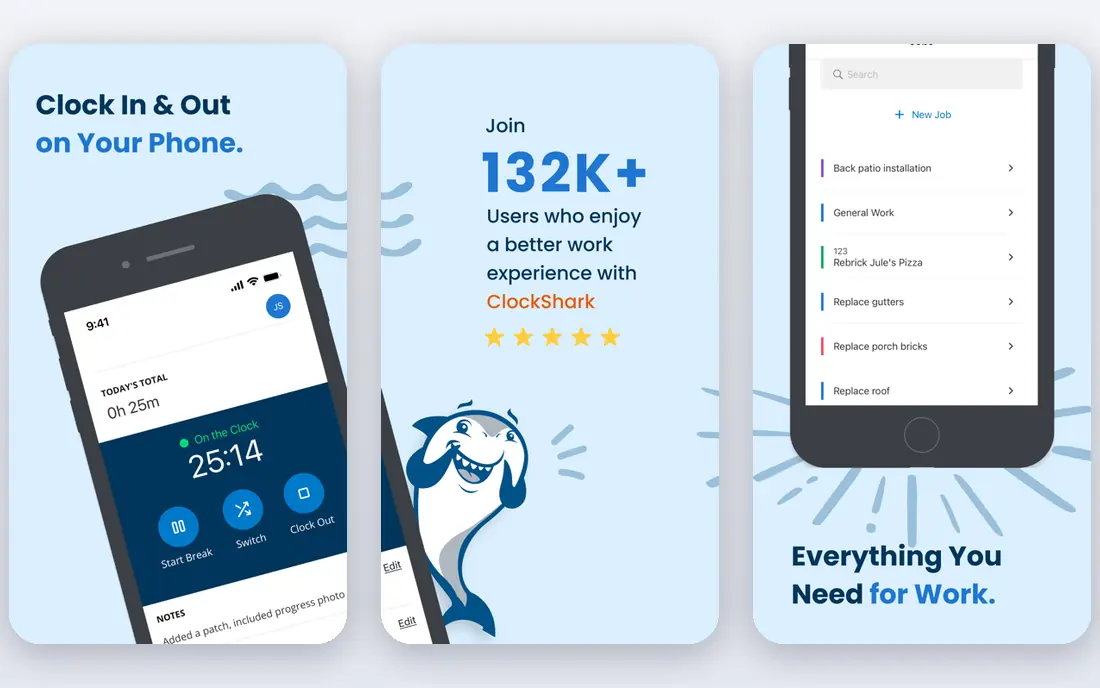
ClockShark is built around jobs, crews and field work, which is why it leads this list. Workers clock in from phones, managers see who is on which job, and hours stay tied to customers, jobs and tasks for costing and payroll. GPS records, scheduling and Spanish language support help on mixed crews, and links to QuickBooks Online, ADP, Gusto and Sage keep payroll data clean.
The cost needs care. Current pricing is $42 per month plus $9.50 per active user per month, and public comparisons report a three-year term with annual increases. For a growing crew that needs job costing, that cost is often worth it. For a two-person crew, a free plan elsewhere may be smarter.
- Job and task tracking
- GPS and offline clock-ins
- QuickBooks and payroll links
- Base fee plus per-user fee adds up
- Three-year term reported on current plans
Connecteam suits small contractors who want one app for the whole crew. The free plan covers up to 10 users with a time clock, and paid Operations plans start at $35 per month for the first 30 users on monthly billing, or $29 on annual billing. Scheduling, tasks, forms and team chat sit beside the clock, so a foreman can run much of the day from one place.
The limits matter on larger sites. Geofence controls start on higher plans, and the app needs a connection to clock in, unlike ClockShark offline mode. For a small crew that stays under the free limit and works near reliable signal, Connecteam is the best free time tracking app for contractors in this list.
- Free plan for up to 10 users
- Scheduling, chat and tasks in one app
- Payroll exports
- Geofencing starts on higher plans
- Mobile clock-in needs a connection
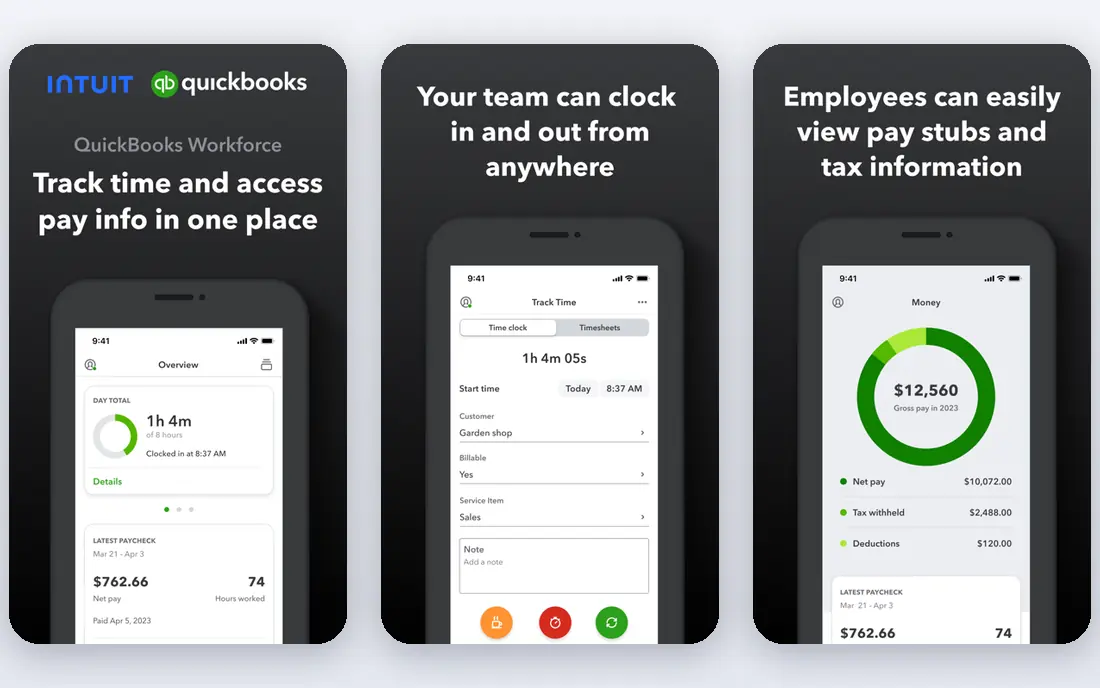
QuickBooks Time, formerly TSheets, is the natural pick for contractors already running QuickBooks. Approved hours flow into QuickBooks for payroll and job costing, GPS tracking shows where staff clock in, and managers can see who is working in real time. Estimates versus actuals on higher tiers help owners compare a bid with real labor cost.
The price is $20 per month plus $10 per user per month, on top of a required QuickBooks Online subscription, so the total is higher than the headline suggests. If you do not use QuickBooks, that lock-in is a real drawback. If you do, the payroll sync alone can justify it.
- Deep QuickBooks payroll sync
- GPS tracking
- Real-time who is working view
- Base fee plus per-user fee
- Needs a QuickBooks Online subscription
busybusy is made for construction crews that track labor and equipment by job. Workers log time against cost codes, managers track equipment hours beside labor hours, and reports show where a job stands. A free plan for up to 100 users makes it easy to test with a real crew, while paid plans start at $9.99 per user per month plus a base fee.
The main limits are in break handling and in the way paid features stack up for larger teams. Still, for contractors who need cost codes and equipment context, busybusy fits better than a general timer app. It is our pick for crews that price jobs by cost code.
- Cost codes and equipment tracking
- Free plan for up to 100 users
- Construction focus
- Breaks are unpaid only in some setups
- Paid plans add a base fee
Jibble is the budget pick for larger crews. The free plan covers unlimited users with a time clock, GPS-enabled clock-ins and basic reports, while paid plans start at $3.49 per user per month. Face recognition and kiosk modes help on shared devices, and payroll exports cover QuickBooks, Xero and other tools.
The gap is scheduling. Jibble does not offer a full shift scheduler, so foremen who need rosters and shift swaps will need another tool or a higher-tier alternative. For contractors who mainly need accurate clock-ins and job-linked hours at low cost, Jibble is hard to beat.
- Free plan for unlimited users
- Face recognition and GPS options
- Offline mode on paid plans
- No full shift scheduler
- Detailed reports sit on paid plans
Hubstaff combines time tracking with workforce monitoring, which suits contractors who also manage office or remote staff. Plans start at $4.99 per user per month, with GPS, activity levels, screenshots on some plans, and links to payroll and invoicing tools. It works well for firms that want one system for field and office hours.
The monitoring side needs care. Screenshot and activity tracking can damage trust if crews are not told clearly what is recorded and why. Several manager controls also need the web app rather than the mobile app. Used openly, with clear rules, Hubstaff is a good low-cost option.
- Low starting price
- Activity and location features
- Payroll and invoicing links
- Monitoring features can feel intrusive
- Several controls need the web app
OnTheClock is a straightforward time clock for small businesses. Pricing is $5 per month plus $4 per employee per month, with GPS clock-ins, geofencing, fingerprint punches on supported plans, PTO tracking and payroll exports to QuickBooks, ADP, Gusto and Square. A 30-day trial gives owners time to test it with a real crew.
It is less construction-specific than ClockShark or busybusy, with simpler job costing and reporting. For a small contractor who wants a reliable clock, GPS records and payroll-ready exports without a large base fee, it is a solid, low-cost choice.
- Low base fee
- GPS and fingerprint options
- PTO and scheduling tools
- Advanced reporting on paid tiers
- Interface is simpler than contractor-first rivals
Timeero suits mobile crews that drive between sites. It tracks mileage automatically beside work hours, records GPS breadcrumbs during a shift, and keeps clock-ins simple on a phone. Plans start at $5 per user per month for up to 10 users, with a 14-day trial and no card required for the trial.
Scheduling and some integrations start on Pro plans, so owners who need rosters should price the higher tier. Job costing is also lighter than ClockShark. For service contractors, inspectors and trades that bill mileage as well as hours, Timeero fills a gap other clocks miss.
- Automatic mileage tracking
- GPS breadcrumbs
- Simple mobile clock
- Scheduling and integrations start on Pro plans
- Fewer job costing tools than ClockShark
How we picked these
We compared official pricing pages, feature pages and public reviews from October 2026 for apps with mobile clock-ins, GPS controls and payroll exports. We favored apps with contractor or construction features such as job costing, cost codes or offline clock-ins, and we priced each app for a small crew rather than trusting headline rates alone. General timers without job-site controls were left out.
What to check before you buy
Price it for your crew
A $5 base fee plus $4 per user looks cheap for three people and different for 30. Add base fees, per-user fees, required subscriptions such as QuickBooks Online, and any contract term. Ask whether inactive or seasonal workers count as active users, since that rule changes the bill for contractors with variable crews.
Test GPS, offline mode and payroll
Run a trial on a real job site, not just in the office. Check GPS accuracy, what happens when signal drops, how edits and approvals are logged, and whether approved hours flow into your payroll tool without retyping. A clean audit trail protects both the owner and the crew if hours are ever disputed.
Be clear about tracking
Tell crews what is tracked, when tracking runs, and how the data is used. GPS and photo clock-ins are easier to accept when they are tied to pay accuracy and safety rather than constant surveillance. Check local labor rules on location tracking and break recording before turning on stricter controls.
FAQ
What is the best construction time clock app?
ClockShark is the strongest construction-first pick, with job costing, GPS, offline clock-ins and QuickBooks links. Connecteam and Jibble are better free starting points for small crews, while busybusy suits teams that track equipment and cost codes.
What is the best free time tracking app for contractors?
Jibble offers a free plan for unlimited users, and Connecteam is free for up to 10 users. Both cover basic clock-ins and exports, but geofencing, detailed reports and scheduling sit on paid plans. Test the free tier with your real crew size before relying on it.
What is the best timesheet app for construction?
The best timesheet app for construction ties hours to jobs, tasks and cost codes, not just to a worker and a day. ClockShark, busybusy and QuickBooks Time all do that, with different payroll links. Pick the one that matches your accounting tool.
Do contractor time apps work without internet?
Some do, and some do not. ClockShark supports offline clock-ins, while Connecteam needs a connection to clock in. If your crews work in basements, rural sites or new builds with weak signal, test offline mode during the trial.
How much does contractor time tracking cost?
Costs range from free on small-team plans to $42 per month plus $9.50 per user for ClockShark, and $20 plus $10 per user for QuickBooks Time. Price the app for your crew size, include any base fee and required accounting subscription, and check contract terms.
Can I use a time tracking app for payroll?
Yes, most apps in this list export approved hours to QuickBooks, Gusto, ADP or other payroll tools. Approve hours in the app first, check how overtime and breaks are handled, and run one parallel payroll cycle before switching fully.