Best TikTok Editing Apps in 2026: 8 Apps Compared
Compare the best tiktok editing app options in 2026, with templates, captions, watermarks, export quality, and free editing tools for creators Check our guide.
- Editor's choice
 CapCut
All-round TikTok editing with templates
Starts atFreeVisit capcut.comFull review - Great alternative
 VN Video Editor
Free multi-track editing without a watermark
Starts atFreeVisit vlognow.meFull review - Also consider
 InShot
Fast polished phone edits
Starts atFreeVisit inshot.comFull review
TL;DR:
- CapCut is the default all-rounder for TikTok, with templates, captions, and direct TikTok export.
- VN Video Editor is the best free no-watermark pick for multi-track editing with keyframes.
- InShot suits fast phone edits, while Edits by Instagram and Adobe Premiere on mobile suit creators who want free watermark-free exports.
- Check template licensing, music rights, and watermark rules before you post client or brand work.
Quick comparison
| Tool | Best for | Starts at | Free plan? | |
|---|---|---|---|---|
| CapCut | All-round TikTok editing with templates | Free | Yes | Visit |
| VN Video Editor | Free multi-track editing without a watermark | Free | Yes | Visit |
| InShot | Fast polished phone edits | Free | Yes | Visit |
 Edits | Free editor from Instagram for short video | Free | Yes | Visit |
 Adobe Premiere | Pro mobile editing for free | Free | Yes | Visit |
 KineMaster | Layered mobile editing with chroma key | Free | Yes | Visit |
 Filmora | Desktop and mobile editing with templates | Free | Yes | Visit |
 Canva | Template-led TikTok videos with branding | Free | Yes | Visit |
The best TikTok editing apps
We compared mobile editors, caption tools, templates, watermark rules, and export quality, with a focus on legitimate video editing tools for clips you filmed or own.
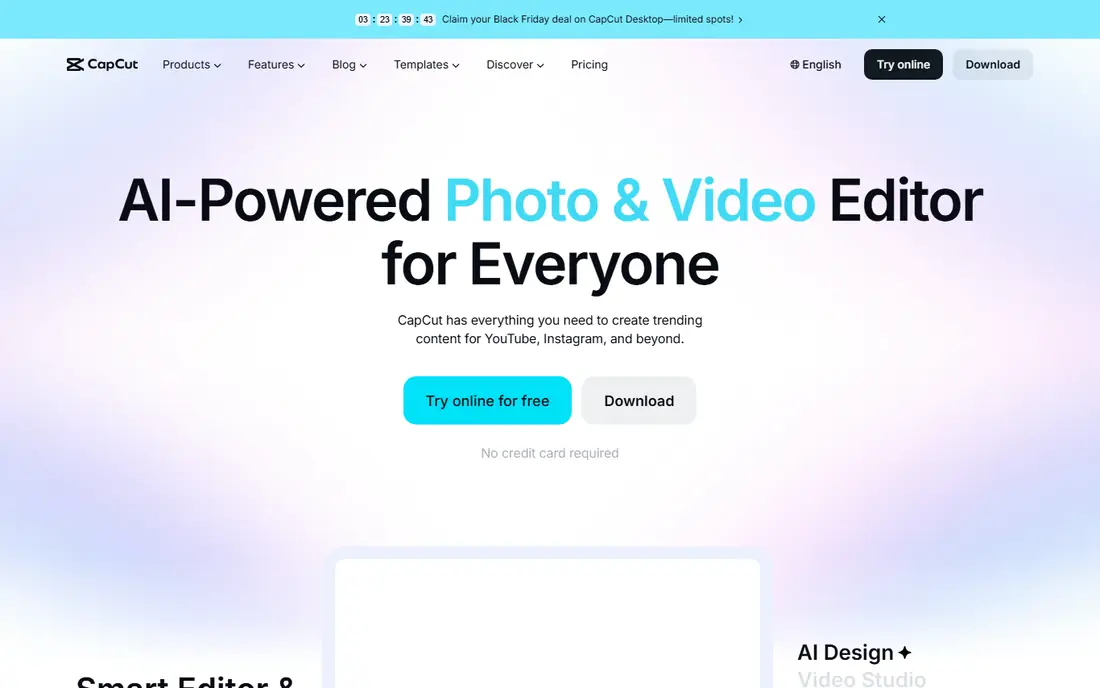
CapCut is the default pick for most TikTok creators because it covers templates, captions, effects, and direct export in one app. If you need all-round tiktok editing with templates, CapCut keeps the core workflow close at hand, with a layout that is easy to learn on a first session and clear enough to return to after a break. Its main strength is how directly it serves that use case. The template library makes trend-style edits fast, and auto captions save time, though you should review captions for accuracy before posting. That focus also explains its main trade-off, because a tool built for one job will not cover every related job as well as a wider platform can. Check the free plan limits and the starting price on the vendor site before you commit, and test it on a real task from your own routine, such as a shop, a project, or a session with friends, to see if the limits matter to you.
- Templates and effects
- Auto captions
- Desktop and mobile apps
- Some templates and AI features need Pro
- Terms for uploaded content need a careful read

VN Video Editor suits creators who want real timeline control without paying to remove a watermark. This one suits free multi-track editing without a watermark, VN Video Editor keeps the core workflow close at hand, with a layout that is easy to learn on a first session and clear enough to return to after a break. Its main strength is how directly it serves that use case. Keyframes, speed curves, and multi-track editing give you room to grow, and the free export quality is strong for short-form video. That focus also explains its main trade-off, because a tool built for one job will not cover every related job as well as a wider platform can. Check the free plan limits and the starting price on the vendor site before you commit, and test it on a real task from your own routine, such as a shop, a project, or a session with friends, to see if the limits matter to you.
- Multi-track timeline
- Keyframes
- 4K export without a watermark on free tier
- Template library is smaller than CapCut
- Learning curve is higher than InShot

InShot fits creators who want a finished clip in minutes from a phone, without a complex timeline. We found fast polished phone edits, InShot keeps the core workflow close at hand, with a layout that is easy to learn on a first session and clear enough to return to after a break. Its main strength is how directly it serves that use case. You can trim, add text and music, apply a filter, and export in a TikTok-ready size, which is enough for most daily posts. That focus also explains its main trade-off, because a tool built for one job will not cover every related job as well as a wider platform can. Check the free plan limits and the starting price on the vendor site before you commit, and test it on a real task from your own routine, such as a shop, a project, or a session with friends, to see if the limits matter to you.
- Fast trims and filters
- Text and music tools
- Social presets
- Free exports carry a watermark
- Pro needed for full features
Edits suits creators who want a free, watermark-free editor without a subscription, even for TikTok posts. For users who prefer free editor from instagram for short video, Edits keeps the core workflow close at hand, with a layout that is easy to learn on a first session and clear enough to return to after a break. Its main strength is how directly it serves that use case. It covers the core short-form workflow, including captions and high-quality export, and it is a strong backup when CapCut features move behind a paywall. That focus also explains its main trade-off, because a tool built for one job will not cover every related job as well as a wider platform can. Check the free plan limits and the starting price on the vendor site before you commit, and test it on a real task from your own routine, such as a shop, a project, or a session with friends, to see if the limits matter to you.
- Free editing
- Captions
- No watermark on exports
- Instagram sharing
- Newer feature set than CapCut
- Fewer templates for TikTok trends
Adobe Premiere on mobile suits creators who want pro-grade tools on a phone without an upfront cost. When you want pro mobile editing for free, Adobe Premiere keeps the core workflow close at hand, with a layout that is easy to learn on a first session and clear enough to return to after a break. Its main strength is how directly it serves that use case. The mobile app includes timeline editing, captions, and effects, and it pairs well with desktop Premiere if you later move to longer projects. That focus also explains its main trade-off, because a tool built for one job will not cover every related job as well as a wider platform can. Check the free plan limits and the starting price on the vendor site before you commit, and test it on a real task from your own routine, such as a shop, a project, or a session with friends, to see if the limits matter to you.
- Full mobile editing tools
- Captions
- Watermark-free exports
- AI credits and some features need a paid plan
- Desktop Premiere is separate
KineMaster fits creators who want layered edits, green screen, and precise control on a phone. A good fit for layered mobile editing with chroma key, KineMaster keeps the core workflow close at hand, with a layout that is easy to learn on a first session and clear enough to return to after a break. Its main strength is how directly it serves that use case. You can stack video, text, stickers, and effects, then adjust timing per layer, which helps for more polished TikTok edits. That focus also explains its main trade-off, because a tool built for one job will not cover every related job as well as a wider platform can. Check the free plan limits and the starting price on the vendor site before you commit, and test it on a real task from your own routine, such as a shop, a project, or a session with friends, to see if the limits matter to you.
- Multi-layer editing
- Chroma key
- 4K export on paid tier
- Free exports carry a watermark
- Subscription needed for full quality
Filmora suits creators who edit on both phone and computer and want the same project style across devices. If your priority is desktop and mobile editing with templates, Filmora keeps the core workflow close at hand, with a layout that is easy to learn on a first session and clear enough to return to after a break. Its main strength is how directly it serves that use case. Its template and effect library speeds up trend edits, and the desktop app gives more room for longer or more detailed videos. That focus also explains its main trade-off, because a tool built for one job will not cover every related job as well as a wider platform can. Check the free plan limits and the starting price on the vendor site before you commit, and test it on a real task from your own routine, such as a shop, a project, or a session with friends, to see if the limits matter to you.
- Templates and effects
- Mobile and desktop apps
- AI captions on paid tiers
- Free exports carry a watermark
- Full features need a subscription or licence
Canva suits brands and small teams who want on-brand TikTok videos with consistent colours, fonts, and logos. For shoppers who want template-led tiktok videos with branding, Canva keeps the core workflow close at hand, with a layout that is easy to learn on a first session and clear enough to return to after a break. Its main strength is how directly it serves that use case. You can start from a template, swap in your own clips, add captions, then resize the same video for TikTok, Reels, and Shorts. That focus also explains its main trade-off, because a tool built for one job will not cover every related job as well as a wider platform can. Check the free plan limits and the starting price on the vendor site before you commit, and test it on a real task from your own routine, such as a shop, a project, or a session with friends, to see if the limits matter to you.
- Video templates
- Text and brand kits
- Resizing for platforms
- Pro elements need payment
- Editing depth is less than VN or Premiere
How we picked these
We compared official feature pages, pricing pages, app store listings, and privacy pages for each product, and we focused on whether the product exists and works today, in October 2026. We checked free plans, starting prices, and the main limits that affect everyday use, rather than relying on marketing claims alone. We also compared products against each other on the same points: who it fits, what it does well, and where it falls short. That side-by-side view helps you see trade-offs clearly, such as a simple app with fewer features versus a detailed app with a steeper learning curve. Prices can vary by region and plan, so check the vendor site before you subscribe.
How to pick a TikTok editor
Start with the job you need done most often, then check the free limits that affect that job. A tool that is free for occasional use can become costly if you need it daily, so test the free tier for a week before paying. Next, check device support, export options, and how your data is handled, because those details matter more than a feature list. Read the pricing page and privacy page on the vendor site before you sign up. Our pick for most people is the tool that covers the core job well on the free tier, with a paid plan that adds clear value rather than removing basic features. If two tools tie, keep the one with the simpler layout, because you will use it more often.
FAQ
What are the best tiktok editing apps in 2026?
CapCut is best for all-round TikTok editing, VN Video Editor is best for free multi-track editing, and InShot is best for fast phone edits. Edits by Instagram and Adobe Premiere on mobile are strong free alternatives. Pick by whether you need templates, timeline control, or branding.
What is the best free tiktok editing app with no watermark?
VN Video Editor is the best free editor with no watermark on standard exports. Edits by Instagram and Adobe Premiere on mobile also offer watermark-free exports on their free tiers. CapCut free exports avoid watermarks on standard edits, but some Pro templates add a badge.
Is CapCut the best tiktok editing app?
CapCut is the best all-rounder for most TikTok creators because of templates, captions, and TikTok integration. VN is better for free timeline control, and Premiere on mobile is better for pro tools. Check CapCut terms and Pro limits before using it for client work.
Can I edit TikTok videos on a computer?
Yes, CapCut, Filmora, Canva, and Adobe Premiere offer desktop or web editing, while VN also runs on Mac and Windows. Desktop editing helps for longer clips, precise cuts, and colour work. Export in vertical 9:16 for TikTok, even when you edit on a computer.
Do TikTok editors include music I can use?
Most editors include a music library, but licences vary by track, region, and commercial use. Use TikTok built-in sounds for personal posts, and check licences for brand or client work. When in doubt, use royalty-free music or original audio you own.