Best Text to Video AI Tools in 2026: 8 Tools Compared
We compared the best text to video ai tools january standouts that are still sold in October 2026, with current pricing, free plans and honest limits.

- Editor's choice
 Google Veo
Realistic video with audio
Starts at$20 per monthVisit deepmind.googleFull review - Great alternative
 Runway
Professional control and editing
Starts at$12 per monthVisit runwayml.comFull review - Also consider
 Kling AI
Value and human motion
Starts at$7 per monthVisit klingai.comFull review
TL;DR:
- Google Veo and Runway lead for realistic, controlled video, while Kling offers the best value for frequent short clips.
- Pika and Luma Dream Machine suit social and creative projects where speed and style matter more than long scenes.
- Credits burn fast on every tool here, so compare seconds of usable video per plan, not just the monthly price.
- These January-prominent tools are all still actively sold in October 2026, but models and credit rules change often, so check the current plan page before buying.
Quick comparison
| Tool | Best for | Starts at | Free plan? | |
|---|---|---|---|---|
| Google Veo | Realistic video with audio | $20 per month | Yes | Visit |
| Runway | Professional control and editing | $12 per month | Yes | Visit |
| Kling AI | Value and human motion | $7 per month | Yes | Visit |
 Pika | Quick social clips | $8 per month | Yes | Visit |
 Luma Dream Machine | Photorealistic short clips | $30 per month | Yes | Visit |
 Hailuo AI | Low-cost strong motion | $10 per month | Yes | Visit |
 Adobe Firefly Video | Commercially safe brand video | $10 per month | Yes | Visit |
 InVideo AI | Script-to-video for marketers | See website | Yes | Visit |
The best text to video AI tools
Text-to-video tools turn a written prompt into a short clip, and the best ones now add motion, camera control and sometimes sound. This list focuses on tools that gained prominence around January and remain actively sold in October 2026, rather than tools that launched once and faded. We compared official pricing, feature pages and public reviews.
Veo stands out because it pairs realistic motion with synchronised audio, including dialogue, sound effects and ambience in the same clip. That makes it useful for ads, explainers and short scenes where silent footage would need extra editing. Access through the Gemini app and Google Flow also adds camera controls and a filmmaking workflow.
Cost is the main limit. Higher resolutions and audio use more credits, and API pricing can rise quickly for bulk work. Veo clips also carry watermarks, including an embedded marker that survives editing, which matters if you need fully clean footage for resale. For quality-first projects, it is still the default pick.
- Strong realism and prompt accuracy
- Native dialogue and sound
- Available through Gemini and Flow
- Credits burn fast at scale
- Visible and embedded watermarks apply

Runway suits creators who want control, not just generation. Camera moves, style references and an editing timeline help turn raw clips into a finished sequence, and recent plans also give access to other video models from one dashboard. That breadth saves switching tools when one model handles a shot better than another.
The credit system needs care. Top models cost far more per second than basic models, so a Standard plan produces only a short amount of premium footage each month. Heavy users should budget for Pro or Unlimited plans, or use lower-cost models for drafts and reserve premium models for final shots.
- Strong camera and style control
- Editing timeline included
- Access to several video models
- Credits run out quickly on top models
- Best features need higher plans
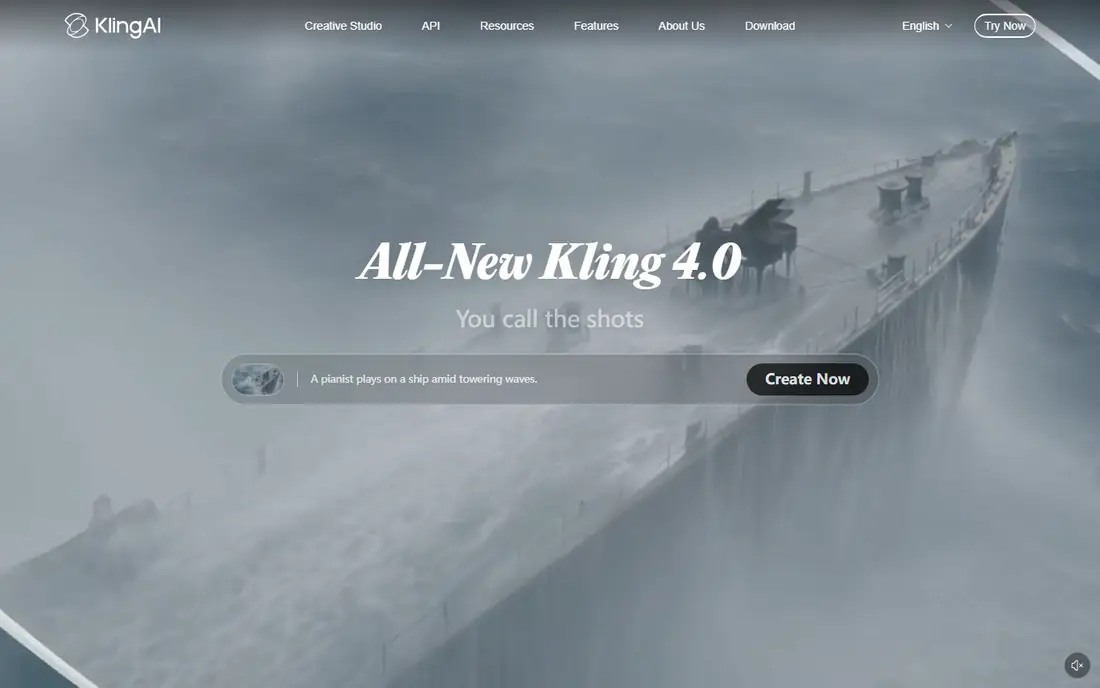
Kling is the value pick for creators who generate often. Its starting price undercuts most rivals, and it handles human movement, lip sync and everyday scenes with a consistency that makes it useful for social content and product demos. Free credits let new users test prompts before paying.
Results still depend heavily on prompt wording, and complex scenes can produce odd hands, faces or physics. Higher-quality outputs also consume more credits, so the cheapest plan does not stretch as far as the headline price suggests. For frequent short clips, Kling offers the best balance of price and quality here.
- Low starting price
- Strong human motion
- Free credits for testing
- Quality varies by prompt
- Higher resolutions cost more credits
Pika is built for speed. Short prompts become short clips quickly, with effects and styles that suit social posts, memes and quick marketing tests. The interface is simple enough for beginners, and the low starting price makes it easy to try without a large commitment.
It is not the tool for long, cinematic scenes. Default clips are short, and realism lags behind Veo and Runway on complex human action. Use Pika when you need many quick ideas fast, and move to a higher-end tool when a clip needs to look like filmed footage.
- Fast and easy for short clips
- Creative effects
- Low starting price
- Short default clips
- Weaker realism than Veo or Runway
Luma Dream Machine appeals to creators who prioritise a photographic look. Its clips often have rich light and texture, and image-to-video generation helps animate a still photo into a believable moving shot. That makes it useful for product visuals, travel content and stylised scenes.
Paid pricing starts higher than Kling or Pika, and free outputs are watermarked, so serious use needs a subscription. Clip length and credit rules also limit long projects. If photorealism is your main goal and you work in short clips, Luma is worth the premium over cheaper tools.
- Strong photorealistic look
- HDR-style output
- Image-to-video strength
- Higher starting paid price
- Free outputs carry watermarks
Hailuo AI, from MiniMax, is a quiet value option in this category. It produces smooth motion for everyday prompts at a starting price close to Pika, with daily free credits that help casual users keep experimenting. Image-to-video support also makes it useful for animating photos and artwork.
The trade-off is polish. The interface, documentation and support feel less refined than Google, Runway or Adobe products, and fine prompt control is thinner. Creators who want a low-cost motion tool and can tolerate a simpler workflow will get good value, while professionals may miss Runway control features.
- Strong motion at a low price
- Daily free credits
- Image-to-video included
- Interface and support feel less polished
- Prompt control is lighter
Adobe Firefly Video is the safest pick for brands and agencies that worry about rights. It is designed for commercial use with Adobe training-data controls, and it fits naturally into Premiere Pro and other Creative Cloud workflows. That integration saves time when generated clips need titles, cuts or colour work.
On pure realism, Veo sometimes produces more convincing human scenes, and Firefly credits still limit how much video a plan produces. For marketing teams that need usable, rights-conscious clips inside an Adobe workflow, those limits are acceptable. For film-style realism above all else, test Veo alongside it.
- Designed for commercial use
- Integrates with Adobe apps
- Credit-based plans
- Less cinematic realism than Veo on some prompts
- Credits limit volume
InVideo AI suits marketers who want a finished video, not just a clip. You supply a script or idea, and it assembles scenes, voiceover, captions and music into an edited video for social, ads or training. Templates and a simple editor make it accessible to teams without video skills.
That convenience costs control. Individual shots are harder to direct than in Runway or Veo, and output can feel templated if you rely on defaults. Pricing also varies by plan and credit bundle, so check the current page before comparing it with clip-only tools. For fast marketing output, it is a practical choice.
- Turns scripts into edited videos with voiceover
- Large template range
- Easy for beginners
- Less control over individual shots
- Pricing and credits vary by plan
How we picked these
We compared official feature pages, pricing pages and public reviews for text-to-video tools that were prominent around January and remain actively sold in October 2026. We favoured tools with real text-to-video generation, not avatar-only or template-only editors, and we left out tools with conflicting reports of shutdown or withdrawal. Where pricing depends on credits or bundles, we gave the published starting figure and noted that usable seconds vary by model.
What to check before you choose
Compare usable seconds, not just price
A 12 dollar plan and a 30 dollar plan can produce similar amounts of finished video once model costs are counted. Check how many credits a five-second clip costs on the model you will actually use, and how many retries you expect. Budget for three to five generations per keeper clip, since first tries often miss.
Match clip length to your project
Most tools here produce short clips, often five to ten seconds, that you stitch into longer videos. If you need a 60-second scene in one generation, check maximum length and audio support before buying. Avatar and script tools suit longer talking videos, while clip generators suit short visual sequences.
Check rights and watermarks
Free and low plans often watermark output, and terms differ on commercial use, training data and embedded markers. Read the licence for your intended use, especially for ads, client work or resale. Adobe Firefly is designed with commercial use in mind, while other tools may need a paid plan for clean commercial output.
Test the same prompt everywhere
Prompt handling varies widely, so run the same three prompts through each trial: a person walking, a product shot and a scene with camera movement. Compare hands, faces, motion and prompt accuracy, not just the best demo on a vendor page. The tool that handles your typical shots best is the right pick, even if another tool wins a general ranking.
FAQ
What are the best ai text to video tools january standouts still available now?
Google Veo, Runway, Kling and Pika were prominent around January and remain actively sold in October 2026, alongside Luma, Hailuo, Adobe Firefly and InVideo AI. Models and credit rules have changed since January, so treat older January reviews as a starting point and verify current pricing and limits. The tools in this list were chosen because they are still available and maintained.
What are the best free text to video ai tools january options for beginners?
Kling, Pika, Hailuo and Runway offer free credits or free tiers that suit beginners, with Google Veo also offering limited free generations. Free tiers usually watermark output, limit resolution or cap daily credits, so they work for learning and short social clips. Paid plans remove watermarks and raise limits, which matters for client or ad work.
How much video does a monthly plan actually produce?
Less than the headline credit number suggests, because premium models cost more per second and retries add up. A basic plan may yield a few minutes of basic footage or under a minute of top-model footage per month. Check the cost per five-second clip on your chosen model, and budget for several generations per final clip.
Can text-to-video tools make long videos?
Most clip generators make short scenes that you edit together into longer videos. Script-to-video tools such as InVideo AI can produce longer finished videos with voiceover, but with less control over each shot. For a long project, plan on generating many clips and editing them in a video editor.
Are AI-generated videos safe for commercial use?
It depends on the tool, plan and licence, so read the terms before commercial use. Some tools allow commercial use on paid plans, while free tiers may restrict it or watermark output. Adobe Firefly is positioned for commercial use, but you should still confirm the current licence for your project type and region.