Best Text to Speech App for PDF in 2026: 8 Apps Compared
Compare the best text to speech apps for PDF files, with voices, offline listening, scanned PDF support and pricing for study and work reading. See details.
- Editor's choice
 NaturalReader
Natural voices and PDF reading
Starts atSee websiteVisit naturalreaders.comFull review - Great alternative
 Speechify
Cross-device PDF listening
Starts at$29 per monthVisit speechify.comFull review - Also consider
 Voice Dream Reader
Apple accessibility reading
Starts atSee websiteVisit voicedream.comFull review
TL;DR:
- Speechify and NaturalReader are the best all-round PDF readers for natural voices and cross-device listening.
- Voice Dream Reader suits Apple users who want accessibility-first reading with offline support.
- ElevenReader offers a strong free tier for natural narration, with 10 hours per month in published listings.
- Scanned PDFs need OCR, so check that feature before you pay, because plain text PDFs and scans behave very differently.
- Microsoft Edge Read Aloud is the best free option if you only need to listen to a PDF on a computer.
Quick comparison
| Tool | Best for | Starts at | Free plan? | |
|---|---|---|---|---|
| NaturalReader | Natural voices and PDF reading | See website | Yes | Visit |
| Speechify | Cross-device PDF listening | $29 per month | Yes | Visit |
| Voice Dream Reader | Apple accessibility reading | See website | Free trial | Visit |
 ElevenReader | Free natural narration | Free | Yes | Visit |
 Narakeet | PDF to audio files | See website | Yes | Visit |
 TTSReader | Simple free browser reading | Free | Yes | Visit |
 Speech Central | One-time purchase reading | $9.99 one-time | No | Visit |
 Microsoft Edge Read Aloud | Free browser PDF reading | Free | Yes | Visit |
The best text to speech apps for PDF
A good PDF text to speech app does more than read a page aloud. It should handle long documents, keep your place, highlight words as it reads, support scanned pages and let you listen offline when you leave your desk. These eight cover free, paid and accessibility-first options.
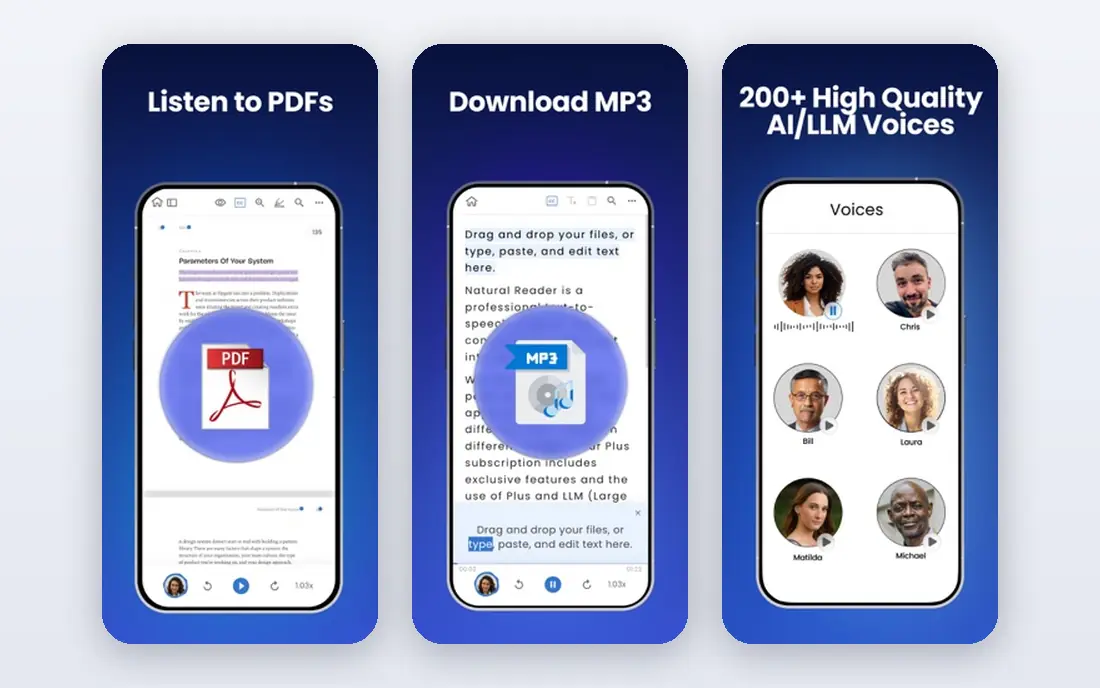
NaturalReader is a strong all-round PDF reader for study and work. You can open a PDF in the web reader, mobile app or Chrome extension, pick a natural voice, adjust speed and follow along with highlighted text. Published listings put annual personal pricing around 99.50 dollars per year, with monthly options from around 13.90 dollars, though the vendor site should be checked for current plans.
The free start covers basic voices and reading, which is enough to test voice quality on your own documents. Higher tiers add premium voices, MP3 download and commercial use options. If you read long PDFs daily and want voices that stay pleasant over an hour, NaturalReader is a practical first choice.
- Natural AI voices from several providers
- PDF, web and mobile reading
- Commercial and education plans for teams
- Pricing varies by plan and billing period
- MP3 export and premium voices sit on higher tiers
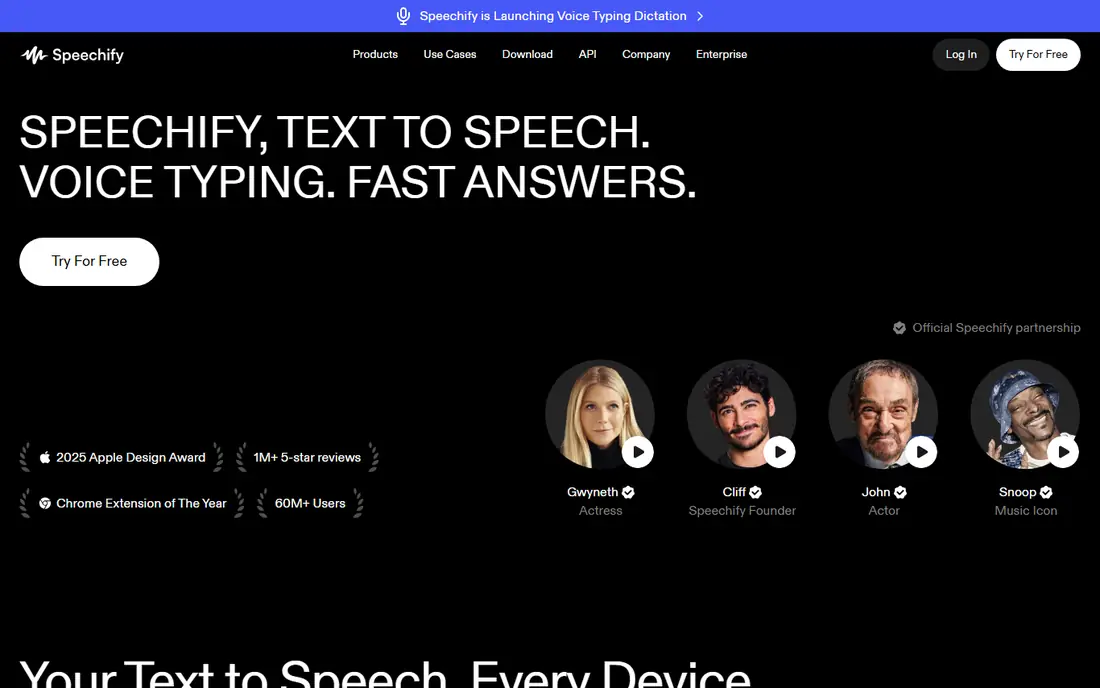
Speechify is the best PDF reader if you move between devices. Import a PDF on your phone, continue on a laptop, and listen with a browser extension, all with your library and place kept in sync. Free access includes basic voices up to 1.5x speed, while Premium costs 29 dollars per month, or 139 dollars per year, which works out to 11.58 dollars per month on annual billing.
Premium adds natural voices, 60 plus languages, up to 5x speed, scan and listen for printed pages, and AI summaries. The monthly price is steep for occasional use, so try the free tier first and switch to annual only if you listen daily for months. For students and professionals with a large PDF backlog, the cross-device flow justifies the cost.
- Works on mobile, desktop, web and browsers
- 1,000 plus natural voices on Premium
- Offline MP3 download on Premium
- Premium monthly price is high at 29 dollars
- Free tier limits speed and voice choice

Voice Dream Reader is built for accessible reading, and that focus shows in its design. It reads PDFs, textbooks, articles and scanned documents, with word highlighting, bookmarks, notes and a dictionary. It works offline, which helps on a commute or in a classroom, and it offers more than 200 premium voices in published descriptions. Published listings note subscription options from around 9.99 dollars per month or 49.99 dollars per year, plus older one-time purchase references, so check the current app listing.
The main limit is platform. Voice Dream Reader centers on iPhone, iPad and Mac, so Android and Windows users should choose Speechify or NaturalReader instead. For Apple users who need reliable, accessible PDF reading, it remains one of the best tools available.
- Accessibility-first design for iOS and Mac
- Offline reading with many premium voices
- Bookmarks, notes and dictionary tools
- Apple-focused, so Android and Windows users need another tool
- Current pricing sits behind app subscriptions in some listings
ElevenReader, from ElevenLabs, stands out for voice quality on a free tier. Published listings put the free plan at 10 hours of text-to-audio per month, with 20,000 plus free books, 4x playback, bookmarks and a sleep timer. Ultra costs around 11 dollars per month, or 8.25 dollars per month on annual billing, for unlimited listening in published listings.
ElevenReader is less of a study workspace than Speechify, with fewer document annotation tools, but for pure listening it is excellent. If you want natural narration for PDFs, articles and books without paying at first, start here and upgrade only when you pass the free hours regularly.
- Very natural AI voices
- Free tier with 10 hours per month in published listings
- Sleep timer and bookmarks
- Ultra plan needed for unlimited listening
- PDF handling is simpler than a full study reader
Narakeet suits a different workflow: turn a PDF into an audio file, then listen anywhere. You can upload a document, pick a voice and language, and download audio for a commute, workout or offline study session. That file-based approach helps when you want to keep audio for a course, share it within allowed terms, or listen without opening a reader app each time.
Pricing is credit-based, so check how many credits a long PDF uses before you commit to a large document. Narakeet is not the best choice for live highlighting and annotation, but for creating listenable versions of PDFs, it is a strong and flexible tool.
- Turns PDFs and documents into audio files
- Many voices and languages
- Useful for offline listening and sharing
- Credit-based pricing needs careful tracking
- Less of a live reading app than Speechify
TTSReader is the simplest free option on this list. Open the site in a browser, paste text or load a document, and listen without an account or install. That low friction makes it useful for a quick check, a short article or a PDF extract you need to hear once.
It will not match Speechify or NaturalReader for long PDFs, highlighting, library management or offline mobile listening. Voices are functional rather than premium, and personal and commercial plans exist for heavier use. For occasional, short listening, TTSReader is free, fast and enough.
- Free browser reading with no install
- Simple paste and listen flow
- Useful for short PDFs and text extracts
- Voice quality and features are basic compared with paid readers
- Long-document tools are limited
Speech Central appeals to users who dislike subscriptions. Published listings put it at 9.99 dollars as a one-time purchase, with support for PDFs, documents, ebooks and RSS feeds, plus bookmarks and audio export. It works offline with Apple voices and optional cloud AI voices, which suits readers who want a simple, owned tool.
The trade-off is voice quality, which depends on the voices installed on your device unless you add cloud voices. The interface is also plainer than modern subscription readers. If you want a low-cost, no-subscription PDF reader and you are happy with system voices, Speech Central is good value.
- One-time purchase, not a subscription
- Reads PDFs, documents and RSS
- Offline use with system voices
- Voices depend on your device and optional cloud voices
- Interface is plainer than Speechify
Microsoft Edge Read Aloud is the best free PDF reader if you already use Edge. Open a PDF in Edge, start Read Aloud, and listen with natural voices while each word is highlighted. It works on Windows, Mac, iOS and Android through Edge, and it costs nothing beyond the browser itself.
The limits are clear: you get no audio file to keep, no library sync like Speechify and no advanced study tools. For reading a course PDF at a laptop, or checking a report without paying, it is excellent. For building a listening library or listening offline on a phone without Edge, choose a dedicated reader app.
- Completely free in Edge browser
- Natural Azure voices
- Word highlighting as it reads
- Available on desktop and mobile Edge
- No audio file export
- No full library or study tools
- Needs Edge browser for the best experience
How we picked these
We compared official pricing pages, vendor feature pages and published 2026 pricing checks for text to speech readers. We kept only tools that actually open and read PDF files, not general voice generators, and we favored a mix of free, subscription and one-time purchase options. Scanned PDF support, offline listening, highlighting and voice quality were key tests, because a reader that fails on a scanned textbook is not useful for many students. Where a vendor price was not clearly published, we used See website.
How to choose a PDF text to speech app
Start with your PDF type. A born-digital PDF with selectable text works in almost every reader here. A scanned PDF, such as a photo of a textbook page, needs OCR to turn the image into text first, so check OCR support in Speechify, Voice Dream Reader or NaturalReader before you pay. Test with your hardest document, not a clean sample, because real course PDFs often mix text, images and tables.
Next, test the listening experience. Listen for at least ten minutes, check speed controls, word highlighting and whether the app keeps your place after you close it. If you listen on a commute, check offline download and mobile controls. If you study, check bookmarks, notes and search. Finally, check voice limits: free tiers may cap hours, speed or voice choice, and premium word limits can matter for very long documents. A short trial with a real PDF will reveal more than a voice demo.
FAQ
What is the best text to speech app for PDF files?
Speechify and NaturalReader are the best all-round PDF readers, with natural voices and cross-device support. Voice Dream Reader is best for Apple accessibility reading, while ElevenReader is best for free natural narration.
Can a text to speech app read a scanned PDF?
Yes, if it includes OCR, which turns a scanned image into readable text. Speechify scan and listen, Voice Dream Reader and NaturalReader all offer OCR or scan features, but accuracy varies with scan quality, so test your own document first.
Is there a free PDF text to speech app?
Yes, Microsoft Edge Read Aloud is free in Edge, ElevenReader offers a free tier with 10 hours per month in published listings, and Speechify and NaturalReader offer free basic tiers. TTSReader is also free in a browser for short texts.
Can I listen to a PDF offline?
Yes, Speechify Premium offers offline MP3 download, Voice Dream Reader works offline, and Narakeet lets you download audio files. Edge Read Aloud does not export audio, so it suits online reading rather than offline listening.
What is the best PDF text to speech app for students?
Speechify suits students who read across phone and laptop, while Voice Dream Reader suits Apple users who need accessibility tools. NaturalReader is a good middle choice for long study PDFs with natural voices and highlighting.
Does PDF text to speech work with tables and footnotes?
It can read tables and footnotes, but the order may not match the printed layout, especially in complex PDFs. Check a sample page with tables before you rely on it for exam study, and use highlighting to follow the reading order.