7 Best Tax Software Options for Small CPA Firms in 2026
Compare the best tax software for small CPA firms in 2026, with pricing, forms coverage, and honest trade-offs for solo and small practices today, now.
- Editor's choice
 Drake Tax
Value for small firms
Starts at$299.99 per yearVisit drakesoftware.comFull review - Great alternative
 ProSeries
Small 1040-focused firms
Starts at$539 per yearVisit proseries.intuit.comFull review - Also consider
 Lacerte
Complex returns and multi-preparer firms
Starts at$599 per yearVisit intuit.comFull review
TL;DR:
- Professional tax software is priced by license, per-return fees, users, or a mix, so compare the full season cost, not just the entry price.
- Forms coverage matters more than a long feature list, so test your ten strangest returns before you commit.
- Cloud software suits remote teams, while desktop software suits firms that prefer local installs and a familiar workflow.
- E-filing, diagnostics, client portals, and e-signatures save more peak-season time than a slightly lower license fee.
- This article is general information, not tax advice, and a firm should confirm filing rules and deadlines with current IRS and state guidance.
Quick comparison
| Tool | Best for | Starts at | Free plan? | |
|---|---|---|---|---|
| Drake Tax | Value for small firms | $299.99 per year | Free trial | Visit |
| ProSeries | Small 1040-focused firms | $539 per year | No | Visit |
| Lacerte | Complex returns and multi-preparer firms | $599 per year | No | Visit |
 Intuit ProConnect Tax | Cloud-first small firms | See website | No | Visit |
 UltraTax CS | Firms in the Thomson Reuters suite | See website | No | Visit |
 CCH Axcess Tax | Growing cloud firms | See website | No | Visit |
 TaxAct Professional | Budget unlimited 1040 filing | $169.99 per year | No | Visit |
The best tax software for small CPA firms
Tax software for a small CPA firm must prepare and e-file individual and business returns, catch errors before filing, and handle state returns without constant workarounds. The best tax software for small CPA firms below includes desktop and cloud options, with different pricing models, so a solo practitioner and a multi-preparer firm can both find a fit.
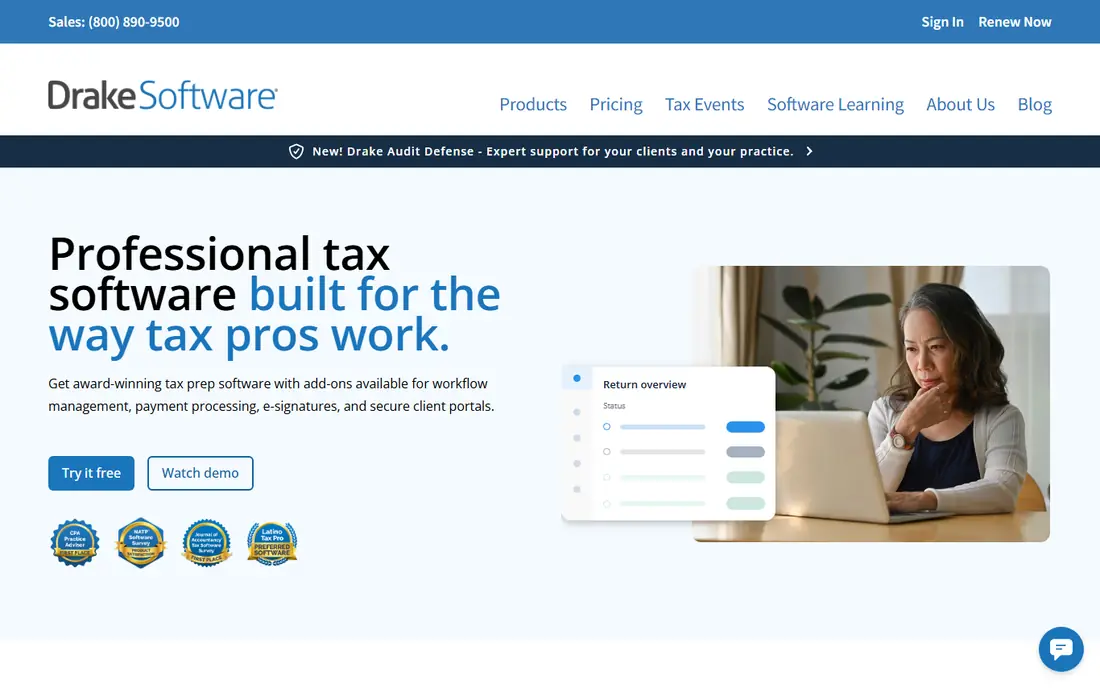
Drake Tax is the value leader for many small CPA firms, and it is a good first demo for a solo practitioner or a small team. Drake Tax Online starts at a low annual price for the first user, while desktop packages offer unlimited individual returns at a flat annual rate on higher tiers. It handles federal and state returns, e-filing, multi-user access with role controls, and built-in diagnostics that flag errors before filing, which cuts rework in peak weeks. The trade-off is polish and integration. Drake's interface is functional rather than modern, and its integration scores in industry surveys sit below some rivals, so a firm that relies heavily on a specific practice management system should test the connection. Advanced firm management tools, hosting, and portals can also cost extra. For a small firm that wants reliable prep, strong support, and a predictable price, Drake Tax is hard to beat. Test it on your most complex return type before you buy, because forms coverage, not price, is the real test.
- Low entry price for Drake Tax Online
- Strong support reputation
- Fast prep with built-in accuracy checks
- Interface prioritizes speed over modern design
- Some firm management tools cost extra

ProSeries, from Intuit, suits a small firm that focuses mainly on individual returns and wants a familiar, form-based workflow. Preparers who think in forms will find it easy to learn, and its ease-of-use scores in industry surveys are among the highest for professional software. Pay-per-return pricing helps a firm with a modest return count, while unlimited and essentials packages suit a firm that files more volume. QuickBooks Online familiarity also helps a firm whose clients already use Intuit tools. ProSeries is not the pick for the most specialist work. Industry surveys show a higher share of users reporting missing forms than for Lacerte or UltraTax CS, so a firm with complex partnerships, multi-state work, or niche forms should test its strangest returns first. Multi-user access can also need an add-on on some packages. For a small, 1040-focused CPA firm that values ease of use and Intuit familiarity, ProSeries is a strong choice. For a complex-return firm, Lacerte or UltraTax CS may fit better.
- Easy to learn form-based workflow
- Strong Intuit ecosystem fit
- Pay-per-return and unlimited options
- Forms coverage is thinner than Lacerte for specialist work
- Multi-user access can need an add-on
Lacerte, also from Intuit, is the step up for a small CPA firm that handles complex returns, multi-state filings, and pass-through entities. Its forms coverage is deeper than ProSeries, its diagnostics are thorough, and its K-1 automation saves real time for a firm with many partnership clients. Multi-preparer workflows, review tools, and hosting options suit a firm that is growing beyond a solo practice. The catch is total cost. The entry license is pay-per-return, so the headline price is not the season total, and return charges, states, and users add up. Price is also the most common complaint in industry surveys, even among users who rate the software highly. For a firm whose returns justify the cost, Lacerte's depth pays for itself in fewer workarounds and faster review. For a simple 1040 firm, ProSeries or Drake Tax will usually cost less for the same result. Price a full season, with your actual return mix, before you decide.
- Deep forms coverage and diagnostics
- Strong K-1 automation for pass-through work
- Multi-preparer workflow
- Entry license is pay-per-return, not unlimited
- Total cost rises with return volume and states
Intuit ProConnect Tax suits a small CPA firm that wants to work in a browser, without installing desktop software on every machine. It offers cloud prep, e-filing, and tools such as Intuit Tax Advisor and Intuit Sign on current packages, which help a remote or hybrid team collaborate on returns. Its fit with QuickBooks Online also helps a firm whose clients already use QuickBooks, because client data and tax work sit closer together. ProConnect bundles need careful reading. Some bundles include a set number of individual returns and one paid user, while business returns and extra users cost more, so the headline bundle price is not the full cost for a mixed practice. A browser tool also needs a reliable internet connection, which matters in peak season. For a cloud-first small firm with mostly individual returns and QuickBooks clients, ProConnect is a practical pick. For a desktop-first firm, ProSeries or Lacerte may feel more familiar.
- Browser-based prep from any device
- QuickBooks Online client fit
- Pay-as-you-go and bundle options
- Business returns can cost extra on some bundles
- Needs a reliable internet connection for peak work
UltraTax CS, from Thomson Reuters, is the deep-coverage choice for a small CPA firm that already uses other CS Professional Suite tools, or that handles complex multi-state and multi-entity returns. It offers strong state allocation, related entity handling, and review tools that suit a firm with corporate, partnership, and trust work alongside individual returns. Integration with practice management, document management, and workflow tools in the same suite is a real advantage for a firm that standardizes on Thomson Reuters. UltraTax CS uses quote-based pricing, with no published list price, so a small firm cannot budget from a web page alone. The learning curve is also steeper than Drake or ProSeries, and implementation takes more time. For a firm that needs that depth, or that already runs the CS suite, UltraTax CS is worth a demo and a quote. For a solo 1040 firm, it is likely more product and more price than needed, and Drake Tax or ProSeries will be simpler.
- Deep multi-state and multi-entity coverage
- Strong integration with CS Professional Suite
- Thorough review tools
- Quote-based pricing, so budgeting needs a sales conversation
- Learning curve is steeper than Drake or ProSeries
CCH Axcess Tax, from Wolters Kluwer, suits a growing CPA firm that wants a cloud tax platform and plans to add offices or staff. It offers cloud prep, e-filing, and workflow tools, with AI assistance on current plans, and it scales from a small firm to a multi-office practice without a platform change. That growth path matters, because switching tax software mid-growth is costly in training and migration time. Pricing is package or quote-based, so a small firm needs a consultation to get a firm number, and related products for documents, workflow, and firm management are separate from Tax itself. A firm should therefore price the full Axcess stack it actually needs, not just the Tax module. For a growing cloud-first firm already considering other Axcess products, CCH Axcess Tax is a strong shortlist entry. For a solo firm that wants a published price and a simple setup, Drake Tax, ProSeries, or TaxAct Professional will be easier to buy.
- Cloud platform with built-in AI assistance on current plans
- Strong forms and workflow tools
- Scales to multi-office firms
- Quote-based or package pricing
- Document, workflow, and firm management products are separate
TaxAct Professional suits a budget-focused small practice that mainly files individual returns and wants a low entry cost. Its pay-per-return option starts at a low annual price, while bundle options offer unlimited 1040 and business filing at a published annual rate for single and multi-user setups. That clarity helps a seasonal practice or a new firm that needs to keep fixed costs low in its first years. TaxAct Professional does not match Lacerte or UltraTax CS on forms depth, workflow tools, or integration range, so a firm with complex returns should test coverage carefully. Support and third-party integration options are also more limited than on the larger professional platforms. For a small, budget-focused firm with mostly straightforward returns, TaxAct Professional is good value. For a firm with complex, multi-entity work, spend more on Drake Tax, Lacerte, or UltraTax CS, because a missing form in peak season costs more than the saving.
- Low pay-per-return entry price
- Unlimited bundles for 1040 work
- Simple setup for small practices
- Forms and workflow depth are thinner than Lacerte or UltraTax CS
- Support and integration options are more limited
How we picked these
We compared official product pages, pricing models, forms coverage, deployment options, e-filing, and trial terms, and we cross-checked them against recent professional tax software comparisons and industry surveys. We favored software with a current professional edition, e-filing for federal and state returns, and a track record with small CPA firms, and we noted where pricing is quote-based or pay-per-return. We left out consumer tax software, because it lacks the preparer workflow, review tools, and per-return controls a CPA firm needs.
How to price a full season before you buy
Count returns by type, not just in total
List individual, partnership, corporate, trust, and multi-state returns separately, because per-return fees, state charges, and bundle inclusions differ by type. A bundle that looks cheap for 200 individual returns may be expensive for 50 partnership returns. Price your actual mix from last season, plus expected growth, in each vendor's calculator or quote.
Add users, states, e-signatures, and portals
The license is only part of the cost. Add extra users, state modules, e-signature, client portals, hosting, and support tiers to get the real total. Ask whether a bundle includes business returns, how many states are included, and what happens if you exceed a return count mid-season. A firm that discovers those costs in March has little room to switch.
Test your strangest returns in a trial or demo
Before you commit, prepare your ten most complex returns from last season in the trial or demo, including multi-state, K-1, rental, and amended cases. Note where the software needs a workaround, where diagnostics miss an issue, and how long review takes. That test matters more than a feature list, because peak season exposes every gap at once.
FAQ
What is the best tax software for small CPA firms?
Drake Tax suits many small firms on value, ProSeries suits 1040-focused firms on ease of use, and Lacerte suits complex-return firms on depth. The best tax software for small CPA firms depends on return mix, team size, and whether you prefer cloud or desktop, so price a full season before you choose.
What is the best tax software for small CPA firms on a budget?
Drake Tax Online and TaxAct Professional offer the lowest published entry prices in this list, with different trade-offs. Drake Tax offers stronger support and workflow depth, while TaxAct Professional offers low pay-per-return pricing for straightforward work. Compare forms coverage, not just entry price, before you pick on budget alone.
Is cloud or desktop tax software better for a small CPA firm?
Cloud software suits remote and hybrid teams, because staff can work from any device and updates arrive automatically. Desktop software suits firms that prefer local installs, a familiar workflow, and control over data location. Several vendors offer both, including Drake Tax and Intuit, so a firm can choose the model that fits its team.
How much does professional tax software cost?
Published entry prices in this list range from about $169.99 per year for TaxAct Professional pay-per-return to about $599 per year for a Lacerte pay-per-return license, with Drake Tax Online at $299.99 per year and ProSeries at $539 per year. Quote-based products, such as UltraTax CS and CCH Axcess Tax, vary by users, states, and return volume, and per-return fees sit on top of many entry licenses.
Can I switch tax software without losing prior-year data?
Usually you can carry forward client data, but the quality of conversion varies by vendor and by how clean your prior data are. Ask what converts, whether prior-year returns move in full, how long conversion takes, and what it costs. Run a test conversion on a sample of clients before peak season, and keep a readable archive of prior-year returns.
Does tax software handle state returns and e-filing?
Yes, professional software in this list handles federal and state e-filing, but state modules, fees, and supported forms differ. Confirm that every state you file is supported, whether state e-filing is included, and how amended and multi-state returns are handled. Test a multi-state return in a trial before you commit.
Sources
- https://invedus.com/blog/best-tax-preparation-software-for-cpas-and-accounting-firms-in-the-usa/
- https://finpresso.com/reviews/best-tax-software-for-accountants
- https://tidyflow.com/blog/best-us-tax-software-for-accounting-firms/
- https://www.drakesoftware.com
- https://proseries.intuit.com
- https://www.intuit.com
- https://proconnect.intuit.com
- https://tax.thomsonreuters.com
- https://www.wolterskluwer.com
- https://www.taxact.com