Best Tax Preparation Software for Small Business in 2026: 8 Tools Compared
Compare the best tax preparation software for small business, including TurboTax, H&R Block, TaxAct and FreeTaxUSA, with pricing, forms and entity fit.
- Editor's choice
 TurboTax
Guided self-employed filing
Starts at$99 per returnVisit turbotax.intuit.comFull review - Great alternative
 H&R Block
Office backup plus online filing
Starts at$130 per returnVisit hrblock.comFull review - Also consider
 TaxAct
Lower-cost entity returns
Starts at$109.99 per returnVisit taxact.comFull review
TL;DR:
- TurboTax Premium is the most guided option for self-employed filers, at about $99 federal plus $39 per state in recent seasonal pricing.
- FreeTaxUSA is the cheapest accurate option for confident filers, with free federal filing and $15.99 per state.
- TaxAct and TaxSlayer offer lower-cost routes for S corporations, partnerships and Schedule C filers.
- H&R Block Self-Employed adds in-person office backup, at a higher price than most rivals.
- First decide whether you file Schedule C or a separate business return, because that choice sets the product and price.
Quick comparison
| Tool | Best for | Starts at | Free plan? | |
|---|---|---|---|---|
| TurboTax | Guided self-employed filing | $99 per return | Yes | Visit |
| H&R Block | Office backup plus online filing | $130 per return | Yes | Visit |
| TaxAct | Lower-cost entity returns | $109.99 per return | Yes | Visit |
 FreeTaxUSA | Budget federal filing | Free | Yes | Visit |
 TaxSlayer | Value self-employed filing | $74.99 per return | Yes | Visit |
 Cash App Taxes | Free federal and state filing | Free | Yes | Visit |
 Jackson Hewitt Online | Flat-rate online filing | $25 per return | No | Visit |
 QuickBooks Online | Bookkeeping before tax time | See website | Free trial | Visit |
The best tax preparation software for small business
Tax preparation software for small business covers two different jobs: self-employed filers who report business income on Schedule C, and entities such as S corporations, partnerships and multi-member LLCs that file a separate return. We compared official pricing pages, feature pages and public reviews, and we noted where prices change during filing season. This article is general information only and is not tax advice; tax rules change, and a CPA or enrolled agent can help with complex situations.
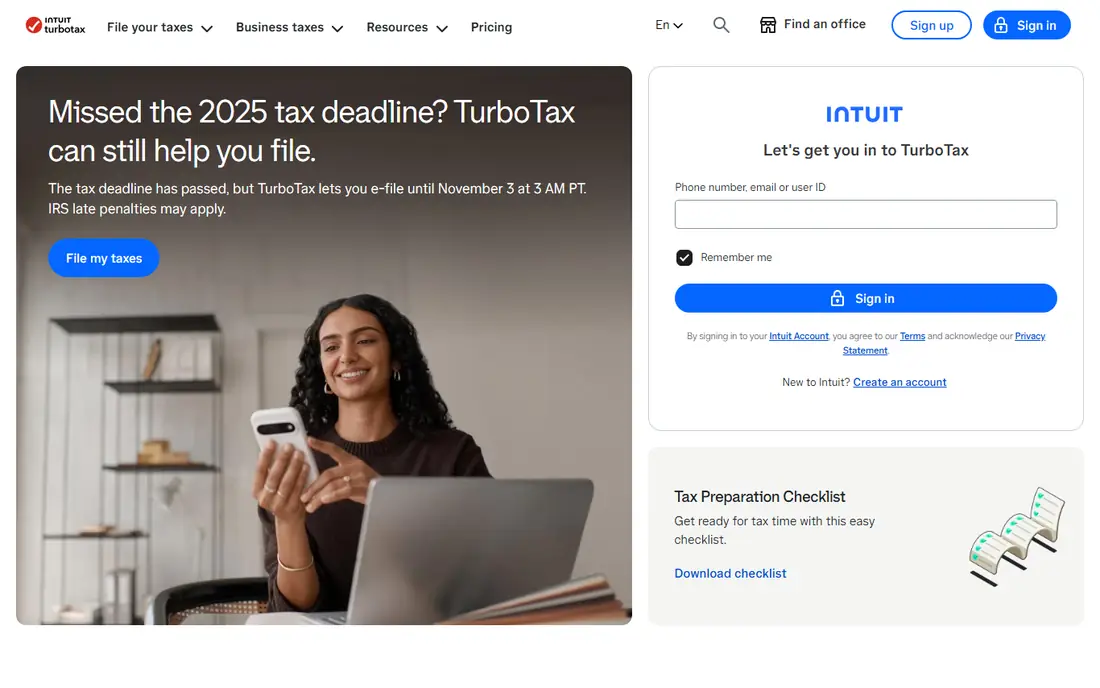
TurboTax is our pick for small business owners who want maximum guidance and are willing to pay for it. The Premium tier, which combines the former Premium and Self-Employed tiers, walks through business income, expenses, home office and vehicle deductions in plain language. Recent seasonal pricing put Premium at about $99 federal plus $39 per state, with expert help available at higher tiers.
The cost is the main drawback, and prices move during filing season, so confirm the live price before you file. TurboTax is best for first-time self-employed filers, owners with several income sources, and anyone who values a polished interface and import options over the lowest fee.
- Very guided interview
- Strong deduction finder
- QuickBooks integration
- Highest price among guided brands
- State filing adds cost

H&R Block Self-Employed suits owners who want online filing with the option to walk into an office for help. Recent pricing put Self-Employed at about $130 federal plus $49 per state, with a free online tier for simple returns. The interface covers Schedule C income, expenses and common deductions, and audit support options are available.
The price is higher than TaxAct, TaxSlayer and FreeTaxUSA for a similar Schedule C job, so the value depends on whether office backup matters to you. If you like the safety net of in-person help, H&R Block is a credible choice; if you are confident filing alone, a cheaper option will save money.
- Online plus in-person office support
- Deduction finder
- Mobile app
- Self-Employed tier is among the priciest
- State filing adds $49 per state in recent pricing

TaxAct is a strong value pick for small businesses that file a separate entity return. Self-Employed starts at $109.99 federal in recent pricing, while business returns for S corporations and C corporations were listed at $169.99 in some comparisons, with state filing extra. That makes TaxAct one of the cheaper routes for entity filers who do not need expert review.
The interface is functional rather than polished, and support options are more limited than TurboTax expert tiers. For owners comfortable reading forms and answering guided questions, TaxAct offers a good balance of price and coverage.
- Business returns for S corporations and partnerships
- Lower price than TurboTax
- Solid guidance
- Interface is less polished than TurboTax
- State pricing is extra
FreeTaxUSA is the cheapest accurate option for confident small business filers. Federal filing is free for every tax situation, including self-employment, rentals and investments, and state filing is $15.99 per state. A Deluxe upgrade at $7.99 adds audit assistance and priority support, which keeps the total far below guided brands.
The trade-off is guidance. FreeTaxUSA assumes you know your business expenses and forms, so first-time filers may feel less supported than in TurboTax. For owners with clean books and a straightforward Schedule C, it is hard to beat on value.
- Free federal filing for all forms including Schedule C
- $15.99 per state
- Deluxe upgrade is $7.99
- Less hand-holding than TurboTax
- Support is mainly online
TaxSlayer Self-Employed at $74.99 federal in recent pricing offers a middle ground between free filing and premium guided software. It covers Schedule C income, home office deductions, 1099 income and depreciation, with professional chat support for questions. Simply Free covers simple returns at $0, while Classic at $44.99 suits moderately complex personal returns.
State filing at $47.99 adds to the total, so a single-state filer should compare the full federal plus state cost. TaxSlayer is best for experienced filers who want guidance and support without paying TurboTax prices.
- Low Self-Employed price
- Good Schedule C coverage
- Pro chat support
- State filing adds $47.99
- Interface is simpler than premium rivals
Cash App Taxes offers free federal and state filing with no paid tiers, which makes it an attractive option for sole proprietors with straightforward returns. It supports major IRS forms, including Schedule C, and includes audit support. For a side business with simple income and expenses, it can save the full filing fee.
The limits are in support and complexity. There is no paid expert review tier, and complex entity returns are better handled by TaxAct or a CPA. If your return is simple and your books are clean, Cash App Taxes is a genuine free option worth testing.
- Fully free federal and state filing
- Supports major IRS forms
- No paid tiers
- No expert review option
- Less suited to complex entity returns
Jackson Hewitt Online stands out for flat pricing: $25 for federal plus state in recent comparisons, covering many tax situations. That simplicity helps multi-state filers and owners who dislike per-state add-ons. Professional help is also available through the broader Jackson Hewitt network.
There is no free tier, and flat-rate pricing can change by season, so confirm the live price before filing. For owners who want a predictable low fee without a free-tier eligibility check, Jackson Hewitt Online is a useful alternative to the major brands.
- Flat $25 for federal plus state
- Covers many tax situations
- Professional help available
- No free tier
- Flat price may rise or change by season
QuickBooks Online is included here because good tax preparation starts with clean books. It tracks income and expenses, captures receipts, runs profit and loss reports and integrates with TurboTax for filing. That year-round recordkeeping can save hours at tax time and reduce missed deductions.
It is not a filing package by itself, so most owners will still need tax software or a CPA to file. QuickBooks is best for owners who want bookkeeping and tax prep to work together, rather than reconstructing a year of transactions in April.
- Tracks income and expenses all year
- Reports for tax time
- Integrates with TurboTax
- Not a tax filing package on its own
- Monthly subscription adds cost
How we picked these
We compared official pricing pages, feature pages and public reviews, and we favored products that are actively maintained and clearly state which forms and entity types they support. A product qualified if it could handle Schedule C or a separate business return, if pricing was published or clearly quoted, and if support options were stated. Prices in this category change during filing season, so we used recent seasonal pricing and recommend confirming the live price before filing. This is general information only, not tax advice.
How to choose small business tax software
First, confirm your entity type and return form. A single-member LLC or sole proprietor usually files Schedule C with a personal return, while an S corporation files Form 1120-S, a partnership files Form 1065, and a C corporation files Form 1120. That single fact narrows the list more than any feature comparison.
Next, check state filing cost, support and import options. A low federal price can become expensive once state fees, expert review and add-ons are included. If your books are messy, if you had a large unusual year, or if you are unsure about deductions, a CPA review can be worth more than software savings.
Finally, keep records all year. Save receipts, track mileage, separate business and personal spending, and reconcile accounts monthly. Good records make any software on this list faster and more accurate, and they make an audit far less stressful.
FAQ
What is the best small business tax software?
TurboTax is best for guided filing, FreeTaxUSA is best for budget filing, and TaxAct is best for lower-cost entity returns. The best tax software for a small business depends on entity type, complexity and how much guidance you want.
What is the best tax software for a single-member LLC?
A single-member LLC usually files Schedule C with a personal return, so TurboTax Premium, H&R Block Self-Employed, TaxAct Self-Employed, TaxSlayer Self-Employed and FreeTaxUSA all fit. Choose based on price, guidance and state cost.
How much does small business tax software cost?
Federal prices range from free to about $130 for self-employed tiers, plus $15 to $49 per state in recent pricing. Entity returns cost more, and expert review adds further cost, so compare the full federal plus state total.
Is this article tax advice?
No, this article is general information only and is not tax advice. Tax law and forms change, and individual situations differ. For complex returns, audits or large transactions, consult a CPA, enrolled agent or tax attorney.
Should a small business use software or a CPA?
Software suits straightforward returns with clean books, while a CPA suits complex entities, large transactions, audits and multi-state issues. Some owners use software for filing and a CPA for a yearly review, which can balance cost and safety.
When should I start preparing business taxes?
Start at the beginning of the tax year by tracking income, expenses and receipts monthly. That habit makes filing faster, reduces missed deductions, and gives you time to fix bookkeeping problems before the filing deadline.