Best Survey Tools for Business in 2026: 8 Products Compared
We compared the best survey tools for business on design, logic and analytics, including free options, so you can collect feedback your team will use.

- Editor's choice
 SurveyMonkey
All-round business surveys with strong analytics
Starts at$39 per monthVisit surveymonkey.comFull review - Great alternative
 Typeform
Conversational surveys that lift completion rates
Starts at$29 per monthVisit typeform.comFull review - Also consider
 Google Forms
Free internal surveys and quick polls
Starts atFreeVisit google.comFull review
TL;DR:
- Business surveys need logic, analysis and exports, not just a form that collects answers.
- Free plans help for small internal polls, but response limits and branding limits appear quickly.
- The best free online survey tools suit quick feedback, while paid research tools suit ongoing customer and employee programmes.
- Completion rates improve with short, mobile-friendly surveys and clear question design.
- Choose based on audience, volume and analysis needs, not on template count alone.
Quick comparison
| Tool | Best for | Starts at | Free plan? | |
|---|---|---|---|---|
| SurveyMonkey | All-round business surveys with strong analytics | $39 per month | Yes | Visit |
| Typeform | Conversational surveys that lift completion rates | $29 per month | Yes | Visit |
| Google Forms | Free internal surveys and quick polls | Free | Yes | Visit |
 Microsoft Forms | Businesses already on Microsoft 365 | Free | Yes | Visit |
 Jotform | Flexible surveys, registrations and payment forms | $34 per month | Yes | Visit |
 Zoho Survey | Survey analytics for teams using Zoho | See website | Yes | Visit |
 Alchemer | Mid-market research, customer experience and employee feedback | $55 per user per month | No | Visit |
 QuestionPro | Research-heavy surveys, panels and advanced analytics | $99 per user per month | Yes | Visit |
The best survey tools for business
We compared official feature pages, pricing pages, app store listings and public reviews for survey tools used by businesses. These eight cover quick polls, customer feedback, employee surveys and formal research.

SurveyMonkey is the safe default for business surveys because it covers the full cycle: design, distribution, analysis and export. Templates for customer satisfaction, employee engagement and market research help teams start quickly, while logic, randomisation and A/B testing support more careful studies. Filters, cross-tabs and significance testing help analysts move beyond simple averages. The free plan is limited, with caps on questions and viewable responses, so regular business use usually requires a paid plan. Teams that need a panel to reach new respondents can also buy audience responses, which is a genuine advantage for market research. For general business feedback, SurveyMonkey remains a dependable, if not cheap, choice.
- Large template library, branching logic, filters and exports, optional respondent panel
- Free plan limits questions and viewable responses, and individual paid plans are priced higher than simpler tools
Typeform turns a survey into a conversation, showing one question at a time with clean design and smooth transitions. That format suits customer feedback, lead qualification and brand-led research, where completion rates matter more than raw question count. Logic, hidden fields and integrations with customer tools help teams route responses without manual work. The cost model needs care. Response limits apply on paid plans, so a high-volume survey can become expensive. Typeform is best for shorter, well-designed surveys where experience and completion matter, rather than for long, high-volume research questionnaires.
- One-question-at-a-time design, strong branding and design controls, good mobile experience
- Free plan allows only a small number of responses per month, and response caps rise in cost with volume
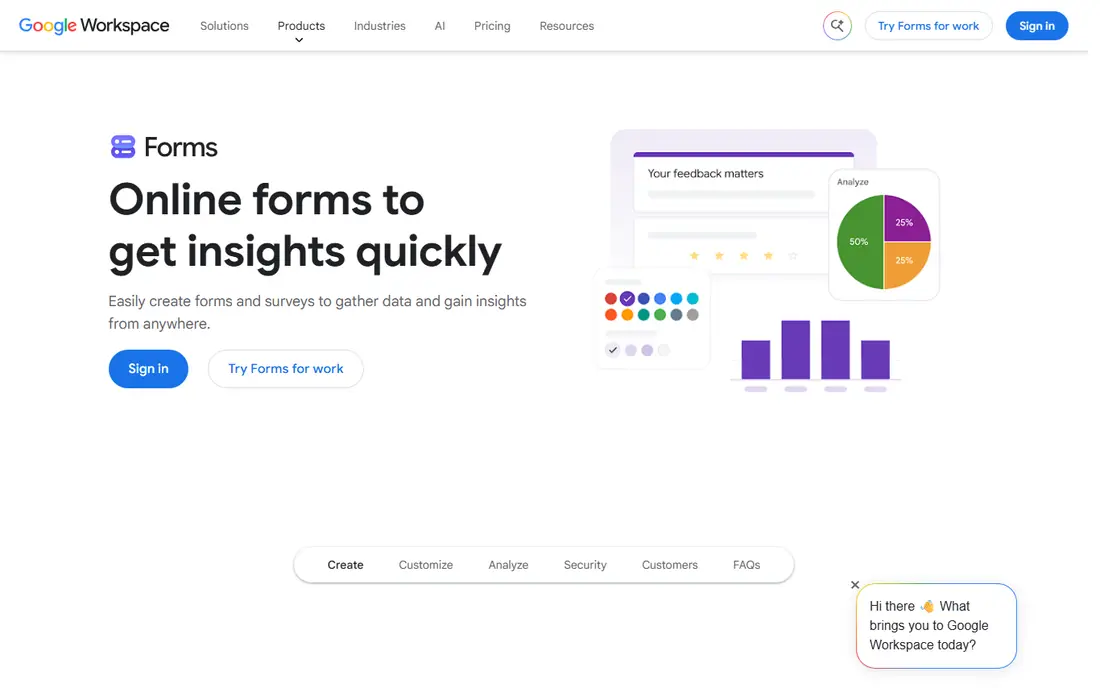
Google Forms is the best free online survey tool for simple business use. It is free, unlimited in surveys and responses, and easy enough for any team member to build in minutes. Responses flow into Google Sheets, and built-in summaries give a quick view of results without extra analysis tools. The limits are design and depth. Branding is minimal, logic is basic, and there is no advanced cross-tabulation or panel access. For internal polls, event feedback and quick team check-ins, those limits rarely matter. For formal customer research, a paid tool will serve you better.
- Free with a Google account, unlimited surveys and responses, automatic summaries and Sheets integration
- Limited design and branding, basic logic, and shallow analysis for formal research
Microsoft Forms suits companies that already live in Microsoft 365. Staff can build a survey, share it in Teams or by email, and review results in Excel without a new subscription or login. That simplicity makes it ideal for internal feedback, training checks and quick customer polls inside a Microsoft environment. Dedicated survey tools offer deeper logic, branding and analysis, so Microsoft Forms is not the right home for a large research programme. For everyday business feedback inside Microsoft 365, its low friction and included pricing are strong advantages.
- Included with many Microsoft 365 plans, simple sharing inside Teams and Outlook, Excel export
- Limited question types and analytics compared with dedicated survey platforms, and design options are basic
Jotform goes beyond surveys to cover registrations, applications, orders and feedback in one builder. Conditional logic, calculations, file uploads and payment fields make it useful for businesses that need a survey to do more than collect answers. A large template library covers many industries and use cases. The free plan limits monthly submissions, so regular business use usually needs a paid plan. The breadth of options can also feel busy when you only want a short survey. For teams that need one flexible form tool for surveys and operational forms, Jotform is a practical choice.
- Thousands of templates, conditional logic, payment collection, strong form-building flexibility
- Free plan limits monthly submissions, and the interface can feel busy for simple surveys
Zoho Survey gives business users a solid research tool with cross-tabulation, filters and custom reports. It suits customer satisfaction tracking, employee feedback and product research, especially for teams that already use Zoho CRM or Zoho Analytics. Responses can flow into wider Zoho reporting without manual exports. The free plan allows unlimited surveys with a cap on responses per survey, which suits occasional use. Paid plans remove those caps and add deeper logic and branding. Teams outside the Zoho ecosystem gain less from the integrations, but the core survey and analysis tools still stand on their own.
- Unlimited surveys on the free plan with response limits, cross-tabs and reports, integration with Zoho apps
- Pricing and plan limits have varied across sources, so check the current plan page before buying
Alchemer
Best for: Mid-market research, customer experience and employee feedback
Alchemer, formerly SurveyGizmo, is built for teams that run surveys as a serious research function. Advanced logic, piping, randomisation and research methods such as conjoint analysis support studies that simpler tools cannot handle. Reporting, dashboards and data exports suit analysts who need to slice results by segment. Small teams may find the price hard to justify, especially without a free plan to test long-term use. Alchemer makes sense for mid-market and larger businesses that run regular customer experience, employee or market research programmes and need reliable, repeatable survey infrastructure.
- Advanced logic, conjoint and MaxDiff research tools, strong reporting, no response metering on paid plans in many cases
- No free plan, and the price per user is high for small teams
QuestionPro suits research teams that need more than a feedback form. It offers advanced question types, logic, cross-tabulation, text analysis and access to respondent panels for studies that need a fresh audience. Customer experience and employee survey programmes also benefit from its dashboards and reporting tools. The per-user price is high, so it suits organisations with a clear research workload rather than occasional polls. Teams that only run short internal surveys will find better value elsewhere. For data-heavy research, QuestionPro earns its place through analysis depth and panel reach.
- Advanced analytics, cross-tabs, panel access, strong research question types
- High per-user price, and the depth can overwhelm teams that only need simple surveys
How we picked these
We compared official feature pages, pricing pages, app store listings and public reviews, focusing on survey design, logic, distribution, analysis and exports. Tools that only built contact forms, without survey logic or reporting, were left out. Pricing was checked against vendor pages and recent published comparisons, and prices may change, so confirm the current plan before buying.
What to check before you buy
A survey tool is only as good as the response rate and the analysis it enables. Test with a real survey to a real audience, not just a preview. Check mobile display, completion time and how results look in exports before you commit to a plan.
Model response volume, not just seat price
Free plans and headline prices hide response caps. Some tools limit responses per survey, per month or per year, while others charge for extra responses. Estimate your annual volume, including seasonal peaks, and price that volume, not just the monthly seat cost.
Check logic and analysis for your study type
Simple feedback needs only branching and basic charts. Research needs randomisation, quotas, cross-tabs and significance testing. Employee and customer programmes need trend tracking and segment reporting. Match the tool to the hardest study you run regularly, not the easiest one.
Keep surveys short and mobile-friendly
Design matters more than tool choice for completion rates. Aim for a survey that takes under five minutes on a phone, with clear questions and a logical flow. Test on a phone yourself, and remove any question that does not lead to a decision. A shorter survey with a higher response rate usually beats a longer survey with richer questions.
FAQ
Q: What are the best free online survey tools for business? A: Google Forms is the strongest free option for unlimited simple surveys, while Microsoft Forms suits Microsoft 365 teams. SurveyMonkey, Typeform, Jotform and Zoho Survey also offer free plans, but with limits on questions, responses or submissions. For regular business use, expect to move to a paid plan. Q: How much do business survey tools cost? A: Entry paid plans for the tools here range from free to around $99 per user per month, with enterprise plans quoted. The real cost depends on seats, response volume and features such as branding, logic and panel access. Model annual volume before choosing, since response caps can add cost. Q: Which survey tool is best for customer satisfaction? A: SurveyMonkey, Alchemer and QuestionPro suit ongoing customer satisfaction programmes, thanks to trend tracking, segmentation and reporting. Typeform suits short, brand-led satisfaction surveys where completion rates matter. The best choice depends on survey length, audience and how you use the results. Q: Can I use survey tools for employee feedback? A: Yes. Most tools here support anonymous employee surveys, engagement tracking and department reporting. For sensitive employee feedback, check anonymity controls, access permissions and data handling before rollout, and tell staff clearly how results will be used. Q: Do survey tools help with data privacy? A: Reputable survey tools offer access controls, data exports and privacy settings, and some offer compliance features on higher plans. You still need to handle consent, data retention and respondent privacy yourself. Check the vendor privacy policy and your local data rules for employee and customer surveys.