Best Survey Software for Small Business in 2026: 8 Tools Compared
Compare the best survey software for small business in 2026, with free plans, templates, logic and reporting for customer, employee and market feedback.

- Editor's choice
 SurveyMonkey
Professional customer surveys
Starts atSee websiteVisit surveymonkey.comFull review - Great alternative
 Typeform
Conversational, friendly surveys
Starts atSee websiteVisit typeform.comFull review - Also consider
 Google Forms
Free, quick internal surveys
Starts atFreeVisit forms.google.comFull review
TL;DR:
- Google Forms is the free starting point, while SurveyMonkey is the safe default for professional customer surveys.
- Typeform suits short, friendly surveys, while Zoho Survey and Jotform suit small teams that need value and templates.
- Response limits, not monthly price, often decide the real cost, so check caps before you send a large survey.
- Write short surveys with one clear goal, and test them on a phone before sending to customers.
Quick comparison
| Tool | Best for | Starts at | Free plan? | |
|---|---|---|---|---|
| SurveyMonkey | Professional customer surveys | See website | Yes | Visit |
| Typeform | Conversational, friendly surveys | See website | Yes | Visit |
| Google Forms | Free, quick internal surveys | Free | Yes | Visit |
 Jotform | Forms plus surveys with templates | See website | Yes | Visit |
 Zoho Survey | Value for Zoho users | See website | Yes | Visit |
 SurveySparrow | Conversational feedback and CX | See website | Yes | Visit |
 QuestionPro | Research-grade surveys | See website | Yes | Visit |
 Alchemer | Flexible logic and branding | See website | No | Visit |
The best survey software for small business
The best survey software for small business makes it easy to ask good questions, get answers on any device, and see results without a data degree. The right tool depends on whether you need quick feedback, polished customer surveys, or deeper research with logic and analysis.

SurveyMonkey is our pick for most small businesses because it covers the full survey job well. Templates help you avoid leading questions, logic routes respondents past irrelevant items, and reporting shows results in charts, cross-tabs and exports without manual work. Respondents also recognize the brand, which can help trust on customer surveys.
The honest catch is limits. The free plan covers only a small number of questions and responses per survey, and paid plans have response caps that matter on large lists. Before you buy, estimate your largest send, check the plan cap, and ask about overage costs. For regular customer and employee feedback, SurveyMonkey remains a safe, professional default.
- Large template library
- Skip logic and analysis tools
- Widely recognized by respondents
- Free plan is limited
- Response caps can raise costs on large surveys
Typeform suits surveys that need to feel easy, such as post-purchase feedback, lead forms and short customer polls. Showing one question at a time keeps the screen calm, and the visual design helps a small brand look polished. Logic can still route respondents, so a short survey can feel personal without being complex.
The trade-off is length and cost. Long research surveys can feel slow in a one-question flow, and response limits on lower plans matter if you survey a large list often. Use Typeform for short, high-value surveys where completion matters more than depth. For long questionnaires, a traditional survey tool may work better.
- One-question-at-a-time design
- Strong visual customization
- Good completion on short surveys
- Costs rise with responses
- Less suited to very long research surveys
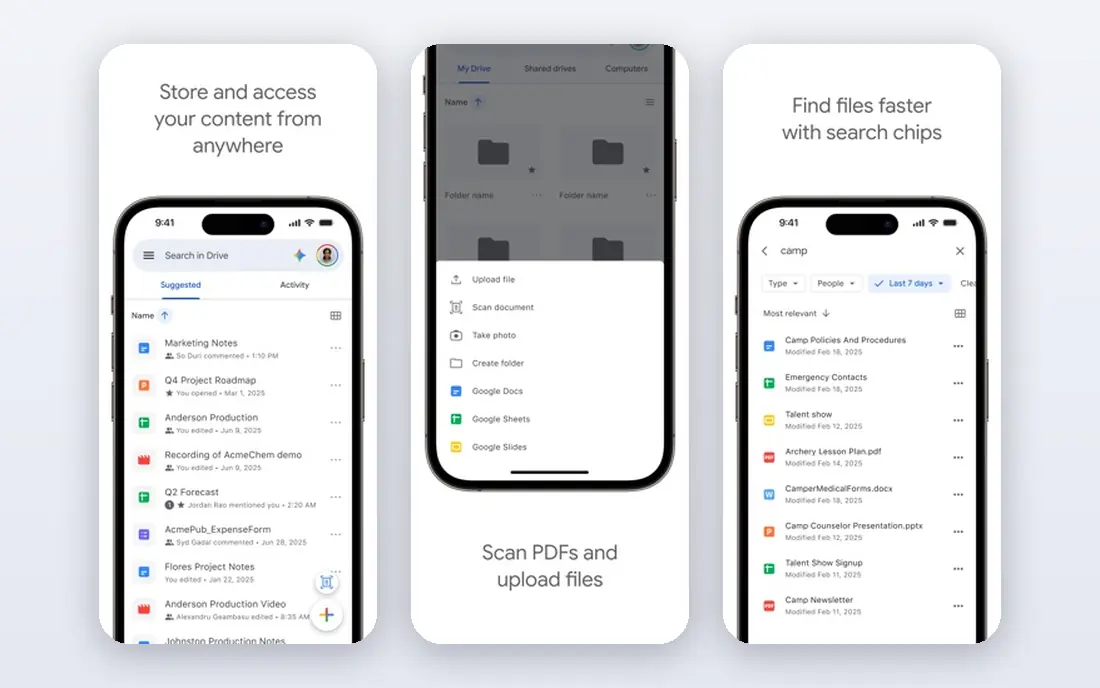
Google Forms is the best free starting point for internal polls, event sign-ups and quick staff feedback. It takes minutes to build, works well on phones, and sends results straight to Sheets for simple analysis. For a small team that surveys staff or a small customer list now and then, it is hard to beat on value.
The limit is professionalism and depth. Branding is basic, logic is simpler than paid tools, and analysis stops at charts and Sheets. That is fine for internal use, but a customer-facing brand survey may look better in SurveyMonkey or Typeform. Start free here, and upgrade only when limits start to slow you down.
- Free with a Google account
- Simple setup
- Results in Google Sheets
- Limited logic, branding and analysis
- Less polished for external customers
Jotform suits small businesses that need surveys plus other forms, such as registrations, orders and applications. The template library saves setup time, and logic, file uploads and payment fields let one tool cover many jobs. That breadth is useful when a small team does not want five separate form tools.
The catch is survey depth. Jotform analysis is good for basic reporting, but research teams that need cross-tabs, weighting or panel tools will want QuestionPro or Alchemer. Check the free submission limit, since it can be reached quickly on a busy form. For general small business feedback, Jotform is a strong value pick.
- Huge template library
- Form logic and file uploads
- Payment and workflow options
- Survey analytics are lighter than research tools
- Free plan has submission limits
Zoho Survey is a practical pick for firms already using Zoho CRM, Books or other Zoho apps. Survey results can feed into customer records and workflows, which saves copy work and keeps feedback tied to real customers. Multilingual support and real-time reporting cover most small business needs at a fair price.
The downside is style. Zoho Survey looks clean, but it is less visually striking than Typeform, and some advanced research features are limited. If you do not use Zoho elsewhere, compare it with SurveyMonkey on templates and reporting before choosing. Inside Zoho, though, the integration case is strong.
- Good value
- Multilingual surveys
- Links to Zoho CRM and other Zoho apps
- Design polish trails Typeform
- Best value inside the Zoho system
SurveySparrow suits teams that want feedback to feel like a chat, not a form. Respondents answer in a conversational flow, and the tool supports recurring surveys, NPS tracking and customer experience workflows. That makes it useful for regular check-ins after support, delivery or onboarding.
The trade-off is plan tiers. Core surveys are easy, but some automation and reporting features sit on higher plans, so check the plan you need for your workflow. For a small business that surveys customers often and wants a friendly tone, SurveySparrow is worth trialing beside Typeform.
- Chat-like surveys
- Customer experience features
- Recurring and offline options
- Pricing is tiered
- Some advanced features need higher plans
QuestionPro is the choice when a small business needs research depth without enterprise software. It supports complex logic, varied question types, detailed analysis and audience tools, so market research, concept tests and employee studies can run in one place. That depth helps when decisions depend on clean, segmented data.
The downside is complexity. New users may find the interface busy, and the best features sit on paid plans. If you only send a short feedback form each month, a simpler tool will be faster. If you run research regularly, QuestionPro gives you room to grow without switching tools later.
- Strong survey logic and analytics
- Research templates
- Audience options
- Interface can feel busy
- Higher plans are costly for tiny teams
Alchemer, formerly SurveyGizmo, suits teams that need flexible logic and full branding control. You can build complex paths, custom reports and integrations with CRM and analytics tools, which helps when surveys feed into wider customer data. It is a favorite for teams that outgrow simple survey builders.
The catch is cost and learning. There is no free plan, and advanced logic takes time to set up well. For a small business that needs basic feedback, SurveyMonkey or Jotform will be quicker. For a team that needs custom logic and branding on every survey, Alchemer earns its place.
- Flexible survey logic
- Strong customization
- Good integrations
- No free plan
- Learning curve for advanced logic
How we picked these
We compared official feature pages, pricing pages and public reviews for survey tools that small businesses can buy and run without a research team. We favored tools with templates, logic, mobile-friendly surveys and clear reporting, and we kept free and paid options. Where a vendor does not publish a simple starting price, we list See website rather than guessing, and we note free plan limits where they shape the choice.
What to check before you buy survey software
Start with one survey goal. Write the decision the survey must inform, then write only the questions that serve that decision. Short surveys get more and better answers than long ones, and a clear goal keeps you from adding questions that no one will use.
Next, test on a phone. Most respondents will answer on mobile, so check question wording, button size and progress on a small screen. Also check logic with a test respondent who should skip sections, and confirm how results export to Sheets, Excel or your CRM. Finally, check privacy. Tell respondents why you ask, how long you keep answers, and whether results are anonymous, especially for employee surveys.
FAQ
What is the best survey software for small business?
The best survey software for small business for most firms is SurveyMonkey for professional surveys, Google Forms for free internal polls, and Typeform for short, friendly customer surveys. Your choice should follow your main use: internal, customer or research.
What are the best survey tools for small business on a tight budget?
Google Forms is free, and Jotform, Zoho Survey and SurveySparrow offer free tiers with useful limits. Start free, track how many responses you actually collect, and upgrade only when a limit or a missing feature, such as logic or branding, blocks real work.
How many questions should a small business survey have?
Aim for under 15 questions for customer feedback, and under 10 for a post-purchase or support survey. Each extra question lowers completion a little, so cut any question that does not change a decision. Test the survey yourself and time it before sending.
Can survey software integrate with my CRM?
Many tools link to common CRMs, email platforms and Sheets, but the depth varies. SurveyMonkey, Zoho Survey, Jotform and Alchemer offer integrations, yet you should test the exact flow you need, such as sending a survey after a purchase and storing the score on the customer record.
Is Google Forms good enough for customer surveys?
Google Forms is good enough for simple internal and small customer surveys, especially when budget is tight. For branded, external surveys with logic, quotas and deeper analysis, a paid tool usually looks more professional and gives clearer reporting.
How do I get more people to answer my survey?
Keep it short, send it at a relevant moment, such as right after delivery or support, and explain why their answer matters. A clear subject line, a mobile-friendly design and a progress indicator help, while a long survey sent weeks later usually gets few replies.