8 Best Support Ticket Software for Startups in 2026
Compare the best support ticket software for startups, with free plans, shared inboxes, automation and pricing that fits a small support team in 2026.

- Editor's choice
 Freshdesk
Email-led ticketing for growing teams
Starts at$19 per agent per monthVisit freshdesk.comFull review - Great alternative
 Zoho Desk
Budget helpdesk for small teams
Starts at$7 per user per monthVisit zoho.comFull review - Also consider
 Help Scout
Small email-first support teams
Starts at$25 per user per monthVisit helpscout.comFull review
TL;DR:
- Startups need a shared ticket queue, assignment and customer history, not a large enterprise service desk.
- Free plans from Zoho Desk, HubSpot and Help Scout can carry a very small team, but check user and contact limits.
- Per-agent pricing adds up fast, so model your cost at your expected headcount, not just your current headcount.
- A knowledge base and canned replies save more time than advanced AI features in the early months.
- Pick a tool you can set up in a day, with clear migration options if you outgrow it.
Quick comparison
| Tool | Best for | Starts at | Free plan? | |
|---|---|---|---|---|
| Freshdesk | Email-led ticketing for growing teams | $19 per agent per month | Free trial | Visit |
| Zoho Desk | Budget helpdesk for small teams | $7 per user per month | Yes | Visit |
| Help Scout | Small email-first support teams | $25 per user per month | Yes | Visit |
 HubSpot Service Hub | Free ticketing with CRM included | Free | Yes | Visit |
 Zendesk | Larger teams that need scale | $55 per agent per month | Free trial | Visit |
 Front | Shared inbox collaboration | $25 per seat per month | Free trial | Visit |
 Intercom | In-app chat plus ticketing | $29 per seat per month | Free trial | Visit |
 LiveAgent | Multichannel tickets plus live chat | $15 per agent per month | Free trial | Visit |
The best support ticket software for startups
A startup support inbox usually starts as a shared email address, then breaks down when tickets get lost, duplicated or answered twice. The best support ticket software for startups fixes that with a shared queue, clear ownership, customer history and simple automation, without charging enterprise prices. The top helpdesk software below is chosen for small teams that need to get organized fast.
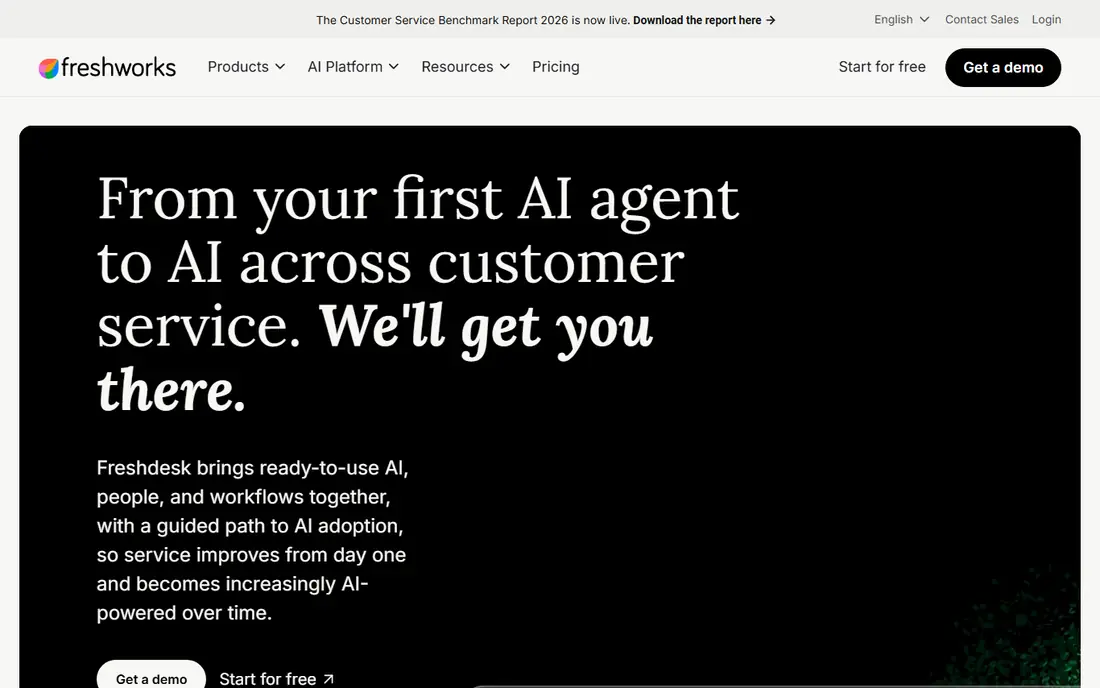
Freshdesk is a conventional helpdesk done well, which is why it suits startups moving from email to tickets. Email, chat and social messages can land in one queue, agents can assign, prioritize and track tickets, and customers can check a portal or knowledge base before writing in. Automation rules handle routing, reminders and follow-ups, so a two-person team does not lose tickets during a busy launch week.
The main cost watch point is AI. Freddy Copilot and other AI features are add-ons on some plans, so a startup that wants AI summaries or drafting should budget beyond the base price. If your team is email-led and needs a reliable, familiar helpdesk that scales, Freshdesk is a safe core pick. If you need a free plan for a tiny team, Zoho Desk or HubSpot below may fit better.
- Clear ticket views and automation
- Knowledge base and customer portal
- Wide integration catalog
- AI features are paid add-ons on some plans
- Entry paid plan is $19 per agent per month in recent listings
Zoho Desk is the budget pick that still feels like a real helpdesk. The free plan covers up to 3 users, and Express starts at $7 per user per month billed annually in recent listings. Tickets, customer history, knowledge base, live chat and automation are included in a structure that small teams can learn quickly, especially if the business already uses Zoho CRM, Mail or other Zoho apps.
The interface is less polished than Help Scout or Intercom, and some advanced reporting and AI features sit on higher tiers. For a startup watching every dollar, those trade-offs are usually acceptable. Zoho Desk proves that a startup does not need to start with a shared mailbox hack or an expensive enterprise suite to run organized support.
- Free plan for up to 3 users
- Very low Express starting price
- Strong fit inside a Zoho-centered business
- Interface feels dense on lower plans
- Some advanced features need higher tiers

Help Scout suits small teams that want support to feel personal, not like a ticket machine. The shared inbox looks and works like email, with assignment, internal notes, collision detection and customer history, plus a Docs site for self-service articles. That familiarity helps founders and early support hires start without a week of training.
Pricing is the consideration. Standard starts at $25 per user per month billed annually in recent listings, and the free plan is limited to 5 users and 100 contacts per month, so growing teams will move to paid plans quickly. AI Answers also bills per resolution, which needs monitoring. If email is your main channel and tone matters, Help Scout is worth the premium over budget tools.
- Clean shared inbox that feels like email
- Docs knowledge base included
- Free plan for 5 users and 100 contacts per month
- Per-user cost is higher than Zoho Desk
- AI Answers bills per resolution
HubSpot Service Hub is the best free starting point for a startup that also needs a CRM. Free tools include ticketing, a shared inbox, live chat and customer history tied to contact records, so an agent can see past purchases, deals and conversations in one place. Paid plans start from $15 per seat per month in some listings, with higher tiers adding automation, feedback surveys and deeper reporting.
The trade-off is ecosystem and scale. HubSpot is easiest when marketing, sales and service already live in HubSpot, and enterprise pricing rises with seats and hubs. For an early-stage team that wants free ticketing now and a path to paid service tools later, HubSpot Service Hub is a practical, low-risk start.
- Free ticketing tools with CRM history
- Easy setup for HubSpot users
- Paid plans add automation and reporting
- Paid seats can get expensive at scale
- Some features require HubSpot ecosystem commitment
Zendesk is the enterprise-grade helpdesk many startups graduate to, rather than start with. Ticketing, omnichannel support, automation, workforce management and reporting are mature, and the app marketplace covers most integrations a growing team will need. For a startup with rising ticket volume, multiple support tiers or complex routing, Zendesk handles scale without a migration later.
Cost is why it sits lower for early startups. Recent listings put Suite Team at $55 per agent per month billed annually, with Professional higher, and AI Copilot as a paid add-on. A two-person team will usually get better value from Zoho Desk, Freshdesk or HubSpot first. A startup already hiring a support team and planning for scale should shortlist Zendesk early, so a later move is not rushed.
- Mature ticketing, automation and reporting
- Huge integration and app marketplace
- Scales to large, tiered teams
- Suite pricing is high for a tiny startup
- AI Copilot is a paid add-on
Front is a shared inbox platform that works well when support messages need input from sales, product or operations. Agents can comment internally, assign messages, share drafts and see customer context without forwarding emails or losing history. That collaboration is the main reason teams pick Front over a traditional ticket queue, especially when a customer question crosses team boundaries.
The limit is that Front is inbox-first, not a full helpdesk with a customer portal and knowledge base on every plan. Teams that need self-service docs may pair it with another tool. Pricing starts at $25 per seat per month billed annually in recent listings. If your support work is mostly email and internal collaboration, Front keeps that work in one place.
- Strong internal collaboration on messages
- Shared inboxes for support, sales and ops
- Automation and analytics on paid plans
- No full knowledge base on basic plans
- Per-seat pricing with seat minimums on some plans
Intercom fits SaaS startups where support happens inside the product, not only by email. In-app chat, help center articles, tickets and an AI agent can live in one workspace, so users get help without leaving the app. That in-product context often resolves issues faster than an email-only queue, especially for onboarding and product questions.
Pricing needs care. Essential starts at $29 per seat per month billed annually in recent listings, plus $0.99 per Fin AI outcome in some listings, so AI-heavy usage can add variable cost. Startups with low chat volume may prefer an email-first tool. SaaS teams with active in-app users and a need for AI deflection should test Intercom with real ticket volume before committing.
- Strong in-app messaging and AI agent options
- Good for SaaS product support
- Ticketing plus chat in one workspace
- AI agent fees are per outcome
- Variable billing needs careful budgeting
LiveAgent is a multichannel helpdesk that combines tickets, live chat, a call center widget and social messages in one queue. That breadth suits startups that already support customers on several channels and do not want separate tools for chat and email. At $15 per agent per month billed annually in recent listings, it is also good value for a multichannel team.
Email-only teams may find the interface busier than Help Scout or Freshdesk, and some advanced automation and reporting features sit on higher plans. If your startup runs live chat alongside email, LiveAgent gives you both in one subscription without enterprise pricing. If you only need email tickets, a simpler tool will feel cleaner.
- Tickets, live chat, calls and social in one queue
- 30-day trial in listings
- Good value for multichannel teams
- Interface feels busy for email-only teams
- Some advanced features need higher plans
How we picked these
We compared official feature pages, pricing pages, free-plan terms and public reviews, focusing on tools a startup can set up without an implementation project. We favored shared inboxes, ticket assignment, customer history, knowledge bases and automation, and we noted where AI features are paid add-ons. We checked starting prices in recent published listings and wrote free trial where no permanent free plan exists. We did not claim hands-on testing of every tool, and we recommend a trial with your real inbox volume.
How to choose for a startup support team
Start with channels, not features. List where customers actually contact you today, whether that is email, in-app chat, social or phone, and pick a tool that covers those channels well. A tool with fifty features for channels you do not use will not help a two-person team clear a Monday inbox.
Model cost at three headcounts
Price a tool for today, for six months from now, and for a year from now. Per-agent pricing looks small at two agents and large at ten, while flat or free plans can hide contact or ticket limits. Check AI fees, seat minimums and annual billing terms before you commit, because those are where startup support bills often surprise founders.
Set up self-service early
A short knowledge base with answers to your ten most common questions can cut ticket volume before you hire. Look for a tool with an easy docs editor, canned replies and customer history, so agents do not retype the same answer. Self-service does not replace human support, but it gives a small team breathing room during growth.
Test with a real week of tickets
Import or forward a real week of messages, assign them, reply, and check reporting at the end of the week. That test reveals routing gaps, missing integrations and slow workflows faster than a demo. If a tool feels slow or confusing during that week, it will feel worse during a launch or outage.
FAQ
What is the best support ticket software for startups?
The best support ticket software for startups depends on budget and channels. Zoho Desk fits tight budgets, Freshdesk fits growing email-led teams, Help Scout fits small email-first teams, and HubSpot Service Hub fits teams that want free ticketing with a CRM. Test your real inbox volume in each finalist before choosing.
What is the top helpdesk software for a small team?
Top helpdesk software for a small team usually means a shared inbox, ticket assignment, customer history and a knowledge base, without enterprise complexity. Freshdesk, Help Scout, Zoho Desk and HubSpot Service Hub all meet that bar, with different pricing and channel strengths. Pick the one your team will actually use daily.
Is there free support ticket software for startups?
Yes. Zoho Desk is free for up to 3 users, HubSpot Service Hub offers free ticketing tools, and Help Scout offers a limited free plan for 5 users and 100 contacts per month. Free plans work for very small teams, but check user, contact and feature limits before relying on them for growth.
How much does helpdesk software cost per agent?
Recent listings range from $7 per user per month for Zoho Desk Express to $55 per agent per month for Zendesk Suite Team, with many mid-range options between $15 and $29 per agent per month. AI features, seat minimums and annual billing can change the total, so model cost at your expected headcount.
Should a startup use email or a ticket system?
Use a ticket system once tickets start getting lost, duplicated or answered twice. Email works for a handful of messages, but it lacks assignment, status tracking, customer history and reporting. A helpdesk keeps ownership clear, which matters even for a two-person team during a busy week.
Can I migrate tickets if I outgrow a tool?
Most major helpdesks offer import, export or migration tools, but the ease varies by vendor and ticket history size. Ask about export formats, attachment handling and custom field mapping before you commit. Keeping a clean ticket history from day one makes a future move much easier.
Sources
- https://www.techyflavors.com/2026/07/10-best-help-desk-ticketing-systems.html
- https://omidsaffari.com/blog/zendesk-alternatives
- https://www.zendesk.com/service/help-desk-software/ticketing-system/
- https://helply.com/blog/best-help-desk-software-for-saas
- https://freshdesk.com
- https://www.zoho.com/desk/
- https://www.helpscout.com
- https://www.hubspot.com/products/service
- https://www.zendesk.com
- https://front.com
- https://www.intercom.com
- https://www.liveagent.com