Best Strategic Portfolio Management Software in 2026: 8 Tools Compared
Compare the best strategic portfolio management software for 2026, with roadmaps, resources, budgets, scenario planning, and pricing for portfolio leaders.

- Editor's choice
 Planview Portfolios
Enterprise strategic portfolio planning
Starts atSee websiteVisit planview.comFull review - Great alternative
 Broadcom Clarity
Enterprise PPM with finance depth
Starts atSee websiteVisit broadcom.comFull review - Also consider
 Smartsheet
Portfolio dashboards and roadmaps
Starts atSee websiteVisit smartsheet.comFull review
TL;DR:
- Planview Portfolios and Broadcom Clarity lead for enterprise strategic portfolio management, with deep planning, finance, and resource tools.
- Smartsheet, monday work management, and Wrike suit teams that want portfolio visibility without a full enterprise rollout.
- Asana, Celoxis, and ServiceNow SPM cover different ends of the range, from flexible work tracking to IT-linked portfolio governance.
- Enterprise SPM pricing is often quote-based, so budget for licenses, implementation, and admin time, not just seat prices.
Quick comparison
| Tool | Best for | Starts at | Free plan? | |
|---|---|---|---|---|
| Planview Portfolios | Enterprise strategic portfolio planning | See website | Free trial | Visit |
| Broadcom Clarity | Enterprise PPM with finance depth | See website | Free trial | Visit |
| Smartsheet | Portfolio dashboards and roadmaps | See website | Free trial | Visit |
 monday work management | Visual portfolio tracking | $12 per month | Free trial | Visit |
 Wrike | Cross-functional portfolio work | $25 per month | Free trial | Visit |
 Asana | Flexible portfolio and goals tracking | $11 per month | Yes | Visit |
 Celoxis | Mid-market PPM with finance tools | $25 per month | Free trial | Visit |
 ServiceNow SPM | IT-linked strategic portfolio governance | See website | Free trial | Visit |
The best strategic portfolio management software
Strategic portfolio management links projects to strategy, budgets, and resources, so leaders can choose which work to fund and which to stop. It goes beyond task tracking by adding roadmaps, scenario planning, capacity views, and financial rollups. These eight tools cover that range, from enterprise platforms to flexible work tools that teams adapt for portfolio use.
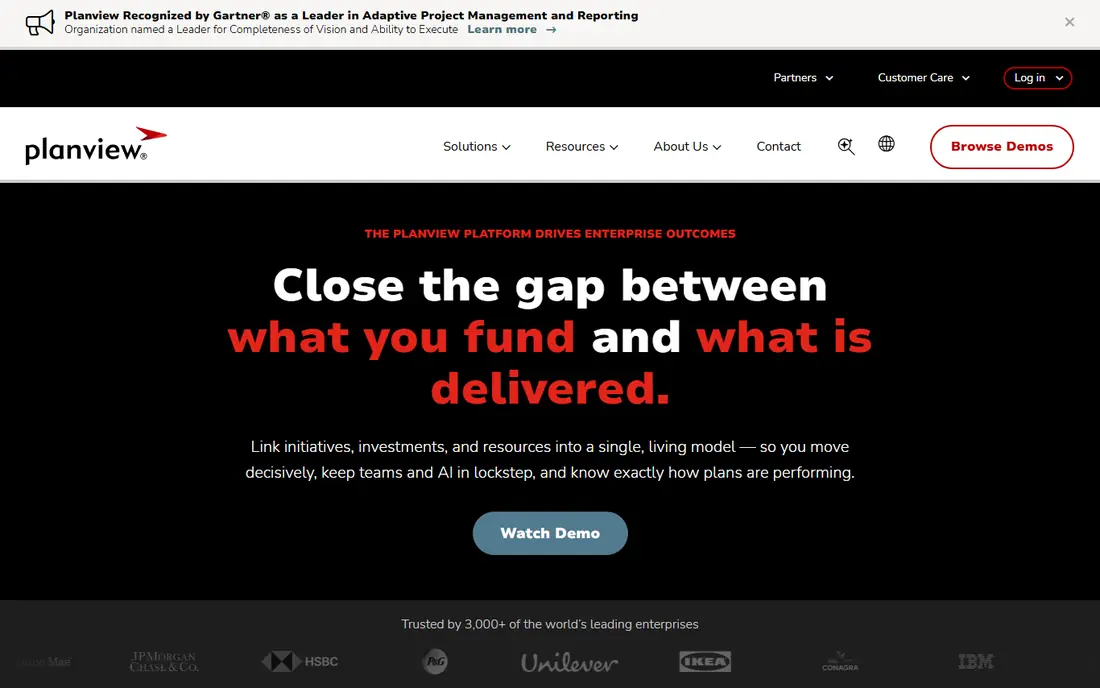
Planview Portfolios is our pick for large organizations that need true strategic portfolio management. It connects strategy, roadmaps, projects, resources, and finances in one platform, so leaders can compare scenarios, check capacity, and track benefits across a portfolio. That depth helps enterprises that manage hundreds of projects and need governance, not just status updates.
The catch is cost and effort. Pricing is quote-based and typically enterprise-level, and implementation can take months with admin support. Smaller teams will find it more than they need. For enterprises where portfolio choices drive major budgets, Planview offers a depth that lighter tools cannot match.
- Deep strategic planning, roadmapping, and portfolio analytics
- Resource and financial planning
- Scales for large portfolios
- Quote-based pricing
- Implementation and admin effort are significant

Broadcom Clarity, formerly CA PPM, suits global enterprises that need rigorous portfolio, resource, and financial management. It supports demand management, project planning, time tracking, resource capacity, and financial rollups, with governance controls for large programs. That rigor helps organizations that must justify portfolio spending and track benefits closely.
The trade-off is usability and cost. Clarity is known for a steep learning curve and an interface that feels dated next to newer tools, and implementation costs can reach a large share of first-year license cost in published comparisons. For enterprises that value financial depth and governance over ease of use, Clarity remains a proven platform.
- Strong project, resource, and financial planning
- Portfolio governance
- Scales for global enterprises
- Quote-based pricing
- Interface and learning curve are demanding

Smartsheet suits teams that want portfolio visibility in a familiar, spreadsheet-like format. Projects roll up into dashboards and reports, roadmaps show timelines, and resource views highlight overloads. Teams can start with sheets and grow into portfolios, control center, and resource management as needs mature.
The limit is strategic depth. Smartsheet is excellent for tracking and reporting, but scenario planning and financial portfolio modeling may need higher tiers or add-ons. Teams that need deep what-if analysis should test those features in a trial. For mid-sized portfolios that value speed and visibility, Smartsheet offers a practical middle path.
- Familiar spreadsheet-style portfolios
- Dashboards, reports, and resource views
- Strong integrations
- Strategic planning depth varies by plan
- Advanced PPM features need higher tiers
monday work management suits teams that want portfolio tracking without enterprise complexity. Boards, timelines, and dashboards make project status visible, and automations reduce manual updates. Published comparisons list monday from about $12 per user per month, with portfolio and enterprise features on higher plans.
The catch is depth. monday is a work management platform first, so strategic scenario planning, capacity modeling, and financial rollups are lighter than in Planview or Clarity. Teams that need those features may outgrow monday as portfolios grow. For teams that value adoption speed and visual clarity, monday is a strong start.
- Visual boards, dashboards, and automations
- Easy adoption for teams
- Portfolio views on higher plans
- Advanced PPM and financial planning are limited
- Costs rise with add-ons and seats
Wrike suits cross-functional teams that need portfolio visibility across marketing, product, and operations work. It offers project portfolios, resource views, dashboards, and reporting, with custom workflows for different team types. Pricing starts at about $25 per user per month in published comparisons, with higher plans adding advanced features.
The trade-off is that full PPM depth requires higher tiers and sometimes add-ons, which can raise the total. Teams should price the plan that includes portfolio, resource, and reporting features they actually need. For organizations that want one work platform with portfolio views, Wrike offers a balanced option.
- Cross-functional project and portfolio views
- Resource management
- Dashboards and reporting
- Advanced PPM features sit on higher plans
- Add-ons can raise costs
Asana suits teams that already use Asana for project work and want portfolio views on top. Portfolios roll up project status, goals link work to outcomes, and dashboards show progress across teams. Paid plans start at about $11 per user per month, with a free tier for small teams.
The limit is strategic finance. Asana does not offer the same scenario planning, capacity modeling, or financial rollups as Planview or Clarity. For teams whose main need is visibility and goal alignment, Asana is enough. For enterprises making major funding choices, it should be paired with finance tools or replaced by a dedicated SPM platform.
- Portfolios and goals on paid plans
- Timelines and dashboards
- Easy adoption
- Financial portfolio modeling is limited
- Strategic scenario planning is lighter than enterprise SPM
Celoxis suits mid-market organizations that want PPM depth without enterprise pricing. It combines project planning, resource management, timesheets, budgets, and portfolio dashboards in one platform, with pricing from about $25 per user per month in published comparisons. That breadth makes it a strong value choice for teams outgrowing spreadsheets.
The catch is polish and ecosystem. The interface is functional rather than modern, and integrations are narrower than larger platforms. Teams that need a large app marketplace or deep AI features may prefer monday, Smartsheet, or Planview. For mid-market portfolio management on a controlled budget, Celoxis deserves a demo.
- Project, resource, and financial planning in one tool
- Portfolio dashboards
- Good mid-market value
- Interface feels older than newer rivals
- Ecosystem is smaller than Planview or monday
ServiceNow Strategic Portfolio Management suits organizations already running ServiceNow for IT service and operations. It links strategic planning to demand, projects, resources, and financials, with governance and reporting that IT leaders need. That connection helps teams align IT investment with business strategy in one system.
The trade-off is scope and cost. ServiceNow SPM is quote-based and enterprise-priced, and its best value comes inside a ServiceNow environment. Teams without ServiceNow may find Planview or Smartsheet simpler and cheaper. For ServiceNow shops that need portfolio governance tied to IT delivery, ServiceNow SPM is a natural fit.
- Links strategy to IT projects, services, and finances
- Strong governance and reporting
- Enterprise scale
- Quote-based pricing
- Best value inside ServiceNow environments
How we picked these
We compared official feature pages, pricing pages, and published SPM and PPM comparisons, plus user reviews, for tools that support strategic portfolio management in 2026. We favored tools that are still sold and supported, that link projects to strategy, resources, and budgets, and that span enterprise, mid-market, and team-level needs. Prices are starting figures where published, and quote-based tools are marked as such.
What to check before you buy strategic portfolio management software
Start with the decision you need to improve. If leaders need to choose which projects to fund, prioritize scenario planning, capacity, and financial rollups. If teams need status visibility, prioritize dashboards, portfolios, and adoption speed. Buying enterprise depth for a visibility problem wastes money, and buying a visual tracker for a funding problem leaves leaders guessing.
Check data and governance early. Confirm how project, resource, and financial data flow into the portfolio, who can change plans and budgets, and how reporting handles different teams and regions. A portfolio tool that relies on manual spreadsheet imports will not stay current during busy planning cycles.
Trial tips that save time
Run the trial with a real portfolio of ten to twenty projects. Load budgets, resources, and timelines, then test a scenario: what happens if one project slips or funding shifts? If the tool cannot show that trade-off clearly, it will not support the strategic decisions you need it for.
FAQ
What is strategic portfolio management software?
Strategic portfolio management software links projects, programs, and work to strategy, budgets, and resources, so leaders can prioritize, fund, and track the work that matters most. It adds roadmaps, scenario planning, and financial rollups beyond basic project tracking.
How is SPM different from project management software?
Project management software tracks tasks, timelines, and delivery for single projects. SPM rolls many projects into a portfolio, adds capacity and financial views, and supports funding and prioritization decisions across the whole portfolio.
How much does SPM software cost?
Team tools on this list start at about $11 to $25 per user per month, while enterprise SPM platforms such as Planview, Clarity, and ServiceNow are quote-based and typically cost far more, plus implementation and admin time.
Do small teams need SPM software?
Small teams often need portfolio visibility, not full SPM depth. Tools such as Asana, monday, or Smartsheet can provide portfolios and dashboards at lower cost, while full SPM suits larger organizations with complex funding and capacity choices.
What tools support strategic portfolio management?
Tools on this list include Planview Portfolios, Broadcom Clarity, ServiceNow SPM, Smartsheet, Celoxis, Wrike, monday work management, and Asana. The best fit depends on portfolio size, finance needs, and whether you already run a platform such as ServiceNow or Salesforce.