Best Speedometer App in 2026: 8 Apps Compared
Compare the best speedometer app options for iPhone and Android, with free GPS speed readings, speed limit alerts, HUD mode, and trip tracking for drivers.
- Editor's choice
 Waze
Driving with traffic and alerts
Starts atFreeVisit waze.comFull review - Great alternative
 Google Maps
Navigation with speed display
Starts atFreeVisit google.comFull review - Also consider
 Sygic Speedometer
Dedicated driving readout
Starts atFreeVisit sygic.comFull review
TL;DR:
- A free GPS speedometer is enough for most drivers, cyclists, and passengers who want a large, clear speed readout.
- GPS speed often reads slightly lower than a car dashboard, which is normal because dashboards are allowed to read high.
- Speed limit alerts and HUD mode are the two features most worth paying for, if you want them at all.
- Offline GPS speed works without mobile data, though maps and speed limit data may need a connection.
- Our pick for most people is Waze, because it pairs a speed readout with live traffic, hazard reports, and speed limit alerts in one free app.
Quick comparison
| Tool | Best for | Starts at | Free plan? | |
|---|---|---|---|---|
| Waze | Driving with traffic and alerts | Free | Yes | Visit |
| Google Maps | Navigation with speed display | Free | Yes | Visit |
| Sygic Speedometer | Dedicated driving readout | Free | Yes | Visit |
 GPS Speedometer | Simple trip tracking | Free | Yes | Visit |
 Speedometer GPS | Floating speed over other apps | Free | Yes | Visit |
 Zpeedometer | Browser speed check | Free | Yes | Visit |
 TomTom AmiGO | Community driving alerts | Free | Yes | Visit |
 HERE WeGo | Offline maps and speed | Free | Yes | Visit |
The best speedometer apps
These apps use your phone GPS to show speed in mph or km/h. Some are full navigation apps, while others are single-purpose readouts. Choose based on whether you also want maps, alerts, or trip history.

Waze is the most useful speedometer for everyday drivers because speed is part of a larger driving picture. During navigation, it shows your current speed, the posted limit where data is available, and an alert when you go over it. Police, hazard, and traffic reports from other drivers add context that a plain readout cannot offer. The app is free, and it works on iPhone and Android.
The catch is attention. Waze is busy, with reports, ads, and prompts that can pull your eyes from the road. Set your destination and alerts before you drive, and let voice guidance do the work. If you want only a big number and nothing else, a dedicated speedometer will feel calmer. If you drive in traffic most days, Waze earns the top spot.
- Live traffic and hazard reports
- Speed limit display
- Speed alerts
- Ads and community features can distract
- Needs data for live traffic
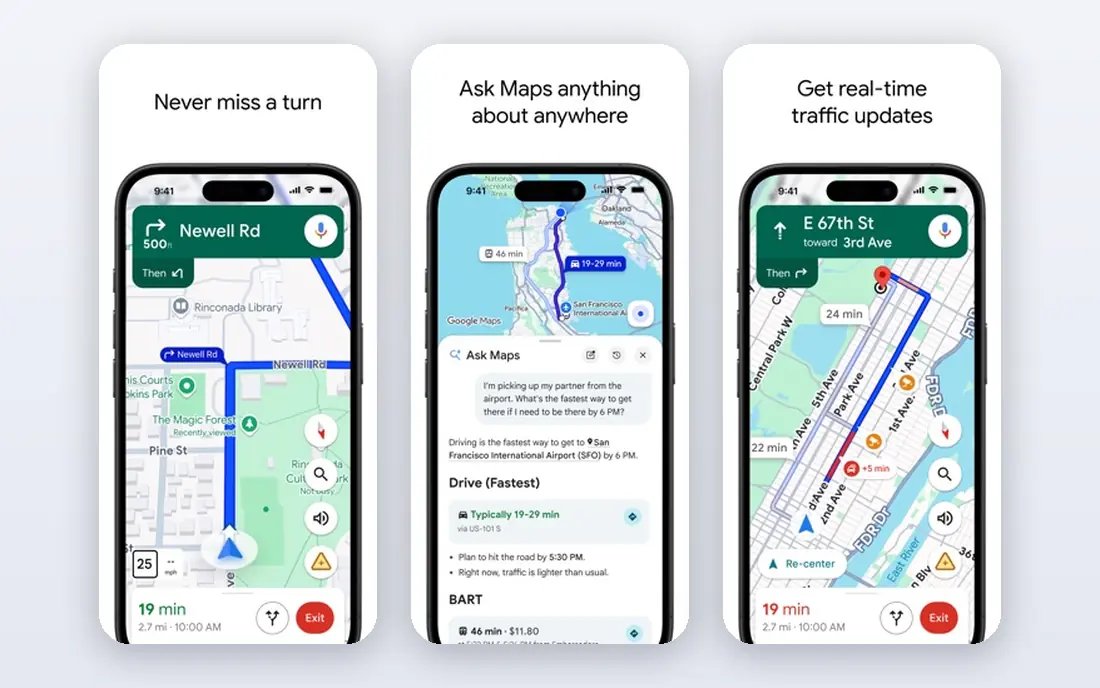
Google Maps already lives on most phones, which makes it an easy first speedometer. Turn on the speedometer in navigation settings, and your speed appears during a drive alongside the route, arrival time, and speed limit where available. That combination suits drivers who want one app for directions and speed, without installing anything new.
The limit is that the speed readout is tied to active navigation. You cannot open Google Maps and watch speed without a route in the same way a dedicated app allows. Speed limit data also varies by road and region, so the limit may be missing on smaller roads. For routed driving, though, Google Maps is a strong, free, and familiar choice.
- Familiar navigation
- Speedometer in driving mode
- Wide map coverage
- Speed display only during navigation
- Speed limit coverage varies by area
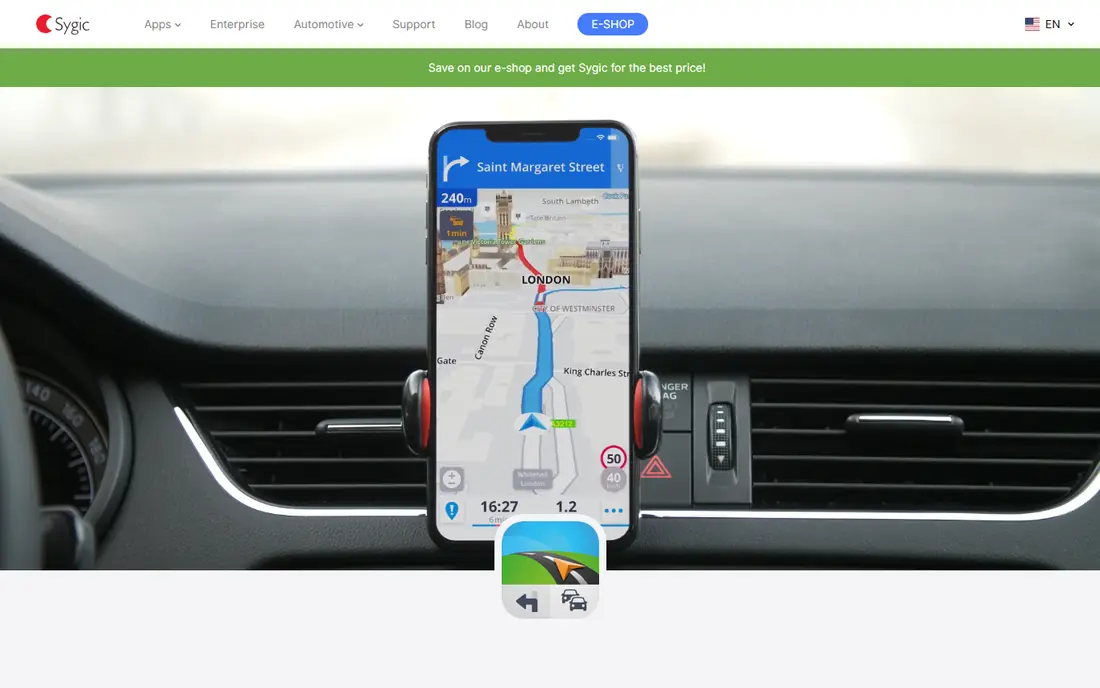
Sygic Speedometer is built for drivers who want a dedicated readout rather than a full navigation screen. The speed number is large and easy to read at a glance, which matters on a phone mount. HUD mode reflects speed onto the windshield view for night driving, a feature many basic apps lack. Trip data and speed camera warnings appear in related Sygic products, so check which Sygic app matches the feature you want.
The product range can confuse new users, since Sygic sells navigation and speedometer features across different apps and plans. The free speedometer still covers the core job well. If you want a calm, large readout with HUD support, Sygic is a solid pick, and you can add navigation separately if needed.
- Large clear speed display
- HUD mode
- Trip and speed camera features in the wider Sygic range
- Some features sit in paid Sygic products
- Interface varies between Sygic apps
GPS Speedometer keeps the job simple: open it, grant location permission, and watch your speed. Trip statistics such as top speed, average speed, and distance help cyclists, runners, and drivers review a journey afterward. The core speedometer is free, and the installed app works offline for speed, since GPS does not need mobile data. Units include mph, km/h, meters per second, and knots.
Accuracy is the honest limit for every GPS app on this list. Tunnels, parking garages, and streets between tall buildings weaken the satellite signal and can delay or distort readings. Premium features add trip history and alerts, but the free readout covers most needs. For a no-fuss speed check, this app is easy to recommend.
- Clear GPS speed readout
- Trip statistics
- Works offline once installed
- Premium features need a subscription
- GPS accuracy drops in tunnels and dense cities
Speedometer GPS stands out for drivers who use another app for maps. On Android, it can float as a small window over Google Maps or any other app, turning red when you pass your set limit. Trips start on their own once you move and save after you park, so you do not need to remember to press start. The app is free and ad-supported, with a one-time Pro purchase to remove ads and add export and color options.
The iPhone version works differently, using the Dynamic Island and Lock Screen on supported models rather than a floating window, because iOS limits overlays. That is a platform limit, not a flaw in the app, but Android users get the fuller experience. If you want speed visible while another app stays in front, this is the pick to try first.
- Floating window over maps on Android
- Automatic trip start
- Speed limit alarm
- Some features need a one-time Pro purchase
- IPhone floating view is more limited
Zpeedometer is a browser speedometer for people who do not want another app. Open it, allow location access, and tap to start. It shows live speed, peak speed, average speed, and distance, and you can switch between km/h, mph, meters per second, and knots. Adding it to your home screen makes it feel close to a native app on both iPhone and Android.
The trade-off is that a browser tool is less polished than a dedicated app for daily use. There is no deep trip library, and closing the browser tab ends the session. For passengers, cyclists, or anyone who wants a quick check on a borrowed phone, Zpeedometer is fast and free. For daily drivers, an installed app will be more convenient.
- No install needed
- Works on iPhone and Android
- Peak, average, and distance shown
- Needs a browser and location permission
- No long-term trip history app features
TomTom AmiGO pairs a speed readout with community reports on speed cameras, hazards, and traffic. The driving view stays clean, with speed shown clearly and alerts delivered in time to slow down safely. It is free, which makes it a good companion app even if you use another tool for full navigation. TomTom map data gives it a solid base in many regions.
Live alerts need a data connection, and coverage is stronger in some countries than others. AmiGO is also a driving app first, so cyclists and runners will prefer a simpler GPS speedometer. For drivers who want camera and hazard warnings without a paid subscription, AmiGO deserves a place on the shortlist.
- Speed camera and hazard alerts
- Clear driving view
- Free with no subscription for core use
- Map coverage and features vary by region
- Needs data for live alerts
HERE WeGo suits travelers who drive where mobile data is costly or patchy. Download maps before a trip, then navigate offline with speed shown during driving. The app also covers walking, cycling, and public transport, so it works as an all-round travel tool rather than a single-purpose speedometer. It is free on iPhone and Android.
The interface is plainer than Waze or Google Maps, and speed limit coverage is not complete on every road. Offline maps also take storage space, so download only the regions you need. If offline use matters more than live traffic, HERE WeGo is the most practical free choice on this list.
- Offline maps for many regions
- Speed display during navigation
- Public transport and walking modes
- Speed limit data varies
- Interface feels less modern than Google Maps or Waze
How we picked these
We compared official product pages, app store listings, and help pages for GPS speedometer apps and navigation apps with a speed display. We favored apps that are still available on iPhone or Android, that show speed in mph and km/h, and that state their free terms plainly. We left out apps that only show speed limits without live speed, that require a paid subscription for a basic readout, or that had no clear official homepage. GPS accuracy notes come from vendor help pages, which all warn that signal quality affects readings.
Getting an accurate reading and staying safe
A phone speedometer is a helpful check, not a replacement for your dashboard or for safe driving habits. A few setup choices make it far more useful.
Accuracy, units, and mounts
Give the app location permission while using it, and place the phone where it can see the sky through the windshield. A dashboard mount at eye level beats a phone in a pocket or cup holder. Set units to mph in the United States and km/h where metric limits apply, and expect a one to two second lag under hard acceleration or braking. Compare the app with your dashboard on a steady road so you learn the normal gap between them.
Alerts without distraction
Speed limit alerts help only if they do not pull your eyes from the road. Set the alert threshold before you drive, use sound or voice alerts where offered, and keep the display simple. Do not adjust settings, read trip stats, or type while moving. A passenger can handle the phone, or you can review trips after you park.
FAQ
What is the best free speedometer app?
For most drivers, Waze is the best free speedometer app because it combines speed, speed limits, traffic, and hazard alerts. For a plain readout without navigation, GPS Speedometer or Speedometer GPS are better, since they open straight to a large speed number. Try the free version of each on a familiar route before you settle on one.
Is a GPS speedometer accurate?
GPS speed is usually accurate within a few km/h on open roads with a clear sky view. It can lag under hard acceleration and lose accuracy in tunnels, garages, and dense city streets. A car dashboard is allowed to read high, so GPS speed often looks slightly lower than the dashboard at the same true speed.
Does a speedometer app work without internet?
Yes, GPS speed itself does not need mobile data, and installed apps such as GPS Speedometer work offline for the readout. Maps, live traffic, speed limit data, and community alerts do need a connection or a downloaded offline map. Download maps in advance if you plan to drive without data.
Can I use my phone as a speedometer on a bike or train?
Yes. GPS speedometers work for cycling, running, boating, and train travel, since they measure ground speed from satellites. Choose an app with trip stats and the right units, such as knots for boating, and mount the phone safely so you do not need to hold it while moving.
Why does my speedometer app show 0 when I am moving slowly?
GPS needs a clear satellite fix and a minimum movement to calculate speed. Indoors, in a garage, or under heavy cover, the fix may be weak or missing. Move to an open area, check location permission, and make sure battery saver mode is not limiting GPS. Walking pace movement may also read as 0 in apps that start trips only above a threshold.
Do speedometer apps drain battery?
GPS use drains battery faster than idle phone use, especially with the screen kept on. For long trips, keep the phone plugged into a car charger or carry a power bank. Lowering screen brightness and closing other GPS apps helps, though the screen and GPS remain the main battery costs.