Best Software to Track Rental Property Expenses in 2026: 8 Tools Compared
Compare the best software to track rental property expenses, with bank feeds, tax reports, and current prices, so landlords can keep clean books all year.
- Editor's choice
 Stessa
Free investor dashboard
Starts atFreeVisit stessa.comFull review - Great alternative
 Baselane
Banking and books in one
Starts atFreeVisit baselane.comFull review - Also consider
 Landlord Studio
Mobile accounting for landlords
Starts atFreeVisit landlordstudio.comFull review
TL;DR:
- Stessa and Baselane give landlords a free starting point, but Schedule E reports and advanced features often sit on paid tiers.
- Landlord Studio suits mobile first landlords who want bank feeds, mileage, and clear tax reports without a large platform.
- Buildium and DoorLoop suit managers with larger portfolios, while Avail and RentRedi suit smaller self managing landlords.
- REI Hub is the pick for investors who want double entry accounting built for rentals, rather than a general ledger adapted to property.
- Keep receipts, separate property accounts, and reconcile monthly, since clean monthly habits matter more than any single app feature.
Quick comparison
| Tool | Best for | Starts at | Free plan? | |
|---|---|---|---|---|
| Stessa | Free investor dashboard | Free | Yes | Visit |
| Baselane | Banking and books in one | Free | Yes | Visit |
| Landlord Studio | Mobile accounting for landlords | Free | Yes | Visit |
 REI Hub | Double entry rental accounting | Free | Yes | Visit |
 RentRedi | Flat rate unlimited units | $12 per month | No | Visit |
 Buildium | Growing property managers | $62 per month | Free trial | Visit |
 DoorLoop | Small landlords wanting ease | $69 per month | No | Visit |
 Avail | New self managing landlords | $9 per unit per month | Yes | Visit |
The best software to track rental property expenses
These tools track rent, repairs, fees, and other property costs by property, so tax time does not start with a pile of bank statements. We compared official pricing pages, feature pages, and public comparisons, and we kept only tools that are live for US landlords in October 2026.
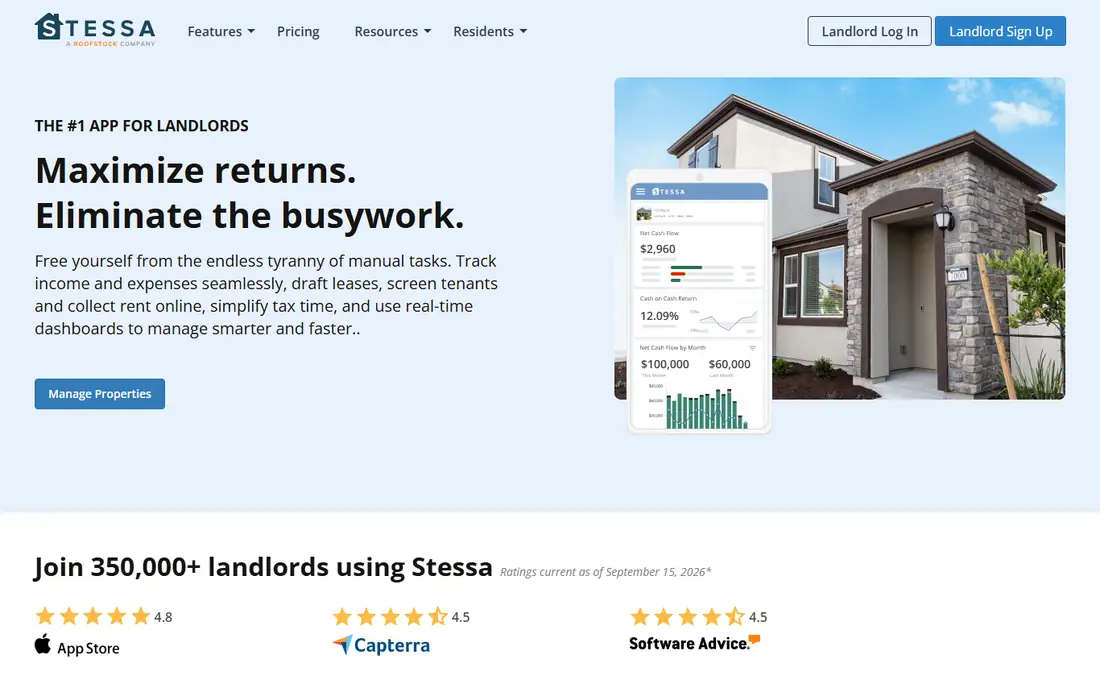
Stessa is the easiest free start for a landlord who wants income and expense tracking without learning accounting software. Automated bank feeds pull transactions into the right property, and the dashboard shows cash flow and performance at a glance. The free Essentials plan covers income and expense tracking, basic tax reporting, and rent collection tools, which is enough for many owners with a few units. That free tier is why Stessa appears first for new investors.
The limit is tax reporting depth. A full Schedule E package sits on Manage at $12 per month when billed annually, or $15 monthly, while Pro costs $28 per month annually. Receipt scanning is also capped at five per month on lower plans. If you want a free dashboard for the year and are happy to upgrade at tax time, Stessa works well. If you need double entry books, look at REI Hub instead.
- Free Essentials plan
- Automated bank feeds
- Property performance dashboard
- Schedule E report needs Manage plan
- Receipt scans capped on lower plans
- Single entry bookkeeping

Baselane combines banking and bookkeeping, which suits investors who want each property to have its own account. Transactions can be categorised by property and Schedule E category automatically, and cash flow and profit reports update as money moves. Rent collection, tenant screening, and lease tools sit in the same platform, so a landlord can manage money and tenants without switching apps. The Core plan is free, which makes it easy to test.
The trade off is banking fit. Baselane works best when you use its own accounts, and the most useful automation sits on Smart, listed at $20 per month in several comparisons, with some guides listing $25. If you want to keep your existing bank and only need books, Landlord Studio may fit better. If you like the idea of one account per property with books attached, Baselane is a strong pick.
- Property bank accounts
- Automated bookkeeping by Schedule E category
- Rent collection
- Works best with its own banking
- Advanced automation sits on Smart
- No general ledger in some views
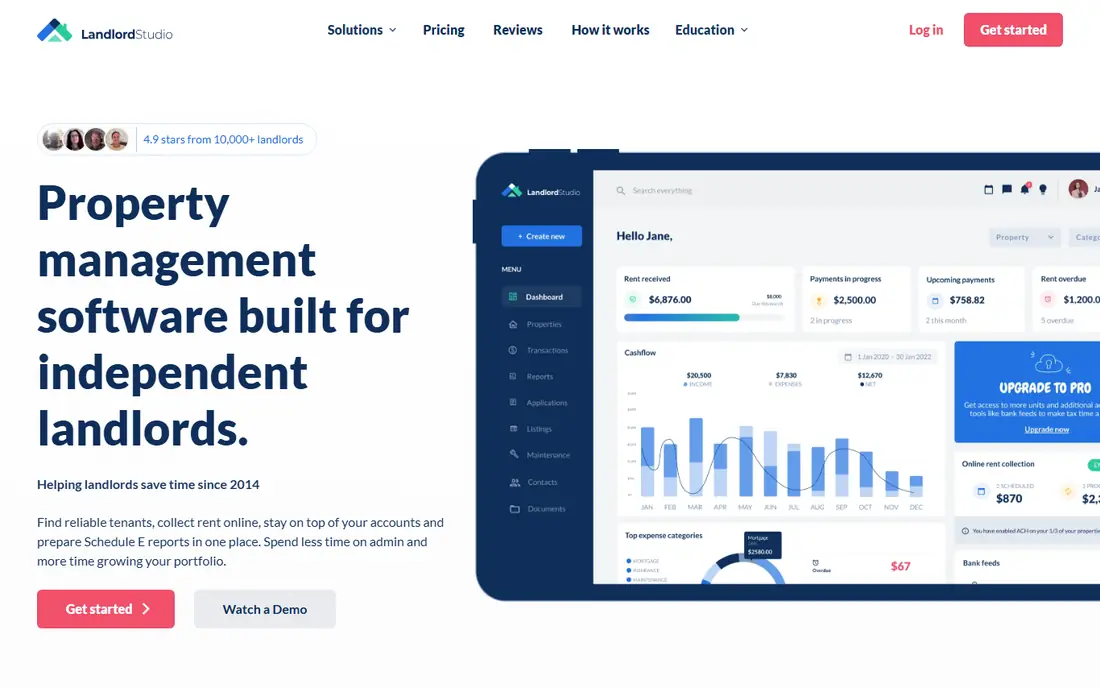
Landlord Studio is built for landlords who manage from a phone. You can connect a bank you already use, scan receipts, track mileage with GPS, and generate landlord reports by property. The GO plan is free for up to three units, Pro costs $12 per month, and Pro Plus costs $28 per month in published comparisons. That structure suits a self managing landlord who wants accounting depth without a full management platform.
The main limit is scale. Larger portfolios will move to Pro Plus quickly, and some exports sit behind paid tiers. Xero sync is a plus for landlords whose accountant already uses Xero, since it avoids retyping figures at year end. For a landlord with a handful of units and a phone first habit, Landlord Studio is one of the most practical tools in this list.
- Bank feeds from any US bank
- Mileage tracking
- Xero sync and tax reports
- Free plan covers up to three units
- Bank feeds and exports vary by tier
- No embedded banking
REI Hub fills a gap that general accounting tools leave open. It uses double entry accounting, which accountants prefer, but it is designed around rental properties, units, and owners rather than generic business categories. That design makes it easier to produce clean profit and loss reports by property, track owner contributions, and prepare tax ready summaries. A free tier lets a landlord test the core books before paying, with Professional listed from $9 per month when billed annually in comparisons.
The trade off is breadth. REI Hub is stronger on books than on tenant portals, leasing, and maintenance workflows, so a manager who needs a full platform may still need another tool. For an investor who cares most about accurate books and tax reports, that focus is a strength, not a weakness. Check the paid tier limits for your unit count before you commit your full portfolio.
- Double entry books built for rentals
- Property and unit reporting
- Tax ready reports
- Less full property management than Buildium
- Learning curve for non accountants
- Paid tiers needed for larger use
RentRedi suits landlords who hate per unit pricing. One flat rate covers unlimited tenants, units, and listings in published descriptions, with pricing from $12 per month when billed annually in recent comparisons. That model makes budgeting simple as a portfolio grows, since adding a unit does not add a monthly fee. Tenant screening, rent collection, maintenance requests, and accounting sit in the same tool, which helps a self managing landlord stay organised.
There is no free plan, so RentRedi is a paid commitment from day one. Some guides also note that landlord access to rent funds can take several business days, which matters for cash flow planning. If you manage many units and want predictable pricing, RentRedi is worth a trial. If you have one or two units and want a free start, Stessa or Landlord Studio will cost less.
- Flat rate for unlimited units
- Tenant app and maintenance portal
- Rental accounting included
- No free plan
- Rent payout timing can be slow in some guides
- Some features need higher tiers
Buildium is a full property management platform with accounting at its core, rather than a simple expense tracker. It handles rent collection, owner statements, vendor payments, maintenance, and leasing alongside the books, which suits a manager with dozens of units. Published pricing puts Essential from about $62 per month, with Growth around $192 and Premium around $400, plus per unit elements on some tiers. A 14 day trial lets a manager test the accounting flow before committing.
The cost is the main barrier for a solo landlord. A landlord with three units will pay far more than with Stessa or Landlord Studio, and some accounting steps still need manual matching in user reports. Buildium earns its place for managers who need owner reporting, trust accounting controls, and a single system for staff, owners, and tenants. For expense tracking alone, it is more tool than most small landlords need.
- Full accounting inside a management platform
- Owner statements
- Tenant and vendor workflows
- Price is high for a solo landlord
- Some bank feed work is manual in user reports
- Setup fees can apply
DoorLoop is the easiest full platform to learn in this list, which matters when a landlord also manages tenants and maintenance. Accounting is included on every plan in published descriptions, so expense tracking does not require a higher tier upgrade. Rent collection, lease tracking, tenant screening, and owner accounting sit in one clean interface, and onboarding is guided rather than left to a help centre. That ease is why many small landlords choose it over larger platforms.
Pricing starts around $69 per month when billed annually for Starter, with month to month pricing higher in some guides. That is a real cost for a single unit owner, and there is no free plan. DoorLoop suits a landlord with several units who wants a modern platform and is willing to pay for ease. A solo owner with one property should compare the monthly cost against free tools before signing.
- Clean interface and guided setup
- Full accounting on every plan
- Rent, leases, and maintenance in one place
- No free plan
- Minimum monthly cost is high for one unit
- Advanced scale features are thinner than AppFolio
Avail is a friendly start for a landlord who is renting for the first time. The free tier covers listing, applications, leases, and basic rent collection, while Plus is listed at $9 per unit per month in comparisons and adds faster payments and waived ACH fees. State specific lease templates help a new landlord avoid a generic lease that misses local terms, and tenant screening is built in. That combination reduces early mistakes.
Accounting is present but lighter than REI Hub or Buildium, so a landlord who needs detailed books may pair Avail with a dedicated accounting tool. Per unit pricing also means a larger portfolio costs more each month, even if the per unit figure looks small. For a new landlord with a few units, Avail is a low risk way to learn the workflow and keep expenses organised from the first tenancy.
- Free starter tools
- State specific leases
- Tenant screening and rent collection
- Premium features need paid plan
- Per unit pricing adds up
- Accounting depth is lighter than REI Hub
How we picked these
We compared official pricing pages, feature pages, and public landlord software comparisons for tools that track rental income and expenses by property, and we favoured tools that are live in October 2026. We checked bank feeds, receipt handling, tax reporting, rent collection, and whether accounting is single or double entry. We did not claim hands on use with real tenant money. Our view comes from vendor documentation and public comparisons, read against the questions a landlord would ask at tax time.
What to check before you pay
Start with tax reporting. Confirm whether Schedule E reports, profit and loss by property, and a full transaction export are included on the tier you will actually buy, not only on the top plan. Many free plans track expenses well all year and then charge for the report you need in January, so that timing matters. Test the export with your accountant early, rather than discovering a format problem at filing time.
Next, check bank and receipt workflows. A tool that connects to your bank and categorises by property will save more time than a prettier dashboard that needs manual entry. Confirm receipt limits, mileage tracking if you drive to properties, and whether rent and expense data can move to QuickBooks or Xero. Finally, keep property money separate where you can, reconcile monthly, and keep receipts for repairs and improvements. Good habits plus a suitable tool will beat a powerful tool used only at year end.
FAQ
What is the best app to track rental property expenses for free?
Stessa Essentials and Baselane Core both offer free starting points with bank feeds and property tracking. Landlord Studio GO is free for up to three units and adds mileage and Xero sync. Choose based on whether you prefer a free dashboard, banking plus books, or mobile accounting.
Do I need double entry accounting for rentals?
Not every landlord does, but accountants often prefer double entry for larger portfolios, partnerships, and multi entity ownership. Single entry tools such as Stessa are easier for a small portfolio, while REI Hub gives double entry without forcing you into a general accounting package.
Can these tools prepare my taxes?
They can prepare tax ready reports and Schedule E summaries, but they do not file taxes for you and they are not tax advice. Take the reports to your accountant or tax software, and keep receipts and records for repairs, improvements, and mileage. This article is general information only, not tax advice.
How do I track expenses for multiple properties?
Use a tool that separates income and expenses by property and unit, and use a separate bank account or card per property where you can. That separation makes profit reports accurate and avoids mixing personal spending with rental costs. Most tools in this list support property level reports.
Is Buildium worth it for a small landlord?
Usually not for expense tracking alone, since the monthly cost is high for a few units. Buildium makes sense when you also need owner statements, staff workflows, and full management features. A small landlord will usually save money with Stessa, Landlord Studio, or RentRedi.