Best Software for Writers in 2026: 9 Tools Compared
Looking for the best software for writers? We compare 9 writing apps and editing tools on price, focus, and export to help you pick your next tool today.

- Editor's choice
 Scrivener
Long manuscripts
Starts at$59.99 one-timeVisit literatureandlatte.comFull review - Great alternative
 Grammarly
Grammar and clarity checks
Starts atFreeVisit grammarly.comFull review - Also consider
 ProWritingAid
Deep editing reports
Starts at$30 per monthVisit prowritingaid.comFull review
TL;DR:
- Scrivener remains the strongest pick for long manuscripts, while Ulysses and iA Writer suit writers who prefer clean Markdown and focus.
- Grammarly and ProWritingAid are editing aids, not drafting tools, so many writers pair one of them with a drafting app.
- One-time purchases like Scrivener and Atticus can cost less over time than a monthly subscription, if you write for years.
- Final Draft is the specialist pick for screenwriters, and most other writers do not need its formatting power.
- Our pick for most writers is Scrivener for books and Google Docs for short, shared work, since each covers a different daily job.
Quick comparison
| Tool | Best for | Starts at | Free plan? | |
|---|---|---|---|---|
| Scrivener | Long manuscripts | $59.99 one-time | Free trial | Visit |
| Grammarly | Grammar and clarity checks | Free | Yes | Visit |
| ProWritingAid | Deep editing reports | $30 per month | Yes | Visit |
 Ulysses | Focused Markdown writing | $5.99 per month | Free trial | Visit |
 Hemingway Editor | Clear, plain sentences | Free | Yes | Visit |
 Final Draft | Screenwriting | $249 one-time | Free trial | Visit |
 Google Docs | Shared short writing | Free | Yes | Visit |
 Dabble | Cloud novel writing | See website | Free trial | Visit |
 Atticus | Book formatting | $147 one-time | No | Visit |
The best software for writers
We compared official feature pages, pricing pages, app store listings, and public reviews to find tools that help with drafting, editing, and publishing. The list mixes drafting apps, editing aids, and formatting tools, since few writers need only one kind of help.
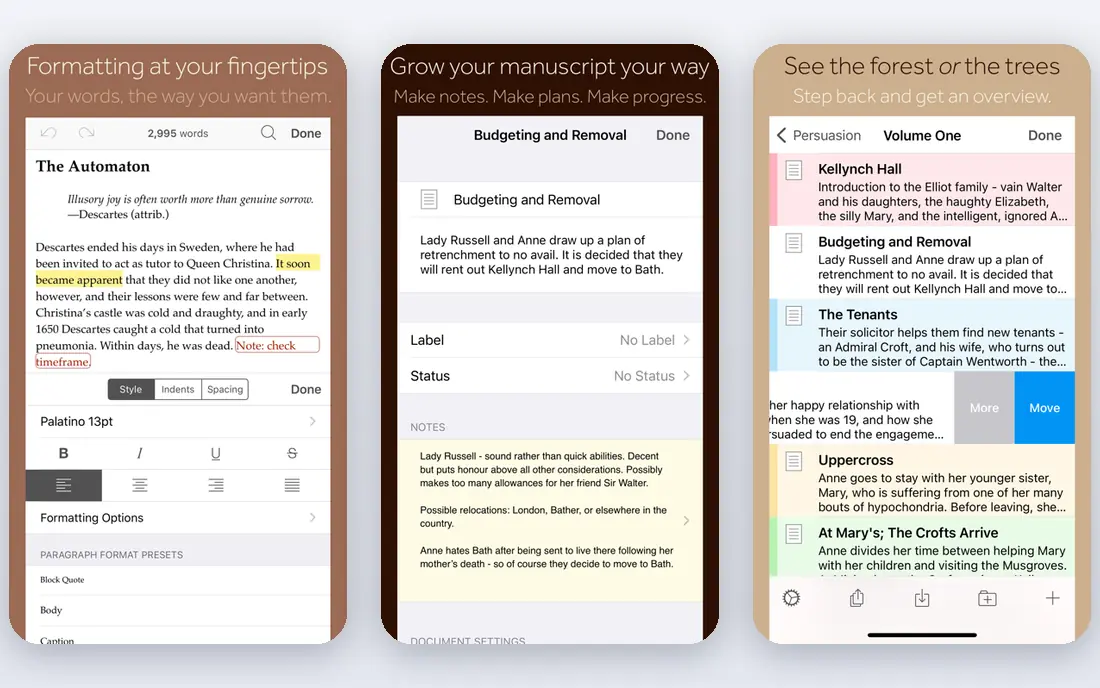
Scrivener treats a book as a set of small pieces that you can move, label, and compile into a finished draft. Chapters, scenes, research notes, and images live in one project binder, so you can jump from a scene to a character note without opening another file. The corkboard view helps writers who plan visually, and snapshots let you keep an earlier version before a bold edit.
The price is $59.99 as a one-time purchase for Mac or Windows, with a separate iOS app, which suits writers who dislike another monthly bill. Compile options cover Word, PDF, ebook, and manuscript formats, though setting them up takes patience on a first book. We found the depth rewarding for novels, theses, and long nonfiction, where a plain word processor starts to feel cramped.
Pick Scrivener if you write long work and want research, drafting, and export in one place. If you mostly write short articles or blog posts, a lighter app will get you to a finished draft faster.
- Binder, corkboard, and research in one project
- Strong compile and export
- One-time licence per platform
- Learning curve is steep at first
- Mac and Windows licences are sold separately
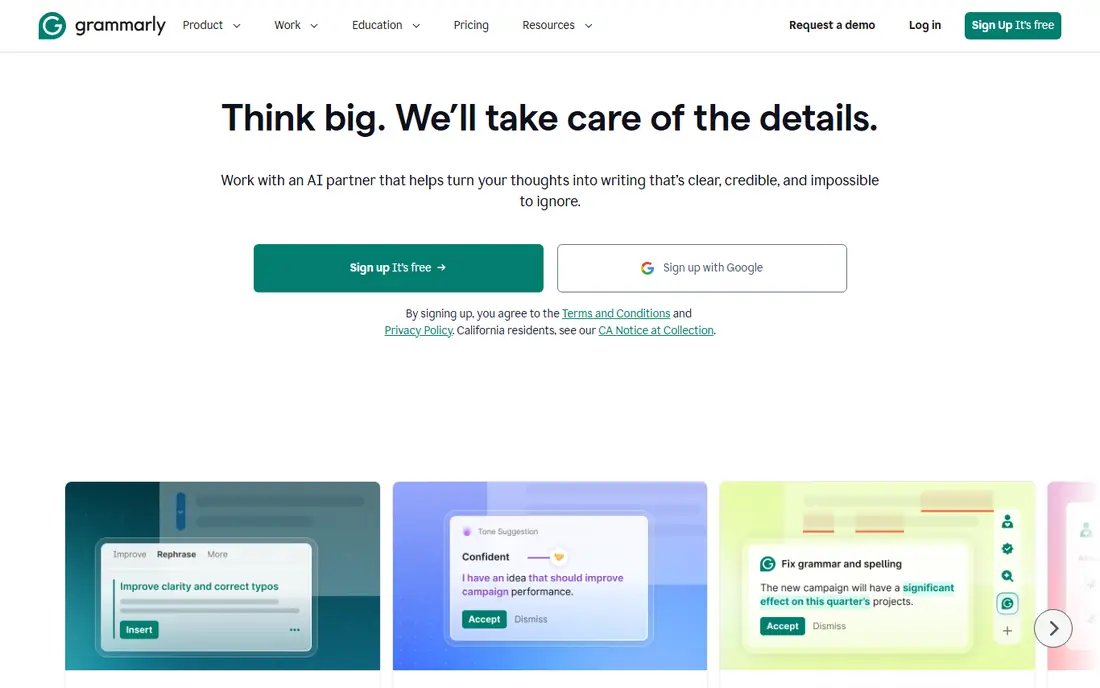
Grammarly checks grammar, spelling, punctuation, and tone as you type in a browser, in Word, or in Google Docs. That wide coverage makes it useful for emails, essays, and articles, even when your main drafting app has only basic spellcheck. The free plan catches common errors, while premium adds clarity, engagement, and delivery suggestions.
We liked how quickly it flags a tangled sentence, though writers should treat each suggestion as advice, not a rule, since style choices matter more than a score. The annual premium price is $144, which is worth it for people who edit daily, but occasional writers may find the free plan enough. Privacy-conscious writers should read its data policy, since text passes through its servers for checking.
Choose Grammarly if you want a safety net across many apps and you write often. It pairs well with Scrivener or Google Docs, rather than replacing a drafting tool.
- Works in browsers, Word, and Google Docs
- Fast grammar and tone checks
- Free plan covers basics
- Suggestions can flatten voice if accepted blindly
- Premium costs $30 per month or $144 per year
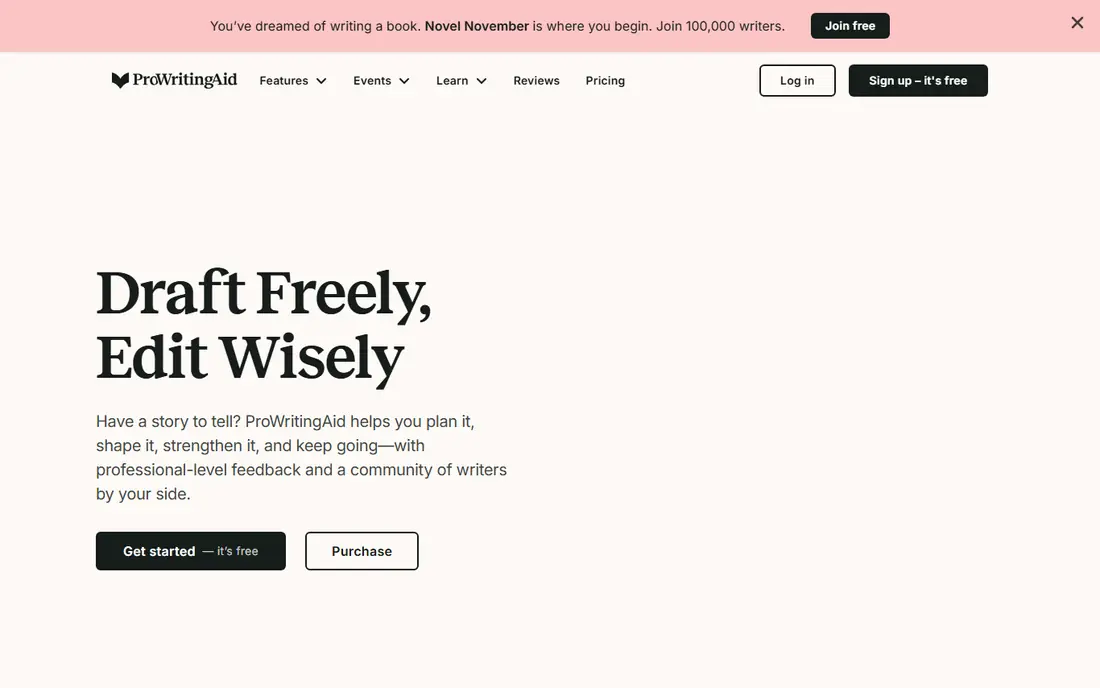
ProWritingAid goes further than a spellchecker by analysing sentence length, repeated words, pacing, dialogue tags, and readability across a whole manuscript. Writers can run a summary report, then work through one issue at a time, which suits a careful revision pass. It integrates with Word, Google Docs, and Scrivener, so you do not need to paste chapters into a separate site.
Pricing is $30 per month, $120 per year, or $399 for lifetime access, so the annual or lifetime route makes more sense for regular editors. We found the reports most useful after a first draft is done, when you want to see patterns you miss while reading on screen. New users should start with two or three reports, since opening every report at once can turn editing into a chore.
Pick ProWritingAid if you revise long work and want data on your habits. If you only need quick grammar checks, Grammarly or Hemingway will feel simpler.
- Detailed reports on style, structure, and readability
- Works with Word, Scrivener, and Google Docs
- Lifetime option available
- Reports can overwhelm new users
- Monthly price is high if you pay month to month
Ulysses gives Apple writers a calm library where sheets, groups, and keywords keep articles and chapters in order. The editor hides formatting clutter, and Markdown lets you write without lifting your hands from the keyboard. Goals track word counts per day or per project, which helps writers who work to a deadline.
The subscription is $5.99 per month or $49.99 per year, and it includes sync across Mac, iPad, and iPhone through iCloud. Export covers Word, PDF, HTML, and ebook formats, so a finished piece can leave the app without a struggle. The clear limit is platform: Windows and Android writers cannot use it, and there is no one-time licence for people who dislike subscriptions.
Choose Ulysses if you live on Apple devices and want a focused writing home. Windows writers should look at Scrivener or iA Writer for a similar calm editor.
- Clean library and Markdown editor
- Goals, keywords, and export to ebook and PDF
- Syncs across Apple devices
- Apple only
- Subscription only, with no one-time purchase
Hemingway Editor colours long sentences, passive voice, and complex words so you can see where a paragraph drags. That visual feedback helps bloggers, students, and business writers who want plain, direct prose. The free web version handles pasted text, and the desktop app costs $19.99 as a one-time purchase for offline use.
We liked it as a second pass after drafting, when you want to cut filler and shorten sentences that hide the point. It does not check grammar or spelling in depth, so pair it with Grammarly or a careful read if accuracy matters. Fiction writers should also take its advice lightly, since voice, rhythm, and long sentences can be deliberate choices.
Pick Hemingway if your drafts tend to run long and you want a fast clarity check. If you need full editing reports, ProWritingAid offers far more depth.
- Highlights hard sentences, passive voice, and adverbs
- Free web app
- Desktop app is a one-time $19.99
- No grammar checking
- Style advice can be too strict for fiction
Final Draft is the screenwriting standard, with automatic formatting for scene headings, dialogue, transitions, and action lines. Writers can plan on a Beat Board, track story structure, and share scripts with collaborators who use the same format. That shared standard matters in film and television, where a script must look right before anyone reads the story.
The price is $249 as a one-time purchase, which is steep unless you write scripts regularly. A free trial lets you test the workflow, and the app runs on Mac and Windows. We found it excellent for its niche and unnecessary outside it, since novels and articles gain nothing from screenplay pagination and scene numbering.
Choose Final Draft if you write screenplays for production or submission. Other writers will get more value from Scrivener, Ulysses, or Google Docs at a lower cost.
- Industry-standard screenplay formatting
- Beat Board and Story Map for planning
- Strong collaboration tools
- Price is high for casual writers
- Overkill for novels, articles, or essays
Google Docs remains the easiest tool for shared writing, since comments, suggestions, and version history work without setup. Multiple people can edit at once, and a teacher, editor, or client can leave notes in the margin while you keep writing. The free plan covers most personal and small-team needs, with paid storage through Google Workspace if you need more space.
We liked Docs for articles, essays, pitches, and scripts that need fast feedback, though long books can grow slow and hard to navigate. Offline mode helps on the road, but full features still need a connection. Export to Word, PDF, and plain text is simple, so a finished piece can move to another tool when needed.
Pick Google Docs if collaboration and cost matter most. For a novel or thesis, move the draft to Scrivener once the structure grows complex.
- Free with a Google account
- Real-time comments and suggestions
- Strong revision history
- Weak for long book projects
- Needs internet for full features
Dabble is a cloud novel tool that keeps your manuscript, plot notes, and character sheets together in a browser or desktop app. Plot grids let you track scenes across storylines, and the clean editor keeps the focus on words rather than menus. Because it lives in the cloud, you can start on a laptop and continue on another device without manual syncing.
Pricing has changed over time and varies by plan, so check the vendor pricing page for current monthly and lifetime options. We found Dabble friendlier for new novelists than Scrivener, since setup is lighter and the novel tools are visible from the start. The trade-off is depth: Scrivener offers more compile control and a larger community of templates and guides.
Choose Dabble if you want a simple cloud home for a novel and you write on more than one device. If you want one-time pricing and deep export control, Scrivener stays ahead.
- Cloud sync across devices
- Plot grids and story notes beside the manuscript
- Clean, novel-focused layout
- Subscription pricing adds up over years
- Smaller export and plugin range than Scrivener
Atticus helps self-published authors turn a finished draft into a clean print book and ebook without hiring a formatter. You import a Word or text draft, set chapters, add front matter, and pick a theme, then export files ready for major retailers. The one-time price of $147 suits authors who publish more than one book, since subscription formatters can cost more over time.
We liked the visual preview, which shows how a chapter will look before you export, and the simple handling of images and breaks. Atticus is less strong as a daily drafting tool than Scrivener or Ulysses, so most writers will draft elsewhere and use Atticus at the end. Support and updates come with the purchase, though template choice is narrower than a professional design tool.
Pick Atticus if you self-publish and want control of formatting without a monthly fee. If you only need one book formatted once, a freelancer or a single formatting service may cost less.
- Formats print and ebook files from one draft
- Clean themes and chapter handling
- One-time purchase
- Not a full drafting replacement
- Fewer advanced editing tools than Scrivener
How we picked these
We compared official feature pages, pricing pages, app store listings, and public reviews, and we kept tools that writers still use today for drafting, editing, or publishing. We included a mix of one-time purchases and subscriptions, and we noted where a tool fits a niche, such as screenwriting or book formatting, rather than general writing. Prices come from vendor pages and current pricing summaries, and they can change, so confirm the price on the vendor site before you buy.
We also weighed focus, export, and collaboration, since a writing app should help you finish and share work, not just store text. A tool that traps a manuscript in a closed format scored lower than one with clean Word, PDF, or ebook export. That balance is why drafting apps, editing aids, and formatters share this list.
How to build a writer toolkit that fits you
Separate drafting from editing
Draft in the app that keeps you writing, then edit in a different tool or view. That separation helps you spot weak sentences, since a fresh layout makes familiar text look new. Many writers draft in Scrivener or Ulysses, then run Grammarly or ProWritingAid for a revision pass.
Match the tool to the length of the work
Short shared pieces suit Google Docs, while novels, theses, and scripts need structure, research, and export control. If a project passes 10,000 words, test how the app handles chapters, search, and backups before you commit. A tool that feels fine for an essay can feel cramped for a book.
Check export before you invest months of work
Export a test chapter to Word, PDF, and ebook formats, and confirm headings, images, and footnotes survive. Keep regular backups in a standard format outside the app, so a price change or a platform move never traps your manuscript. That single habit protects years of writing.
FAQ
What is the best tool for writers overall?
Scrivener is our pick for long-form writers, thanks to its binder, research tools, and one-time price. For short and shared work, Google Docs is hard to beat, since it is free and collaboration is built in. The best overall choice depends on whether you write books, articles, or scripts most often.
What are the best apps for writers on a budget?
Google Docs and the free plans of Grammarly and Hemingway Editor cover drafting and basic editing at no cost. Hemingway desktop costs $19.99 once, which suits writers who want offline clarity checks. If you can pay once, Scrivener at $59.99 often costs less over three years than a monthly subscription.
Is Scrivener better than Ulysses?
Scrivener suits long, complex manuscripts with research and compile needs, while Ulysses suits Apple writers who want a calm Markdown editor and sync. Ulysses costs $5.99 per month or $49.99 per year, and it runs only on Apple devices. Scrivener runs on Mac, Windows, and iOS, but its learning curve is steeper.
Do writers need Grammarly and ProWritingAid?
Most writers do not need both, since they overlap on grammar and style checks. Grammarly is faster for daily writing across many apps, while ProWritingAid gives deeper reports for book revision. Try the free versions first, then pay for the one whose reports you actually act on.
What software do screenwriters use?
Final Draft is the industry standard for screenplays, with automatic formatting and collaboration tools for film and television work. It costs $249 as a one-time purchase, which suits working screenwriters. Casual script writers can start with a cheaper screenwriting app, then move to Final Draft when submissions require its format.
Sources
- https://www.literatureandlatte.com/scrivener/buy
- https://www.grammarly.com/plans
- https://prowritingaid.com/en/App/Pricing
- https://ulysses.app/pricing
- https://hemingwayapp.com
- https://www.finaldraft.com/buy
- https://workspace.google.com/pricing
- https://www.dabblewriter.com/pricing
- https://www.atticus.io/pricing