Best Software for Monitoring Live Chat Quality in 2026: 8 Tools Compared
We compared the best software for monitoring live chat quality, covering AI scoring, scorecards, and coaching tools for support teams of all sizes in 2026.
- Editor's choice
 Klaus
AI review of full chat volume
Starts atSee websiteVisit klausapp.comFull review - Great alternative
 MaestroQA
Scorecards and coaching at scale
Starts atSee websiteVisit maestroqa.comFull review - Also consider
 Playvox
QA plus workforce management
Starts atSee websiteVisit playvox.comFull review
TL;DR:
- AI scoring now reviews far more chats than manual sampling alone, which helps small QA teams spot patterns they would otherwise miss.
- The best tools pair a scorecard with coaching, so a low score leads to a clear next step for the agent rather than just a number.
- Integration with your help desk matters more than a long feature list, since QA breaks down when chats have to be copied by hand.
- Pricing is usually per agent per month, and quote-only enterprise tools can cost much more once AI features are added.
- Start with one scorecard and a small sample, then widen coverage once reviewers agree on what good looks like.
Quick comparison
| Tool | Best for | Starts at | Free plan? | |
|---|---|---|---|---|
| Klaus | AI review of full chat volume | See website | Free trial | Visit |
| MaestroQA | Scorecards and coaching at scale | See website | Free trial | Visit |
| Playvox | QA plus workforce management | See website | Free trial | Visit |
 Calabrio Quality Management | Enterprise contact centers | See website | No | Visit |
 Zendesk QA | Zendesk support teams | See website | Free trial | Visit |
 Level AI | AI insight across chat and voice | See website | No | Visit |
 Observe.AI | Conversation intelligence for large teams | See website | No | Visit |
 EvaluAgent | Simple QA for growing teams | See website | Free trial | Visit |
The best software for monitoring live chat quality
Live chat moves fast, and a short reply can hide a missed question, a wrong tone, or a policy slip. These tools help managers review chats fairly, coach agents with evidence, and track whether quality is improving over time. We compared official feature pages, pricing pages, and integration lists to build this list.
Klaus is a good starting point for teams that have outgrown random sampling. Its AI reads chats and surfaces the ones most worth a human review, sorted by traits such as sentiment, complexity, or customer satisfaction signals. That matters because most teams can only review a small share of chats by hand, and random picks often miss the conversations that teach the most.
The scorecard system is flexible enough to reflect your own standards, from greeting and tone to accuracy and resolution. Reviewers can leave comments tied to specific messages, which gives agents something concrete to work on. The weak point is pricing transparency, since you need a quote to plan a budget, and teams with very simple needs may find the AI setup heavier than a basic scorecard tool.
- AI analysis across channels
- Smart sampling for manual review
- Coaching tools built in
- Pricing is not published
- Setup takes time for custom scorecards
MaestroQA suits support leaders who want QA to drive coaching rather than just reporting. Managers build scorecards for different teams or chat types, grade conversations, and turn findings into coaching sessions with tracked follow-up. Screen capture and calibration features help remote teams stay aligned on scoring, which is a common pain point when reviewers work in different locations.
The platform connects with major help desks such as Zendesk and Salesforce, so graded chats stay linked to the original tickets. That link makes it easier to check whether coaching changed outcomes over time. The trade-off is cost clarity, since pricing requires a sales conversation, and smaller teams may need a few weeks to settle their scorecards and calibration routine.
- Unlimited customizable scorecards
- Coaching workflows
- Strong help desk integrations
- Quote-only pricing
- Learning curve for new QA leads
Playvox appeals to operations managers who want quality, coaching, and scheduling in one system instead of three separate tools. Quality scores feed into coaching plans, recognition, and performance views, so agents see how their chat quality connects to their wider record. That joined-up view helps when a team is trying to fix both quality and coverage at the same time.
For chat monitoring specifically, reviewers can score conversations, track trends, and share feedback without leaving the platform. The breadth is also the drawback, since a team that only needs chat QA may pay for workforce features it rarely opens. Implementation also deserves a realistic plan, because getting scheduling and QA working together takes more setup than a standalone grader.
- QA, coaching, and scheduling in one place
- Gamification options
- Broad integrations
- Broad scope can feel heavy for chat-only teams
- Pricing requires a quote
Calabrio is built for contact centers where chat sits alongside voice, email, and social channels. Its quality management tools let large teams evaluate interactions against set criteria, spot trends across thousands of conversations, and manage coaching at scale. For a company with compliance needs or many agents, that depth and control is the main attraction.
The same scale makes it a poor fit for a ten-person support team. Pricing is quote-based, implementation is a project rather than a quick signup, and some features will go unused in a chat-only setup. If your chat volume is high and you already run other Calabrio products, though, the shared reporting and administration can be worth the effort.
- Deep analytics for large volumes
- Evaluation and coaching tools
- Enterprise security options
- Enterprise pricing and implementation
- More than small teams need
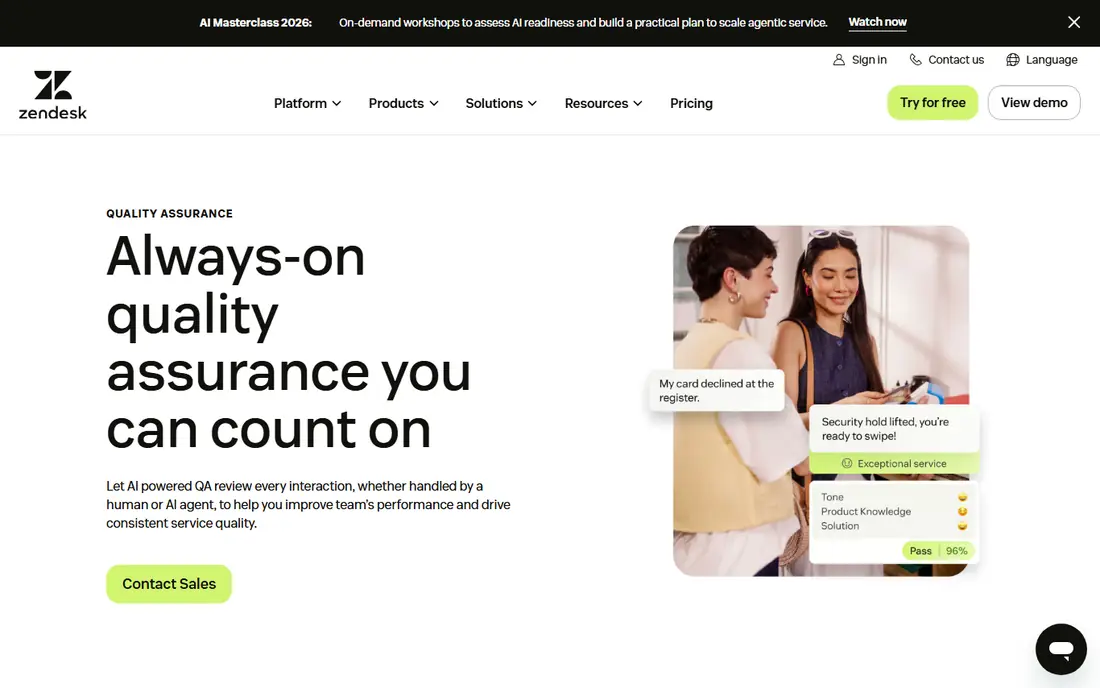
Zendesk QA, which grew out of the Klaus acquisition, is the natural choice if your chats already live in Zendesk. Reviews happen against the same tickets agents work from, so there is no export step and no lost context. Managers can build scorecards, sample conversations, and track agent progress without asking the team to learn a fully separate system.
AI assistance helps surface chats worth reviewing and can handle routine checks, leaving human reviewers to judge tone, judgment, and resolution quality. The catch is that the value drops sharply if you use another help desk, and the more advanced AI options are not on every plan. Teams should confirm which tier includes the AI features they want before committing.
- Native fit with Zendesk tickets
- AI-assisted review
- Familiar interface for Zendesk users
- Best value only inside Zendesk
- AI features sit on higher tiers
Level AI takes a different angle by using AI to understand conversations across chat and voice, then turning that understanding into QA scores and coaching cues. For teams that handle both channels, a single view of quality avoids the problem of chat and phone being judged by different standards. Auto QA can cover a much larger share of conversations than manual review alone.
Agent assist features can also guide agents during live chats, which may prevent quality problems rather than only catching them later. The platform is aimed at larger operations, so pricing is by quote and small teams may find the sales and setup process heavier than they need. It is strongest where volume is high and managers want one quality picture across channels.
- AI analysis across channels
- Auto QA coverage
- Agent assist features
- Quote-only pricing
- Geared toward larger operations
Observe.AI is best known for conversation intelligence, and that strength carries into chat quality monitoring. It analyzes conversations to find coaching moments, compliance risks, and process gaps, then links those findings to agent feedback. Managers get evidence they can play back or quote, which makes coaching conversations more specific and less personal.
The platform integrates with major contact center systems, which helps larger teams keep chat QA inside their existing stack. The downside is that it is clearly an enterprise product, with quote-based pricing and an implementation effort to match. Small support teams will likely find simpler scorecard tools faster to adopt and easier to justify.
- Deep conversation analytics
- Coaching tied to real examples
- Enterprise integrations
- Enterprise focus and pricing
- Setup needs dedicated time
EvaluAgent is a practical pick for a growing team that wants structured QA without enterprise complexity. Reviewers score chats against clear criteria, managers see trends by agent and team, and feedback flows into coaching records. The interface is built around the daily QA routine, which helps new reviewers get productive quickly.
It does not match the AI depth of the largest platforms, so teams that want full-volume auto scoring may need to pair it with other analysis or accept sampled review. Pricing is also quote-based, which makes side-by-side budget comparison harder. For teams moving from spreadsheets to their first dedicated QA tool, that simplicity is often worth more than advanced AI.
- Clear scorecards and reporting
- Coaching and feedback tools
- Easier setup than enterprise suites
- Fewer AI features than larger rivals
- Pricing requires a quote
How we picked these
We compared official feature pages, pricing pages, integration lists, and public product documentation for tools that review live chat conversations. We favored tools with real scorecard or AI review features, help desk integrations, and coaching workflows, rather than generic survey or analytics products. We left out tools that only handle voice calls, since the focus here is chat quality, and we marked pricing as See website wherever the vendor does not publish a current price.
What to check before you buy
Start by listing the chats you actually need to review. A team handling billing chats, technical support, and sales chats will need different scorecards for each, and a tool that forces one generic scorecard will frustrate reviewers. Ask how easily you can create separate scorecards, weight questions differently, and calibrate scores across reviewers.
Next, check the integration with your help desk or chat platform. The review flow should pull chats in automatically, keep the full thread and customer context, and write scores back where managers already work. If reviewers must export files or copy links, adoption will drop and samples will shrink.
Also plan for coaching, not just scoring. The best purchase is the one your team leads will actually use each week to give feedback, track improvement, and share strong examples. Ask for a trial with your own chats, run a calibration session with two reviewers on the same set, and only then judge whether scores feel fair and useful.
Finally, watch the total cost. Per-agent pricing, AI add-ons, implementation fees, and minimum seat counts can push a quote well above the headline figure. Get the full price in writing, including what happens when you add agents mid-year, and confirm how long your data and score history remain available if you leave.
FAQ
What is live chat quality monitoring software?
It is software that reviews chat conversations against a scorecard, tracks agent performance, and supports coaching. Some tools rely on human reviewers, while others use AI to score more chats or to pick the best ones for manual review.
How many chats should we review each week?
That depends on volume and team size, but most teams start with a small, consistent sample per agent each week rather than trying to review everything at once. AI tools can widen coverage, while human review still matters for judgment, tone, and complex cases.
Do we need AI scoring, or is a manual scorecard enough?
A manual scorecard is enough for a small team with steady volume and clear standards. AI scoring helps when volume is high, when you need full coverage for compliance, or when you want to find risky chats that random sampling would miss.
Can these tools work with our help desk?
Most of the tools on this list integrate with major help desks such as Zendesk, Salesforce, and Freshdesk, but coverage varies by product. Confirm your exact help desk and chat tool are supported before a trial, and test the integration with real tickets.
How do we keep scoring fair across reviewers?
Use a written scorecard with clear examples, run regular calibration sessions where reviewers score the same chats, and review disagreements openly. Tools with calibration and comment features make this process easier to run.
Is chat monitoring the same as customer satisfaction surveys?
No, surveys capture how customers felt, while QA reviews what agents actually did against your standards. The two work best together, since a high survey score can hide a policy miss and a low score can point to a process problem rather than an agent error.