Best Software for Contact Center Scheduling in 2026: 9 Tools Compared
We compared the best software for contact center scheduling on forecasting, shift building, agent self-service and pricing, so centers can staff with care.
- Editor's choice
 NICE CXone
Large centers on a full platform
Starts at$169 per agent per monthVisit nice.comFull review - Great alternative
 NICE Workforce Management
Deep WFM without switching ACD
Starts atSee websiteVisit nice.comFull review - Also consider
 Verint Workforce Management
Configurable enterprise forecasting
Starts atSee websiteVisit verint.comFull review
TL;DR:
- NICE CXone and Genesys Cloud CX suit large centers that want scheduling inside a full contact center platform.
- NICE Workforce Management and Verint suit enterprises that need deep forecasting and complex labor rules.
- Assembled is the best modern standalone option for support teams that want fast setup and clean scheduling.
- Most pricing is per agent, so model cost at real headcount including part-time staff, not just full-time core agents.
Quick comparison
| Tool | Best for | Starts at | Free plan? | |
|---|---|---|---|---|
| NICE CXone | Large centers on a full platform | $169 per agent per month | Free trial | Visit |
| NICE Workforce Management | Deep WFM without switching ACD | See website | No | Visit |
| Verint Workforce Management | Configurable enterprise forecasting | See website | No | Visit |
 Genesys Cloud CX | Workforce engagement in Genesys | $75 per user per month | Free trial | Visit |
 Talkdesk | Mid-size centers on Talkdesk | $85 per user per month | Free trial | Visit |
 Five9 | Five9 customers adding WFM | $119 per user per month | No | Visit |
 Assembled | Modern standalone scheduling | $25 per agent per month | Free trial | Visit |
 Playvox | Mid-market modern WFM | See website | Free trial | Visit |
 Alvaria Workforce | Complex labor rules and outbound | See website | No | Visit |
The best software for contact center scheduling
Contact center scheduling is harder than making a rota. Forecasts must match call, chat and email volume by interval, skills must match agents to queues, labor rules must be honored, and agents need to swap shifts without breaking coverage. We compared official pricing and feature pages and public comparisons to find tools that handle forecasting, schedule building and agent self-service for centers of different sizes.
NICE CXone is a full cloud contact center platform with workforce management built in, so scheduling, routing, analytics and quality tools share the same data. The Core suite has been reported at 169 dollars per agent per month and includes workforce management, which helps large centers avoid stitching a separate WFM tool onto their phone system. Forecasting, scheduling, agent self-service and performance views sit alongside omnichannel routing, so managers can adjust staffing when volume shifts across voice and digital channels.
The price and complexity rule it out for small support teams. CXone suits large centers with dedicated workforce management staff, complex queues and a need for enterprise reporting. Smaller centers should compare Assembled or a standalone WFM tool, while large centers already using CXone will get the most value by using its built-in scheduling rather than adding a second system.
- Scheduling inside a full omnichannel platform
- Strong forecasting and analytics
- Large enterprise scale
- Core suite price is high for small centers
- Setup and training take time
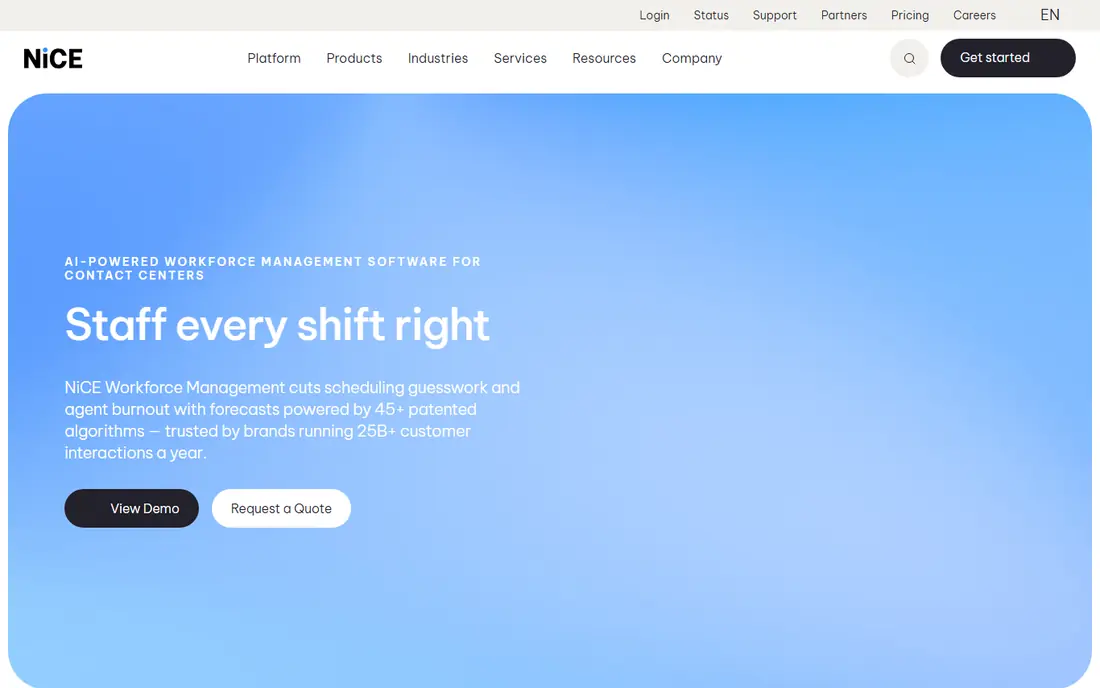
NICE Workforce Management, formerly IEX, is a standalone workforce management system that centers can use without switching their automatic call distributor. It uses AI and machine learning to forecast across voice and digital channels, supports multi-site and multi-skill scheduling, and bakes in labor and contract rules that matter for union and regulated operations. Agents can bid on shifts, track performance and manage time off through a self-service portal, which reduces manager admin work.
Pricing is quote based, with standalone WFM reported from around 20 dollars per agent per month in some comparisons, though total cost depends on modules and implementation. That makes it a strong choice for traditional contact centers with complex staffing needs, even if they do not use CXone. Centers with simple, single-queue scheduling will find it more than they need, and should look at Assembled first.
- Best-in-class forecasting for many centers
- Multi-skill and multi-site scheduling
- Agent shift bidding
- Quote-based pricing
- Implementation and training are significant

Verint Workforce Management, which now includes Calabrio capabilities after their merger, suits enterprises that need deeply configurable forecasting, scheduling and adherence tools. It handles complex shift patterns, labor rules, multi-channel volume and compliance reporting, which matters for regulated industries and large operations with many sites. Managers can build forecasts by interval, test schedule scenarios and track adherence in real time, rather than relying on spreadsheets that go stale each week.
The trade-offs are cost and effort. Pricing is quote based, with flat monthly figures around 1,500 dollars reported in some comparisons for smaller enterprise deployments, and setup needs specialist staff. There is generally no free trial. For large, regulated centers, that investment is justified by forecasting depth. For mid-size support teams, a modern tool such as Assembled or Playvox will be faster and cheaper to run.
- Deeply configurable forecasting and scheduling
- Strong for regulated industries
- Large enterprise scale
- Quote-based pricing
- No free trial in most cases
- Setup needs specialist staff
Genesys Cloud CX is a cloud contact center platform with workforce engagement management, including forecasting, scheduling, quality and performance tools. The CX1 plan starts at 75 dollars per user per month when billed annually, CX2 at 115 dollars, and CX3 at 155 dollars, with full workforce management and forecasting and scheduling included on CX3. That tiering matters: a Genesys customer that only needs basic contact center features will not get full WFM until CX3, so budget accordingly.
For Genesys customers, the benefit is one platform for routing, digital channels, workforce management and analytics, with AI copilots for agents and supervisors. That integration helps managers link schedule adherence to quality and customer outcomes. Centers not already on Genesys should compare total platform cost with a standalone WFM tool, because buying a full CCaaS platform just for scheduling is rarely the cheapest path.
- Workforce management in the full Genesys platform
- Forecasting and scheduling on CX3
- Strong AI and analytics
- Full WFM sits on the higher CX3 tier at 155 dollars
- Pricing rises with platform tiers
Talkdesk is a cloud contact center platform that adds workforce management for mid-size centers that already run Talkdesk for voice and digital channels. Base platform plans start from around 85 dollars per user per month, with workforce management included on the Elite tier at around 165 dollars in recent comparisons. AI-driven forecasting and scheduling help managers match staffing to volume, while agent self-service tools handle shift swaps and time-off requests.
The tiering is the main caution. A Talkdesk customer on a lower plan will need to upgrade to Elite for full WFM, so the scheduling cost is higher than the base platform rate suggests. For mid-size centers already committed to Talkdesk, that upgrade is often worth it for integrated scheduling and analytics. For centers that only need scheduling, a standalone tool will usually cost less.
- AI-driven scheduling inside Talkdesk
- Omnichannel platform with WFM on Elite
- Good mid-size fit
- WFM sits on Elite at around 165 dollars per user per month
- Platform cost rises with tiers
Five9 is a cloud contact center platform with workforce engagement management, including forecasting and scheduling, for customers that run Five9 for voice and digital support. Platform plans start from around 119 dollars per user per month, with WFM included in quoted higher tiers, so buyers should confirm exactly which tier includes the scheduling features they need. Integration with routing and analytics means schedules can reflect real queue volume and agent skills, not just a static rota.
Five9 suits mid-size and large centers that value reliability, ease of use and strong support, and that already use Five9 for contact handling. Standalone scheduling buyers will find cheaper options, and small support teams will find the platform cost high. For Five9 customers, though, adding WFM inside the same platform avoids integration work and keeps workforce data close to contact data.
- Forecasting and scheduling inside Five9
- Omnichannel routing and analytics
- Reliable enterprise platform
- WFM sits in quoted higher tiers
- Base price from 119 dollars per user per month
Assembled is our pick for modern support and customer experience teams that want scheduling without buying a full contact center platform. It offers forecasting, schedule templates, shift assignments, time-off management and agent self-service in a clean interface that managers learn quickly. Integrations with Zendesk, Intercom, Kustomer, Slack and Google Calendar help support teams schedule around ticket volume and agent availability, and the Core plan starts at 25 dollars per agent per month plus a platform fee.
Forecasting depth is lighter than NICE Workforce Management or Verint, and some reports note no dedicated mobile app, which matters for agents who manage shifts on phones. For omnichannel support teams in SaaS, e-commerce and fintech, though, Assembled hits the right balance of speed, clarity and price. It is the best standalone scheduling choice for teams that do not run a traditional voice-heavy contact center.
- Clean, fast scheduling for support teams
- Good integrations with Zendesk, Intercom and Slack
- Quick setup
- Forecasting depth is lighter than NICE or Verint
- No mobile app in some reports
- Platform fee on top of per-agent price
Playvox, now a NICE company, offers workforce management, quality management and coaching for mid-market contact centers and support teams. Scheduling, forecasting, time-off and agent performance tools sit alongside quality scoring and coaching workflows, so managers can link schedule adherence to quality outcomes and coaching plans. That combination suits teams that want WFM plus quality in one modern platform, without the weight of a full enterprise suite.
Pricing is quote based, and forecasting depth is less than NICE Workforce Management or Verint for very complex operations. Playvox also offers a free trial, which lets a team test scheduling with real volume data before committing. For mid-market centers that want modern WFM plus coaching, Playvox is a strong alternative to Assembled, especially when quality management matters as much as scheduling.
- Modern WFM with quality and coaching tools
- Good mid-market fit
- Now part of NICE
- Quote-based pricing
- Forecasting depth is less than enterprise WFM suites
Alvaria Workforce, formerly Aspect Workforce, serves large, compliance-heavy contact centers with complex labor rules, outbound campaigns and blended inbound and outbound work. It handles multi-skill scheduling, labor contracts, union rules and campaign staffing in ways that simpler tools cannot, which matters for centers with strict working-time, break and overtime rules. That depth makes it a credible choice for enterprises with large agent floors and regulated operations.
Pricing is quote based, and the platform feels enterprise-heavy for small or modern support teams, with longer implementation and training. There is generally no free trial. For centers with simple scheduling needs, Assembled or Playvox will be faster and cheaper. For large outbound and blended centers where labor compliance is the main risk, Alvaria earns its place on the shortlist.
- Strong for compliance-heavy outbound and blended operations
- Complex labor rule support
- Large enterprise scale
- Quote-based pricing
- Interface and setup feel enterprise-heavy for small teams
How we picked these
We compared official pricing and feature pages and public comparisons, focusing on forecasting accuracy, schedule building, skill-based routing, labor rule support, agent self-service, adherence tracking and pricing transparency. We favored tools that are actively maintained in 2026, offer a trial or demo where possible, and fit a distinct center size or type. Where pricing is quote based or tier dependent, we report the published starting point and note which tier includes WFM, rather than presenting a base platform rate as the scheduling price.
What to check before you buy
Start with your volume data. Test forecasting with at least three months of real interval data across voice, chat and email, and check how the tool handles seasonality, campaigns and shrinkage from training, leave and breaks. Then test schedule building: can it honor skills, labor rules, agent preferences and part-time patterns without manual fixes each week. Agent self-service matters too, because shift swaps and time-off requests that need manager approval for every change will create a bottleneck.
Model cost at real headcount, including part-time and seasonal agents, and check whether pricing is per agent, per user or flat monthly. Ask what implementation includes, how long the first live schedule takes, and what happens when volume spikes. The best software for contact center scheduling is the one that produces a workable schedule your agents trust, week after week, not the one with the most impressive forecast chart in a demo.
FAQ
What is the best software for contact center scheduling?
NICE CXone and Genesys Cloud CX are best for large centers that want scheduling inside a full platform, while NICE Workforce Management and Verint suit enterprises with deep forecasting needs. Assembled is the best modern standalone choice for support teams that want fast setup. The best tool depends on center size, channel mix and whether you already run a contact center platform.
How much does contact center scheduling software cost?
Standalone scheduling starts around 25 dollars per agent per month for Assembled Core, plus a platform fee, while platform WFM often sits on higher tiers, such as Genesys CX3 at 155 dollars or Talkdesk Elite at around 165 dollars. Enterprise WFM from NICE and Verint is quote based. Always model cost at real headcount, including part-time staff, and confirm which tier includes forecasting and scheduling.
Can I use scheduling software without switching my phone system?
Yes. Standalone tools such as Assembled, Playvox and NICE Workforce Management work alongside an existing phone or helpdesk system, using integrations or data imports for volume and agent data. That lets a center improve scheduling without replacing its contact center platform. Check integration depth during a trial, because forecasting quality depends on clean volume and adherence data.
How does forecasting work in contact center scheduling?
Forecasting uses historical interval data, seasonality, campaigns and trends to predict contact volume and handling time, then calculates how many agents with which skills are needed to meet service targets. Good tools let planners adjust for known events, test scenarios and track forecast accuracy over time. The forecast is only as good as the data feeding it, so clean interval history and shrinkage assumptions matter more than any single algorithm claim.
What is the difference between WFM and a simple rota tool?
A rota tool assigns shifts, while workforce management adds forecasting, skill-based scheduling, adherence tracking, time-off management and intraday adjustments. WFM tools also connect schedules to real volume and agent performance, so managers can react when calls spike or agents are absent. Simple rota tools suit small teams with stable volume, while WFM suits centers where volume, skills and labor rules change often.
Do agents get self-service tools for shifts and time off?
Most modern tools offer agent self-service for shift swaps, shift bids, time-off requests and schedule viewing, though depth varies. Assembled, NICE and Genesys all provide self-service portals or apps, while enterprise tools add bidding and labor rule checks. Test self-service on a phone during a trial, because agents who cannot manage shifts easily will bypass the system and create manual work for managers.