Best Social Media Scheduling Tools in 2026: 9 Tools Compared
Compare the best social media scheduling tools in 2026, from free schedulers for creators to agency platforms, with pricing, channels, and limits included.
- Editor's choice
 Buffer
simple scheduling for creators
Starts atFreeVisit buffer.comFull review - Great alternative
 Later
visual Instagram and TikTok planning
Starts at$18 per monthVisit later.comFull review - Also consider
 Hootsuite
large teams and bulk scheduling
Starts at$99 per monthVisit hootsuite.comFull review
TL;DR:
- Pricing models differ more than features, since some tools charge per channel, some per user, and some per workspace.
- Free plans suit a single brand, but agencies need approvals, client workspaces, and bulk scheduling that free plans rarely include.
- Visual planning matters most for Instagram and TikTok brands, while analytics matters most for teams that must prove results.
- Check which networks each tool supports well, since a scheduler that posts poorly to one network can create more work than it saves.
Quick comparison
| Tool | Best for | Starts at | Free plan? | |
|---|---|---|---|---|
| Buffer | simple scheduling for creators | Free | Yes | Visit |
| Later | visual Instagram and TikTok planning | $18 per month | Yes | Visit |
| Hootsuite | large teams and bulk scheduling | $99 per month | Free trial | Visit |
 Sprout Social | enterprise analytics and listening | $199 per seat per month | Free trial | Visit |
 Metricool | analytics on a budget | Free | Yes | Visit |
 SocialPilot | budget agency scheduling | $30 per month | Free trial | Visit |
 Planable | client approvals | $33 per workspace per month | Yes | Visit |
 Agorapulse | social inbox and engagement | $49 per month | Yes | Visit |
 Publer | bulk scheduling and recycling | Free | Yes | Visit |
The best social media scheduling tools
The best social media scheduling tools let you plan a month of posts in one session, preview how they will look, and see what worked, without jumping between five native apps. This list covers free creator tools, visual planners, agency platforms, and enterprise suites, with pricing models noted so you can compare true costs.
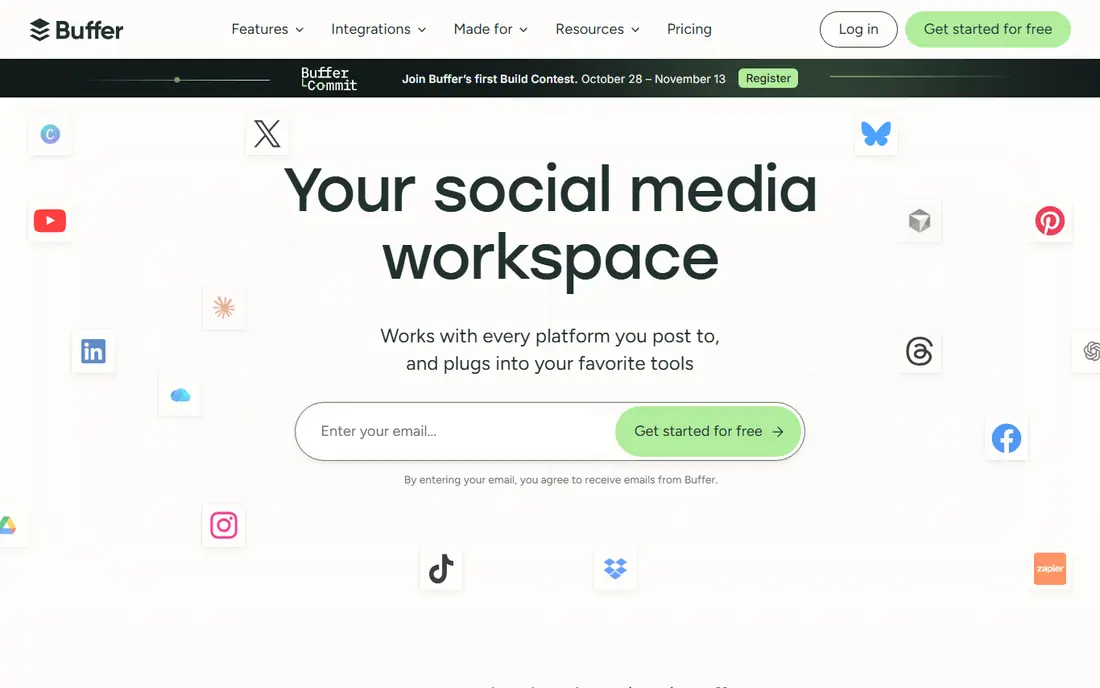
Buffer is the simplest scheduler here, and that simplicity is why many creators start with it. You can queue posts for major networks, preview them, and reuse top posts, all from a clean interface that takes minutes to learn. The free plan covers a small number of channels, which is enough for a single brand testing scheduled posting for the first time.
Pricing is per channel, so a user with many accounts will see costs rise faster than with a flat-rate tool. Analytics are also lighter than enterprise suites, so a team that must prove return on investment may need a second tool. For a creator or small team that wants simple scheduling without a steep learning curve, Buffer is our pick for most people.
- Very easy to learn
- Free plan for a single brand
- AI caption help on paid plans
- Per-channel pricing grows with more accounts
- Analytics are basic compared with Sprout Social

Later suits visual-first brands that care how a feed looks as a whole, not only when a post goes out. Its visual calendar, drag-and-drop planning, and grid preview help an Instagram or TikTok brand plan a coherent feed, while its Link in Bio tool turns a bio link into a shoppable landing page. Hashtag suggestions and best-time hints help smaller teams plan without a full analytics suite.
The entry paid plan limits the number of profiles, and analytics are lighter than enterprise tools, so a large team may outgrow it. For a creator, small brand, or visual team whose main channels are Instagram and TikTok, Later is a strong, focused choice.
- Visual calendar and grid preview
- Link in Bio tool
- Strong for Instagram, TikTok, and Pinterest
- Analytics are lighter than Sprout Social
- Entry paid plan limits profiles
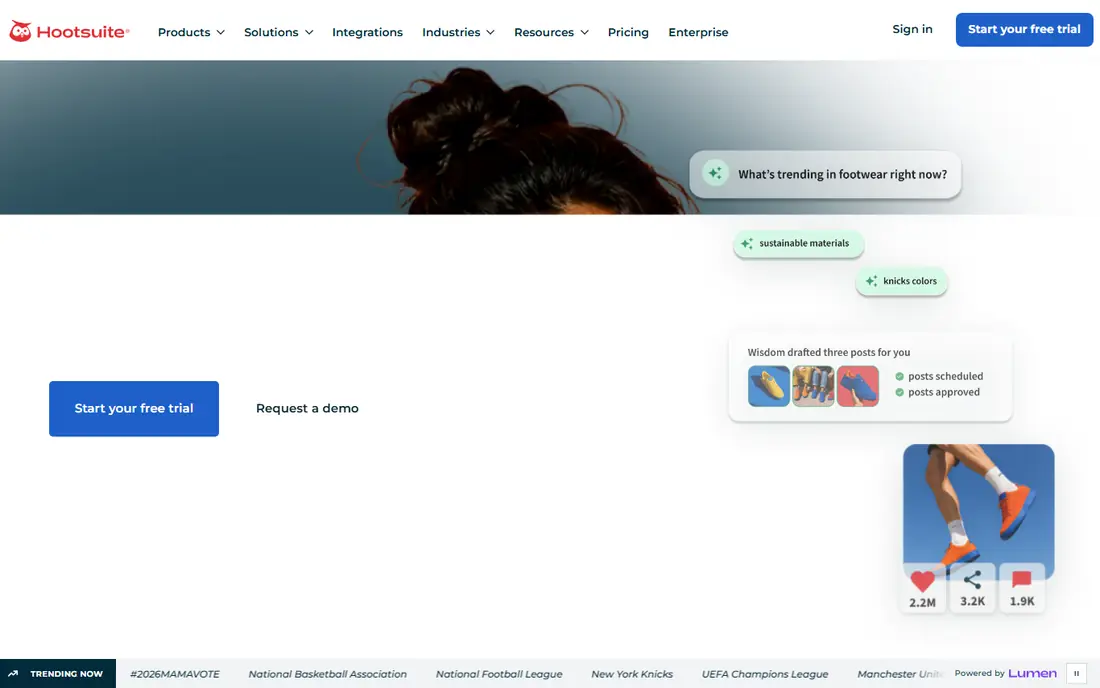
Hootsuite is built for larger teams managing many profiles, with bulk scheduling, streams for monitoring, social listening, and AI writing help in one platform. A team can schedule hundreds of posts at once, route drafts for approval, and track performance across networks from shared dashboards. That scale is why agencies and large brands have used Hootsuite for years.
The entry price is high for a solo creator, and the interface can feel heavy for a single brand that only needs simple scheduling. Smaller teams should compare Buffer, Later, or Metricool before committing to Hootsuite pricing. For a large team that needs scale, governance, and listening, Hootsuite remains a proven platform.
- Bulk scheduling across many profiles
- Social listening and AI writing help
- Strong team and approval controls
- High entry price for small teams
- Interface can feel dense for a single brand
Sprout Social is the enterprise pick for teams that must prove social results to stakeholders. Its analytics, reporting, social listening, and customer relationship links go deeper than most schedulers, and its team workflows support approvals, assignments, and shared inboxes at scale. A marketing lead who reports on return on investment will find Sprout reports easier to present than a basic scheduler export.
That depth comes at the highest entry price in this list, charged per seat, so a small team will pay far more than it needs to. A solo creator or small brand should not start here. For an enterprise team where reporting and listening justify the cost, Sprout Social is the strongest suite.
- Deep analytics and reporting
- Social listening and CRM links
- Strong team workflows
- Highest entry price here
- Overkill for a single creator
Metricool suits creators and small teams who want analytics without paying enterprise prices. Its free plan covers a single brand with a monthly post limit, while paid plans add more brands, analytics, competitor benchmarking, and ad reporting at a modest price. That analytics focus helps a small team see what is working without a separate reporting tool.
The scheduling interface is less visual than Later, so an Instagram-first brand that plans by feed appearance may prefer Later. Higher tiers are also needed as brand count grows. For a budget-conscious team that values analytics over visual planning, Metricool is excellent value.
- Free plan for a single brand
- Analytics and competitor benchmarking
- Good value on paid plans
- Scheduling interface is less visual than Later
- Higher tiers needed for more brands
Planable is built around approvals, which is why agencies and marketing teams with clients choose it. A team can draft posts, preview them as they will appear on each network, and invite clients or stakeholders to comment and approve in context, without screenshots and email threads. That workflow saves more time than any scheduling feature alone for a team with external approvers.
Analytics are lighter than Sprout Social or Hootsuite, so a team that needs deep reporting may pair Planable with a separate analytics tool. A solo creator with no approvers will also get less value here. For a team whose bottleneck is client review, Planable is the clearest pick.
- Visual approval workflows for clients
- In-context comments
- Multi-channel previews
- Analytics are lighter than full suites
- Less suited to a solo creator who needs no approvals
Agorapulse suits mid-size teams that need to manage engagement, not only scheduling. Its unified inbox pulls comments, messages, and mentions from major networks into one queue, where team members can assign, reply, and track conversations. Scheduling, reporting, and listening sit alongside that inbox, so a team can plan posts and handle replies without switching tools.
The entry price is higher than Buffer or Metricool, and some advanced features sit in higher tiers, so a solo creator may not need it. For a team that spends as much time replying as posting, the inbox is the deciding feature, and Agorapulse handles it well.
- Unified social inbox for comments and messages
- Scheduling plus engagement in one app
- Team assignment features
- Entry price is higher than Buffer or Metricool
- Some advanced features need higher tiers
Publer suits creators and small teams who want bulk scheduling and evergreen content recycling at a low cost. Its free plan covers a few accounts, while paid plans add more accounts, bulk upload, and recycling rules that reshare evergreen posts on a schedule. That recycling feature helps a small team keep a feed active without writing new posts every day.
Publer is a smaller vendor than Hootsuite or Buffer, so its partner network and support resources are less extensive, and analytics are basic compared with Sprout Social. For a budget-conscious user who values bulk work and recycling, Publer is a strong, low-cost option.
- Free plan for a few accounts
- Bulk scheduling and evergreen recycling
- AI caption help
- Smaller brand than Hootsuite or Buffer
- Analytics are basic compared with enterprise suites
How we picked these
We compared official feature pages, pricing pages, free plan terms, and public comparisons, and we favoured tools with a current scheduling product that supports major networks and a clear pricing model. We looked for a mix of free creator tools, visual planners, agency tools, and enterprise suites, rather than nine versions of the same simple scheduler. We noted per-channel, per-seat, and per-workspace pricing, since those models change the true cost as accounts grow.
We also weighed the limits that matter in practice. A free plan that covers three channels is not the same as one that covers one brand, and an approval workflow that suits an agency is wasted on a solo creator. Those limits are noted above rather than hidden in a feature list.
How to choose a scheduling tool
Start by counting channels, brands, and team members, then apply the pricing model. A per-channel tool such as Buffer is cheap for one brand and costly for ten, while a flat-rate agency tool such as SocialPilot is cheaper at scale. A per-seat enterprise tool such as Sprout Social only makes sense when reporting and listening justify the seat cost.
Then trial the tool with a real month of content, not a demo week. Check how posts preview on each network, how approvals work with your actual approvers, and whether scheduled posts publish reliably at the times you set. Check analytics exports, since a scheduler that cannot show what worked will leave you guessing. A tool that fits your channel count, your approval flow, and your reporting needs will beat a more famous tool that fits none of them.
FAQ
What is the best social media scheduling tool for beginners?
Buffer is the best starting point for beginners, thanks to a clean interface, a free plan, and simple queueing. Later is also beginner-friendly for visual brands, while Metricool suits beginners who want analytics on a budget.
What are the best free social media scheduling apps?
Buffer, Later, Metricool, Planable, Agorapulse, and Publer all offer free plans or trials, with limits on channels, brands, or posts. For a single brand, Buffer or Metricool free plans are a good start, while Publer free covers a few accounts for bulk work.
What is the best app for social media posts for Instagram?
Later leads for Instagram-first brands, thanks to visual planning, grid preview, and Link in Bio. Buffer and Metricool also schedule Instagram posts well, but Later is the pick when feed appearance matters most.
What is the best social media scheduling software for agencies?
SocialPilot suits small agencies on a budget, Planable suits agencies whose bottleneck is client approvals, and Hootsuite suits larger agencies with bulk and governance needs. The right agency pick depends on client count, approval flow, and reporting needs.
What is the best social media scheduling platform for analytics?
Sprout Social leads for enterprise analytics and listening, while Metricool offers the best analytics value for small teams. Hootsuite also offers strong reporting for larger teams, though its entry price is higher than Metricool.
Do social media scheduling tools work for TikTok?
Yes, most tools here support TikTok scheduling, though features such as direct publishing, sound handling, and preview accuracy vary by tool and by TikTok rules. Check the current TikTok support page for the tool you choose, since platform rules change.
SocialPilot
Best for: budget agency scheduling
SocialPilot is a budget agency tool, with flat pricing that covers multiple social accounts, bulk scheduling, and client management features that per-channel tools charge more for at scale. A small agency can manage several clients from one workspace, schedule in bulk, and share reports without paying per seat for every team member at the entry level. That pricing model is the main reason agencies choose it.
Analytics are lighter than Sprout Social, and the interface prioritises function over polish, so a brand that wants beautiful reports may need to present data elsewhere. For a small agency that needs to schedule for many clients at a controlled cost, SocialPilot is a practical, well-priced pick.