Best Social Media Management Tools in 2026: 9 Tools Compared
Compare the best social media management tools for scheduling, analytics, and team workflows, with current pricing, free plans, and features for 2026.

- Editor's choice
 Hootsuite
Large teams and social listening
Starts at$99 per monthVisit hootsuite.comFull review - Great alternative
 Sprout Social
Analytics and team engagement
Starts at$199 per monthVisit sproutsocial.comFull review - Also consider
 Buffer
Simple scheduling for small teams
Starts at$6 per monthVisit buffer.comFull review
TL;DR:
- Buffer and Metricool offer the lowest entry prices in this group, while Hootsuite and Sprout Social sit at the premium end.
- Per-user pricing can change the real monthly bill fast, so count seats before you compare headline prices.
- For most small teams, a simple scheduler with solid analytics beats a large suite with features nobody opens.
- Agencies should weigh client workspaces, approvals, and reporting more heavily than a low starting price.
- Free plans are useful for testing, but they often limit channels, scheduled posts, or reports.
Quick comparison
| Tool | Best for | Starts at | Free plan? | |
|---|---|---|---|---|
| Hootsuite | Large teams and social listening | $99 per month | Free trial | Visit |
| Sprout Social | Analytics and team engagement | $199 per month | Free trial | Visit |
| Buffer | Simple scheduling for small teams | $6 per month | Yes | Visit |
 Later | Visual planning for creators | $25 per month | Yes | Visit |
 Agorapulse | Inbox-first team workflows | $79 per month | Yes | Visit |
 Sendible | Agencies and client work | $29 per month | Free trial | Visit |
 SocialPilot | Budget agency scheduling | $30 per month | Free trial | Visit |
 Metricool | Analytics on a budget | $20 per month | Yes | Visit |
 Publer | Low-cost scheduling and recycling | $5 per month | Yes | Visit |
The best social media management tools
We compared official pricing pages, feature lists, and plan limits to find tools that cover publishing, engagement, and reporting without forcing every team into the same plan.

Hootsuite remains the broadest option in this list, covering planning, publishing, engagement, listening, and reporting in one place. Teams that manage many profiles can set approvals, assign messages, and build custom reports without stitching several tools together. Its listening features also help larger brands track mentions and topics across networks.
The trade-off is cost and complexity. A small team may pay for depth it rarely uses, and each extra seat raises the bill. If your main need is simple scheduling, Hootsuite will feel heavy. For a mid-size or large team that needs governance and listening in one system, it is a strong pick.
- Wide network coverage
- Strong listening and analytics
- Approval workflows for larger teams
- Per-user pricing adds up quickly
- No free plan

Sprout Social stands out for reporting that managers can actually read and share. Its unified inbox pulls comments and messages together, and contact history helps teams reply with context instead of starting from scratch each time. Publishing, scheduling, and approvals are built around team work rather than solo posting.
Price is the main barrier. Sprout Social is aimed at teams that will use its analytics and inbox daily, and solo creators will find cheaper tools that cover the basics. If reporting and customer replies are central to your job, the cost is easier to justify.
- Clear reporting and dashboards
- Unified inbox with contact history
- Strong team workflows
- High starting price
- Listening can cost extra on some plans
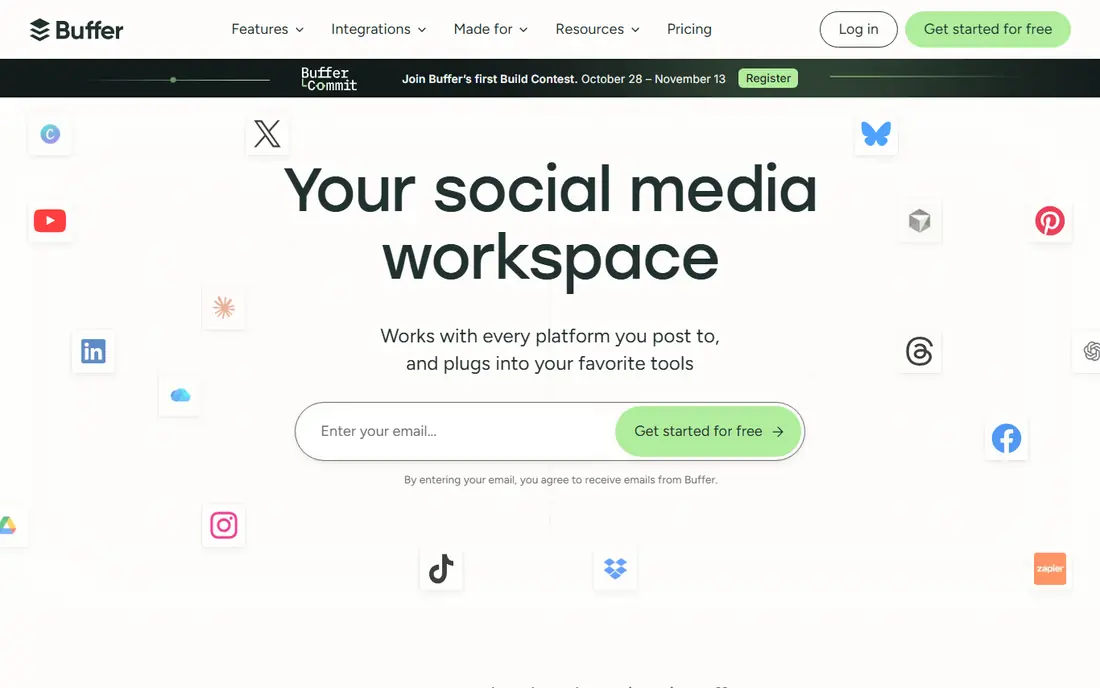
Buffer keeps scheduling simple, which is exactly why many small teams stick with it. You connect channels, queue posts, check basic analytics, and move on. The interface is calm, setup takes little time, and the free plan lets a solo creator test the core workflow before paying.
What you give up is depth. Buffer does not try to match Hootsuite or Sprout Social on listening, advanced reporting, or complex approvals. If you need those, look higher up this list. If you need dependable publishing at a low price, Buffer is hard to beat.
- Clean and easy to learn
- Genuine free plan
- Affordable per-channel pricing
- Limited listening features
- Analytics are lighter than premium suites
Later is built around visual planning, so creators who think in images and video will feel at home. The drag-and-drop calendar makes it easy to see a week of content at a glance, and the media library keeps assets organized. Its link-in-bio tool also helps turn profile traffic into clicks.
Teams focused mainly on LinkedIn or X may find Later less central to their work. It shines for Instagram and TikTok first, with other networks supported as part of the mix. For creators and visual brands, that focus is a plus rather than a limit.
- Visual calendar and media library
- Link-in-bio tool
- Strong for Instagram and TikTok planning
- Weaker for text-first networks
- Higher plans needed for team features
Agorapulse puts replies at the center, which suits teams that spend more time answering comments than drafting posts. Messages can be assigned, labeled, and tracked, so nothing slips when several people share the inbox. Scheduling and basic reporting sit alongside that inbox, keeping daily work in one window.
The platform is less suited to buyers who want advanced listening or enterprise analytics. Its strength is practical team engagement, not research depth. For support-heavy social teams, that balance works well.
- Unified inbox with assignments
- Scheduling and reporting in one place
- Clear team roles
- Reporting is less deep than Sprout Social
- Price rises with users
Sendible is designed for agencies that juggle several clients and need separation between them. Workspaces, client dashboards, and approval flows help small agencies look organized without enterprise pricing. Unlimited users on some plans also helps when clients want a peek at their own reports.
New users may need a short learning period, since the dashboard packs in many options. Once set up, though, it handles bulk scheduling and client reporting well. Agencies on a budget should put Sendible near the top of their shortlist.
- Client dashboards and white-label options
- Unlimited users on some plans
- Solid scheduling
- Interface feels busy at first
- Analytics templates vary by plan
Metricool gives small teams analytics that are often locked behind higher tiers elsewhere. You can track growth, best posting times, and post performance without paying premium prices. The free plan is usable for a small setup, which makes it easy to judge before upgrading.
Team features and approvals are not its main strength, so larger groups may outgrow it. For a solo marketer or a small business that wants numbers it can act on, Metricool offers strong value.
- Clear analytics across networks
- Free plan for testing
- Autolists for recycling content
- Fewer team workflow features
- Some networks need add-ons
Publer is a good pick when budget is the first filter and scheduling is the main job. It supports a wide set of networks, lets you recycle evergreen posts, and starts at a price that suits solo creators. The free plan covers basic testing, so you can confirm it fits your networks before paying.
Expect simpler analytics and fewer advanced workflow tools than Hootsuite or Sprout Social. Publer does the everyday publishing job well, and that is enough for many small accounts. Teams that need deep reporting should pair it with a separate analytics check or choose a fuller suite.
- Low starting price
- Content recycling options
- Supports many networks
- Analytics are limited
- Smaller support and integration range than market leaders
How we picked these
We compared official feature pages, pricing pages, and plan limits for tools that support the major networks in October 2026. We favored tools with clear pricing, a usable free plan or trial, and a distinct strength, rather than listing every scheduler on the market. We also weighed team size, since a solo creator and a large team rarely need the same tool.
We did not claim hands-on testing. Our comparison rests on vendor documentation, public pricing, and published reviews, and prices can change, so check the vendor site before you buy.
What to check before you pay
Start with your networks and your team size, because those two facts narrow the list fast. A tool that covers Instagram and TikTok well may be weak for LinkedIn, and per-user pricing can turn a reasonable headline price into a large bill. List the channels you actually post to, then confirm each one is supported on the plan you would buy, not just on the top tier.
Scheduling, inbox, and reporting
Decide which job matters most each week. If publishing dominates, favor a clean calendar, bulk scheduling, and recycling. If replies dominate, favor a shared inbox with assignments. If reporting dominates, favor dashboards you can export and share without manual work. Buying a tool strong in the wrong area is a common waste.
Free plans and trials
Use the free plan or trial to test your real workflow, not just to post once. Connect all your channels, schedule a full week, invite a teammate if you have one, and try exporting a report. Note any limits on channels, posts, users, or history, since those limits often decide whether a plan works long term.
FAQ
What is the best social media management tool for most small teams?
Buffer or Metricool suit many small teams, because both start at a low price and cover scheduling plus basic analytics. Hootsuite and Sprout Social fit larger teams that need listening, approvals, and deeper reporting.
What is the best free social media management tool?
Buffer, Metricool, Later, Agorapulse, and Publer all offer free plans, though each limits channels or posts in some way. Buffer is often the simplest free starting point, while Metricool adds stronger free analytics.
What is the best social media management platform for agencies?
Sendible and SocialPilot are strong agency picks, with client workspaces and bulk scheduling at moderate prices. Sprout Social and Hootsuite suit larger agencies that need advanced reporting and approvals.
What is the best social media management software for analytics?
Sprout Social leads on reporting depth, while Metricool offers clear analytics at a lower price. Hootsuite also provides strong custom reports, especially for larger teams.
Do I need social listening, or is scheduling enough?
Scheduling is enough if you mainly publish planned content and reply manually. Listening helps when you need to track brand mentions, competitors, or trends, and it is most valuable for larger brands and agencies.
SocialPilot
Best for: Budget agency scheduling
SocialPilot appeals to agencies and freelancers who need to schedule across many accounts without a large monthly bill. Bulk scheduling saves time when you plan content in batches, and client management keeps accounts separate. It covers the core publishing job at a price smaller teams can sustain.
If polished reports and deep listening matter most, SocialPilot will feel limited. It is a workhorse scheduler first, with analytics as a supporting feature. For volume scheduling on a budget, that trade-off is reasonable.