Best SOC Services for Cybersecurity in 2026: 9 Services Compared
Compare the best soc services for cybersecurity in 2026, with 24/7 monitoring, detection, and response options for small and large teams and how to choose.
- Editor's choice
 Arctic Wolf
Guided, concierge SOC
Starts at$19.99 per user per monthVisit arcticwolf.comFull review - Great alternative
 Expel
Cloud-heavy environments
Starts atSee websiteVisit expel.comFull review - Also consider
 Red Canary
Microsoft-focused teams
Starts atSee websiteVisit redcanary.comFull review
TL;DR:
- A managed SOC suits teams without round-the-clock analysts, while larger teams may use a provider to extend coverage.
- Arctic Wolf, Expel, and Red Canary lead for mid-sized companies, with CrowdStrike and Palo Alto Unit 42 strong for enterprises.
- Pricing is usually by quote or per user and per device, so model total cost at your real endpoint count.
- Ask who responds to threats, not just who alerts you, since response terms vary widely.
Quick comparison
| Tool | Best for | Starts at | Free plan? | |
|---|---|---|---|---|
| Arctic Wolf | Guided, concierge SOC | $19.99 per user per month | No | Visit |
| Expel | Cloud-heavy environments | See website | No | Visit |
| Red Canary | Microsoft-focused teams | See website | No | Visit |
 CrowdStrike Falcon Complete | Enterprise endpoint protection | See website | No | Visit |
 Rapid7 MDR | Teams already using Rapid7 | See website | No | Visit |
 SentinelOne Vigilance | SentinelOne customers | See website | No | Visit |
 Sophos MDR | Small and mid-sized teams | See website | No | Visit |
 Palo Alto Unit 42 | Enterprise incident response | See website | No | Visit |
 Huntress | Small teams and MSPs | See website | No | Visit |
The best soc services for cybersecurity
A security operations centre, or SOC, monitors networks, endpoints, and cloud systems around the clock, triages alerts, and responds to threats. Managed SOC services provide that coverage without hiring a full night-shift team. The providers below differ in tooling, response style, and pricing model. Our pick for most mid-sized companies is Arctic Wolf for guided service, with Expel close behind for cloud-heavy stacks.
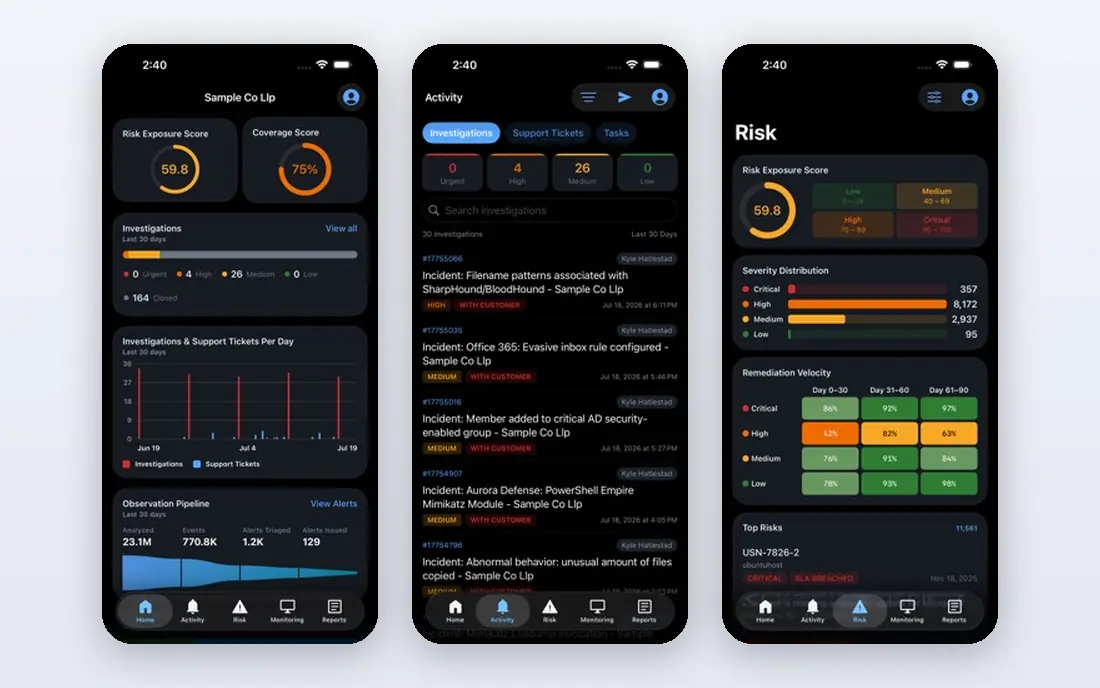
Arctic Wolf suits a company that lacks in-house security depth and wants a named team that learns its environment over time. Its Concierge Security Team model pairs analysts with the customer, rather than rotating anonymous staff, and its platform ingests logs from firewalls, cloud, and endpoints for a unified view. Starting pricing is listed at $19.99 per user per month in recent comparisons, with annual minimums applying at larger sizes.
The catch is total cost. Per-user pricing is predictable, but it can add up for large workforces, and implementation takes more planning than a lightweight endpoint tool. Users also report occasional alert delays, so response time terms deserve a close read. For a mid-sized company that wants guidance as well as monitoring, Arctic Wolf is a strong lead.
- Named Concierge Security Team
- Vendor-neutral log coverage
- Clear per-user pricing
- Costs can rise at scale
- Implementation needs planning

Expel suits teams whose environment spans cloud platforms, SaaS apps, and varied security tools. It ingests data from many sources into one view, and its analysts work transparently with customer teams during investigations. That openness helps internal IT staff learn from incidents rather than just receiving a closed ticket.
The trade-off is SIEM depth. Users flag thinner managed SIEM coverage compared with some rivals, so a team that needs a full SIEM replacement should check that scope carefully. Pricing is by quote, with recent comparisons listing an annual starting figure, but the final price depends on data volume and scope. For cloud-heavy teams, Expel is a compelling choice.
- Broad cloud and SaaS integrations
- Transparent analyst collaboration
- Strong investigation tools
- Managed SIEM coverage is thinner than some rivals
- Pricing by quote
Red Canary works well for teams already centred on Microsoft Defender and Azure. Its managed detection and response service uses pre-built automation playbooks to speed response, while expert analysts validate alerts so internal teams chase fewer false positives. That combination suits companies that struggled with a traditional managed security provider and want a more proactive partner.
The catch is pricing model. Per-device pricing scales with endpoint count, which can become expensive for large fleets, so model the total cost before signing. Teams outside the Microsoft stack can still use Red Canary, but the integration advantage is smaller. For a Microsoft shop, it is one of the strongest managed options.
- Strong Microsoft Defender and Azure integration
- Automation playbooks
- Analyst-validated alerts
- Per-device pricing can climb with large fleets
- Less suited to non-Microsoft stacks
CrowdStrike Falcon Complete is a managed detection and response service built on the Falcon platform, aimed at enterprises that want round-the-clock monitoring, threat hunting, and response from CrowdStrike analysts. Its threat intelligence and endpoint data give analysts rich context during an incident, which helps with fast containment.
The downside is ecosystem fit and cost. Falcon Complete works best for companies already using or willing to adopt Falcon, and enterprise pricing is by quote. Smaller teams may find Arctic Wolf or Huntress more accessible. For a large company standardising on CrowdStrike, Falcon Complete is a natural extension.
- Falcon platform depth
- 24/7 managed detection and response
- Strong threat intelligence
- Enterprise pricing
- Best value inside the Falcon ecosystem
Rapid7 Managed Detection and Response suits teams that already use Rapid7 Insight products for vulnerability management or detection. Its SOC analysts monitor endpoints, network, and cloud data, and they can draw on vulnerability context to prioritise threats. That link between exposure and active threat is useful for teams with limited patching capacity.
The limit is stack fit. A team with no Rapid7 footprint can still buy the service, but the value is higher where Insight tools already collect data. Pricing is by quote and depends on endpoints and data volume. For a Rapid7 customer, it is a logical SOC step. For others, compare it with tool-neutral providers such as Arctic Wolf and Expel.
- Insight platform integration
- Vulnerability and detection data in one view
- Managed response
- Pricing by quote
- Strongest inside the Rapid7 stack
SentinelOne Vigilance is the managed detection and response service for SentinelOne customers, providing round-the-clock monitoring, threat hunting, and response from SentinelOne analysts. Because it uses the same agent data as the endpoint product, analysts can act quickly on device telemetry without waiting for a separate tool to catch up.
The catch is ecosystem lock-in. A company that does not use SentinelOne would need to adopt it to get the full benefit, which may not suit a multi-vendor strategy. Pricing is by quote. For a SentinelOne shop that wants managed coverage without hiring analysts, Vigilance is a strong, integrated choice.
- Deep SentinelOne agent data
- 24/7 threat hunting
- Managed response options
- Best inside the SentinelOne ecosystem
- Pricing by quote
Sophos MDR suits small and mid-sized organisations that need managed detection and response without enterprise complexity. Its analysts monitor Sophos endpoint, firewall, and cloud data, and response tiers let a buyer choose between alerting, assisted response, and fuller managed action. That tiering helps a smaller team match cost to risk.
The trade-off is depth at the top end. Larger enterprises with complex multi-cloud estates may need a more specialised provider, and the best response options sit on higher tiers. Pricing is by quote. For a Sophos customer or a smaller team starting managed security, Sophos MDR is accessible and practical.
- Accessible for smaller teams
- Broad endpoint and firewall data
- Managed response tiers
- Enterprise depth varies by tier
- Pricing by quote
Palo Alto Networks Unit 42 is best known for incident response and threat research, and it also provides managed detection and response for enterprises. Its analysts bring experience from major breaches, which helps when an incident is complex, fast-moving, or already suspected. Threat intelligence from Unit 42 research adds context that smaller providers cannot match.
The downside is fit for routine needs. Unit 42 is premium and enterprise-focused, so a small company that mainly needs steady monitoring may find a mid-market provider more affordable and more hands-on day to day. For a large enterprise, or a company facing a serious incident, Unit 42 is a top-tier choice.
- Elite incident response experience
- Threat intelligence
- Global SOC capacity
- Premium enterprise pricing
- Less suited to small, routine monitoring needs
Huntress suits small businesses and managed service providers that need managed detection without a full enterprise SOC contract. Its service focuses on persistent threats, ransomware, and footholds that other tools miss, with human analysts reviewing detections. Deployment is faster and simpler than larger SOC platforms, and pricing is more accessible for smaller teams.
The limit is scope. Huntress does not replace a full SOC for a large, complex estate with heavy cloud, SIEM, and compliance needs. It is a focused detection service, not a broad platform. For a small team or an MSP protecting many small clients, that focus is a strength. For a large enterprise, pair it with broader coverage or choose a full SOC provider.
- Focused, affordable managed detection
- Strong for SMBs and MSPs
- Fast deployment
- Narrower scope than full SOC platforms
- Less suited to large, complex estates
How we picked these
We compared managed SOC and managed detection and response providers with 24/7 analyst coverage, public service pages, and a track record in the United States. We favoured providers that explain who responds to threats, not just who sends alerts, and that support common endpoint, cloud, and identity tools. Pricing is mostly by quote, so we ranked on fit and response model rather than price alone.
How to choose a SOC service without overbuying
Start with your current tools, endpoint count, and cloud footprint, since those facts decide which providers fit without a rip-and-replace project. Ask each provider for a proposal based on the same scope, so you can compare response terms, data retention, and onboarding time fairly. A cheaper provider that only alerts you may cost more in staff time than a pricier provider that responds.
Ask who acts, how fast, and what is included
Confirm whether analysts can isolate a device, kill a process, or revoke access, or whether they only notify your team. Ask for response time targets, escalation paths, and what happens outside business hours. Check data retention, log sources, and whether your existing SIEM can stay in place.
Test onboarding and reporting
Ask for a trial or a proof of concept with your real tools, and review a sample incident report before signing. A good SOC report explains what happened, what was done, and what to fix next, in plain language. If reports are vague or late during a trial, they will not improve after the contract starts.
FAQ
What is a SOC service?
A SOC service is a managed security operations centre that monitors your systems around the clock, triages alerts, and responds to threats. Providers use analysts plus software to detect intrusions, malware, and misuse across endpoints, networks, and cloud systems. It replaces or extends an in-house SOC team.
How much does a managed SOC service cost?
Pricing varies by model: per user, per device, or by quote based on data volume and scope. Arctic Wolf lists $19.99 per user per month in recent comparisons, while other providers price by annual quote. Model total cost at your endpoint and user counts, including onboarding fees.
Is a SOC service the same as managed detection and response?
They overlap, but managed detection and response usually focuses on endpoints and active threats, while a full SOC also covers network, cloud, identity, and SIEM monitoring. Many providers now blend both, so ask for the exact log sources and response actions in your proposal.
Do small businesses need a SOC service?
Many small businesses benefit from a focused managed detection service such as Huntress or Sophos MDR, rather than a full enterprise SOC. The right choice depends on data sensitivity, regulatory duties, and whether you have staff to handle alerts at night. A provider that responds, not just alerts, is worth more for a small team.
How long does SOC onboarding take?
Onboarding ranges from days for a lightweight endpoint service to weeks for a full SOC with log ingestion and tuning. Allow time for agent deployment, log source connection, and alert tuning. Ask for a written onboarding plan with dates before you sign.
Sources
- https://www.arcticwolf.com
- https://www.expel.com
- https://www.redcanary.com
- https://www.crowdstrike.com/en-us/services/managed-detection-and-response/
- https://www.rapid7.com/services/managed-detection-and-response/
- https://www.sentinelone.com
- https://www.sophos.com/en-us/services/mdr
- https://www.paloaltonetworks.com/unit42
- https://www.huntress.com