6 Strong SEO Tools to Check Core Web Vitals in 2026
6 best SEO tools to check core web vitals, compared on pricing, free plans and best-fit use. Every pick gets a straight assessment. Refreshed for 2026.

- Editor's choice
 DebugBear
Continuing Core Web Vitals monitoring
Starts atFrom $49 per monthVisit debugbear.comFull review - Great alternative
 WebPageTest
Deep technical diagnosis when a page is slow and you do
Starts atFrom $18 per monthVisit webpagetest.orgFull review - Also consider
 Treo
Lighthouse-based monitoring with a visual timeline of page loads
Starts atFrom $79 a monthVisit treo.shFull review
TL;DR:
- Top of the list is DebugBear, which targets continuing Core Web Vitals monitoring with lab, real-user, and CrUX data in one place.
- The lowest published monthly entry price here is $15 per month, from SpeedCurve.
- Free plans exist at 2 of 6 tools (WebPageTest, Google PageSpeed Insights).
- For free one-off checks with the field data Google actually uses, Google PageSpeed Insights is worth a look.
Direct answer
DebugBear comes first here, mainly for continuing Core Web Vitals monitoring. For a different need, WebPageTest covers deep technical diagnosis when a page is slow and you do not know and Treo covers Lighthouse-based monitoring with a visual timeline of page loads. Details, prices and limits for the rest of the 6 tools are below.
Quick comparison
| Tool | Best for | Starts at | Free plan? | |
|---|---|---|---|---|
| DebugBear | Continuing Core Web Vitals monitoring | From $49 per month | Free trial (14 days) | Visit |
| WebPageTest | Deep technical diagnosis when a page is slow and you do | From $18 per month | Yes | Visit |
| Treo | Lighthouse-based monitoring with a visual timeline of page loads | From $79 a month | Free trial | Visit |
 SpeedCurve | Performance teams that want synthetic tests plus real-user data tied to business | From $15 a month | No | Visit |
 Calibre | Teams that want RUM, CrUX, and synthetic tests in one monitoring product | From $75 a month | No | Visit |
 Google PageSpeed Insights | Free one-off checks with the field data Google actually uses | Free | Yes | Visit |
Our 6 SEO tools to check core web vitals
This LinkVetted guide covers 6 SEO tools to check core web vitals. Each profile lists a starting price, free plan details, strengths and drawbacks, so you can drop poor fits quickly.
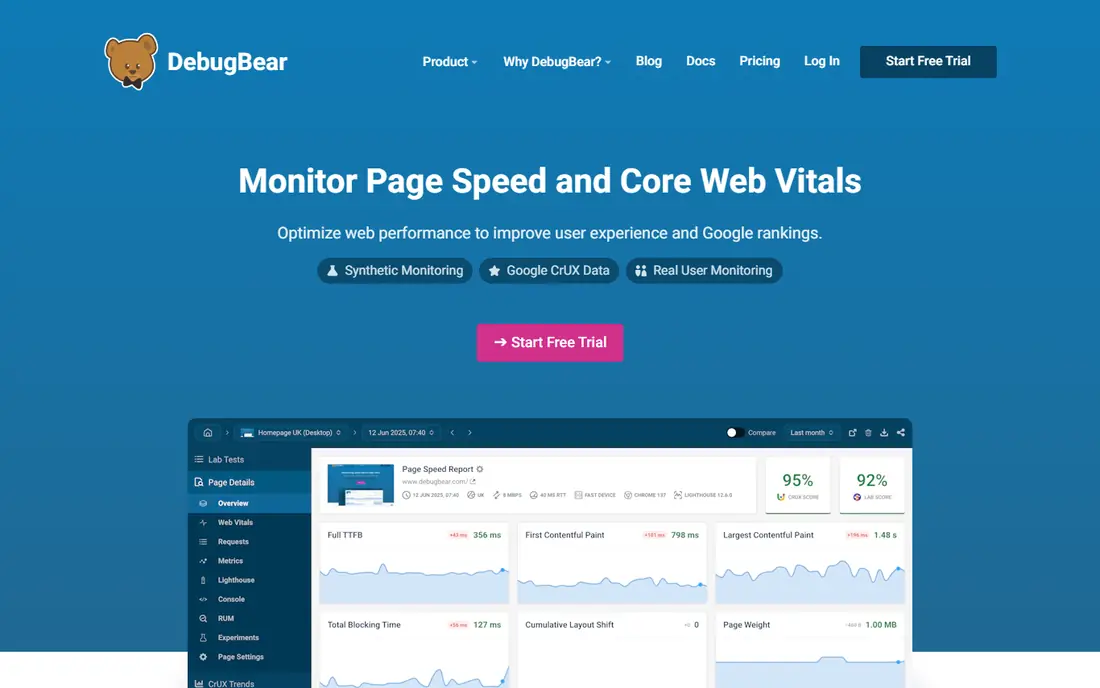
Pick DebugBear if this describes you: ongoing Core Web Vitals monitoring with lab, real-user, and CrUX data in one place. DebugBear is the monitoring tool to buy first if speed is part of your job. It runs scheduled Lighthouse tests on the pages you choose, tracks CrUX field data next to the lab numbers, and brings real-user monitoring so you can see what actual visitors experience.
The main drawbacks: The cheapest plan covers a restricted number of pages.
When a metric slips, it alerts you, which turns Core Web Vitals from a quarterly audit into a daily safety net. It also spans experiment tracking, so you can test a fix and see whether the metric actually moved. Entry price for DebugBear: From $49 per month. On free options: Free trial (14 days).
- Clear reporting that a non-developer can read
- Real-user monitoring
- Cost scales with pages monitored and test frequency

WebPageTest targets deep technical diagnosis when a page is slow and you do not know why. WebPageTest, now owned by Catchpoint, is what to open when a page is slow and you do not know why. Its filmstrip view presents the page loading frame by frame.
Drawbacks to consider: Steep ramp-up time for beginners.
Its waterfall presents every request, so you can see exactly which script, image, or font blocks rendering. On top of that, results contain lab data and CrUX metrics, and tests can be configured by location, browser, device, and connection speed. Worth adding: the free level spans a monthly allowance of runs, whereas premium plans start at $18 per month and are priced by test volume. It is the most technical tool here, so beginners should start with PageSpeed Insights and graduate to WebPageTest for hard problems. WebPageTest starts at: From $18 per month. WebPageTest has a free plan.
- Free level with a monthly run allowance
- Connection accelerates
- Premium plans are priced by test runs, so heavy use costs more than a flat subscription
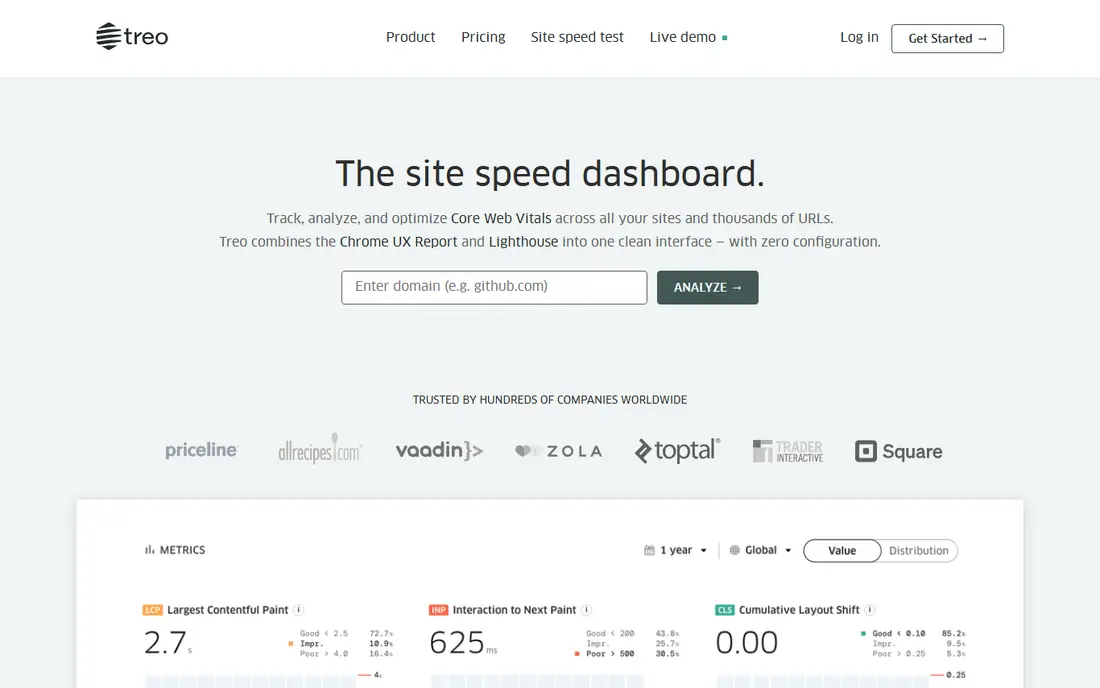
Treo works best for Lighthouse-based monitoring with a visual timeline of page loads. Treo harnesses Lighthouse to emphasize user experience metrics, with a visual representation of your site's performance that shows how the load unfolds over time.
As for the details, you can modify CPU capacity and network speed to replicate the conditions your audience actually faces, which matters when your visitors are on old phones or slow connections. It provides an API for automation, and a free trial lets you test it before paying. Treo starts at: From $79 per month. Free access: Free trial.
Where it is weaker: Smaller vendor with less documentation than the larger names.
- API access for automation
- Lets you adjust CPU and network speed to match your audience
- The $79 starting price is high for a small site
SpeedCurve
Best for: Performance teams that want synthetic tests plus real-user data tied to business
SpeedCurve makes the most sense for performance teams that want synthetic tests plus real-user data tied to business numbers. It supports Lighthouse scores, so you get performance, accessibility, and best-practice assessments alongside Core Web Vitals, and it tracks competitors so you can see whether you are quicker or slower than the sites you compete with.
From a buyer's view, the gap is CrUX: SpeedCurve does not report Google's field data, so pair it with PageSpeed Insights for the official verdict. Entry price for SpeedCurve: From $15 per month. There is no free plan with SpeedCurve.
Honest limits: Made for teams, so it is more than a small blog needs; Does not bundle Google CrUX data in its reporting. Where SpeedCurve stands out: Pairs synthetic tests with its own real-user monitoring product, LUX.
- Capable for teams
- Supports Lighthouse scores and performance budgets
- Premium only, with no free level
Calibre
Best for: Teams that want RUM, CrUX, and synthetic tests in one monitoring product
Choose Calibre for teams that want RUM, CrUX, and synthetic tests in one monitoring product. Calibre is an all-in-one web performance monitoring product for teams, and its pricing page is refreshingly public.
Points against: The $75 entry price is high for a single small site.
The Starter plan costs $75 per month and contains 5,000 real-user sessions, 5,000 synthetic tests, and Google CrUX Core Web Vitals data. Calibre starts at: From $75 per month. There is no free plan with Calibre. Upsides: scheduled synthetic tests together; Test packs let you expand capacity without changing plans.
- Solid for agencies managing multiple sites
- Pricing page is public and clear
- No free level, so you pay before you can test it
Google PageSpeed Insights
Best for: Free one-off checks with the field data Google actually uses
Where Google PageSpeed Insights fits: free one-off checks with the field data Google actually uses. The limits are real but narrow: it checks one URL at a time, keeps no history, and sends no alerts. So it cannot tell you when a metric slips next month.
Reasons to shortlist it: Completely free with no account needed.
That combination is what makes it authoritative: the field data is the same data behind Google's pass or fail verdict. It is free, needs no account, and works for any site. The starting price for Google PageSpeed Insights: Free. Free access exists with Google PageSpeed Insights. Points against: No alerts when a metric slips.
- Handles mobile and desktop in one run
- Presents CrUX field data alongside lab scores
- The report can overwhelm beginners with technical detail
Selecting SEO tools to check core web vitals: the practical checks
Check on demand when you change something, and monitor continuously if the site earns money. More specifically, a site that earns from search should run scheduled monitoring, since a new script, an image change, or a hosting problem can push a metric over the threshold without anyone noticing.
Comparing the main differences
Lab data comes from a simulated test: a tool loads your page in a controlled environment and measures what happens. On top of that, field data comes from real visitors, collected by Google through the Chrome User Experience Report, known as CrUX.
SEO Tools to Check Core Web Vitals: the basics
Core Web Vitals are three metrics Google uses to judge page experience: Largest Contentful Paint, which measures how quick the primary content loads. Interaction to Next Paint, which measures how rapidly a page responds to a tap or click; and Cumulative Layout Shift, which measures how much the page jumps around whereas loading.
How we compared the tools
Pricing pages, product documentation and feature lists were the main sources, and every entry carries at least one honest drawback. Where a price is missing, the vendor does not list one publicly or ties it to a quote. Always confirm before budgeting. Order on the page follows fit for the typical buyer first, then price transparency and free access. Your own requirements should decide the final pick.
A buyer's checklist
- Check the vendor page for the current price: SpeedCurve starts at $15 per month here, and seats or billing terms can move it.
- Read the fine print on the free plans from WebPageTest and Google PageSpeed Insights; seat, project and feature caps differ.
- Use real work to test the free trial from DebugBear and Treo, rather than a demo project.
- Before choosing DebugBear, weigh its main limit: premium only, with no free level beyond a 14-day trial.
- Check how data leaves Google PageSpeed Insights: formats, limits and whether exports are available on every plan.
- Ask the daily users to test Calibre on a live task before you roll it out to everyone.
FAQ
Do these tools publish their prices?
Yes. Every tool from DebugBear to Google PageSpeed Insights shows a starting price, though seats, add-ons and billing terms still change the final cost.
How are the tools for SEO tools to check core web vitals ordered?
DebugBear sits first and Google PageSpeed Insights last because the order follows typical fit for SEO tools to check core web vitals, then price clarity and free access. It is a judgement call, so read each profile for fit and limits.
How do I fix a bad Largest Contentful Paint score?
Start with the largest element on the page, which is typically a hero image or a headline block. Test the fix in WebPageTest with a filmstrip, which presents whether the primary content actually appears earlier after the change.
Why does my site pass in the lab but fail in the field?
Lab tests run on a quick connection and a feature-rich device, whereas field data comes from real visitors on slow connections, old phones, and busy networks. The fix is to test with realistic conditions, check the CrUX field data for your actual pages, and prioritize the issues that affect the slowest visitors, not the average ones.
Can I try these tools before paying?
Often, yes. WebPageTest and Google PageSpeed Insights have a free plan and DebugBear and Treo offer a free trial. Use your own data and a real task during the test, and check what the free tier or trial limits before you rely on it.
Do Core Web Vitals affect Google rankings?
Google uses page experience as a ranking factor, and a page that fails Core Web Vitals competes at a disadvantage against a similar page that passes.