Best Security Testing Tools for Web Applications in 2026: 8 Tools Compared
Compare the best security testing tools for web application teams in 2026, with DAST, SAST, manual testing, free options and pricing for each proven tool.
- Editor's choice
 OWASP ZAP
Free web testing
Starts atFreeVisit zaproxy.orgFull review - Great alternative
 Burp Suite
Professional manual testing
Starts atFreeVisit portswigger.netFull review - Also consider
 Acunetix
Automated web scanning
Starts atSee websiteVisit acunetix.comFull review
TL;DR:
- OWASP ZAP is the best free starting point for web application testing, while Burp Suite suits professional testers.
- Acunetix and Invicti lead for automated dynamic scanning of large web estates.
- Snyk Code and Qualys add code and cloud context, which helps teams fix issues faster.
- Always test only applications you own or have permission to test, and confirm scope before scanning.
Quick comparison
| Tool | Best for | Starts at | Free plan? | |
|---|---|---|---|---|
| OWASP ZAP | Free web testing | Free | Yes | Visit |
| Burp Suite | Professional manual testing | Free | Yes | Visit |
| Acunetix | Automated web scanning | See website | Free trial | Visit |
 Invicti | Large web estates | See website | Free trial | Visit |
 Qualys Web App Scanning | Enterprise web scanning | See website | Free trial | Visit |
 Tenable Web App Scanning | Tenable users | See website | Free trial | Visit |
 Snyk Code | Code-level web security | Free | Yes | Visit |
 Rapid7 InsightAppSec | Dynamic testing in pipelines | See website | Free trial | Visit |
The best security testing tools for web application
Web application testing covers dynamic scanning of running apps, static analysis of code, and manual testing of logic flaws. These eight tools cover those approaches for different teams.

OWASP ZAP, often called ZAP, is the best free tool for web application security testing. It can crawl a site, run automated scans, intercept traffic through a proxy, and support manual testing of complex flows. As an open source project from OWASP, it has a large community, regular updates and many add-ons.
ZAP needs more setup than a paid scanner, and reports require work to present to non-technical stakeholders. For developers, students and small teams that want to learn web testing or add a free scan to pipelines, ZAP is an excellent and honest starting point.
- Free and open source
- Automated and manual testing
- Large community and add-ons
- Needs setup and tuning
- Enterprise reporting is lighter than paid rivals
Burp Suite from PortSwigger is the standard tool for professional web penetration testers. Its proxy, repeater, intruder and decoder tools let testers inspect and modify requests in detail, which is essential for finding logic flaws that automated scanners miss. The free Community Edition covers manual testing basics well.
Automated scanning, advanced features and saved projects need the Professional licence, priced per user per year. Beginners should start with Community Edition and training material, while professional testers will find Professional hard to replace for daily work.
- Industry-standard manual testing tools
- Powerful proxy and repeater
- Active community
- Full scanner needs Professional licence
- Learning curve for beginners
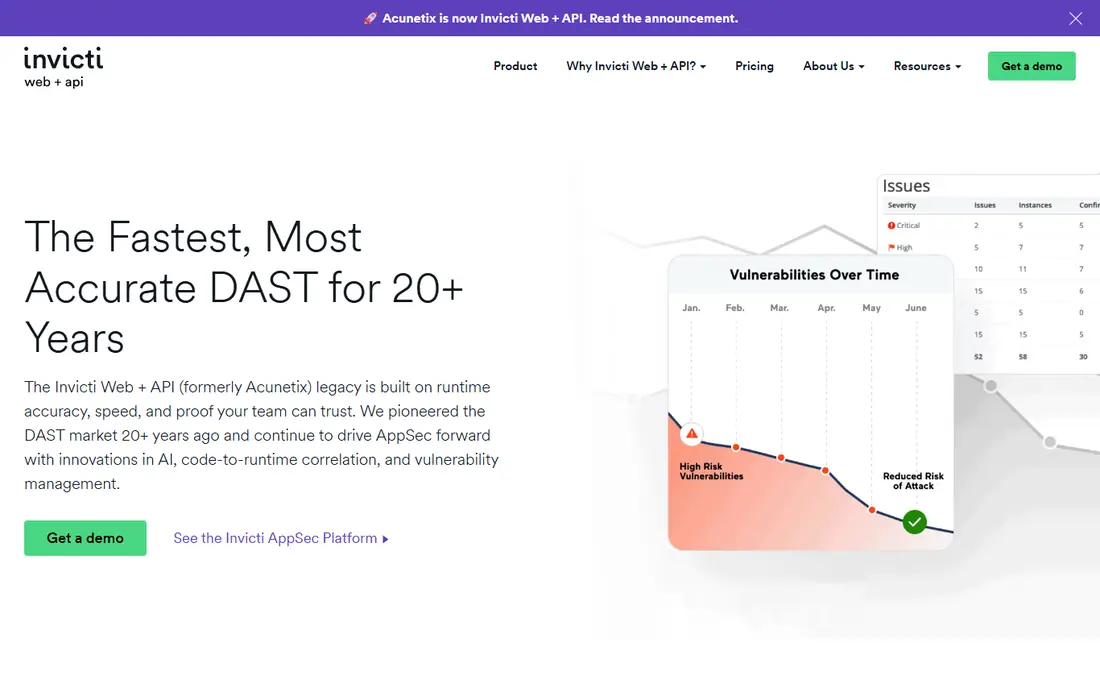
Acunetix, now part of Invicti, automates dynamic testing of websites, web applications and APIs. It crawls applications, tests for SQL injection, cross-site scripting and many other flaws, and produces reports that developers can act on. That automation suits teams that need regular scans across many sites without a full-time tester for each one.
Pricing is by quote, often based on target count, so confirm costs for your estate size. Acunetix does not replace manual testing for business logic flaws, but as an automated scanner it is one of the most proven options here.
- Automated dynamic scanning
- Good coverage of common vulnerabilities
- Clear reports
- Pricing by quote
- Manual testing still needs Burp or ZAP
Invicti focuses on large web estates where false positives waste developer time. Its proof-based scanning tries to confirm exploitable issues before reporting them, which helps teams trust results and prioritise fixes. Integrations with issue trackers and pipelines support continuous scanning as part of delivery.
Pricing is by quote based on targets and features, and complex applications with login flows need careful setup. For organisations with many websites and APIs, Invicti offers scale and accuracy that smaller scanners struggle to match.
- Proof-based scanning reduces false positives
- Scales across many targets
- Good integrations
- Pricing by quote
- Setup for complex apps takes time
Qualys Web App Scanning suits enterprises already using Qualys for vulnerability management. Web scans sit alongside infrastructure scans, asset inventory and compliance reporting, giving security teams one view of risk. That breadth helps large organisations track remediation across many teams and systems.
Smaller teams may find Qualys heavier than a focused scanner such as Acunetix, and pricing is by quote. If your organisation already runs Qualys, adding web scanning is natural. If not, a standalone web scanner may be simpler.
- Enterprise scale and reporting
- Ties to wider Qualys platform
- Compliance mapping
- Pricing by quote
- Interface is enterprise-focused
Tenable Web App Scanning, part of Tenable One, brings dynamic web testing into the wider Tenable exposure platform. Teams can see web risks alongside infrastructure and cloud risks, prioritise by exploitability, and track remediation in one place. That joined-up view helps security leaders explain risk to executives.
As with Qualys, the best value comes inside the Tenable platform, and pricing is by quote. Tenable users should trial web scanning as an addition, while non-users may prefer a standalone scanner for web-only needs.
- Web scanning inside Tenable One
- Clear risk prioritisation
- Broad asset coverage
- Pricing by quote
- Best value inside Tenable
Snyk Code adds static analysis for web application code, finding injection flaws, insecure patterns and other issues before deployment. It fits into pull requests and IDEs, so developers see problems while code is fresh. A free tier helps small teams start, with paid plans for larger usage.
Snyk Code does not test a running application, so it cannot find configuration or runtime issues that dynamic scanners catch. Pair it with ZAP, Acunetix or Invicti for full coverage: code scanning early, dynamic scanning on staging and production-like environments.
- Finds code flaws early
- Fits into pull requests
- Clear fix guidance
- Not a dynamic scanner
- Needs pairing with DAST for running apps
Rapid7 InsightAppSec offers dynamic application security testing with integrations for CI pipelines and issue trackers. Its attack replay feature helps validate findings, which reduces debate about whether an issue is real. Reporting and remediation tracking suit teams that run regular scans as part of delivery.
Pricing is by quote, and the full value comes with other Rapid7 tools for larger teams. For organisations that want dynamic testing embedded in pipelines with clear validation, InsightAppSec is a strong enterprise option.
- Dynamic scanning with pipeline integrations
- Attack replay for validation
- Good reporting
- Pricing by quote
- Rapid7 ecosystem suits larger teams
How we picked these
We compared official feature pages, pricing pages, documentation and public reviews in October 2026, favouring tools that are actively maintained, cover common web vulnerabilities, and are used by professional testers or enterprise teams. We did not claim hands-on testing. Where pricing is by quote, we used See website. Only test applications you own or have written permission to test.
How to choose a web testing tool
Start with your testing goal. Developers fixing code need static analysis such as Snyk Code. Teams checking a live site need dynamic scanning such as ZAP, Acunetix or Invicti. Professional testers doing deep assessments need Burp Suite for manual work. Most mature teams use at least two of these approaches together.
Combine automated and manual testing
Automated scanners find common flaws quickly across many targets, but they miss business logic issues, such as broken access controls in a specific workflow. Manual testing with Burp or ZAP catches those deeper issues, so schedule both for important applications.
Scan safely and with permission
Only scan targets you own or have written permission to test, use staging environments where possible, and agree on rate limits and out-of-scope areas first. Careless scanning can disrupt services or break legal rules, so confirm scope in writing before any external test.
Keep a simple remediation routine
Testing only helps if findings get fixed, so agree on a routine before your first scan. Assign each finding an owner, set a deadline based on severity, and retest after the fix. High-severity issues on public-facing apps should come first, followed by medium issues on important workflows. A clear routine turns scan reports into steady progress instead of a growing backlog.
Track fixes, not just findings
A scan report alone does not make an application safer, so track fixes through to retesting and closure. Record the severity, owner and fix date for each issue, and confirm the fix with a targeted retest. Over time, that record shows which kinds of flaws recur and where developer training or code review would help most.
FAQ
What is the best security testing tool for web applications?
OWASP ZAP is best for free testing and learning, Burp Suite Professional is best for professional manual testing, and Acunetix or Invicti are best for automated scanning at scale. The right pick depends on whether you need manual depth, automation or both.
Is OWASP ZAP really free?
Yes, OWASP ZAP is free and open source, with automated scanning, proxy tools and community add-ons. Paid tools offer easier reporting, support and scale, but ZAP covers the core testing needs of many small teams.
What is the difference between DAST and SAST?
SAST analyses source code without running it, finding flaws early in development, while DAST tests a running application from the outside. Snyk Code is SAST, while ZAP, Acunetix and Invicti are DAST tools, and mature teams use both.
Do I need permission to scan a website?
Yes, only scan websites and applications you own or have written permission to test. Unauthorised scanning can be illegal and can disrupt services, so confirm scope, timing and targets in writing first.
How often should web applications be scanned?
Scan on every major release and at least regularly for production applications, with continuous scanning for high-risk or frequently changed apps. Pair automated scans with periodic manual testing for business logic flaws that scanners miss.