Best Security Software for Home PC in 2026: 10 Suites Compared
Compare the best security software for home PC in 2026, with current prices, free plans, VPN and backup extras, and honest trade-offs for families now.

- Editor's choice
 Bitdefender Total Security
Best overall protection
Starts at$59.99 per yearVisit bitdefender.comFull review - Great alternative
 Norton 360 Deluxe
Families wanting every extra
Starts at$49.99 per yearVisit norton.comFull review - Also consider
 McAfee Total Protection
Households with many devices
Starts at$39.99 per yearVisit mcafee.comFull review
TL;DR:
- Bitdefender Total Security is our pick for most homes, thanks to strong lab results and a light footprint on older PCs.
- Norton 360 Deluxe bundles the widest set of extras, including an uncapped VPN and cloud backup, but its renewal price jumps sharply.
- McAfee is the simplest choice for a household with many devices, since its top family plan covers an unlimited number.
- Free antivirus can cover one careful user, but paid suites add ransomware protection, parental controls, and identity tools.
- Always check the renewal price before you buy, because first-year discounts rarely carry over.
Quick comparison
| Tool | Best for | Starts at | Free plan? | |
|---|---|---|---|---|
| Bitdefender Total Security | Best overall protection | $59.99 per year | Yes | Visit |
| Norton 360 Deluxe | Families wanting every extra | $49.99 per year | Free trial | Visit |
| McAfee Total Protection | Households with many devices | $39.99 per year | Free trial | Visit |
 Kaspersky Premium | Strong value with VPN included | See website | Free trial | Visit |
 ESET Home Security Premium | Light protection for older PCs | $59.99 per year | Free trial | Visit |
 Malwarebytes Premium | Simple malware cleanup | $44.99 per year | Yes | Visit |
 Avast Premium Security | Free tier plus paid extras | Free | Yes | Visit |
 Trend Micro Maximum Security | Beginners who want simplicity | $74.95 per year | Free trial | Visit |
 AVG Internet Security | Budget multi-device cover | $59.99 per year | Yes | Visit |
 Sophos Home Premium | Web filtering for families | $44.99 per year | Free trial | Visit |
The best security software for home PC
A home PC holds photos, tax files, passwords, and bank logins, so a single bad download can cause real damage. The ten suites below all block common malware, and they differ mainly in extras, device limits, and renewal pricing.

Bitdefender suits the home user who wants strong protection without constant pop-ups or settings to manage. It covers Windows, Mac, Android, and iOS, and it adds a two-way firewall, webcam protection, parental controls, and anti-theft tools to its core antivirus engine. Independent labs have repeatedly given it high marks for blocking real-world threats, which matters more than any marketing claim about speed.
The catch is the upsell structure. The included VPN is useful for occasional public Wi-Fi use, but the daily cap means heavy users will need the premium VPN upgrade. The first-year price is fair for five devices, yet you should set a renewal reminder and compare prices before the second year begins. For most families, that small bit of admin is worth it for the protection on offer.
- Strong independent lab scores
- Light system impact
- Covers five devices
- Bundled VPN is capped at 200 MB per day
- Renewal price rises after year one

Norton 360 Deluxe is the bundle for people who would rather buy one suite than stitch together separate tools. It includes antivirus, a firewall, an uncapped VPN, a password manager, parental controls, and cloud backup in a single subscription for five devices. Dark web monitoring and identity protection add a further layer for households that worry about stolen credentials.
The downside is price discipline. The first-year offer looks like a bargain, but renewal can more than double, so the two-year cost is far higher than the headline suggests. The interface also packs in many features, which can feel crowded if you only want quiet background protection. If you will actually use the VPN and backup, Norton still offers good value, but check the renewal terms first.
- Uncapped VPN
- 50 GB cloud backup
- Password manager and dark web monitoring
- Renewal price rises sharply
- The app can feel busy
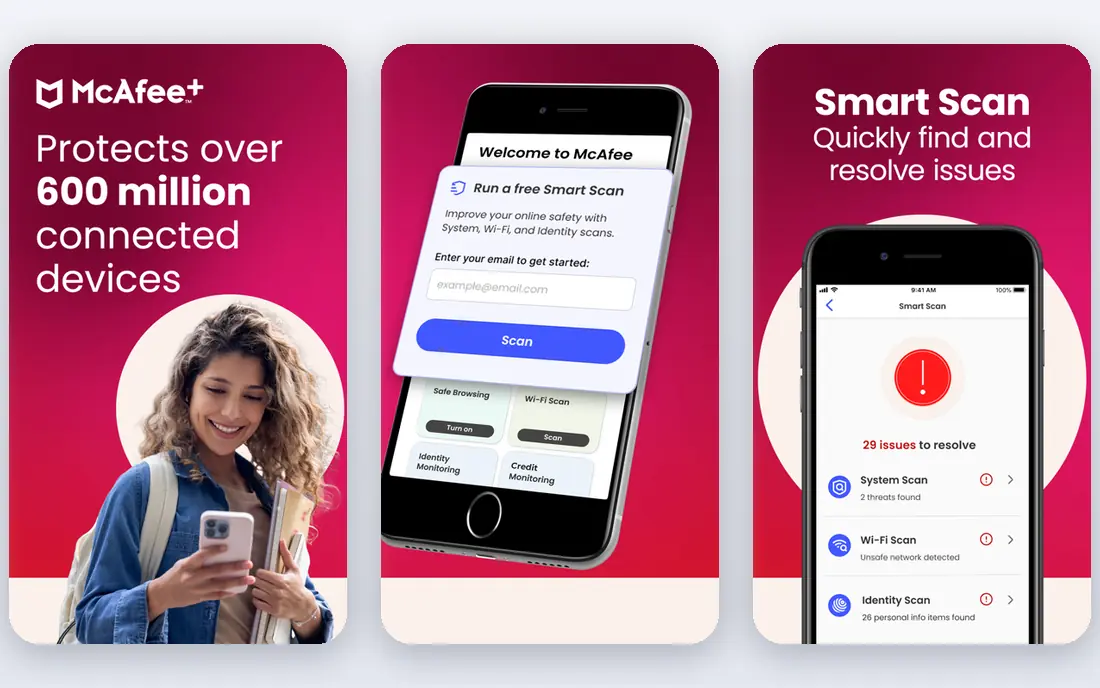
McAfee fits homes where phones, laptops, tablets, and a shared desktop all need cover, and counting devices feels like a chore. Its family plan removes that limit, which is rare at this price point, and setup is straightforward enough for a non-technical household member to finish without help. Identity monitoring and a VPN are included on higher tiers, alongside the core antivirus and firewall.
The trade-off is that the cheapest plan is not the same as the full bundle, so read the plan comparison before checkout. Renewal prices also vary, and the first-year discount can hide a larger second-year bill. For a large household that wants one subscription and little fuss, McAfee remains one of the easiest choices to live with.
- Unlimited-device family option
- Identity monitoring
- Simple setup
- Renewal pricing varies by plan
- Some extras sit behind higher tiers
Kaspersky Premium is worth a close look if you want a full VPN without paying for a separate subscription. The Premium tier adds unlimited VPN access, a password manager, and identity protection to solid antivirus, firewall, and anti-phishing tools. It covers multiple devices, and its detection record in independent tests has been consistently strong over several years.
The honest catch is regional availability and trust questions that some US buyers raise, so check current availability in your state and read the privacy policy before you commit. The interface is also denser than Trend Micro or Malwarebytes, which may put off beginners. If those points do not bother you, Premium packs a lot into one price.
- Full VPN on Premium
- Good malware blocking
- Password manager included
- Availability varies by region
- Interface takes time to learn
ESET is the pick for an older PC or a gaming machine where every bit of performance counts. Its engine is known for a small footprint, and it avoids the heavy scans and constant notifications that slow some suites down. Premium adds a password manager, data encryption, and protection against network attacks, while the core antivirus stays quiet in the background.
The weakness is breadth. ESET does not bundle an uncapped VPN or large cloud backup, so users who want an all-in-one bundle may need a second subscription. Pricing also climbs on the Premium tier, which narrows the gap with Bitdefender. For a PC that struggles under heavier suites, though, ESET is a sensible and calm choice.
- Very light on system resources
- Strong detection
- Gamer mode
- Fewer bundled extras than Norton
- Premium tier costs more
Malwarebytes started as a cleanup tool, and that focus still shows. Premium adds real-time protection, ransomware layers, and web protection to the free scanner that many technicians use to remove stubborn infections. The interface is plain and easy to follow, which suits users who distrust suites full of toggles and upsells.
The limit is scope. Malwarebytes does not try to be a VPN, backup service, and identity platform in one app, so buyers who want everything in one place should look at Norton or Bitdefender instead. It also works best as part of a wider safety habit, with updated software and careful downloads. For straightforward malware protection, it is hard to fault.
- Excellent cleanup tool
- Simple interface
- Good at removing adware
- Fewer extras than full suites
- No full VPN bundle
Avast suits the budget-conscious user who wants a free starting point and a clear upgrade path. The free edition covers core antivirus and web protection, while Premium Security adds a firewall, sandboxing for suspicious files, webcam protection, and a data shredder. Paid plans cover up to ten devices, which keeps the per-device cost low for families.
The annoyance factor is real. Free users will see upgrade prompts, and paid users should watch the renewal price, which is higher than the first-year offer. Avast has also faced past criticism over data practices, so privacy-minded buyers should read its current policy. If you want free protection with room to grow, Avast is a practical option.
- Capable free antivirus
- Sandbox and firewall on paid plans
- Multi-device cover
- Paid renewal price rises
- Upsell prompts can annoy
Trend Micro Maximum Security is built for people who want protection without learning security jargon. The interface is clear, scans are easy to schedule, and phishing protection is a genuine strength for households that receive a lot of scam email. It covers five devices across Windows, Mac, Android, and iOS, and includes parental controls and a password manager on higher tiers.
The price is the main drawback. Maximum Security starts higher than several rivals, and the extras do not match Norton at a similar or lower first-year cost. Performance is solid rather than chart-topping, though most home users will not notice the difference. If simplicity matters more than squeezing out the lowest price, Trend Micro is an easy suite to recommend.
- Clear interface
- Good phishing protection
- Parental controls
- Higher starting price
- Fewer advanced extras
AVG shares technology with Avast, and it shows in a similar balance of free value and paid extras. Internet Security adds a firewall, ransomware protection, webcam protection, and payment protection to the free antivirus engine, and it covers ten devices. That makes it a strong value pick for a household with many phones and computers.
The limits mirror Avast. The VPN is a separate purchase, and the renewal price is higher than the first year, so the long-term cost needs a check. Some users also find the upsell prompts persistent on the free tier. For a family that wants ten-device cover at a modest first-year price, AVG is worth comparing directly with Avast before deciding.
- Ten-device cover
- Capable free edition
- Simple dashboard
- Renewal price rises
- VPN sold separately
Sophos Home Premium brings business-grade web filtering to a home subscription, which is useful for parents who want control over categories of sites. It covers ten devices, includes ransomware protection, and offers a clean web dashboard for managing the household from one place. The price is competitive, and renewal increases are smaller than those of some larger rivals.
The trade-off is brand familiarity and bundle breadth. Sophos does not offer the VPN, backup, and identity extras that Norton bundles, and support resources for home users are thinner than those of Bitdefender. If web filtering and quiet, steady protection matter most, Sophos Home Premium is a solid, underrated choice.
- Strong web filtering
- Parental controls
- Covers ten devices
- Smaller consumer brand
- Fewer bundled extras
How we picked these
We compared official feature pages, current pricing pages, free plan terms, and independent lab results from AV-TEST and AV-Comparatives, alongside public reviews of real-world use. We gave weight to detection quality, system impact, device limits, renewal pricing, and the usefulness of bundled extras such as VPN, backup, and parental controls. We did not claim hands-on lab testing, and we treated first-year prices as starting points rather than long-term costs.
What to check before you pay
Count your devices and your renewal date
List every PC, phone, and tablet that needs cover, then match that count to the plan, not the headline price. A five-device plan is fine for a couple, but a family with kids may need ten devices or an unlimited plan. Put the renewal date in your calendar on the day you buy, because most suites renew automatically at a higher rate.
Decide which extras you will actually use
A VPN you never open, backup you never configure, and a password manager you never fill are wasted money. If you already pay for a VPN or cloud backup elsewhere, a leaner suite such as ESET or Malwarebytes may be cheaper over two years. If you want one bill for everything, Norton or Kaspersky Premium makes more sense.
Keep the free option honest
Free antivirus is a real option for a careful single user on one PC, especially with Windows security features already running. Paid protection earns its price when you need ransomware layers, parental controls, cross-device cover, or identity monitoring. Whatever you choose, keep your operating system and browser updated, and treat unexpected attachments and links with care.
FAQ
What is the best home pc security software for most people?
Bitdefender Total Security is our pick for most homes, because it pairs strong detection with a light footprint and five-device cover. Norton 360 Deluxe is better if you want the widest bundle, including an uncapped VPN and backup. McAfee suits households with many devices.
Is free antivirus enough for a home PC?
Free antivirus can be enough for a careful user on one PC, especially alongside updated Windows security features. It usually lacks ransomware layers, parental controls, and identity monitoring. Paid suites are worth it when you need cover across several devices or want those extras in one place.
Do I still need security software if I have Windows Defender?
Windows Defender provides solid baseline protection and is far better than running nothing. Paid suites add cross-platform cover, stronger ransomware protection, VPN and backup options, and parental controls. Many users keep Defender alone and stay safe, but families and small businesses often benefit from a paid suite.
Why does the renewal price jump so much?
Vendors discount the first year to win new customers, then renew at the standard rate. That standard rate can be double the first-year price. Check the renewal figure on the pricing page, set a reminder, and compare rival offers before the renewal date arrives.
How many devices should my plan cover?
Count every device that stores personal data or logs into bank and email accounts, including phones and tablets. Five devices suit a couple or small household, while ten devices or an unlimited plan suits a larger family. Buying too few devices leaves gaps that malware can exploit.
Sources
- https://www.bitdefender.com/solutions/total-security.html
- https://www.norton.com/products/norton-360-deluxe
- https://www.mcafee.com/en-us/antivirus/mcafee-total-protection.html
- https://www.kaspersky.com/premium
- https://www.eset.com/us/home/
- https://www.malwarebytes.com/premium
- https://www.avast.com/premium-security
- https://www.trendmicro.com/en_us/forHome/products/maximum-security.html
- https://www.avg.com/en-us/internet-security
- https://www.sophos.com/en-us/products/home-antivirus