Best Secret Management Tools for Enterprise DevSecOps in 2026: 8 Tools Compared
Compare the best secret management tools for enterprise DevSecOps teams, with pricing, access controls, rotation and audit features explained in plain terms.

- Editor's choice
 HashiCorp Vault
Large multi-cloud DevSecOps teams
Starts atSee websiteVisit hashicorp.comFull review - Great alternative
 CyberArk Secrets Manager
Regulated enterprises with privileged access rules
Starts atSee websiteVisit cyberark.comFull review - Also consider
 AWS Secrets Manager
Teams running most workloads on AWS
Starts at$0.40 per secret per monthVisit aws.amazon.comFull review
TL;DR:
- Vault and CyberArk suit large teams with strict audit and access rules, while cloud vaults suit teams already committed to one cloud.
- Doppler and Infisical are easier to adopt for app teams that need fast environment sync and a clear free starting point.
- Short-lived and automatically rotated credentials reduce the damage if a single secret is exposed in logs or code.
- Price by secret, seat, or client, so compare total cost on your real secret count and team size, not the headline rate.
Quick comparison
| Tool | Best for | Starts at | Free plan? | |
|---|---|---|---|---|
| HashiCorp Vault | Large multi-cloud DevSecOps teams | See website | Free trial | Visit |
| CyberArk Secrets Manager | Regulated enterprises with privileged access rules | See website | Free trial | Visit |
| AWS Secrets Manager | Teams running most workloads on AWS | $0.40 per secret per month | Free trial | Visit |
 Azure Key Vault | Teams running most workloads on Azure | See website | Free trial | Visit |
 Google Cloud Secret Manager | Teams running most workloads on Google Cloud | See website | Yes | Visit |
 Doppler | App teams that need fast environment sync | $21 per user per month | Yes | Visit |
 Akeyless | Multi-cloud teams that want a managed vault | See website | Yes | Visit |
 Infisical | Open source friendly teams and growing startups | $18 per identity per month | Yes | Visit |
The best secret management tools for enterprise DevSecOps
We compared official pricing pages, feature lists, and public documentation for best secret management tools enterprise devsecops, and we focused on what a regular buyer will actually use week to week. The list below mixes well-known leaders with strong smaller options, so you can match a tool to your budget and skill level, not just to brand fame.
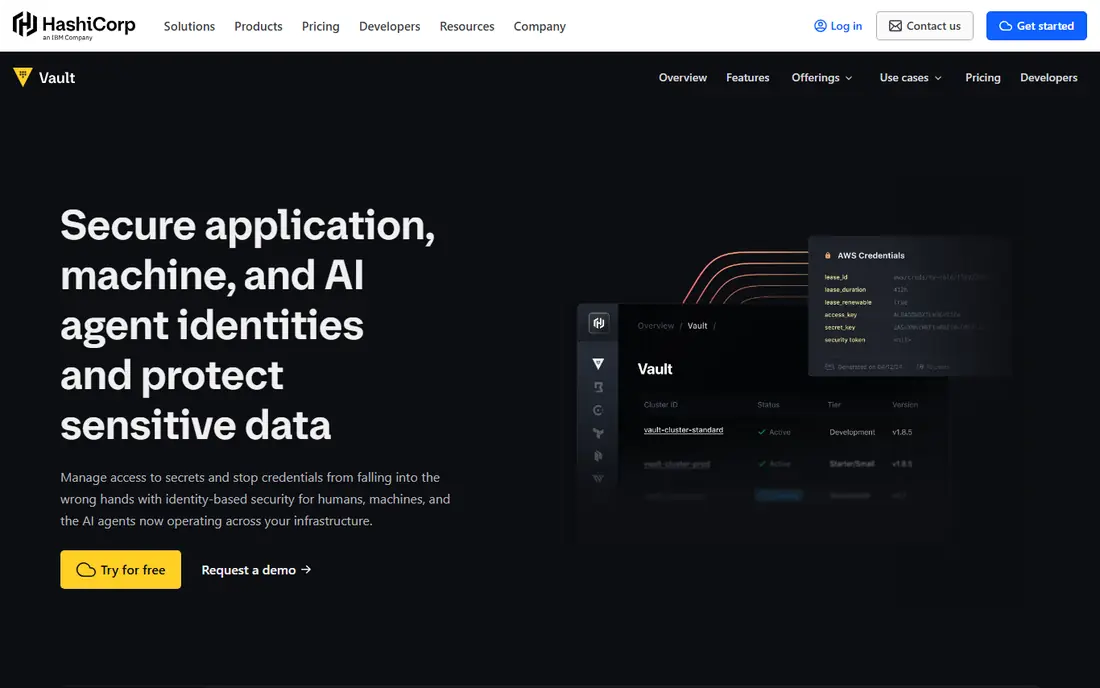
Vault is built for teams that treat secrets as a platform service, not a shared file. It can issue database credentials that expire after minutes, so a leaked value has a short useful life.
Its auth methods cover machines, people, and cloud identities, and its audit logs give security teams a clear record of who asked for what and when.
The catch is operational weight. A self-hosted cluster needs care around unsealing, backups, and upgrades, so smaller teams may prefer the managed service or a simpler tool.
- Dynamic secrets and short-lived credentials
- Broad auth methods and audit logging
- Managed cloud option
- Needs skilled operators for self-hosted setup
- Pricing is quote based for enterprise use
CyberArk Secrets Manager
Best for: Regulated enterprises with privileged access rules

CyberArk fits organisations that already manage privileged accounts and want secrets under the same controls. It connects credential vaulting with rotation, so passwords and keys do not sit unchanged for months.
For auditors, the appeal is central policy and reporting. Access can be tied to roles, approval steps, and session records, which helps in finance, health care, and other regulated work.
The downside is effort and cost. Expect a guided deployment and a custom quote, which makes CyberArk a poor first pick for a startup that only needs app environment variables.
- Central control for human and machine identities
- Rotation and vaulting in one platform
- Strong audit and compliance reporting
- Sales-led pricing with no public list price
- Setup can be heavy for small teams
If your apps already live on AWS, this is the path of least resistance. Secrets stay close to the services that use them, and identity policies decide which role or user can read each value.
Rotation is the standout feature for database credentials. Supported databases can get new passwords on a schedule without manual edits across app servers.
The limit is scope. A multi-cloud team will still need another tool or a sync layer, and a sprawling secret count can make the monthly bill harder to predict than a flat seat price.
- Native rotation for supported databases
- Fine-grained AWS identity controls
- Pay per secret and API call
- Less natural outside AWS
- Costs grow with secret count and calls
Azure Key Vault is the natural home for secrets in a Microsoft-centred estate. Apps authenticate with Azure identities, so there is no extra credential to protect just to fetch a secret.
It also handles keys and certificates, which helps teams that manage TLS and signing alongside passwords and API tokens. The premium tier adds hardware-backed key protection for stricter cases.
The weakness is the same as other cloud vaults. Outside Azure, the integration story thins out, and teams should check operation pricing before moving high-volume workloads into it.
- Secrets, keys, and certificates in one vault
- Tight Azure identity integration
- Managed hardware security module option
- Pricing is usage based and can be confusing
- Weaker fit outside Azure
Google Cloud Secret Manager
Best for: Teams running most workloads on Google Cloud
Google Cloud Secret Manager wins on simplicity. A secret is a versioned value with an access policy, and Google Cloud workloads can read it with their own service identity.
That plain model is a strength for app teams. There is less to learn, and the free allowance covers small projects, so a team can start without a procurement conversation.
The trade-off is depth. Teams that need automatic rotation for many database types or a full privileged access suite will need extra tooling around it.
- Simple versioned secrets with clear access controls
- Easy use from Google Cloud services
- Free tier for small use
- Fewer built-in rotation options than some rivals
- Best inside Google Cloud
Doppler is the developer-friendly option on this list. It organises secrets by project and environment, then syncs them to apps, CI pipelines, and hosting platforms without manual copy and paste.
That sync is where it earns its keep. A staging value stays in staging, a production value stays in production, and changes flow through one controlled place instead of chat messages and spreadsheets.
The catch is scale and scope. Large enterprises with complex machine identity needs may outgrow it, and per-seat pricing means a big team should model the annual total before committing.
- Clear dashboard and environment sync
- Integrations with common CI and hosting tools
- Free plan for small teams
- Per-seat cost grows with large teams
- Less depth for machine identity at enterprise scale
Akeyless suits teams that want vault capability without running vault infrastructure. As a managed service, it removes cluster care while keeping secrets encrypted in a way the vendor cannot read in plain form.
It covers static and dynamic secrets, keys, and certificates, and it connects to common clouds and pipelines. That breadth helps a team that uses more than one cloud and does not want three separate vaults.
The main limits are price transparency and ecosystem size. Enterprise terms are quoted, and the community and third-party content are smaller than for Vault or the cloud vaults.
- Managed SaaS vault with zero-knowledge design
- Dynamic secrets and key management
- Broad cloud and CI integrations
- Enterprise pricing is custom
- Smaller community than the largest vendors
Infisical is a good middle path between a raw open source project and a heavy enterprise platform. Teams can self-host the open source core or use the cloud service with the same basic model.
Environment sync, access controls, and audit features cover the daily needs of app teams, and the free tier lets a small team prove the workflow before paying.
The honest limit is maturity. It does not yet match the depth of Vault or CyberArk for complex enterprise policy, so very large regulated teams should test it against their hardest requirements first.
- Open source core with cloud hosting
- Environment sync and access controls
- Free tier for small teams
- Younger platform than Vault or CyberArk
- Some enterprise features sit on paid tiers
How we picked these
We started with products that exist and work today, and that truly fit best secret management tools enterprise devsecops. We checked each vendor official homepage, pricing page, and feature list, and we left out products that were discontinued, that only partly fit the topic, or that had no clear official home. Where we could not verify a price, we wrote See website rather than guessing.
We also weighed fit for different buyers. A tool can be excellent for one person and wrong for another, so we looked at ease of use, core features, free options, and honest limits. That is why the list includes free tools, mid-priced tools, and enterprise options, instead of only the most famous names.
How to choose a secret management tool for DevSecOps
Start with the job, not the feature list
Write down the one job you need done most often, and the one job you need done second. A tool that does those two jobs well will serve you better than a tool with a long feature list that misses your main need. Test that job in a free plan or trial before paying, and bring a real example from your own work, not just a demo file.
Check total cost and limits before you commit
Look past the headline price. Check seat costs, per-secret or per-site charges, renewal prices, and what happens when you hit a limit. A free plan that caps your main job is not really free, and a low monthly price that renews much higher can surprise you in year two. Read the pricing page and the limits page together.
Test the everyday workflow, not just the demo
A demo can hide friction. Try the steps you will repeat, such as adding a new item, sharing with a teammate, or exporting a file. If those steps feel slow or confusing in a trial, they will feel worse after a year of daily use. Ask a teammate to try the same steps, since a second view often catches problems the first user missed.
Plan for growth and for leaving
Choose a tool that can grow with you, but also check how you can export your data if you leave. A tool that locks your work inside a closed format can cost more later than a slightly pricier tool with open export. Keep a copy of your key data outside the tool, and note the export steps before you build a large project in it.
FAQ
What is the best option for best secret management tools enterprise devsecops?
There is no single best option for every buyer, because best secret management tools enterprise devsecops covers different budgets and skill levels. For most people, the first product on this list is a safe starting point, while a specialist need may point to a later product. Start with your main job, test a free plan or trial, and compare total cost before you commit.
Is there a free option for best secret management tools enterprise devsecops?
Yes, several products on this list offer a free plan or a free trial, and we note that in the comparison table. A free plan is often enough for a small project or a test, but it may limit features, storage, or team size. Check the free limits before you build a large project on a free tier.
How much should I expect to pay?
Prices range from free to quote-based enterprise plans, and the right price depends on team size, volume, and features. A solo user can often start free or at a low monthly price, while a team or a business with strict controls will pay more. Compare the total annual cost, including seats and add-ons, not just the monthly headline.
How do I avoid picking the wrong tool?
Define your main job, test it in a trial, and check export options before you commit. Read recent user reviews for problems that affect your use case, and avoid tools that hide pricing or lock your data. If a tool feels confusing in a trial, it will rarely feel simpler after you pay.
Can I switch tools later if I change my mind?
In most cases, yes, but switching takes time, especially if you have built a large project or a large collection. Check export formats and migration guides before you start, and keep a backup of your key data. A tool with clear export options is safer than one that makes leaving hard.