Best School Accounting Software in 2026: 8 Tools Compared
Compare the best school accounting software in 2026, from Blackbaud and FACTS to QuickBooks and Xero, with fund accounting, tuition, and pricing notes.
- Editor's choice
 Blackbaud Financial Edge NXT
Large schools
Starts atSee websiteVisit blackbaud.comFull review - Great alternative
 FACTS
Private K-12 schools
Starts atSee websiteVisit factsmgt.comFull review - Also consider
 QuickBooks Online
Small schools
Starts atSee websiteVisit quickbooks.intuit.comFull review
TL;DR:
- Blackbaud Financial Edge NXT suits larger schools and districts that need fund accounting, grants, and detailed reporting.
- FACTS suits private K-12 schools that want tuition billing, payments, and accounting in one system.
- QuickBooks Online and Xero suit small schools and tutoring centres that need general accounting without school-specific modules.
- Sage Intacct suits multi-entity school groups that need consolidation, approvals, and audit trails.
- Check fund accounting, tuition integration, and state reporting needs before you pick, since general tools may need add-ons.
Quick comparison
| Tool | Best for | Starts at | Free plan? | |
|---|---|---|---|---|
| Blackbaud Financial Edge NXT | Large schools | See website | No | Visit |
| FACTS | Private K-12 schools | See website | No | Visit |
| QuickBooks Online | Small schools | See website | Free trial | Visit |
 Xero | Small schools | See website | Free trial | Visit |
 Sage Intacct | Multi-entity groups | See website | No | Visit |
 Aplos | Nonprofit schools | See website | Free trial | Visit |
 Zoho Books | Budget-conscious schools | Free | Yes | Visit |
 FreshBooks | Small tutoring centres | See website | Free trial | Visit |
The best school accounting software
The best accounting software for schools must handle more than invoices and expenses. Schools track funds by purpose, manage tuition and fees, report to boards and states, and often manage grants with strict rules. General accounting tools can work for a small school, but larger schools usually need fund accounting and tuition links. This list mixes school-specific systems with general tools that small schools use well.
Blackbaud Financial Edge NXT is built for schools and nonprofits that must track money by fund, grant, and purpose. A school can separate operating funds, restricted gifts, and grants, then report on each without manual spreadsheets. Budget tools, approvals, and audit trails suit boards and auditors, and the system links to other Blackbaud products for enrolment and fundraising where a school uses them. For a larger private school or district, that structure is a real strength.
The cost is scale and setup. Pricing is quote-based, implementation takes time, and staff need training to use fund accounting well. A small tutoring centre or a single small school will find it heavy and costly. Larger schools that need fund-level control and grant reporting should shortlist it first and ask for a demo with their own chart of accounts.
- True fund accounting for schools and nonprofits
- Grant and budget tools
- Detailed board reporting
- Enterprise pricing and setup time
- Training needed for staff
- Overkill for a very small school
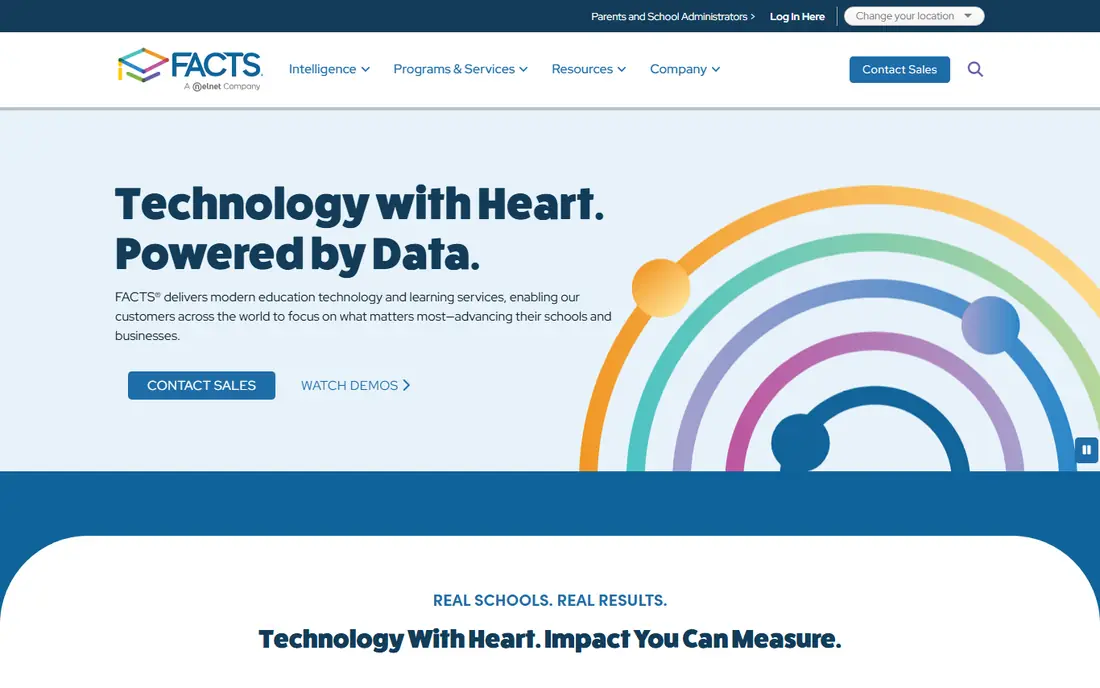
FACTS serves private K-12 schools with tuition management, payment plans, and billing tools that link to student records. Families can pay tuition and fees online, set payment plans, and receive reminders, while the school tracks who has paid and who is behind. That tuition link is why many private schools pick FACTS over a general accounting tool: billing, enrolment, and payments stay connected.
FACTS packages vary, so a school must check which accounting features sit in its chosen package and whether a separate general ledger tool is still needed. Pricing is quote-based and depends on enrolment and services. Schools should ask for a clear map of tuition billing to general ledger posting before they sign, and plan migration around a term break where possible.
- Tuition billing and payments built in
- Enrolment and student billing links
- School-focused support
- Pricing is quote-based
- Accounting depth varies by FACTS package
- Migration takes planning

QuickBooks Online is the most common general accounting choice for small schools, tutoring centres, and after-school programs. It covers invoicing, expenses, bank feeds, and reports, and most local accountants already know it. Payroll and payment add-ons cover staff pay and parent payments, and class or location tracking can separate programs with careful setup. For a small school with simple funds, that familiarity saves training time.
The limit is fund accounting. QuickBooks can track classes and projects, but it does not offer the fund-level controls and grant reporting of Blackbaud or Sage Intacct without workarounds. Tuition billing also needs care, since parent billing and payment plans are not school-specific. Small schools with one main fund will be fine; larger schools with many restricted funds should look at school-specific tools.
- Widely known and easy to hire for
- Invoicing, expenses, and payroll add-ons
- Many accountant partners
- No true fund accounting out of the box
- Tuition tools need add-ons
- Class tracking needs setup
Xero suits small schools that want a clean, cloud-based ledger with strong bank feeds and invoicing. Staff can send fee invoices, track expenses, reconcile bank accounts, and share access with an accountant. The app marketplace adds payment, payroll, and reporting tools, so a school can build a simple stack around Xero. Its interface is often easier for non-accountants than older desktop tools.
As with QuickBooks, Xero is a general tool, not a school system. Tuition plans, enrolment links, and fund accounting need manual setup or add-ons, and US payroll coverage varies by state and partner. A small school, preschool, or tutoring centre with simple billing will find Xero a good fit. A school with complex grants or many funds should test whether add-ons truly meet reporting needs.
- Clean interface and bank feeds
- Invoicing and expense tools
- Strong app marketplace
- No school-specific tuition module
- Fund tracking needs manual setup
- US payroll options vary
Sage Intacct serves school groups, charter networks, and multi-campus organisations that need consolidation across entities. Finance teams can track funds, grants, and dimensions such as campus, program, and donor, then consolidate reports without merging spreadsheets. Approvals, audit trails, and role controls suit organisations with board and auditor scrutiny. It is a strong step up from QuickBooks for a growing school group.
Pricing and implementation are enterprise-level, and most buyers work with a Sage partner to set up dimensions and reports. A single small school will find it costly and complex. A multi-entity group that spends hours consolidating monthly reports should compare Sage Intacct with Blackbaud, using its own entities and funds as the demo test.
- Strong fund and grant accounting
- Multi-entity consolidation
- Approvals and audit trails
- Enterprise pricing
- Implementation needs a partner
- Training time for finance staff
Aplos is built for nonprofits, including nonprofit schools, with fund accounting at its core. A school can track donations by fund, manage grants, and produce board reports that show restricted and unrestricted money clearly. Donation tools link gifts to funds, which helps small nonprofit schools that rely on giving alongside tuition. Pricing is lower than enterprise school systems, and a trial lets a team test fit.
Aplos is less deep than Blackbaud or Sage Intacct for a large school with many entities or complex grants. Payroll runs through partners, and some features are US-focused. For a small nonprofit school that needs true fund accounting without an enterprise budget, Aplos is a strong middle option between QuickBooks and Blackbaud.
- Fund accounting for nonprofits
- Donation and grant tracking
- Simple reports for boards
- Less depth than Blackbaud for large schools
- Payroll needs an add-on
- US-focused features
Zoho Books suits a very small school, preschool, or tutoring centre on a tight budget. The free plan covers basic invoicing and accounting for small volumes, and paid plans add more users and automation. Bank feeds, expense tracking, and reports cover daily needs, and links to Zoho CRM, Forms, and other Zoho apps help a small team manage enquiries and billing in one vendor stack.
Zoho Books is a general tool, so tuition plans and fund accounting need manual setup. Support and payroll options vary by country, so US schools should check payroll coverage before relying on it. For a small program with simple fees and one main fund, the free or low-cost plan is hard to beat. Larger schools should move to a school-specific system.
- Free plan for small use
- Invoicing, expenses, and bank feeds
- Links to other Zoho apps
- No school-specific modules
- Fund accounting needs workarounds
- Support and payroll vary by region
FreshBooks fits tutoring centres, coaches, and small education services that bill by session or hour. Invoicing is simple, clients can pay through a portal, and time tracking links hours to invoices. That service billing flow suits a tutoring business far better than a full school ledger, and non-accountants can learn it fast. A free trial lets a small team test invoicing before paying.
FreshBooks is not a school accounting system. It lacks fund accounting, grant tracking, and enrolment links, and it suits service billing rather than a full school with tuition, fees, and board reporting. A tutoring centre with simple billing will like it. A K-12 school with funds, grants, and state reporting should pick a school-specific tool instead.
- Simple invoicing and time tracking
- Client portal for parents
- Easy for non-accountants
- Not a full fund accounting system
- Inventory and payroll depth limited
- Best for services, not large schools
How we picked these
We compared official feature pages, pricing pages, and school and nonprofit documentation for accounting systems with a working product in October 2026. We kept tools used by schools, with fund accounting, tuition billing, or general ledger strength, and we mixed school-specific systems with general tools so small schools have low-cost options. We did not claim hands-on testing, and we used See website where pricing is quote-based or varies by enrolment.
What a school should check first
Start with funds and reporting. List every fund, grant, and restricted gift the school must track, and ask each vendor to show a report for those funds using your own terms. Next, map tuition and fees: how families pay, how payment plans work, and how billing posts to the ledger. Finally, check payroll, state reporting, and auditor access, since those needs often decide between a general tool and a school system.
Migration and training
Accounting migration should run around a term break, with a parallel run where the old and new systems both record a month of transactions. Train finance staff first, then office staff who bill families, and keep a written guide for common tasks such as refunds, payment plans, and fund transfers. Ask vendors about data export, since a school should be able to leave with its full ledger history intact.
FAQ
What is the best school accounting software for a private K-12 school?
FACTS suits many private K-12 schools because tuition billing and payments link to student records. Blackbaud Financial Edge NXT suits larger schools that need fund accounting and grant reporting. Small private schools may start with QuickBooks Online or Xero and add tuition tools.
What is the best accounting software for schools with fund accounting?
Blackbaud Financial Edge NXT and Sage Intacct lead for fund and grant accounting, with Aplos as a lower-cost nonprofit option. QuickBooks and Xero can track classes and projects but lack true fund controls without workarounds. Test each vendor with your own funds before you choose.
Can a small school use QuickBooks for accounting?
Yes, a small school with simple funds can use QuickBooks Online for invoicing, expenses, and reports, and most accountants know it. It needs careful setup for programs and tuition, and it is not ideal for many restricted funds or grants. Larger schools should use a school-specific system.
Does FACTS handle school accounting?
FACTS handles tuition billing, payments, and related school billing, with accounting features that vary by package. Some schools use FACTS for billing and a separate ledger for full accounting. Ask FACTS to map tuition billing to ledger posting for your chosen package before you sign.
What should a school budget for accounting software?
General tools such as Zoho Books, QuickBooks, and Xero cost far less than school-specific systems such as Blackbaud or Sage Intacct, which price by quote and enrolment. Budget also for implementation, training, and any payroll or payment add-ons, since those costs can exceed the base subscription.
How do schools track grants in accounting software?
Grant tracking needs fund or dimension tracking that separates grant money from operating money and shows spending against the grant budget. Blackbaud, Sage Intacct, and Aplos offer fund or grant tracking for this purpose. General tools need manual class or project setup and may not satisfy auditor reporting for complex grants.