Best Sales Tax Automation Software in 2026: 9 Tools Compared
We compared the best sales tax automation software for 2026, from Avalara and TaxJar to Anrok and Kintsugi, on price, coverage and filing power for sellers.

- Editor's choice
 Avalara AvaTax
Large and global businesses
Starts atSee websiteVisit avalara.comFull review - Great alternative
 TaxJar
US ecommerce sellers
Starts at$39 per monthVisit taxjar.comFull review - Also consider
 Anrok
SaaS companies
Starts at$100 per market per monthVisit anrok.comFull review
TL;DR:
- The best software for sales tax automation depends on what you sell: TaxJar suits US ecommerce, Anrok suits SaaS, and Avalara suits large enterprises.
- Filing matters more than calculation: several tools calculate tax but only some file and remit returns for you.
- Published starting prices range from free monitoring plans to $100 per market per month, and per-state fees can dominate the total.
- Stripe Tax is the simplest choice if you already bill through Stripe, but it only helps where you are registered.
Quick comparison
| Tool | Best for | Starts at | Free plan? | |
|---|---|---|---|---|
| Avalara AvaTax | Large and global businesses | See website | No | Visit |
| TaxJar | US ecommerce sellers | $39 per month | Free trial | Visit |
| Anrok | SaaS companies | $100 per market per month | No | Visit |
 Stripe Tax | Businesses billing through Stripe | 0.5% per transaction | No | Visit |
 Kintsugi | Growing teams wanting full automation | Free | Yes | Visit |
 Numeral | Predictable per-filing pricing | $75 per filing | Yes | Visit |
 TaxCloud | Budget US sellers | $19 per month | Free trial | Visit |
 Quaderno | Digital sellers with global sales | $29 per month | Free trial | Visit |
 Zamp | Fully managed compliance | See website | No | Visit |
The best sales tax automation software
Sales tax automation means calculating the right rate at checkout, tracking where you have nexus, and filing returns on time. The tools below differ on coverage, filing and price, so the right one depends on your sales channels and how many states you touch. This article is general information, not tax advice, and nexus rules vary by state, so confirm your obligations with a tax professional.

Avalara AvaTax is the enterprise standard for sales tax automation. It calculates tax across thousands of US jurisdictions and more than 190 countries, integrates with major ERPs and ecommerce platforms, and pairs with Avalara Returns for filing and Avalara CertCapture for exemption certificates. Recent independent comparisons list Avalara pricing from around $69 to $79 per state per month for smaller companies, with custom quotes above that, and registration around $403 per state.
The trade-off is cost and complexity. Avalara is quote-based, onboarding takes longer than a self-serve tool, and support tiers are sold separately. For a large or fast-growing business with ERP systems and global sales, it is the most complete platform here. For a small seller in a few states, it is more than you need, and TaxJar or TaxCloud will cost far less.
- Covers US and 190-plus countries
- Deep ERP integrations
- Full filing and exemption certificate tools
- Quote-based pricing
- Onboarding is heavier than smaller tools

TaxJar is the best-known self-serve option for US ecommerce sellers. Its Starter plan is $39 per month for up to 200 orders, and Professional is $99 per month, with AutoFile credits sold separately to file returns in each state. It connects with Shopify, Amazon, WooCommerce and other channels, tracks nexus as your sales grow, and produces state reports that show what you owe and where.
The honest limit is geography. TaxJar covers US sales tax only, so sellers with European or global VAT needs must add another tool. Within the US, though, it is the easiest product here to set up without a sales call, and it is our pick for most people running a US online store.
- Simple self-serve setup
- AutoFile files returns for you
- Strong marketplace integrations
- US only, no VAT or GST
- AutoFile credits cost extra
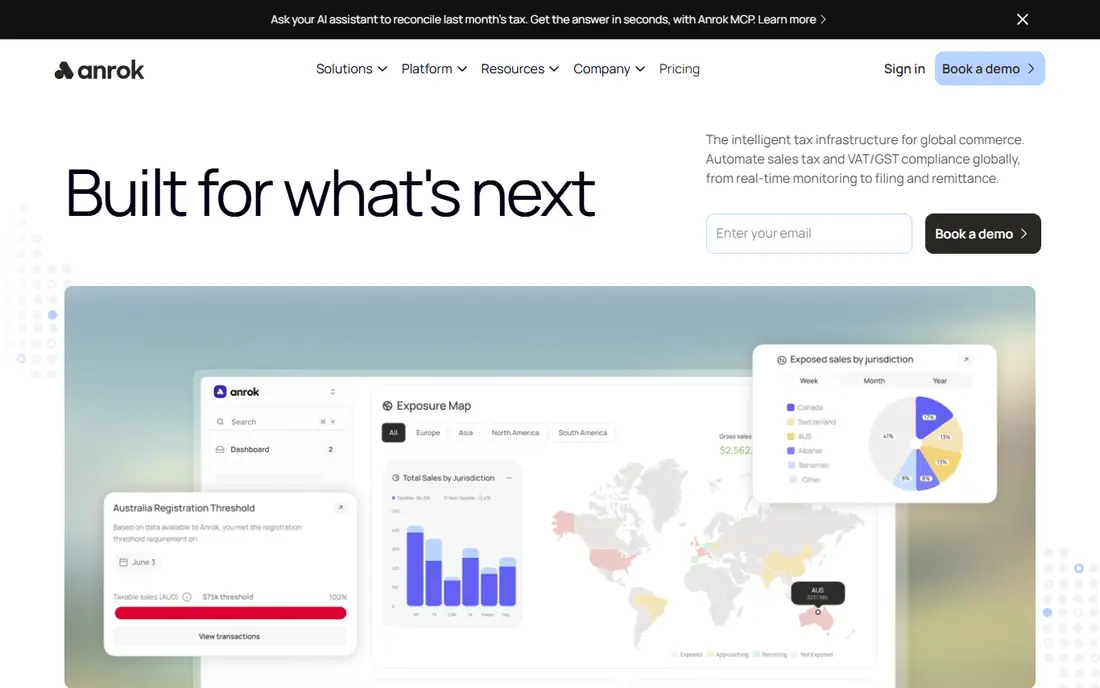
Anrok is purpose-built for software and subscription companies, which face different tax questions than goods sellers: is this subscription taxable in this state, and how do you treat multi-year contracts and credits? Anrok answers those questions with taxability logic for SaaS, deep Stripe and NetSuite integrations, and filing across the US and more than 150 countries. Its Starter pricing is listed at $100 per market per month.
The cost scales with your footprint, since each market adds to the bill, so a SaaS company registered in 20 states pays accordingly. For a SaaS business, though, the specialization is worth it: generic tools often misclassify software revenue, while Anrok is built around exactly that problem. If you sell physical goods, TaxJar or Avalara will fit better.
- Built for SaaS and subscription billing
- Stripe and NetSuite integrations
- US and global coverage
- Per-market pricing adds up as you register widely
- Less suited to physical goods sellers
Stripe Tax is the simplest sales tax tool in the world if you already bill through Stripe. It calculates tax on invoices, subscriptions and checkout sessions, monitors where you may need to register, and supports sales tax, VAT and GST in more than 100 countries. Pricing is 0.5 percent per transaction for the no-code setup, or 50 cents per transaction through the API where you are registered, with filing available on a paid tier.
The limit is obvious: it only helps with Stripe transactions. If you also sell on Amazon, through a POS or through another processor, those sales need another tool. But for a SaaS or digital business that bills entirely through Stripe, Stripe Tax removes a whole integration project, and it is the easiest option on this list to switch on.
- Native to Stripe billing
- Covers 100-plus countries
- No separate dashboard to learn
- Only works inside Stripe
- Filing requires a paid tier
- Percentage pricing grows with revenue
Kintsugi is a newer automation platform aimed at growing SaaS and ecommerce teams that want the whole job handled: nexus monitoring, registration, calculation, filing and remittance. Its free plan covers exposure monitoring, and paid filing is listed from $75 per filing or registration on the Starter tier, with Premium pricing custom. Coverage spans the US, Canada, the EU, the UK and more than 100 countries.
The newer-vendor caveat applies: Kintsugi does not have Avalara's decades of history, and per-filing pricing means a business filing in many states each month should model the total before signing. For a growing team that wants automation without hiring tax staff, though, it is a strong modern choice, and the free monitoring plan is a genuinely useful starting point.
- Free exposure monitoring plan
- End-to-end automation for SaaS and ecommerce
- Global coverage
- Paid filing is per return, so costs vary
- Newer vendor than Avalara
Numeral keeps pricing unusually clear: free sales tax monitoring, $75 per return filed, and $150 one-time per state registration, with Enterprise plans custom for larger needs. It handles calculation, filing and remittance for US sellers, and its dashboard shows exposure and upcoming deadlines without jargon. For a small seller who wants to know exactly what each filing costs, that transparency is refreshing.
The limit is international scope. Numeral is US-focused, with broader global coverage only on Enterprise plans, so EU-heavy sellers should look at Quaderno or Kintsugi instead. For a US seller filing in a handful of states, Numeral is one of the easiest prices to budget, and it is our pick for predictable per-filing costs.
- Free nexus monitoring
- One clear price per filing
- $150 one-time registration per state
- US-focused
- Global VAT and GST need an Enterprise arrangement
TaxCloud is the budget pick for US sellers, with plans listed from $19 per month and a filing service from $39 per month. Its standout feature is free filings in Streamlined Sales Tax member states for qualifying sellers, which can cut the filing bill sharply if your sales concentrate in those states. It integrates with Shopify, WooCommerce and other storefronts, and it handles calculation and reporting for US jurisdictions.
The trade-offs are scope and packaging. TaxCloud is US only, and the filing service is a separate line item on some plans, so read the plan details before comparing headline prices. For a small US seller watching every dollar, though, it is the lowest-cost credible option here, especially in Streamlined states.
- Low starting price
- Free filings for Streamlined Sales Tax states
- Shopify and WooCommerce integrations
- US only
- Filing service from $39 per month on top of some plans
Quaderno is built for digital product and SaaS sellers with customers around the world. It calculates and files sales tax, VAT and GST, issues compliant invoices, and connects with Stripe, PayPal and other billing tools. Its own comparison lists pricing from $29 per month, with tiers rising by transaction volume, and a free trial is available.
The catch is volume caps: lower tiers limit monthly transactions, so a fast-growing seller can outgrow the entry plan quickly. US-only sellers will also find TaxJar's state filing deeper. But for a small team selling ebooks, templates, software or courses into Europe and beyond, Quaderno is the most straightforward global option at this price.
- Global sales tax, VAT and GST in one tool
- Invoicing included
- Transaction-based tiers
- Monthly transaction caps on lower tiers
- US filing depth is thinner than TaxJar
Zamp takes a different approach: instead of selling you software to operate, it runs your sales tax compliance as a managed service, handling nexus analysis, registration, calculation, filing and remittance for you. It offers a free nexus analysis to start, covers the US and Canada, and is aimed at businesses that would rather hand the whole problem to specialists than learn another dashboard.
The price is quote-only, so you cannot compare it without a sales call, and hands-on operators may miss the control of a self-serve tool. But for founders who want sales tax fully off their plate, Zamp is the most service-led option here, and it is worth a quote alongside Avalara if your business is growing fast.
- Done-for-you service model
- Free nexus analysis
- US and Canada coverage
- Quote-only pricing
- Less self-serve control than TaxJar
How we picked these
We compared official pricing pages, coverage claims and filing capabilities for the leading sales tax platforms in October 2026, and favored tools that publish prices, actually file returns, and fit a clear seller type. We excluded income tax and tax preparation software, which solve a different problem, and we noted where pricing is quote-based rather than published. This article is general information, not tax advice.
How to choose the right tool
Start with where you sell and what you sell. US-only goods sellers should shortlist TaxJar, TaxCloud and Numeral. SaaS companies should shortlist Anrok, Stripe Tax and Kintsugi. Global digital sellers should shortlist Quaderno and Kintsugi. Large companies with ERP systems should talk to Avalara and Vertex, even though Vertex is quote-only and did not make our published-price list.
Then check the filing question directly: does the tool file and remit for you, or does it only calculate and report? That single difference decides whether you still spend hours each month on returns. Finally, model the total: base plan, per-state or per-market fees, per-filing charges and registration fees, across your actual state footprint. The cheapest headline price often loses once twelve states are in the model.
Questions to ask before you buy
Ask which states and countries the tool files in, not just calculates for, and ask what happens when a filing deadline is missed. Ask how it handles refunds, credits and exemption certificates, and how it syncs with your storefront or billing system. The answers reveal whether you are buying automation or just a calculator with a nice dashboard.
FAQ
What is the best software for sales tax automation?
For most US ecommerce sellers, TaxJar is the best pick, thanks to self-serve setup and AutoFile. For SaaS companies, Anrok is the best pick, and for large enterprises, Avalara AvaTax is the most complete platform. The right answer depends on what you sell and where.
How much does sales tax automation software cost?
Entry prices range from free monitoring plans at Kintsugi and Numeral, through TaxCloud at $19 per month and TaxJar at $39 per month, to Anrok at $100 per market per month. Per-state registration and per-filing fees add to the total, and Avalara and Zamp are quote-based.
Does sales tax software file returns for you?
Some tools do, and some do not. TaxJar AutoFile, Avalara Returns, Anrok, Kintsugi, Numeral and Zamp file and remit returns, while Stripe Tax filing requires a paid tier. Always confirm filing coverage for your states before buying, because calculation alone still leaves you the monthly filing work.
What is nexus, and why does it matter?
Nexus is the connection between your business and a state that creates an obligation to collect and remit sales tax there, usually triggered by sales volume or transaction counts. Automation tools monitor your sales by state and warn you when you approach a threshold, so you can register before penalties build up.
Is Avalara or TaxJar better for a small business?
TaxJar is better for most small US ecommerce businesses, because it is self-serve, cheaper and faster to set up. Avalara is better once you have ERP systems, global sales or complex exemption needs, and its quote-based pricing makes more sense at that scale.
Do I still need an accountant if I use sales tax automation?
Automation handles calculation and filing, but it does not replace professional judgment on nexus, product taxability or audits. Most businesses still benefit from an accountant or tax adviser reviewing their setup, especially when entering new states or countries.