7 Best Sales Database Software for Small Business Teams
Compare 7 best sales database software options for contacts, pipelines, and deals, with prices, free plans, integrations, and small business fit notes.
- Editor's choice
 HubSpot CRM
Startups that want a free CRM with room to grow
Starts atFreeVisit hubspot.comFull review - Great alternative
 Salesforce Sales Cloud
Large teams with complex sales processes
Starts atSee websiteVisit salesforce.comFull review - Also consider
 Pipedrive
Small teams that live in a visual pipeline
Starts atSee websiteVisit pipedrive.comFull review
TL;DR:
- A sales database is only useful if reps update it daily, so ease of use beats feature count for most small teams.
- Clean data matters more than a large contact list, because outdated emails and duplicate records waste outreach time.
- Check free user limits, contact limits, and automation limits before you migrate, because costs rise quickly with seats and features.
- Integrations with email, calendar, and accounting tools save more time than a fancy dashboard that no one opens.
- Plan data ownership, duplicate rules, and backup exports from day one, so you can leave a vendor without losing your customer history.
Quick comparison
| Tool | Best for | Starts at | Free plan? | |
|---|---|---|---|---|
| HubSpot CRM | Startups that want a free CRM with room to grow | Free | Yes | Visit |
| Salesforce Sales Cloud | Large teams with complex sales processes | See website | Yes | Visit |
| Pipedrive | Small teams that live in a visual pipeline | See website | No | Visit |
 Zoho CRM | Budget teams that want deep customization | See website | Yes | Visit |
 Freshsales | Sales teams that want built in calling and AI assistance | See website | Yes | Visit |
 Close | Outbound teams that need calling and email speed | See website | No | Visit |
 Monday Sales CRM | Teams already using Monday for project work | See website | No | Visit |
The best sales database software
We focused on CRM and sales database tools that are still actively sold in October 2026 in the United States, that store contacts, companies, deals, and activities in one place, and that offer a usable small business tier. We included free, mid priced, and enterprise options, because a two person startup and a fifty person sales team will not choose the same database.
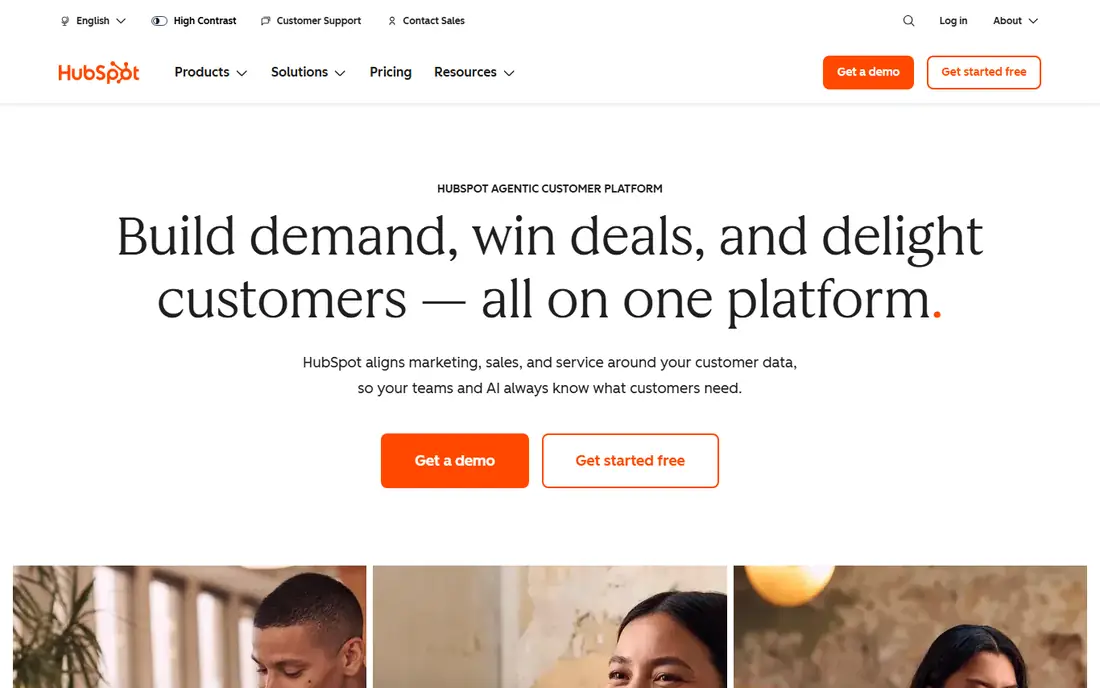
HubSpot CRM fits small businesses that want to start free and add marketing, sales, and service tools in one system as they grow. You can store contacts, companies, and deals, log emails and calls, and build simple pipelines without paying at first. That low friction start helps teams that have been living in spreadsheets, because reps can adopt the basic CRM in days rather than weeks. The weakness is price growth. Once you need real sales automation, advanced reporting, or larger team features, paid Sales Hub tiers and per seat costs add up quickly. HubSpot also works best when you use more of its platform, so a team that only wants a simple database may pay for breadth it does not use. For a team that expects to add marketing and service later, that breadth is an advantage.
- Free CRM tier, contact and deal tracking, email and calendar integration, marketing and service tools in same platform
- Costs rise with paid hubs and seats, advanced automation needs paid tiers, customization can feel limited at enterprise depth

Salesforce Sales Cloud fits larger sales organizations with multiple teams, territories, approval steps, and custom objects. You can model almost any sales process, build detailed forecasts, and connect to hundreds of apps through its marketplace. For a company with a dedicated admin or RevOps team, that flexibility supports growth over many years without switching platforms. The weakness is adoption cost. Setup, training, and ongoing admin work are substantial, and small teams often find the interface and pricing heavier than they need. A two person team that only needs contacts and a pipeline will spend more time configuring Salesforce than selling. Choose it when complexity is real and lasting, not just because it is the best known name.
- Deep customization, large app marketplace, advanced reporting, strong enterprise security and admin controls
- Expensive and complex to set up, needs admin time, overkill for very small teams
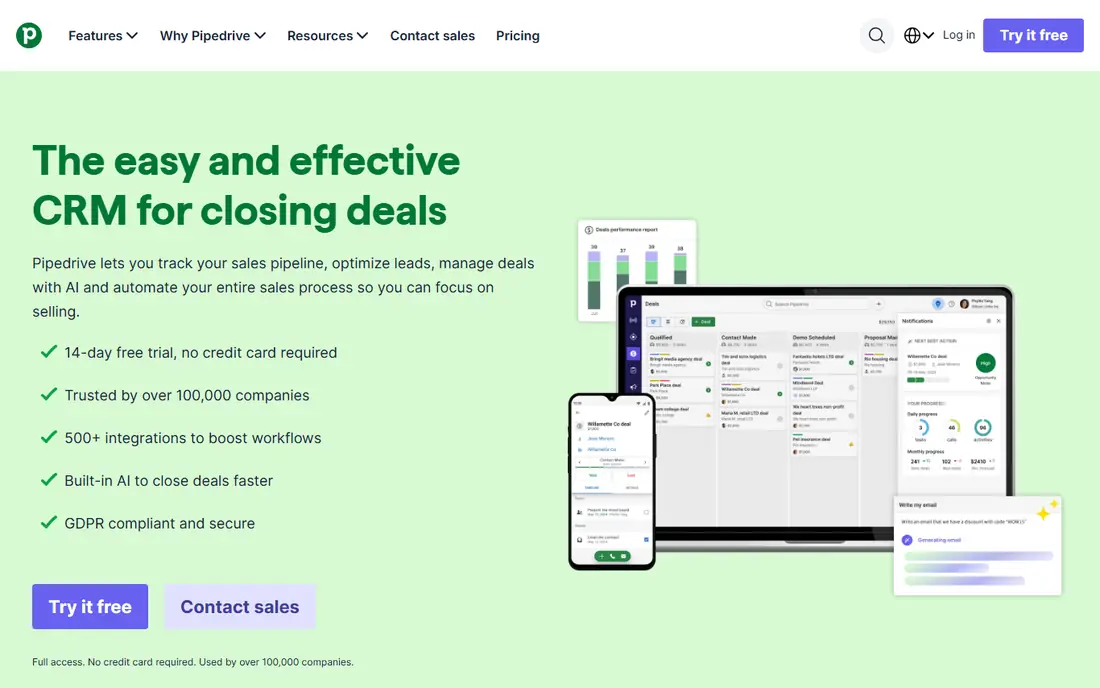
Pipedrive fits sales teams that think in deals and stages, not in database tables. The pipeline view shows where each deal sits, what activity is next, and which deals are stalling, and reps can drag a deal forward as it progresses. That visual clarity helps managers spot bottlenecks in a weekly meeting without digging through reports. The weakness is breadth. Pipedrive is sales focused, so marketing automation and customer service tools are thinner than in HubSpot or Salesforce. There is also no free tier, so even a tiny team pays from the start, although paid tiers remain modest compared with enterprise CRMs. If pipeline clarity is your main need, Pipedrive delivers it with little training.
- Clear visual pipeline, easy deal movement, email integration, activity reminders, simple reporting
- No free tier, marketing and service features are thinner, advanced customization needs higher tiers
Zoho CRM fits budget conscious businesses that want a lot of features per dollar and are willing to spend time on setup. The free tier covers up to three users in the current offer, and paid tiers add automation, blueprint processes, and integrations with Zoho Books, Mail, and other Zoho apps. That ecosystem helps a small business that already uses Zoho tools for accounting or email. The weakness is complexity. The same customization that makes Zoho powerful can turn into a long setup project, with fields, layouts, and workflows that need regular cleanup. The interface also feels denser than Pipedrive or HubSpot for new reps. If you have someone who enjoys configuring systems, Zoho offers strong value. If no one owns the CRM, a simpler tool will be adopted faster.
- Free tier for small teams, strong customization, workflow automation, wide Zoho app integrations, competitive pricing
- Interface can feel dense, customization can become a project itself, support quality varies by plan
Freshsales, part of Freshworks CRM, fits teams that call and email prospects all day and want those activities logged without switching apps. Built in calling, email tracking, and a visual pipeline keep outreach and deal progress in one place, and paid tiers add AI scoring and forecasting to help reps prioritize. That focus on daily selling tasks suits outbound and inbound teams alike. The weakness is tiering. The free tier is useful for testing, but real team use, AI features, and deeper reporting require paid plans, and costs rise with seats. Freshsales also works best inside the Freshworks ecosystem, so a team committed to other tools should check integrations first. For a calling heavy team, the built in phone alone can justify a trial.
- Built in phone, email tracking, AI lead scoring on paid tiers, visual pipeline, Freshworks integrations
- Free tier is limited, AI features need higher tiers, some advanced reporting needs paid plans
Close fits outbound sales teams that make many calls and send many emails each day. The built in dialer, SMS, and email sequences let reps work a lead list without jumping between a phone app, an email tool, and a CRM. Activity is logged automatically, which improves data quality, because reps do not need to remember to enter every call after the fact. The weakness is price and scope. Close has no free tier, and it is less of a marketing automation platform than HubSpot, so teams that need landing pages and campaigns will need another tool. For a team whose main metric is conversations per day, though, speed matters more than breadth, and Close is built for that workflow.
- Built in calling and SMS, power dialer, email sequences, fast lead workflow, clean activity tracking
- No free tier, less marketing automation depth, pricing higher than simple pipeline tools
Monday Sales CRM fits teams that already run projects, tasks, and operations in Monday.com and want sales data in the same place. You get pipeline boards, contact and deal tracking, automations for follow ups, and templates that speed setup. For a team that already lives in Monday, adding sales there avoids another login and another training cycle. The weakness is CRM depth. Because it is built on a general work platform, some sales specific features, such as advanced forecasting and complex territory management, are thinner than in Salesforce or HubSpot. Pricing per seat also adds up for larger teams. If your team already uses Monday daily, the convenience outweighs those limits. If you need a sales only system, a dedicated CRM will fit better.
- Visual boards, pipeline templates, automations, integrations, familiar interface for Monday users
- Built on a work platform, not a sales only CRM, pricing per seat adds up, some CRM depth needs higher tiers
How we picked these
We checked vendor pricing pages, feature pages, and trial terms in October 2026 for contact and deal management, pipeline views, email integration, automation limits, and free tier terms. We favored tools with clear small business tiers, active US support, and export options, and we excluded tools that had stopped sales, that required enterprise contracts for basic CRM use, or that offered only lead lists without deal and activity tracking. We also weighed adoption risk, because a powerful CRM that reps avoid is worse than a simpler one they use.
What to check before you migrate
Start with your current data, not with a demo. Export contacts, companies, and deals from spreadsheets or an old CRM, and count duplicates, missing emails, and outdated job titles. Clean that data before migration, and set duplicate rules so the same person does not appear three times under different spellings. A new CRM with dirty data will frustrate reps on day one, while a clean import builds trust quickly. Test a real sales week, not just a feature list. Create a test pipeline with your actual stages, log calls and emails from your real inbox, and run the report your manager needs each Monday. Check whether mobile apps work for reps on the road, whether email sync captures replies, and whether automation sends follow ups at the right time. Invite two reps who are skeptical of new tools to the trial, because their feedback predicts adoption better than a manager demo. Finally, check exit and cost growth. Confirm you can export contacts, deals, notes, and activities in a usable format, and ask what happens to data if you cancel. Model cost at your current team size, at double that size, and with the paid features you will likely need in a year, including automation, reporting, and calling. A CRM that is cheap for three users and expensive for fifteen can still be the right choice, but you should make that choice with eyes open, not after a surprise renewal.
FAQ
What is the difference between a sales database and a CRM? A sales database stores contact, company, and deal records, while a CRM adds pipeline management, activity tracking, automation, and reporting on top of that database. Most modern tools combine both, so you should judge them on workflow and reporting, not on the label alone.
Do I need a paid CRM if I am a solo founder? Not always. A free CRM tier from HubSpot, Zoho, or Freshsales can handle contacts and deals for a solo founder, as long as you stay within user and feature limits. Pay when you need automation, calling, advanced reporting, or team features that save real selling time.
How long does CRM migration take? A small, clean migration can take a few days, while a larger migration with dirty data, custom fields, and integrations can take several weeks. Budget time for data cleaning, testing, and training, and run the old system in parallel until reps trust the new reports.
Will a CRM help if my team does not update it? No, a CRM only helps if updates are part of daily work. Use email sync, mobile apps, and simple required fields to reduce manual entry, and review pipeline hygiene in weekly meetings so stale deals do not pile up.
Can I switch CRMs later without losing data? Yes, if you export regularly and choose a tool with a clear export format for contacts, deals, and activities. Notes, attachments, and automation rules may not transfer cleanly, so keep a backup export and document your key workflows before you switch.
Sources
https://hubspot.com https://salesforce.com https://pipedrive.com https://zoho.com https://freshworks.com https://close.com https://monday.com