Best SaaS Backup Software for Small Businesses in 2026: 8 Tools Compared
We compared the best saas backup software for small businesses on coverage, restore speed, and price, so your Microsoft 365 and Google data stays safe.

- Editor's choice
 Veeam Data Cloud for Microsoft 365
Deep Microsoft 365 protection
Starts atSee websiteVisit veeam.comFull review - Great alternative
 Acronis Cyber Protect Cloud
Backup plus cybersecurity in one console
Starts atSee websiteVisit acronis.comFull review - Also consider
 Backupify
Simple backup across Microsoft 365 and Google Workspace
Starts atSee websiteVisit backupify.comFull review
TL;DR:
- Your SaaS provider stores your data, but it does not guarantee recovery after deletion, ransomware, or a mistaken admin change.
- The best tools back up automatically, including new users, and restore single emails, files, or records without a full rollback.
- Small teams should favor simple setup and clear per-user pricing over enterprise features they will never configure.
- Test a restore before you need one, since a backup you have never restored is only a promise.
Quick comparison
| Tool | Best for | Starts at | Free plan? | |
|---|---|---|---|---|
| Veeam Data Cloud for Microsoft 365 | Deep Microsoft 365 protection | See website | Free trial | Visit |
| Acronis Cyber Protect Cloud | Backup plus cybersecurity in one console | See website | Free trial | Visit |
| Backupify | Simple backup across Microsoft 365 and Google Workspace | See website | Free trial | Visit |
 Druva | Fully managed protection for endpoints and SaaS | See website | Free trial | Visit |
 IDrive | Affordable backup across many devices and SaaS apps | See website | Free trial | Visit |
 Backblaze Business Backup | Unlimited backup for company computers | See website | Free trial | Visit |
 Axcient x360Cloud | Microsoft 365 and Google Workspace in one tool | See website | Free trial | Visit |
 Cove Data Protection | Growing teams that want fast setup | See website | Free trial | Visit |
The best saas backup software for small businesses
SaaS backup software keeps an independent copy of your cloud data, outside the app that created it. When someone deletes a shared mailbox, a ransomware attack encrypts files, or an employee leaves and an account is closed, that copy is what lets you recover. The tools below cover Microsoft 365, Google Workspace, Salesforce, and endpoints in different mixes.

Veeam Data Cloud for Microsoft 365 is the strongest choice if your business runs on Microsoft. It backs up mailboxes, SharePoint sites, OneDrive files, Teams conversations, and Entra ID data with no infrastructure for you to manage. Restore is granular, so you can bring back one email, one file version, or one Teams channel without rolling back everything else.
The limit is scope. A company that also relies on Google Workspace or Salesforce will need a second product or a broader platform. For a Microsoft-centered small business, though, the depth here is hard to match, and the predictable per-user pricing keeps budgeting simple.
- Covers Exchange, SharePoint, OneDrive, Teams, and Entra ID
- Unlimited storage on its plans
- Granular restore
- Microsoft 365 focus means Google shops need another tool
- Enterprise depth can feel heavy for tiny teams
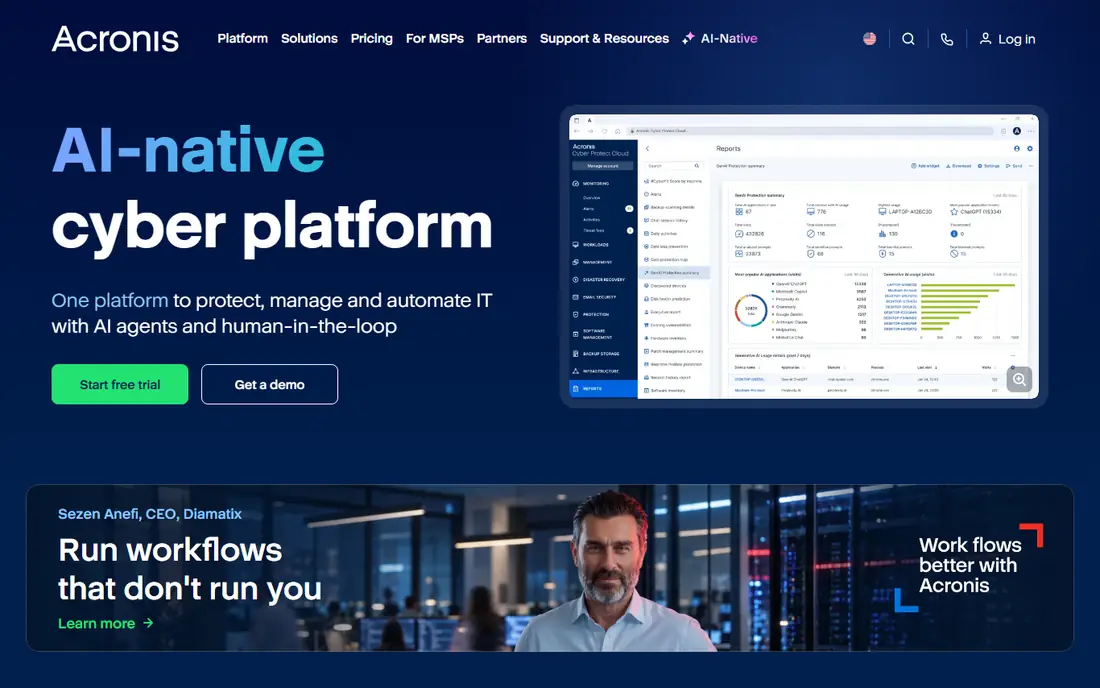
Acronis suits small teams that want fewer vendors, not just a backup tool. One console handles backups, malware protection, and endpoint management, so an admin can check backup status and security alerts in the same place. Users consistently praise restore speed, which matters most on the worst day of the quarter.
The bundle is also the drawback. If you already have endpoint security you like, you may pay for overlap. Small businesses without dedicated IT staff tend to benefit most, since one platform and one support line replace three. Start with the apps you actually use and ignore the rest of the console until you need it.
- Combines backup, anti-malware, and endpoint management
- Fast restores
- Approachable interface
- Bundled features add complexity if you only want backup
- Pricing varies by edition
Backupify, part of the Datto family, keeps the job simple: automated backups for Microsoft 365 and Google Workspace with easy search and restore. New users are picked up automatically, daily backups run without admin attention, and restoring a deleted mailbox item or Drive file takes a few clicks. That simplicity is exactly what a small team without IT staff needs.
It is less of a fit if you also need full computer or server imaging, since Backupify focuses on SaaS apps rather than endpoints. Pair it with an endpoint tool if you need both, or pick a broader platform below. For SaaS-only protection, its clarity is a genuine advantage.
- Covers both major office suites
- Automated daily backups
- Simple restore
- Less endpoint coverage than Acronis or IDrive
- Fewer advanced compliance controls
Druva is a fully managed cloud platform, so there are no servers, storage, or backup appliances to babysit. It covers endpoints, Microsoft 365, Google Workspace, and Salesforce, with air-gapped copies and anomaly detection that flag ransomware-style mass deletions. Admins get one dashboard for backup status across the whole company.
Small businesses should expect a sales conversation for pricing, and very small teams may find the platform larger than they need. But for a growing company that wants backup to scale without hiring backup expertise, Druva removes the operational burden almost entirely.
- Fully managed SaaS with no infrastructure
- Covers endpoints, Microsoft 365, Google Workspace, and Salesforce
- Strong ransomware features
- Pricing is quote-based
- May be more platform than a five-person shop needs
IDrive is the value pick for small businesses with many devices. One account can cover computers, servers, and supported SaaS apps, with snapshots and versioning that let you return to earlier file states. Continuous backup options catch changes between scheduled runs, which helps teams that edit shared files all day.
The interface is functional rather than polished, and large restores take time, as with any cloud backup. If price per device drives your decision and you can tolerate an older look, IDrive covers more ground per dollar than most rivals on this list.
- Covers computers, servers, and SaaS apps at a low price
- Versioning and snapshots
- Continuous backup option
- Interface feels dated
- Restore speed varies with data size
Backblaze Business Backup does one job extremely well: backing up every file on a company computer with unlimited storage. Setup takes minutes, backups run quietly, and restores work through the web, a shipped drive, or a download. Small teams love it because there is almost nothing to configure wrong.
It is not a replacement for SaaS app backup, since it does not cover Microsoft 365 mailboxes or Salesforce records in the same way. Use Backblaze for endpoints and pair it with a SaaS backup tool for your cloud apps, or choose it alone if your data mostly lives on laptops.
- Unlimited storage per computer
- Very simple setup
- Strong track record on restores
- Computer-focused, not a full SaaS app backup
- Per-computer pricing adds up with many machines
Axcient x360Cloud protects Microsoft 365 and Google Workspace with granular restore and search that make finding one deleted item fast. It is popular with IT service providers, which speaks to its reliability, and small businesses that buy through a provider get managed support as a bonus.
Direct buyers may find pricing and signup less transparent than consumer-style rivals, since the channel model shapes the experience. If you already work with an IT provider, ask about x360Cloud. If you buy direct, Backupify or Veeam may give a smoother purchase path.
- Covers both office suites
- Granular restore
- Smart search across backups
- Aimed partly at IT providers, so direct small business pricing is less visible
- Fewer endpoint features
Cove Data Protection, from N-able, is built for simplicity and scale. Automated cloud backups start quickly, the console stays readable as you add users, and restores are straightforward. Small business users rate it highly for support and ease of setup, which matters when no one on staff is a backup specialist.
Like Axcient, Cove reaches many customers through IT providers, so direct pricing details are thinner on the public site. If your business uses a managed IT provider, Cove is worth asking about by name. If you prefer buying direct, confirm availability and pricing before shortlisting it.
- Quick setup with minimal tuning
- Automated cloud backups
- Scales as headcount grows
- Full feature depth sits behind provider plans
- Less known to direct buyers than bigger brands
How we picked these
We compared official feature pages, pricing pages, and public user reviews for SaaS and online backup tools, focusing on products that protect cloud app data, not just local files. We favored tools with automated backups, granular restore, independent storage outside the source app, and active support in 2026. We left out pure cloud storage drives, since syncing files is not the same as versioned, restorable backup.
What to check before you buy
List every app that holds business-critical data, including email, shared drives, chat, CRM, and accounting. A backup tool that covers only email leaves your CRM records exposed, and the app you forget is usually the one that fails first. Match the tool's coverage list to your real stack, not to a generic checklist.
Next, check retention and restore granularity. How far back can you restore, can you restore one item without affecting the rest, and how long does a large restore take? Ask for a test restore during the trial, including a deleted mailbox item and a previous file version. Also confirm where backup data is stored, how it is encrypted, and who can access it.
Finally, price the whole picture. Per-user pricing looks simple until you add storage, retention, and extra apps. Get a quote for your current headcount plus expected growth, and confirm what happens to backups when an employee leaves. A tool that keeps departed users' data restorable for months is worth more than one that deletes it with the account.
The restore test every team should run
Pick one real scenario, such as a deleted shared folder or a former employee's mailbox, and restore it during the trial. Time the process, check that permissions and sharing settings come back correctly, and confirm the restored data opens cleanly. If the vendor cannot walk you through that test, treat it as a warning sign.
FAQ
What is the best saas backup software for small businesses?
For Microsoft 365 shops, Veeam Data Cloud for Microsoft 365 leads on depth. For both Microsoft 365 and Google Workspace, Backupify and Axcient x360Cloud are strong. For endpoints plus SaaS in one managed platform, Druva and Acronis are the top picks.
What are the best saas backup tools for small businesses on a budget?
IDrive and Backblaze Business Backup offer the lowest cost per device, while Backupify keeps SaaS-only pricing simple. Compare total cost for your device count and app mix rather than the headline price alone.
Does Microsoft 365 back up my data automatically?
Microsoft keeps your data available and offers short recycle bin windows, but it does not provide a full independent backup with long retention and granular restore. That gap is exactly what SaaS backup tools fill, and it is why most IT guides recommend a separate backup.
How often should SaaS backups run?
Daily automated backups are the minimum for most small businesses, and several tools on this list back up multiple times per day. More frequent backups shorten the gap between the last good copy and a deletion or attack.
Can I restore just one email or file?
Yes, with the tools on this list. Granular restore is a core feature of modern SaaS backup, so you can recover a single email, file version, or record without rolling back an entire mailbox or drive.