Best Runtime Application Security Tools in 2026: 8 Tools Compared
Compare the best runtime application security tools, from Contrast and Datadog to Dynatrace and Waratek, for blocking attacks inside live apps in 2026.
- Editor's choice
 Contrast Protect
Deep in-process protection
Starts atSee websiteVisit contrastsecurity.comFull review - Great alternative
 Datadog Application Security
Datadog users
Starts atSee websiteVisit datadoghq.comFull review - Also consider
 Dynatrace Application Security
Dynatrace users
Starts atSee websiteVisit dynatrace.comFull review
TL;DR:
- Contrast Protect is the most focused choice when you need deep, in-process protection for important applications.
- If you already run Datadog or Dynatrace, check whether you already own runtime security before buying a separate tool.
- Waratek is the specialist pick for Java applications that cannot easily be changed or redeployed.
- Jscrambler covers a different layer, the browser, so it complements server-side tools rather than replacing them.
- Start in monitor-only mode, measure false blocks on real traffic, and only then turn blocking on for selected routes.
Quick comparison
| Tool | Best for | Starts at | Free plan? | |
|---|---|---|---|---|
| Contrast Protect | Deep in-process protection | See website | Free trial | Visit |
| Datadog Application Security | Datadog users | See website | Free trial | Visit |
| Dynatrace Application Security | Dynatrace users | See website | Free trial | Visit |
 Waratek | Hard-to-change Java apps | See website | No | Visit |
 Fastly Next-Gen WAF | Edge and API protection | See website | Free trial | Visit |
 Jscrambler | Client-side and payment-page protection | See website | Free trial | Visit |
 OpenText Fortify | Large AppSec suites | See website | No | Visit |
 Oligo Security | Runtime detection and response | See website | No | Visit |
The best runtime application security tools
Runtime application security, often called RASP, sits inside a running application and judges attacks with full context about the code, the query and the data. That is different from a firewall at the edge, which only sees the request. Here are the tools that best cover that job in 2026.
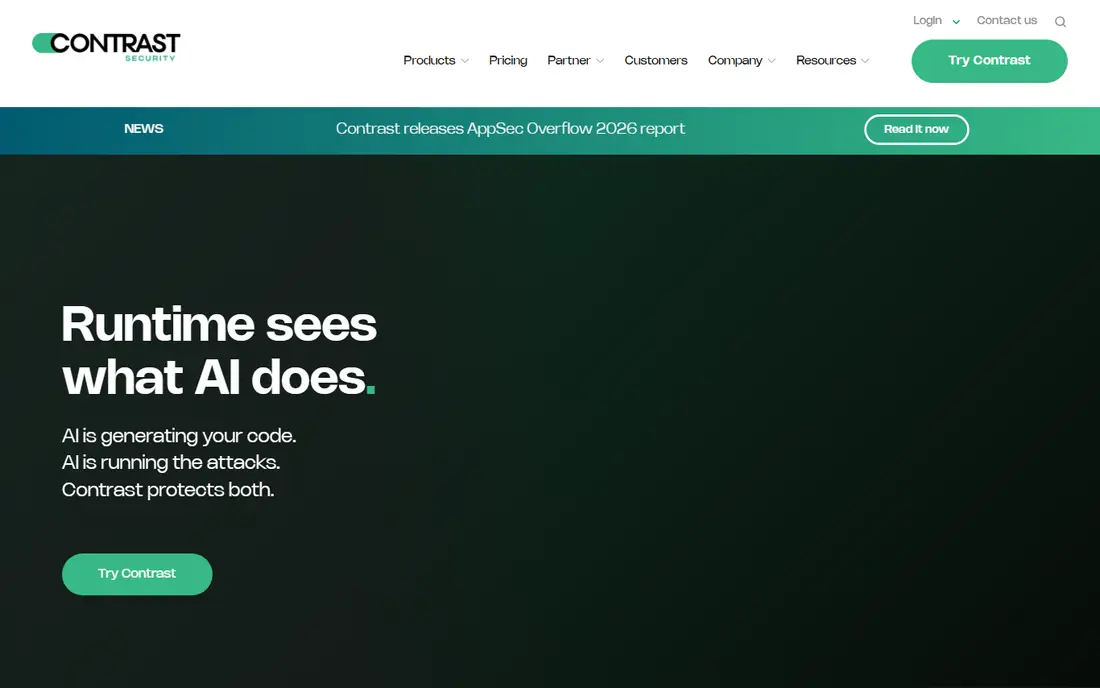
Contrast Protect is the reference product in this category because it was built for runtime protection from the start. Its agent runs inside Java, .NET, Node.js and other runtimes, so it can tell the difference between a harmless input and a real injection attack by watching what the code actually does with it. That context is why teams report fewer false blocks than with signature-based tools.
The cost is complexity and price. Pricing is quoted per application or host, and rolling an agent out across many services takes testing for performance and compatibility. For crown-jewel applications, that effort is justified. For every small internal tool, it may not be.
- Sees attacks inside the running code
- Blocks with low false positives
- Works alongside Contrast testing tools
- Quote-based pricing
- Agent rollout needs planning and testing
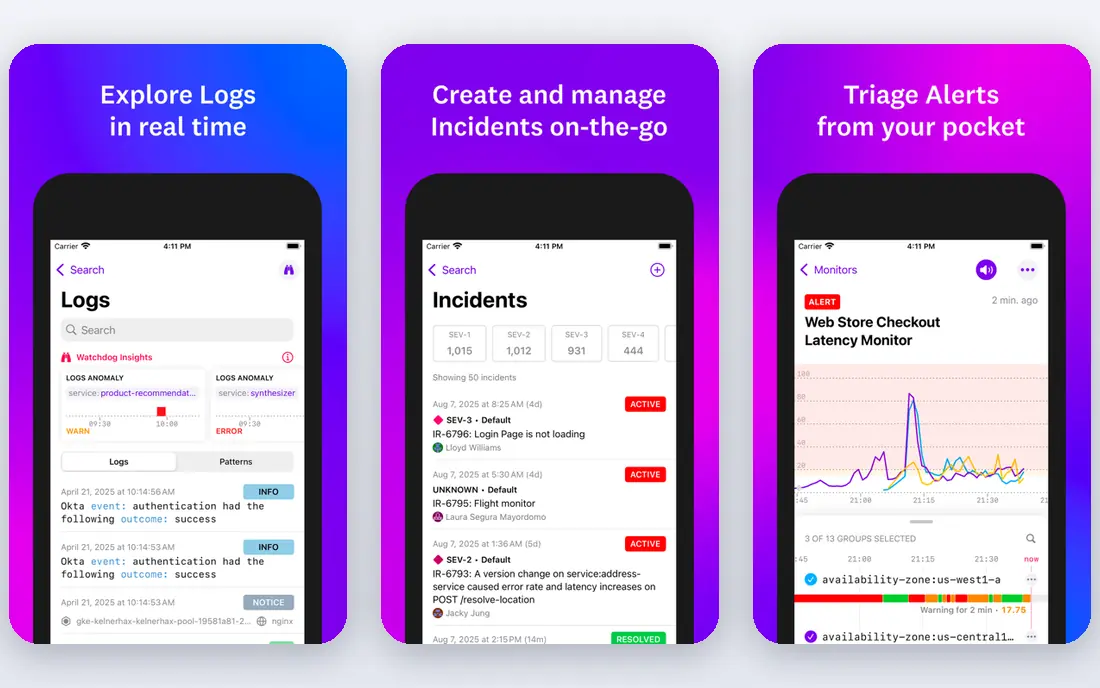
Datadog Application Security Management grew out of Sqreen, a dedicated runtime tool Datadog acquired, and it now sits inside the wider Datadog platform. If your team already traces requests and reads logs in Datadog, adding runtime detection there keeps security findings in the same timeline as performance data, which makes triage much faster.
Standalone buyers get less of that benefit, and usage-based pricing means a traffic spike can raise the bill. Audit your existing Datadog subscription first, because many teams already have access to parts of this capability without realizing it.
- Security data beside traces and logs
- No separate agent for many Datadog users
- Good attack timelines
- Best value only inside a Datadog estate
- Pricing is usage-based and can grow
Dynatrace Application Security follows the same logic as Datadog: if the observability agent already watches your application, it can also watch for attacks and vulnerable code paths. That gives security teams a view that links an attack attempt to the exact service, code location and business transaction it touched.
The catch is commitment. You need to be a Dynatrace customer, or become one, and pricing is enterprise-style. For teams already invested in Dynatrace, it is a natural shortlist pick. For everyone else, a dedicated tool will usually be simpler to buy.
- Runtime context from the observability agent
- Vulnerability and attack data together
- Strong enterprise support
- Requires a Dynatrace deployment
- Enterprise pricing and sales process
Waratek is the specialist here. It works at the Java Virtual Machine level, so it can protect older Java applications that teams cannot easily rewrite or redeploy. Virtual patching lets you block exploitation of a known flaw while you wait for a proper fix, which is valuable for systems with long change windows.
Its focus is also its limit. If your estate is mostly Node.js, Python or .NET, Waratek will not cover it in the same way. Buy it for the Java systems that keep security teams awake, not as a one-size answer for every language.
- Protects Java apps without code changes
- Strong virtual patching
- Suited to legacy systems
- Java focused
- Quote-only pricing
- Smaller ecosystem than larger platforms
Fastly Next-Gen WAF, formerly Signal Sciences, sits closer to the edge than a pure in-process agent, but it behaves like runtime protection in practice because its agents understand request context across services and APIs. Teams like its low false-positive rate and the way it can run in monitor mode before blocking.
Purists will note that it does not see inside the application process as deeply as Contrast. Treat it as a strong companion to in-process protection, especially for APIs and microservices, rather than a direct replacement for a dedicated RASP agent on your most sensitive app.
- Agent and edge deployment options
- Low false positives
- Strong API and microservice coverage
- More edge-focused than deep in-process RASP
- Pricing depends on traffic and deployment
Jscrambler protects a layer that server-side tools cannot see: the JavaScript running in a visitor browser. It obfuscates and monitors first-party code and watches third-party scripts on payment and checkout pages, where a compromised script can skim card data. That has become a compliance concern as well as a security one.
It is not a substitute for server-side runtime protection, and it should be budgeted separately. If you run payment pages or script-heavy web apps, though, leaving the browser unprotected is a gap no server agent will close.
- Protects JavaScript in the browser
- Helps meet payment-page script rules
- Monitors third-party scripts
- Does not protect server code
- Needs a separate budget and rollout
OpenText Fortify, formerly Micro Focus Fortify, offers runtime protection as part of a wider application security suite that also covers static and dynamic testing. For large enterprises that already standardize on Fortify, adding runtime defense from the same vendor keeps reporting and policy in one place.
Smaller teams may find the suite heavier than they need, and pricing requires a sales conversation. It fits organizations that buy AppSec as a platform, not teams that want a single, quick runtime agent.
- Runtime protection inside a broad AppSec suite
- Testing and monitoring in one vendor
- Enterprise controls
- Suite complexity
- Quote-only pricing
- Rollout can be slow
Oligo is a newer runtime security vendor that focuses on application detection and response, watching what actually runs and flagging only the vulnerabilities and attacks that are truly exploitable in that runtime. That helps teams cut through the long vulnerability lists produced by scanners that cannot tell a reachable flaw from a theoretical one.
Because it is newer, buyers should ask for reference customers in their own stack and run a proof of concept on a real service. For teams drowning in scanner noise, though, its runtime-first approach is a refreshing change.
- Deep runtime visibility
- Focuses on real exploitability
- Modern cloud-native design
- Newer vendor with a smaller track record
- Quote-only pricing
How we picked these
We compared official product pages, documentation and current market coverage for runtime protection in October 2026, and we left out products that are end of life or absorbed into other tools. A product made the list only if it actively protects running applications, whether inside the process, through an agent, or in the browser, and if it is available to buy for production use. We weighed runtime depth, language coverage, false-positive handling, deployment effort and pricing transparency.
What to check before you buy
Name the process you are protecting
Write down whether you need protection inside a server process, at the edge, or in the browser, because those are different purchases. A tool that excels in one place will not automatically cover the others, and buying the wrong layer is the most common mistake in this category.
Run monitor-only first
Deploy on one important application in monitor mode for at least a couple of weeks. Measure performance overhead, false blocks and alert volume on real traffic before you allow blocking. Teams that switch blocking on everywhere on day one usually switch it off again just as fast.
Check language and framework support carefully
Runtime agents do not cover every language equally. Java and .NET have the broadest support, while Go and Rust options are thinner. Confirm support for your exact runtime versions and frameworks in writing during a trial, not from a marketing page alone.
FAQ
What is the difference between RASP and a WAF?
A WAF inspects requests at the edge before they reach your code. RASP sits inside the running application and sees what the code does with the request, such as the database query it builds. That extra context usually means fewer false blocks and better handling of complex attacks.
What are the best runtime security tools for a small team?
Small teams usually get the most value from the runtime security already inside an observability platform they own, such as Datadog or Dynatrace. A dedicated agent like Contrast makes more sense once you have a few high-value applications that justify the rollout effort.
Does runtime protection replace patching?
No. Runtime protection buys time and blocks exploitation, but the underlying flaw still needs a fix. Use virtual patching to cover the gap between discovery and a safe release, and keep patching on its normal schedule.
Will a runtime agent slow my application?
Any agent adds some overhead, which is why you should measure it on real traffic during a trial. Modern agents aim for low single-digit percentage overhead, but the number depends on your stack, traffic shape and which protections you enable.
Is Imperva RASP still available for new buyers?
No. Imperva announced end of life for its RASP product, so new buyers should not shortlist it. If you already run it, plan a migration to a supported runtime tool and confirm timelines with your vendor.