Best-Reviewed Accounting Automation Services in 2026: 8 Tools Compared
Compare the best-reviewed accounting automation services and software, with bank feeds, invoicing, bill pay and expense automation compared in 2026 today.

- Editor's choice
 QuickBooks Online
Most small businesses
Starts at$35 per monthVisit quickbooks.intuit.comFull review - Great alternative
 Xero
Teams, no per-user fees
Starts at$20 per monthVisit xero.comFull review - Also consider
 FreshBooks
Freelancers and services
Starts at$21 per monthVisit freshbooks.comFull review
TL;DR:
- QuickBooks Online suits most US small businesses because of its large accountant network, integrations and payroll options.
- Xero suits teams that hate per-user fees, since all plans include unlimited users, with a flat plan price instead.
- FreshBooks and Wave suit freelancers and solo owners who mainly need invoicing, expenses and simple reporting.
- BILL and Expensify are best as automation add-ons for bill pay, approvals and expenses, rather than full accounting replacements.
- Compare the price after any intro discount ends, since several tools raise the monthly price sharply after three to six months.
Quick comparison
| Tool | Best for | Starts at | Free plan? | |
|---|---|---|---|---|
| QuickBooks Online | Most small businesses | $35 per month | Free trial | Visit |
| Xero | Teams, no per-user fees | $20 per month | Free trial | Visit |
| FreshBooks | Freelancers and services | $21 per month | Free trial | Visit |
 Zoho Books | Budget growing businesses | $15 per month | Yes | Visit |
 Wave | Solo owners, free core | Free | Yes | Visit |
 BILL | Bill pay and approvals | $45 per month | No | Visit |
 Sage Business Cloud | Inventory and job costing | $25 per month | Free trial | Visit |
 Expensify | Expense automation | $5 per user per month | Free trial | Visit |
The best-reviewed accounting automation services
Accounting automation means bank feeds, invoice chasing, bill approvals, expense capture and reconciliation that happen with less manual entry. We compared tools on automation depth, price, users, payroll and integrations, using vendor pages and recent small business accounting comparisons. This guide also covers the best-reviewed accounting automation software angle, since most services here are software you run yourself.
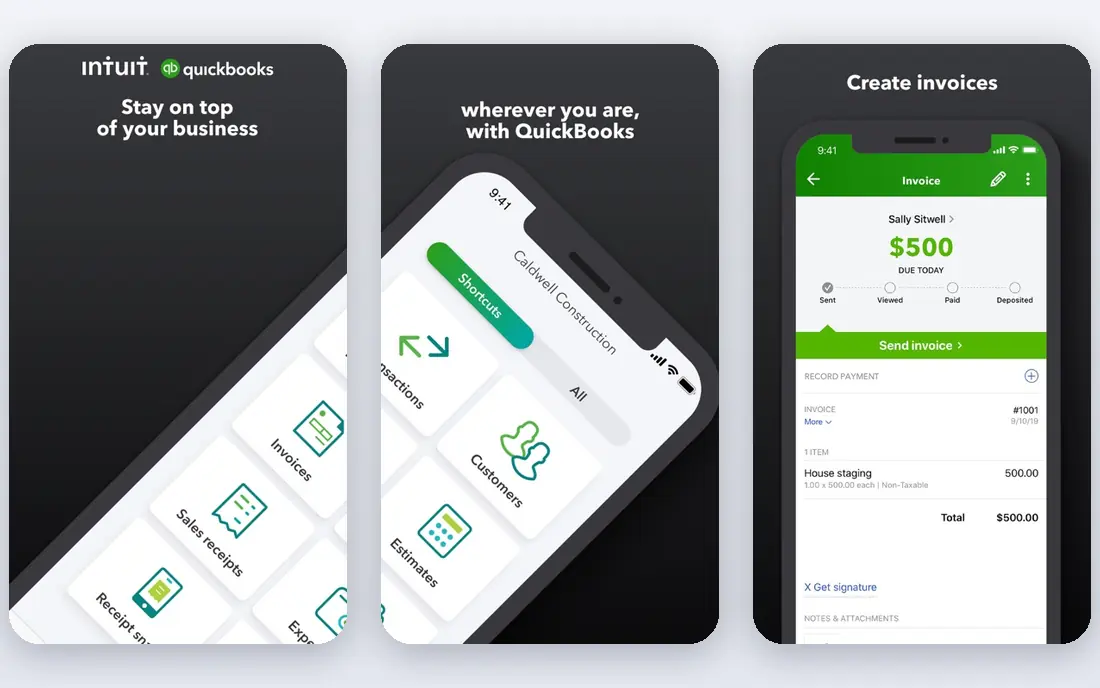
QuickBooks Online is the default pick for most US small businesses for a simple reason: more accountants, bookkeepers and add-ons use it than any rival. Recent comparisons list Simple Start from 35 dollars per month, Essentials from 65 dollars, Plus from 99 dollars and Advanced from 235 dollars, with a 30 day trial. Bank feeds, invoicing, receipt capture and bill management automate much of the weekly bookkeeping, and payroll can be added for US teams.
The drawback is cost over time. Intro discounts often last only three months, and user caps mean a growing team moves to higher plans. If you need the widest integration choice and an accountant who already knows your system, QuickBooks is still the safest pick, provided you budget for the full price, not only the promo price.
- Largest US accountant and integration network
- Bank feeds and receipt capture
- Payroll add-on
- Price rises after intro discounts
- User counts are capped per plan
Xero is the best choice for teams that want flat pricing. Recent comparisons list Starter from 20 dollars per month, Standard from 47 dollars and Premium from 80 dollars, all with unlimited users and a 30 day trial. Bank reconciliation, invoicing, bill pay and expense claims automate the core workflow, and the flat price makes budgeting easy as a team grows from two to ten people.
US payroll is the main gap, since Xero uses Gusto for payroll rather than a native US payroll product. Inventory is also basic compared with QuickBooks Plus. If payroll is central and you want it in the same product, QuickBooks may fit better. If team access and clean reconciliation matter most, Xero is a strong, well reviewed alternative.
- Unlimited users on all plans
- Strong bank reconciliation
- Clean invoicing
- US payroll needs a Gusto integration
- Inventory is basic compared with QuickBooks Plus
FreshBooks suits service freelancers and small firms that live on invoices and time. Recent comparisons list Lite from 21 dollars per month for five billable clients, Plus from 38 dollars for 50 clients and Premium from 65 dollars for unlimited clients. Invoicing, payment reminders, time tracking and expense capture are clear and fast, which helps solo owners get paid sooner.
The client cap is the catch. A firm with a long tail of small clients can outgrow Lite quickly, and team members cost extra per month on paid tiers. Payroll runs through Gusto, not natively. For a freelancer or small service business that values invoicing above complex inventory, FreshBooks is one of the easiest automation tools to run daily.
- Excellent invoicing and time tracking
- Simple interface
- Double-entry accounting on Plus and above
- Billable client caps push larger firms to Premium
- Payroll needs Gusto
Zoho Books is the budget pick for businesses already using Zoho products. Recent comparisons list paid plans from 15 dollars per month, with a free plan for very small use. It automates invoicing, bank feeds, expense tracking and recurring billing, and it connects closely with Zoho CRM, Zoho Inventory and other Zoho apps.
The limit is the wider ecosystem. Zoho Books has fewer third-party integrations than QuickBooks, and some US payroll features need separate Zoho Payroll or a partner. If you already run on Zoho, the integration value is high. If you need a large US accountant network, QuickBooks or Xero will be easier to support.
- Low starting price
- Free plan for small use
- Deep Zoho ecosystem integration
- Fewer third-party integrations than QuickBooks
- Payroll options vary by region
Wave offers free core accounting and invoicing, which makes it the best starting point for a solo owner with no staff and simple books. You can send invoices, track income and expenses and run basic reports without a monthly subscription. Paid add-ons cover payroll and payments, with payroll listed around 40 dollars plus 6 dollars per employee in guides.
The trade-off is depth. Bank feeds now require a paid Pro plan in recent guides, and Wave lacks the reporting, inventory and multi-user controls larger firms need. If you are a solo freelancer who wants free, simple automation and can live with those limits, Wave is a genuine, well reviewed starting point. Grow into QuickBooks or Xero when the business grows.
- Free core accounting and invoicing
- Simple for solo owners
- Payroll add-on in the US
- Bank feeds now need a paid Pro plan in guides
- Limited reporting for larger firms
BILL, formerly Bill.com, automates accounts payable and receivable rather than replacing your accounting system. Recent comparisons list it from 45 dollars per month, with automated vendor payments, approval workflows and a clear audit trail. It integrates with QuickBooks Online, Xero and other ledgers, so bills flow into your books without retyping.
BILL is not a ledger on its own, so you still need QuickBooks, Xero or a similar system for full accounting. That extra subscription only makes sense when bill volume, approvals or payment controls are a real pain point. For firms that pay many vendors each month, BILL can save hours and reduce payment errors.
- Automated vendor payments and approvals
- Strong audit trail
- Integrates with QuickBooks, Xero and others
- Not a full accounting platform
- Needs an accounting system beside it
Sage Business Cloud, often called Sage Accounting, suits businesses that need inventory and job costing alongside automation. Recent comparisons list it from 25 dollars per month, with invoicing, bank feeds, expense tracking and project costing. That depth helps product firms, contractors and manufacturers who need to track stock and job profit, not only invoices.
The learning curve is steeper than FreshBooks or Wave, and setup takes longer. Smaller service firms may find Sage more than they need. If inventory, assemblies or job costing drive your books, Sage offers automation depth that lighter tools cannot match at a similar starting price.
- Deep inventory and job costing
- Strong reporting
- Scales to mid-size firms
- Steeper learning curve
- Interface feels less modern than rivals
Expensify automates the expense side of accounting: receipt scanning, categorisation, approvals and reimbursements. Recent comparisons list it from 5 dollars per user per month, with integrations to QuickBooks, Xero and other systems. For teams that submit many expenses, that automation removes a weekly chore and improves reporting accuracy.
Expensify does not replace a ledger, so you still need accounting software beside it, and per-user pricing adds up for larger teams. Use it when expenses are messy or frequent, such as travel, field teams or client reimbursables. For a solo owner with few expenses, the expense tools inside QuickBooks, Xero or FreshBooks may be enough.
- Receipt scanning and auto categorisation
- Corporate card and reimbursement workflows
- Integrates with ledgers
- Add-on to accounting software, not a replacement
- Costs rise with team size
How we picked these
We compared vendor pricing pages and recent small business accounting comparisons, checking automation features, starting price, free plans, user limits, payroll and integrations. We favoured tools with strong public reviews, a clear automation focus and a published price or a clear See website scope. We did not claim hands-on bookkeeping tests, and prices vary with promos, so confirm the current full price before purchase. This is general information, not financial advice for your business.
How to choose the right accounting automation tool
Start with your biggest manual chore
If invoicing is the pain, pick FreshBooks or QuickBooks. If bill pay is the pain, add BILL. If expenses are the pain, add Expensify. If team access cost is the pain, pick Xero. Buying a full suite for one chore wastes money, while a focused tool can pay for itself in saved hours.
Check price after the promo ends
Many tools offer 50 percent off for three to six months, then revert to full price. Budget for month seven, not month one, and check user fees, payroll fees and payment processing fees. A tool that looks cheap in month one can be the most expensive by year-end.
Test bank feeds and reconciliation first
Automation fails if bank feeds break or reconciliation is confusing. During a trial, connect your bank, import a month of transactions, reconcile and run a profit and loss report. If that workflow feels clear, the tool will work daily. If it feels fiddly in a trial, it will feel worse under deadline pressure.
FAQ
What is the best-reviewed accounting automation software for small businesses?
QuickBooks Online and Xero are the most widely reviewed and supported options for small businesses, with FreshBooks close behind for freelancers. The best choice depends on team size, payroll needs and whether you value integrations or flat user pricing more.
Is accounting automation software enough, or do I still need an accountant?
Software automates data entry and reporting, but an accountant still helps with tax planning, year-end accounts and complex decisions. Many firms use software daily and an accountant monthly or quarterly, which is cheaper than full bookkeeping help.
How much does accounting automation cost?
Costs range from free at Wave for core use, to 15 to 35 dollars per month for entry plans at Zoho Books, Xero and QuickBooks, to higher tiers at 65 to 99 dollars per month for growing firms. Add-ons for payroll, bill pay and expenses raise the total, so budget for the full stack.
Can I switch accounting software later?
Yes, but migration takes care. Export your chart of accounts, customers, vendors, open invoices and history before you move, and run both systems in parallel for a month if possible. Ask your accountant to check opening balances in the new system.
Does accounting automation work for inventory businesses?
Yes, with the right tool. QuickBooks Plus, Sage and Xero with inventory features handle stock, purchase orders and cost of goods, while FreshBooks and Wave suit service firms better. Check inventory depth before you commit if you sell physical products.