Best Reel Editing App Free in 2026: 8 Apps Compared
Find the best reel editing app free for Reels, Shorts, and TikTok, with free export limits, watermarks, captions, and honest trade-offs for creators in 2026.

- Editor's choice
 CapCut
Full free mobile editing with templates
Starts atFreeVisit capcut.comFull review - Great alternative
 VN Video Editor
Watermark-free mobile editing
Starts atFreeVisit vlognow.meFull review - Also consider
 InShot
Simple phone-only editing
Starts atFreeVisit inshot.comFull review
TL;DR:
- CapCut and VN Video Editor offer the strongest free mobile editing, with VN standing out for watermark-free exports on its free tier in public comparisons.
- InShot is simple and affordable to upgrade, but its free exports carry a watermark.
- iMovie is completely free for Apple users, with no paid tier, but it only works on Apple devices.
- Browser tools such as Clipchamp, Kapwing, and VEED suit creators who edit on a computer or with a team.
- Always test a free export before you build a series around an app, since watermark and resolution rules differ.
Quick comparison
| Tool | Best for | Starts at | Free plan? | |
|---|---|---|---|---|
| CapCut | Full free mobile editing with templates | Free | Yes | Visit |
| VN Video Editor | Watermark-free mobile editing | Free | Yes | Visit |
| InShot | Simple phone-only editing | Free | Yes | Visit |
 iMovie | Free Apple-only editing | Free | Yes | Visit |
 Clipchamp | Free browser and Windows editing | Free | Yes | Visit |
 Kapwing | Browser collaboration and captions | Free | Yes | Visit |
 VEED | Browser captions and team edits | Free | Yes | Visit |
 Adobe Express | Template-based reels for Adobe users | Free | Yes | Visit |
The best reel editing apps free
We compared free tiers on mobile and browser editing, templates, captions, export quality, watermarks, and ease of use. These eight cover phone-first creators, Apple users, and browser teams.
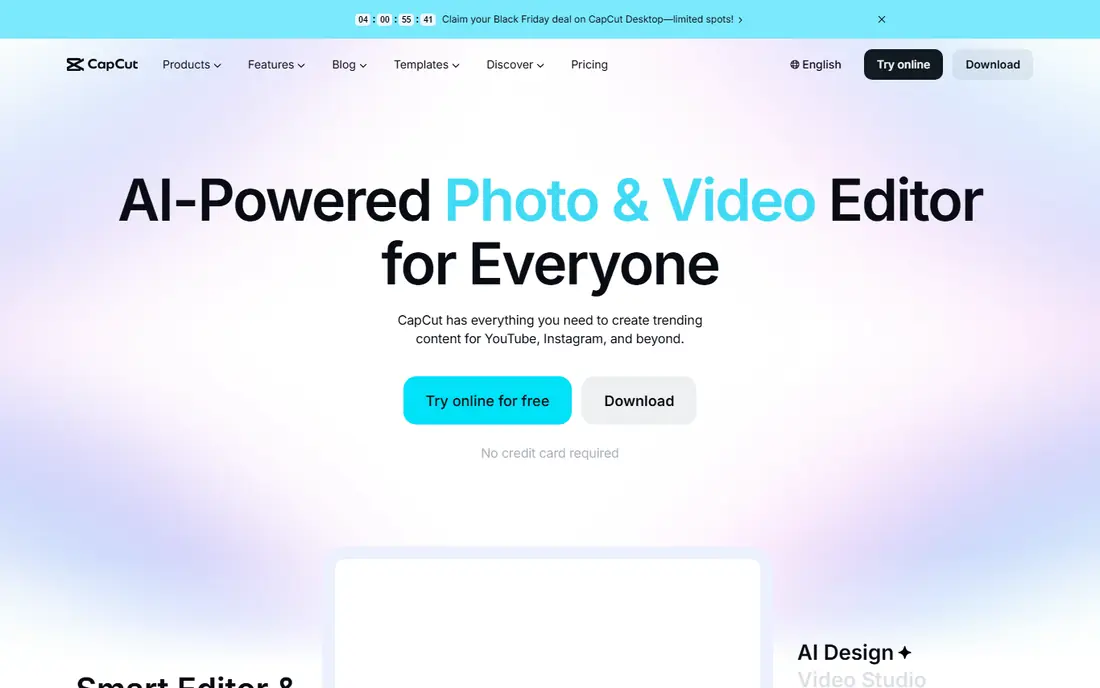
CapCut remains the most popular free reel editor for a reason. Templates, trending effects, auto-captions, keyframe animation, and a wide music and effects library help a creator finish a reel quickly on a phone. Desktop and web versions also let you polish the same project on a larger screen.
Public comparisons differ on whether basic free exports carry a watermark, so test an export on your own device before publishing client work. Some templates and AI tools are also marked Pro, which can interrupt an edit. For most casual and intermediate creators, the free tier still covers the core reel workflow well.
- Templates, auto-captions, and effects for short video
- Mobile, desktop, and web versions
- Some templates and AI features need a paid plan
- Free-tier limits vary by feature

VN Video Editor is the free pick for creators who care most about clean exports. Public comparisons list it as free with no watermark and no published paid tier, with 4K export and a multi-track timeline on phones. A built-in teleprompter also helps creators who speak to camera and want steady delivery.
VN is less template-driven than CapCut, so creators who rely on trending templates may find it slower for that style. Its effects library is also smaller for viral formats. If your priority is a clean, well-cut reel without paying, VN is the strongest free mobile editor on this list.
- No watermark on free exports in public comparisons
- 4K export
- Multi-track timeline and teleprompter
- Less template-driven than CapCut
- Smaller effects library for trending styles

InShot is the simplest phone editor here, and that simplicity is its appeal. Trims, music, text, filters, and stickers sit within easy reach, and the layout suits creators with no editing background. Public pricing summaries list a monthly option around $3.99, an annual option around $14.99, and a lifetime option around $34.99, though in-app prices can vary.
Free exports carry a watermark, so brand or client reels will need a paid upgrade. Audio tools also stop short of some CapCut extras, such as echo and pitch tweaks. If you want the fastest path to a finished reel on a phone, and you do not mind paying to remove the watermark, InShot is a reliable choice.
- Very easy to learn
- Large sticker, filter, and music library
- Affordable lifetime upgrade option
- Free exports carry a watermark
- Audio tools are simpler than CapCut
iMovie is the calmest free option for Apple users. It costs nothing, has no paid tier, and offers a simple timeline with titles, transitions, and basic audio tools. For a creator who already owns an iPhone or Mac, there is no subscription to manage and no watermark to worry about.
The limits are platform and style. iMovie only runs on Apple devices, and it lacks the trending templates, AI effects, and social-first tools that CapCut offers. For clean, simple reels and longer vlogs, iMovie is enough. For trend-led short-form content, pair it with CapCut or VN.
- Completely free with no paid tier
- Simple timeline
- Good for Apple users
- Only on Mac, iPhone, and iPad
- Fewer trending templates and effects than CapCut
Clipchamp suits creators who prefer editing on a computer rather than a phone. The timeline is plain, templates cover common social formats, and free exports go up to 1080p without a watermark in the basic tier. Browser access means there is little to install, which helps teams and school or office computers.
Depth is the limit, since advanced effects and color tools are thinner than in a desktop editor. Premium features also tie to Microsoft 365 rather than a standalone price. For quick reels edited on a Windows computer, Clipchamp is a fast and clean free start.
- Easy timeline and templates
- Free exports up to 1080p
- Works in browser and on Windows
- Premium features tie to Microsoft 365
- Less depth than desktop editors
Kapwing helps teams and solo creators edit reels in a browser, with captions, resizing, and shared projects built in. It is useful when footage comes from a webinar, interview, or longer video that needs cutting into vertical clips. Collaboration is easier here than in a phone-only editor, since links and comments are part of the workflow.
Free exports carry a watermark, a four-minute cap, and a 720p limit in public comparisons, so free users should test quality before publishing. Pro starts from $16 per month when billed annually. For browser-based reel work with captions and team review, Kapwing is a practical choice.
- Browser timeline
- Captions and resizing tools
- Team collaboration
- Free exports have a watermark, length cap, and 720p limit
- Pro needed for full quality
VEED works fully in a browser, which suits creators who edit on a computer or with a team. Captions, subtitles, translation, and stock media cover most reel and short-form needs, and brand kits help teams keep a consistent look. The Creator plan is listed from $10 per month when billed annually in public comparisons.
Free exports carry limits, so check resolution and watermark rules before you publish a series. Phone-first creators may also prefer CapCut or VN for on-the-go edits. For captioned reels, training clips, and team-reviewed social video, VEED is a strong browser option.
- Browser editing
- Captions, subtitles, and translation
- Stock media and brand kits
- Free plan has export limits
- Phone-first creators may prefer a mobile app
Adobe Express suits creators who want polished templates and Adobe assets for reels, without learning a full editor. Templates, text effects, resizing, and stock media help a small business produce a clean reel quickly, and Premium is listed at $9.99 per month. It is also included in many Creative Cloud plans.
Timeline editing is simpler than in CapCut or VN, so detailed cuts and layered audio are harder. The free tier also limits storage and templates. For template-led, brand-consistent reels, especially for Adobe users, Express is a neat and reliable free start.
- Professional templates
- Firefly AI tools
- Links to Adobe Stock and other Adobe apps
- Free tier has storage and template limits
- Timeline editing is simpler than CapCut or VN
How we picked these
We compared free reel editors on mobile and browser editing, templates, captions, export quality, watermarks, and price, using vendor pages and public free-tier comparisons. We favored apps with a usable free tier, not only a short trial, and we noted where free exports carry a watermark or resolution cap. We based comparisons on official pages and public reviews, not on hands-on testing claims.
How to pick a free reel app without losing quality
Start with where you film and edit, then check exports. A great editor that adds a watermark to brand reels is the wrong free tool for that job.
Choose phone, computer, or browser first
Phone-first creators should start with CapCut, VN, or InShot, since filming and editing stay on one device. Computer editors should start with Clipchamp, Kapwing, or VEED, especially for captions and team review. Apple-only creators can start with iMovie and add CapCut or VN for trending formats.
Test exports, captions, and music early
Export a short test reel, watch it on a phone, and check for watermarks, resolution, and caption accuracy. Music licensing also matters: app music libraries are usually cleared for social use, but downloaded songs may not be. Use in-app audio or licensed tracks for client and brand reels.
Keep reels short, captioned, and vertical
Most reels perform best in vertical format, with captions for viewers who watch without sound. Keep the hook in the first few seconds, cut pauses, and use readable text that does not cover faces. A simple, well-captioned reel edited in a free app will usually outperform a complex reel that is hard to follow.
FAQ
What is the best free app for editing Instagram Reels?
CapCut is the best overall free reel app for most creators, thanks to templates, captions, and effects. VN Video Editor is the best free choice for watermark-free exports, while InShot is the simplest phone editor. The right pick depends on whether you value templates, clean exports, or simplicity most.
Is CapCut really free for Reels?
Yes, CapCut has a free tier with a wide set of editing tools, templates, and effects for Reels, Shorts, and TikTok. Some premium templates and AI features require a paid plan, and free-tier limits can vary by region. Test an export on your device to confirm watermark and quality rules for your account.
Which free reel app has no watermark?
VN Video Editor is listed in public comparisons as free with no watermark and no published paid tier. iMovie and Clipchamp basic exports also avoid a watermark, while InShot and Kapwing free exports carry one. Always test an export, since free-tier terms can change.
Can I edit Reels on a computer for free?
Yes, Clipchamp, Kapwing, VEED, and Adobe Express all offer free browser or desktop editing for reels. CapCut also has desktop and web versions. Browser tools suit captions and team review, while desktop editors suit longer or more detailed projects.
Do free reel apps include music and captions?
Yes, most free reel apps include music libraries, text tools, and auto-caption features, though some caption and music options sit behind paid plans. Use in-app music for social posts to avoid licensing problems, and always review auto-captions for errors before publishing.