Best PSA Software for Resource Management in 2026: 9 Tools Compared
Compare the best psa software for resource management in 2026, with staffing, utilisation and forecasting tools for agencies and consulting firms in detail.
- Editor's choice
 Kantata
Mid market and enterprise services firms
Starts atSee websiteVisit kantata.comFull review - Great alternative
 Certinia PSA
Salesforce based services firms
Starts atSee websiteVisit certinia.comFull review - Also consider
 NetSuite SuiteProjects Pro
NetSuite customers
Starts atSee websiteVisit netsuite.comFull review
TL;DR:
- Kantata and Certinia lead for larger services firms, while Scoro, BigTime, and Productive give smaller teams a faster, cheaper start.
- Resource management is only useful if time, skills, and availability live in one place, so check how each tool handles part time staff, contractors, and leave.
- Quote based pricing is common in this market, so compare total cost including implementation, not just a per user headline rate.
- The best fit usually follows your existing stack: Salesforce shops lean toward Certinia or Kantata, NetSuite shops toward SuiteProjects Pro.
Quick comparison
| Tool | Best for | Starts at | Free plan? | |
|---|---|---|---|---|
| Kantata | Mid market and enterprise services firms | See website | No | Visit |
| Certinia PSA | Salesforce based services firms | See website | No | Visit |
| NetSuite SuiteProjects Pro | NetSuite customers | See website | No | Visit |
 Scoro | All in one agency PSA | $26 per user per month | No | Visit |
 BigTime | Accounting and consulting firms | $20 per user per month | No | Visit |
 Productive | Creative and digital agencies | See website | No | Visit |
 Teamwork.com | Agencies wanting project and PSA in one | $9.99 per user per month | Yes | Visit |
 Deltek Vantagepoint | Architecture and engineering firms | See website | No | Visit |
 Parallax | Forecasting and resourcing | See website | No | Visit |
The best psa software for resource management
Professional services automation, or PSA, software ties projects, people, time, expenses, and billing together, and resource management is the part that answers who is free, who is overloaded, and who has the right skills. We compared official feature pages, pricing pages, and public reviews, and we focused on tools with real staffing, utilisation, and forecasting features rather than simple project boards.
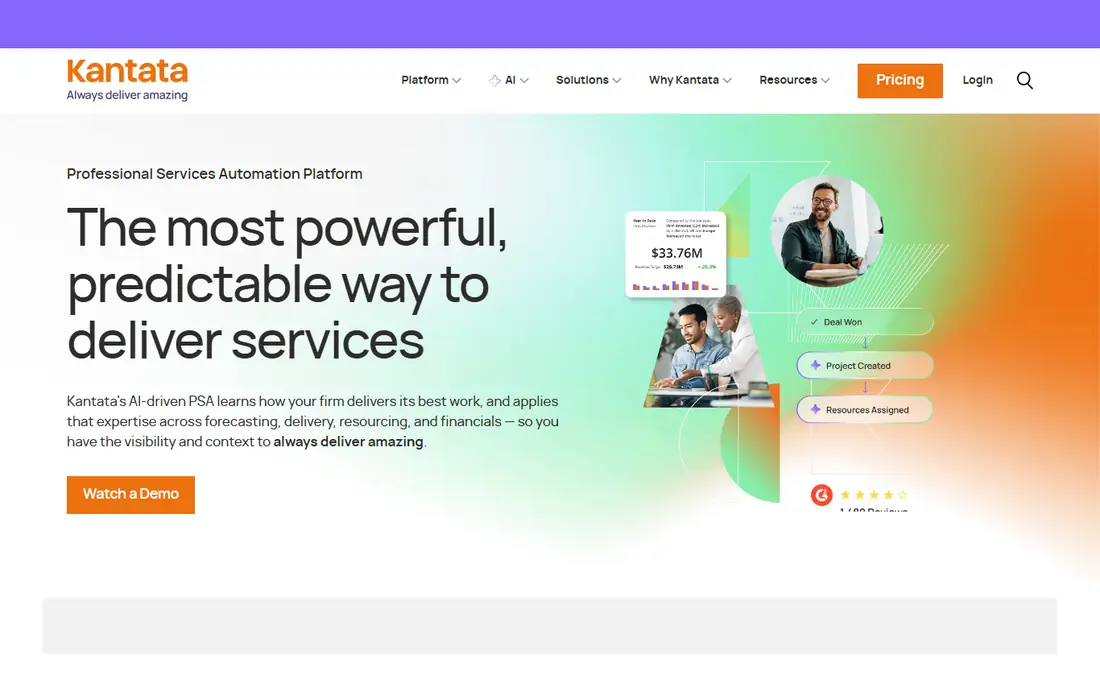
Kantata, formed from the merger of Mavenlink and Kimble, is a purpose built PSA platform for consulting firms, agencies, and software services teams. Its resource views show availability, skills, and booked time side by side, which helps managers spot an overloaded senior consultant before a project slips. Project costing covers fixed fee, time and materials, and milestone billing, with revenue recognition that fits most services firms.
The main drawback is opacity around price and implementation effort. Kantata quotes by customer, and reviewers often note a learning curve in the first weeks. That is normal for a full PSA, but it means a small team should ask for a clear implementation plan and a named contact. For firms with 50 or more billable staff, Kantata is our pick for most people.
- Strong resource planning and utilisation views
- Project financials in one place
- Salesforce edition available
- No published pricing
- Setup can take time

Certinia, formerly FinancialForce, runs natively on Salesforce, so a deal that closes in Salesforce can become a project, with resources, billing, and revenue recognition flowing from the same records. That single data model is the reason large services firms choose it, because it cuts the reconciliation work between sales, delivery, and finance. Resource management includes capacity planning, skills matching, and utilisation reporting tied to financial results.
Price is the catch. Certinia is an enterprise product with quote based pricing, and it makes little sense outside a Salesforce shop. If your firm already runs Salesforce for sales and customer success, Certinia is hard to beat for end to end visibility. If you do not, Kantata or Scoro will likely give you a faster return.
- Native Salesforce data model
- Strong billing and revenue features
- Shared opportunity to project workflow
- Enterprise pricing
- Best value only if you already use Salesforce

NetSuite SuiteProjects Pro, formerly OpenAir, is the PSA add on for Oracle NetSuite. It centralises project management, resource planning, time, expenses, invoicing, and reporting, and because it sits inside NetSuite, project costs flow straight into accounting without an integration project. That matters for firms that already close their books in NetSuite and want one source of truth.
The weakness is cost and complexity for smaller buyers. Pricing is by quote, with a base subscription plus per user fees, and reviewers often describe implementation as demanding. For a NetSuite customer with complex billing or multi subsidiary work, those costs are usually justified. For a firm choosing its first PSA, a standalone tool will be easier to adopt.
- Project data flows into NetSuite financials
- Strong time and expense tracking
- Wide industry coverage
- Quote based pricing
- Implementation can feel heavy for smaller teams
Scoro is an all in one PSA for agencies and professional services firms that want one system instead of five. It covers project management, resource planning, time tracking, quotes, billing, and reporting, with connections to QuickBooks, Xero, HubSpot, and Slack. Published pricing starts at $26 per user per month for the Essential plan, which makes budgeting far easier than with quote only rivals.
The trade off is depth. Scoro will not match Certinia on enterprise revenue recognition or Kantata on complex resource modelling, and some advanced features require higher tiers. For firms with roughly 10 to 200 staff that want a single, usable system, that trade is usually worth it. Scoro is the easiest enterprise style PSA to actually get running.
- Projects, CRM, time, billing, and reporting in one tool
- Clear published pricing tiers
- Good integrations
- Advanced revenue features sit on higher tiers
- Less deep than enterprise PSA tools
BigTime describes itself as more than a time tracker and less than a full ERP, which is a fair summary. It handles project tracking, resource allocation, time and expenses, invoicing, and reporting, with a PSA edition for firms that need deeper project financials. Accounting, architecture, consulting, engineering, and IT services firms are its core audience, and its links to QuickBooks and Sage help finance teams trust the numbers.
Pricing starts at $20 per user per month for Essentials, with higher tiers quoted by demo, so confirm what the PSA edition costs for your team size. The interface is functional rather than pretty, and some users prefer a more modern look. If accurate billing and utilisation matter more than visual polish, BigTime is a solid, practical choice.
- Strong time and expense workflows
- PSA edition for services firms
- QuickBooks and Sage links
- Some tiers require a demo for pricing
- Interface can feel dated in places
Productive is a PSA built for creative, digital, and consulting agencies, and it shows in how it treats profitability. Managers can see budget, time, and margin by project and by client, and resource planning shows who is booked, who is free, and where capacity will run short. That focus helps agencies that live on project margins rather than hourly billing alone.
The limitation is fit. Productive is less suited to a large engineering or government contracting firm that needs deep compliance or complex revenue rules. Pricing is also less transparent than Scoro, so ask for a written quote for your team size and plan level. For agencies, though, its balance of planning and profit reporting is genuinely useful.
- Built for agency workflows
- Profitability by project and client
- Resource planning with capacity views
- No simple published starting price for all plans
- Agency focus may not suit engineering firms
Teamwork.com combines project management with PSA features, which suits agencies and consultancies that want one tool for delivery and for the business side of projects. It offers workload views, time tracking, billing, and reporting, with a free plan for up to 5 users and paid plans from $9.99 per user per month billed yearly on the Basics tier. That low entry point makes it easy to trial with a real team.
The catch is depth. Its resource management is good for day to day staffing, but it does not match Kantata or Certinia for complex forecasting across hundreds of consultants. Higher tiers add more PSA depth, so check which tier your forecasting needs actually require. For small to mid sized agencies, Teamwork.com is a strong value pick.
- Free plan for up to 5 users
- Clear published pricing
- Project management plus PSA features
- Resource depth is lighter than Kantata
- Advanced PSA features need higher tiers
Deltek Vantagepoint is the PSA and ERP platform for architecture, engineering, and professional services firms that run project based work. It ties project planning, resource management, accounting, and business development together, with resource views that help firms staff pursuits and active projects by role and availability. Firms that bill by project phase and need tight control over project financials will feel at home here.
The downside is scale. Vantagepoint is an enterprise system with quote based pricing and a serious implementation effort, so it is not a quick buy for a 20 person agency. For larger architecture and engineering firms, especially those already in the Deltek ecosystem, it is one of the most complete options available.
- Built for project based architecture, engineering, and consulting firms
- Strong project accounting
- Resource planning by role
- Enterprise pricing by quote
- Implementation is a project in itself
Parallax focuses on the resourcing and forecasting problem rather than trying to be a full PSA suite. It helps services firms see who is available, forecast demand, and plan hiring, and it works alongside CRM and time tracking tools you already run. The vendor claims teams can go live in under 30 days, which is faster than most full PSA rollouts, and pricing scales with the number of resources managed.
That focus is also its limit. If you need billing, revenue recognition, and project accounting in the same system, Parallax alone will not replace a full PSA, and you will still need those tools elsewhere. For firms whose main pain is staffing and forecasting, and that already have solid finance tools, Parallax is a focused and sensible choice.
- Focused resourcing and forecasting
- Reads data from CRM and time tools
- Fast go live claims
- Narrower scope than full PSA suites
- Pricing scales with resources managed
How we picked these
We compared official feature pages, pricing pages, and public reviews, and we kept only tools with real resource management features such as capacity views, skills matching, utilisation reporting, or forecasting. We noted where pricing is published and where it is quote based, and we did not invent prices, user counts, or ratings. We did not claim hands on testing. Where a vendor changed its product name, such as NetSuite OpenAir becoming SuiteProjects Pro, we used the current name.
How to choose PSA software for resource management
Start by listing the questions managers ask every week. Who is free next month, who is overbooked, which skills are short, and which projects will miss margin if staffing slips. Then test each shortlisted tool against those questions with your own data, not a vendor demo dataset. A tool that answers those four questions clearly will beat a tool with a longer feature list that hides the answers.
What to check in a trial
Check part time staff, contractors, leave, and public holidays, because a capacity view that assumes everyone works 40 hours will mislead you. Check how skills are stored and searched, and whether a manager can find a person by skill and availability in under a minute. Check reporting for utilisation by person, team, and project, and confirm finance can reconcile billed time to invoices. Finally, confirm who owns data cleanup, because a PSA is only as good as the time entries and bookings inside it.
FAQ
What is PSA software for resource management?
PSA software for resource management helps professional services firms plan, staff, and track people across projects. It combines project data, time, skills, and availability so managers can assign the right person, spot overload, and forecast hiring needs. Good PSA tools also link staffing decisions to project budgets and billing.
Which PSA tool is best for a small agency?
Scoro, Teamwork.com, and Productive are strong starting points for smaller agencies because they combine project work and PSA features at clearer prices. Teamwork.com offers a free plan for up to 5 users, which makes a trial low risk. Larger firms with complex forecasting usually need Kantata or Certinia instead.
How much does PSA software cost?
Prices vary widely. Scoro starts at $26 per user per month, BigTime at $20, and Teamwork.com at $9.99 on entry tiers, while Kantata, Certinia, and Deltek price by quote and cost far more at enterprise scale. Always ask for implementation, training, and integration costs in addition to the licence price.
Does PSA software replace project management software?
For many services firms, yes, because PSA tools include project management plus time, billing, and resource features. A firm with very simple project needs may still prefer a lighter project tool, but once billing and utilisation matter, a PSA usually saves the reconciliation work between separate systems.
How long does PSA implementation take?
Small teams can go live in weeks, while enterprise PSA rollouts often take months. Parallax claims under 30 days for its focused product, while full suites such as Certinia and Deltek need longer for configuration, data migration, and training. Ask each vendor for a written timeline based on your team size and data.