Best Project Management Software for Architects in 2026: 9 Tools Compared
We compared the best project management software for architects on phase budgets, time tracking, invoicing and capacity, so firms can pick the right fit.
- Editor's choice
 Monograph
Design-led phase planning
Starts atSee websiteVisit monograph.comFull review - Great alternative
 BQE CORE
Time and billing for AEC firms
Starts atSee websiteVisit bqe.comFull review - Also consider
 Deltek Ajera
Large firm project accounting
Starts atSee websiteVisit deltek.comFull review
TL;DR:
- Monograph is the strongest fit for small and mid-size design firms that plan work by project phase.
- BQE CORE and Deltek Ajera suit larger firms that need deep time, billing and accounting controls.
- BigTime is a practical middle option, with an Essentials plan from 20 dollars per user per month.
- General tools such as Asana and monday.com work for task tracking, but they lack phase-based fee and profitability views.
Quick comparison
| Tool | Best for | Starts at | Free plan? | |
|---|---|---|---|---|
| Monograph | Design-led phase planning | See website | Free trial | Visit |
| BQE CORE | Time and billing for AEC firms | See website | Free trial | Visit |
| Deltek Ajera | Large firm project accounting | See website | No | Visit |
 BigTime | Budgeting and invoicing | $20 per user per month | Free trial | Visit |
 Deltek Vantagepoint | Enterprise AEC management | See website | No | Visit |
 Unanet AE | ERP for architecture and engineering | See website | No | Visit |
 ArchiOffice | Small firm project and billing | See website | Free trial | Visit |
 Asana | General task tracking for studios | $10.99 per user per month | Yes | Visit |
 monday.com | Visual project boards | $9 per seat per month | Yes | Visit |
The best project management software for architects
Architecture firms do not just track tasks. They track fees by phase, staff time against a budget, consultant costs and whether a project is actually profitable before it ends. We compared official feature and pricing pages, plus public reviews, to find tools built for that work and general tools that can support it. The list below starts with firm-specific platforms and ends with general options that suit smaller studios.
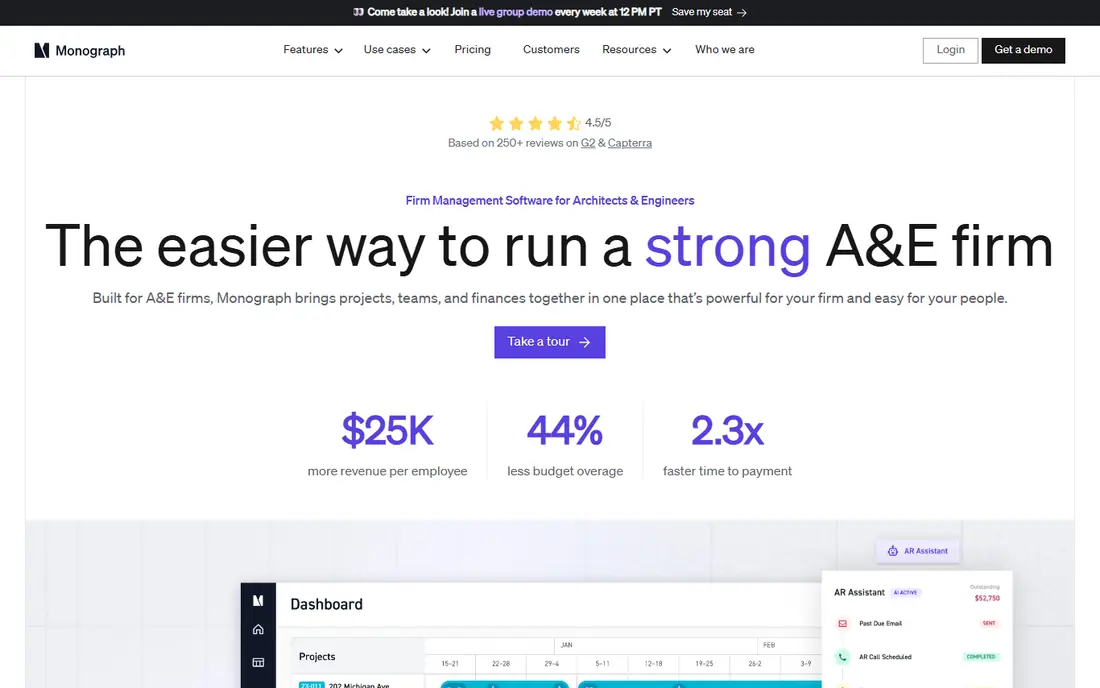
Monograph is our pick for most architecture firms because it treats a project phase as the unit of planning, not an afterthought. Budgets can be set as a fixed dollar amount or a percent of fee per phase, and time, expenses and consultant bills roll up against that budget in real time. Managers can see utilization, capacity weighted by win probability, and which phases are burning fee too fast, which matters far more than a simple task checklist.
The limits are commercial rather than functional. Monograph sells an annual subscription with a five-seat minimum, and current plans are shown on its pricing page rather than as one flat rate, so a two-person studio may find it a stretch. Firms with five or more staff, though, will find the phase view and invoicing workflow hard to match in a general tool, and the QuickBooks Online sync keeps project records and accounting records consistent.
- Phase budgets as the core data model
- Utilization and capacity views
- QuickBooks Online sync
- Annual subscription with a five-seat minimum
- Pricing is not shown as a simple per-user rate
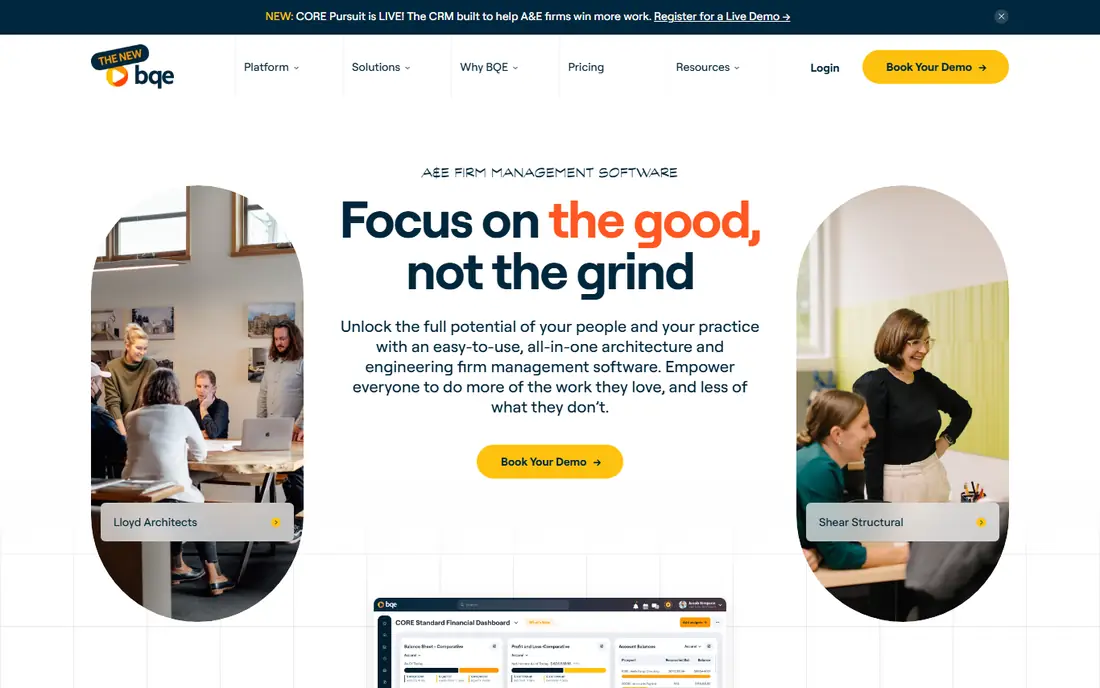
BQE CORE suits firms that live on hourly and fixed-fee billing and need billing rules to match real contracts. Time cards, multi-project timers and expense tracking feed batch billing, percent-complete invoices and retainage, while phase budgets with sub-phases show progress in the terms architects already use. The two-way sync with QuickBooks Desktop and QuickBooks Online is a practical plus for firms that do not want to replace their ledger.
Pricing is quote only and varies by user and module, which makes budgeting harder than with a published per-user rate. The interface also feels enterprise-grade, so a firm without an operations lead should plan training time. For firms with 15 or more staff and complex billing, though, that depth is exactly the point, and BQE CORE handles multi-disciplinary work better than most studio tools.
- Deep time, expense and billing controls
- Phase budgets with sub-phases
- Two-way QuickBooks sync
- Quote-only pricing per user and module
- Setup and learning curve for smaller firms
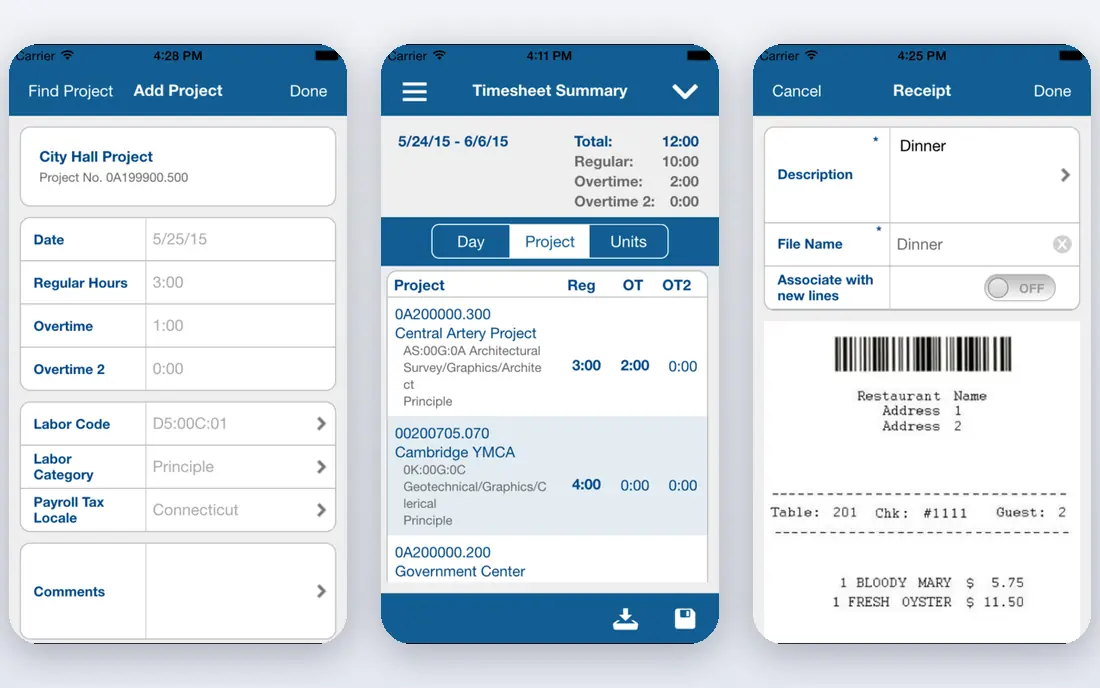
Deltek Ajera is an enterprise option for firms that need project accounting, not just project tracking. It offers weekly timesheets with pre-filled assistance, time and expense entry, fixed-fee and percent-complete billing, and reporting on employee utilization and project profitability. Because Ajera includes its own general ledger and payroll, larger firms can reduce reliance on separate accounting software, though that also means a bigger change to adopt it.
Small firms should look elsewhere. There is no published price and no free trial, and implementation typically needs dedicated finance staff and a planned rollout. For firms over 50 people with multiple offices, Ajera provides the financial controls that studio tools cannot, and its phase structure supports complex projects with many sub-phases and consultants.
- Full project accounting and payroll in one system
- Up to six phase levels
- Strong reporting
- No published pricing
- Implementation effort is high for small firms
BigTime is a sensible middle ground between a studio tool and a full ERP. The Essentials plan starts at 20 dollars per user per month and includes native QuickBooks integration, while higher tiers add project budgeting at Premier level and more invoicing control. Fixed-fee invoices can be issued by milestone or percent complete, and time entries flow into billing without retyping, which saves hours for firms that bill monthly.
The trade-offs are worth checking before purchase. Tasks can be labeled as phases on lower tiers, but true phase budgeting appears at Premier, and resource management is offered as a standalone option rather than in the core plan. Firms that need basic budgeting and clean invoicing will be well served, while firms that need deep phase control should compare Monograph or BQE CORE first.
- Essentials plan from 20 dollars per user per month
- Native QuickBooks sync
- Invoicing by milestone or percent complete
- Full phase budgeting sits on higher tiers
- Resource management is a separate option
Deltek Vantagepoint is the enterprise sibling of Ajera, built for large architecture and engineering firms that run projects, people, finances and business development in one system. It covers project planning, resource management, billing with retainage, and reporting across offices, which helps leadership compare profitability and pipeline across a whole firm rather than project by project. For firms that already run Deltek products, the shared data model is a real advantage.
Cost and effort are the barriers. Pricing is quote only, with buyer-reported annual costs in the tens of thousands of dollars for mid-size deployments, and rollout takes planning, data migration and training. That rules it out for small studios. For firms with 75 or more staff and dedicated operations and finance teams, Vantagepoint is one of the few tools that can genuinely run the whole firm.
- Full ERP for AEC firms
- Project lifecycle and resource planning
- Strong for multi-office firms
- Quote only with high reported annual costs
- Long implementation and training
Unanet AE, formerly Unanet A/E, gives architecture and engineering firms an ERP that combines project management, time and expense, and accounting. Progress billing can be configured to match contract terms, and time and expense entries feed project costs directly, so managers see margin without waiting for month-end reports. For firms that want one system of record for projects and finances, that integration is the main selling point.
As with other enterprise tools, pricing is quote only and terms are not published, so firms must go through a sales process to get a real number. Implementation also needs an internal owner who can map current billing and reporting habits onto the new system. Firms that accept that effort get a platform built for AEC work, while smaller firms will find Monograph or BigTime faster and cheaper to adopt.
- Integrated project accounting, time and expense
- Configurable progress billing
- Replaces separate ledger needs
- Quote only
- Pricing terms are not public
- Rollout needs internal ownership
ArchiOffice has long served small architecture and engineering firms that want project tracking, time entry and invoicing without an enterprise system. Projects, contacts, time and billing sit together, so a small team can follow a project from proposal to invoice in one place. That focus makes it easier to learn than Deltek tools, and the trial lets a firm test its own project structure before committing.
Larger firms will outgrow it. Reporting, multi-office controls and complex billing rules are thinner than in BQE CORE, Ajera or Vantagepoint, and pricing is not published as a simple rate. For a studio of under 20 people that wants an AEC-specific tool without enterprise cost or complexity, ArchiOffice remains a credible shortlist option, especially when paired with a separate accounting tool if needed.
- Built for small architecture firms
- Project, time and billing in one place
- Simpler than enterprise ERP tools
- Less depth than BQE CORE or Deltek for large firms
- Pricing requires a quote or trial
Asana works well for studios that mainly need clear task ownership and deadlines, rather than full project accounting. A small firm can run design stages as sections, assign work, set due dates and use Timeline to show a project schedule to a client. Forms turn briefs and change requests into tracked tasks, and the Starter plan at 10.99 dollars per user per month when billed annually adds timelines, custom fields and automations that small teams actually use.
The limit is financial depth. Asana does not model phase fees, percent-complete billing or utilization in the way Monograph or BQE CORE do, so firms must add spreadsheets or integrations for profitability. That is acceptable for a studio that already runs accounting elsewhere and just needs task discipline. If fee burn by phase is the main problem, choose a firm-specific tool instead.
- Easy to adopt
- Timelines, forms and templates
- Free plan for two users
- No phase-based fee budgeting
- Profitability views require workarounds or integrations
Monday.com suits architecture studios that think visually and want a board for each project stage, consultant tracker or submittal log. Boards are easy to build, dashboards can show project status across a studio, and automations remind owners when a stage moves or a deadline nears. The Basic plan at 9 dollars per seat per month when billed annually, with a three-seat minimum, makes it affordable for a small studio to start.
Like Asana, monday.com is not a project accounting system. Time tracking and advanced automations sit on higher plans, and phase fee budgets need custom columns or an integration. It is a good choice for a studio that wants visual coordination and already handles billing in QuickBooks or another ledger. Firms that need phase profitability in one place should shortlist Monograph first and use monday.com only for task coordination.
- Visual boards and dashboards
- Many templates
- Fast onboarding for non-technical staff
- Seats sold in groups
- No native phase accounting
- Higher tiers needed for time tracking
How we picked these
We compared official feature and pricing pages, plus public reviews and comparisons, focusing on phase-based budgets, time tracking, invoicing, utilization and accounting integrations that matter to architecture firms. We favored tools built for AEC work, then added general tools that studios commonly use when firm-specific pricing or complexity does not fit. Where a vendor publishes no price, we say so rather than guessing, because enterprise quotes vary widely by firm size and modules.
What to check before you buy
Start with your fee structure. If you bill by phase, percent complete or fixed fee, shortlist tools that model phases natively, and test one real project from proposal to invoice during the trial. Check how time flows into billing, how consultant costs are handled, and whether utilization reports match how your principals review staff capacity. Also confirm accounting integration: a tool that syncs cleanly with QuickBooks or replaces your ledger will save more time than a prettier board that needs manual re-entry.
Do not overlook adoption. A tool with perfect billing will fail if project managers will not enter time daily, so test the mobile and desktop time entry experience with your own staff. Ask for the full implementation cost, including training and data migration, and get renewal terms in writing for quote-only tools. The right choice is the one your team uses for every project, not just the pilot.
FAQ
What is the best project management tool for architects?
Monograph is the best starting point for most small and mid-size firms because it plans by phase, tracks fee burn and shows utilization in one place. Larger firms with complex billing and accounting needs should compare BQE CORE and Deltek Ajera, while small studios that only need task tracking can use Asana or monday.com. The best tool depends on firm size, fee structure and whether project accounting must live in the same system.
How much does project management software for architects cost?
Published entry prices range from 9 to 11 dollars per seat per month for general tools, and BigTime Essentials starts at 20 dollars per user per month. Firm-specific tools such as Monograph, BQE CORE and Deltek Ajera use annual subscriptions or quote-only pricing, so the total depends on seats, modules and firm size. Always ask for implementation, training and renewal costs, not just the license rate.
Do architects need special software, or will Asana work?
Asana works for task tracking, deadlines and team coordination, and many small studios use it well. Special software earns its place when a firm needs phase budgets, percent-complete billing, utilization reporting or project profitability in one view. If your main pain is missed deadlines, Asana is enough. If your main pain is not knowing whether a phase is profitable, choose a firm-specific tool.
What features matter most for architecture firms?
Phase-based budgets, time tracking, expense and consultant cost tracking, invoicing by phase or percent complete, and utilization reporting matter most. Capacity planning helps principals staff projects without overloading key people, and accounting integration avoids double entry. Task boards and timelines matter too, but they are table stakes compared with fee and profitability control.
Can these tools handle consultants and sub-consultants?
Yes, most firm-specific tools track consultant fees, pass-through costs and expenses against a project phase. Monograph supports consultant pass-through billing, BQE CORE handles consultant arrangements in billing, and enterprise tools track sub-consultant costs in project accounting. Check during a trial that consultant invoices and expenses roll up to the right phase, not just to the project total.
Is Monograph better than BQE CORE for a small firm?
For most small firms, yes, because Monograph is designed around phase planning with a cleaner interface and a clearer subscription model. BQE CORE is stronger for firms with complex billing rules, many modules and larger teams that need deep reporting. Try both with a real project if you can, and weigh ease of daily use against billing depth before deciding.
Sources
- https://monograph.com/pricing
- https://www.bqe.com/pricing
- https://www.deltek.com/en/products/project-management/ajera
- https://www.bigtime.net/pricing
- https://www.deltek.com/en/products/erp-software/vantagepoint
- https://unanet.com
- https://www.archioffice.com
- https://asana.com/pricing
- https://monday.com/pricing