Best Project Accounting Software in 2026: 8 Tools Compared
We compared the best project accounting software for 2026 on job costing, budgets, billing and profit reports, so small firms can pick with confidence.

- Editor's choice
 QuickBooks Online
Small firms needing full books plus projects
Starts at$38 per monthVisit quickbooks.intuit.comFull review - Great alternative
 FreshBooks
Service firms billing time by project
Starts at$23 per monthVisit freshbooks.comFull review - Also consider
 Xero
Growing teams with many users
Starts at$27 per monthVisit xero.comFull review
TL;DR:
- QuickBooks Online is our pick for most small firms because it pairs full accounting with project profit reports in one place.
- FreshBooks and Xero suit smaller teams that need clean invoicing and time tracking without a steep learning curve.
- Sage Intacct, BQE CORE, Deltek Ajera and Acumatica fit larger or specialist firms that need deeper project controls.
- Always check whether project profit, budget comparison and billing live in the plan you are buying, since entry plans often leave one of them out.
Quick comparison
| Tool | Best for | Starts at | Free plan? | |
|---|---|---|---|---|
| QuickBooks Online | Small firms needing full books plus projects | $38 per month | Free trial | Visit |
| FreshBooks | Service firms billing time by project | $23 per month | Free trial | Visit |
| Xero | Growing teams with many users | $27 per month | Free trial | Visit |
 Sage Intacct | Midsize firms needing project financials | See website | No | Visit |
 BQE CORE | Architecture and engineering firms | See website | No | Visit |
 Deltek Ajera | Architecture and engineering project firms | See website | No | Visit |
 Acumatica | Firms needing project ERP depth | See website | No | Visit |
 Zoho Books | Budget firms wanting low cost accounting | Free | Yes | Visit |
The best project accounting software
Project accounting is different from general accounting. It asks, for each job, what did we quote, what did we spend, what did we bill, and what did we keep. These eight tools answer those questions with varying depth, and we compared their official feature and pricing pages to sort them.
QuickBooks Online
Best for: Small firms needing full books plus projects
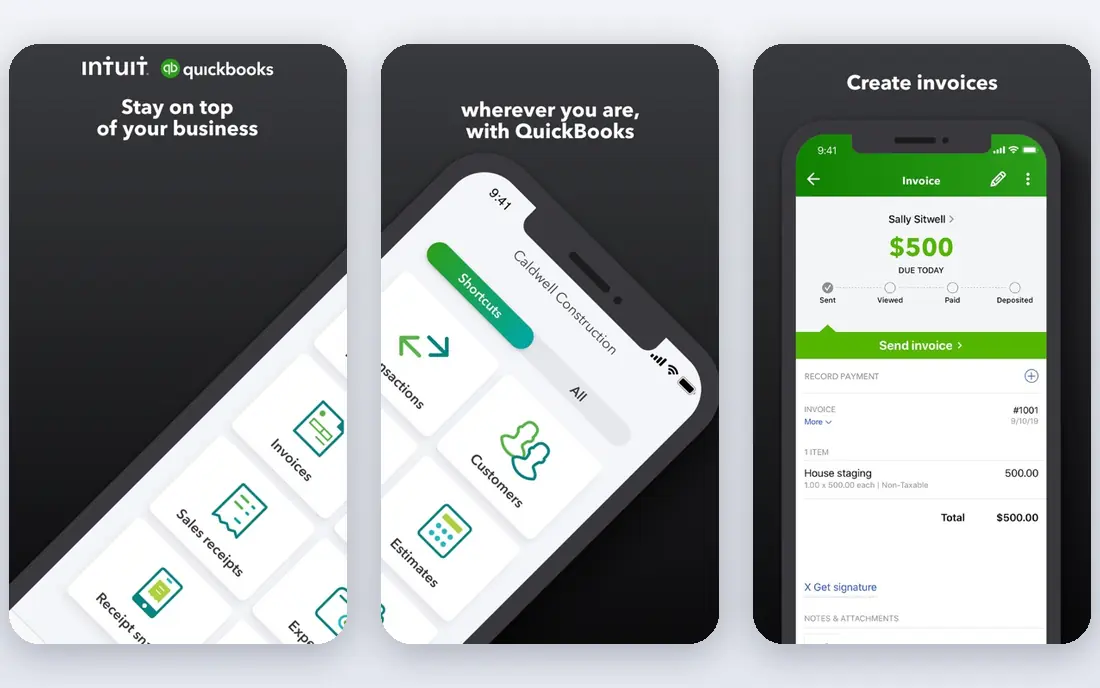
QuickBooks Online is the safest default for a small firm that already works with an accountant. Most accountants know it, bank feeds and invoicing are mature, and project income and costs can be grouped so profit by job is visible. That familiarity saves time at tax season, and it makes hiring bookkeeping help easier.
The catch is plan choice. Simple Start covers basic books, but project profitability reporting needs Plus or Advanced in most cases. Check the plan before you buy, and budget for the higher tier if project profit is the reason you are shopping. For firms with straightforward jobs, that tier is still cheaper than running a separate project system.
- Project profitability reports
- Estimated versus actual cost tracking
- Wide accountant familiarity
- Project profit tools sit on higher plans
- Price rises steeply across tiers
FreshBooks shines when the work is people and hours rather than materials and subcontractors. You can track time against a project, turn that time into an invoice, and see whether the project made money. Clients get tidy invoices and payment links, which helps small service firms get paid faster.
It is not a full replacement for a deep accounting system at larger scale. Inventory, complex payroll and advanced reporting are thinner here, and extra team members add cost. If your jobs are mostly time based and your accountant is comfortable with FreshBooks exports, it is a calm, low friction choice.
- Clean client invoicing
- Billable time tracking
- Simple project profit view
- Less deep double entry accounting
- Team seats cost extra
Xero appeals to firms that hate paying per seat. Unlimited users means the whole team can log time and expenses without a seat tax, which matters as a firm grows. Bank reconciliation is fast, and the app marketplace covers payroll, expenses and reporting tools that fill gaps.
Project tracking needs care. Depending on your plan and region, project features may require a higher tier or an add on, so confirm project cost tracking before committing. Entry plan invoice and bill limits can also bite a busy firm. For multi user teams that value clean books, Xero is a strong middle path.
- Unlimited users on every plan
- Strong bank reconciliation
- Good app ecosystem
- Project tracking is an add on in some regions
- Invoice limits on entry plans
Sage Intacct is built for firms that have outgrown entry level books. It handles project budgets, costs, billing and revenue recognition with controls that auditors and finance leads appreciate. Multi dimensional reporting lets you slice profit by project, client, department or location without exporting to spreadsheets.
That depth comes with a sales led purchase and a longer setup. Small firms will find it heavy and costly, and you should expect a demo and a quote rather than a quick signup. For midsize firms with many concurrent projects, the reporting alone can justify the effort.
- Project costing and revenue recognition
- Multi dimensional reporting
- Strong controls
- Quote based pricing
- Implementation takes planning
BQE CORE was designed around professional services firms, and it shows. Time, expenses, budgets and billing live in one project view, so a principal can see which jobs are drifting before month end. Resource views help managers spot overloaded staff, which is useful on deadline driven work.
It is a specialist tool, so firms outside architecture, engineering and consulting may find parts of it less relevant. Pricing is by quote, so get a written proposal and ask what is included for training. For design firms, though, the fit is tighter than a general accounting tool with project features added on.
- Project budgets and billing built for design firms
- Time and expense tracking
- Profitability reporting
- Quote based pricing
- Less suited to non professional services
Deltek Ajera serves architecture and engineering firms that live on projects. It tracks labor costs, budgets and billing in a way that matches how those firms staff work, and it gives project managers a clear view of remaining budget. That focus helps firms that bill by phase or by percentage complete.
New users should expect training time. The interface rewards firms that set up projects carefully, and casual users may find it dense at first. Pricing is by quote, so compare total cost including implementation. For established design firms, Ajera is a proven, project first option.
- Project budgeting and labor costing
- Resource planning
- Billing for design firms
- Quote based pricing
- Learning curve for new users
Acumatica goes further than accounting by tying projects to purchasing, inventory and commitments. That matters when a job involves materials, subcontractor commitments and change orders, since committed costs show up before invoices arrive. Progress billing and project profitability reports keep finance and operations on the same numbers.
This is an ERP, not a quick signup app. Implementation needs a partner and a plan, and small firms will find it more than they need. Firms that have grown into complex, multi project work and need one system for operations and finance should put Acumatica on the shortlist.
- Project budgets and change orders
- Progress billing
- Strong inventory and purchasing links
- Quote based pricing
- Implementation is a real project
Zoho Books is the value pick for a firm that needs sound books and basic project tracking at low cost. Invoicing, expenses, bank reconciliation and client billing are included, and the free plan suits firms under its revenue limit. Links to other Zoho apps add CRM and time tracking without extra vendors.
Project accounting here is useful but not specialist grade. You can track project time and costs and invoice clients, but firms that need revenue recognition, change order control or deep job costing should look higher up this list. For a new or small firm watching costs, Zoho Books is hard to beat as a starting point.
- Free plan for smaller firms
- Invoicing and expense tracking
- Zoho app links
- Project profit depth is lighter than specialist tools
- Free plan has revenue limits
How we picked these
We compared official feature pages, pricing pages and project reporting details for tools that track income, costs and profit by project, not just general ledger accounting. We favored tools that are live and supported in October 2026, that publish clear project features, and that cover a range of firm sizes, from solo service firms to midsize project firms. We left out general accounting tools with no project view and project tools with no accounting backbone.
What to check before you buy project accounting software
Start with one real job and trace it through the tool. Can you set a budget, log time and expenses, record subcontractor costs, bill in stages, and see profit at the end. If any step needs a spreadsheet workaround, that tool will cost you time every month.
Match depth to job type
Time based service jobs need time tracking and simple profit reports. Construction and design jobs need budgets, commitments, change orders and progress billing. Buying a deep ERP for simple time jobs wastes money, while buying a simple invoicer for complex jobs creates manual work and errors.
Watch plan limits and total cost
Entry prices rarely include the project features that matter. Check user seats, invoice limits, project counts and payroll or inventory add ons. Add implementation and training time to the first year cost, especially for quote based tools, and ask for a written quote before signing.
FAQ
What is project accounting software?
Project accounting software tracks income, costs and profit for each job separately, so you can see which projects make money and which lose it. It usually includes budgets, time and expense tracking, billing and project profit reports, all tied to the general ledger.
Is QuickBooks Online good for project accounting?
Yes, for many small firms, provided you choose a plan that includes project profitability reporting. Simple Start covers basic books, while Plus and Advanced add the project profit views most firms need. Confirm the plan detail on the pricing page before you buy.
What is the best project accounting software for a small business?
For most small service firms, QuickBooks Online, FreshBooks or Xero are the practical shortlist. QuickBooks suits firms with an accountant, FreshBooks suits time billing firms, and Xero suits teams that need many users without per seat pricing.
Do I need specialist software for architecture or engineering firms?
Not always, but firms that bill by phase, track labor costs closely, or manage many concurrent projects often benefit from BQE CORE or Deltek Ajera. Those tools are built around design firm workflows, while general tools may need workarounds for the same reports.
Can free accounting software handle project accounting?
Zoho Books offers a free plan that covers basic invoicing, expenses and simple project tracking for smaller firms. It works well as a starting point, but firms that need revenue recognition or change order control should expect to pay for a deeper tool.