Best Procurement Automation Tools for Businesses in 2026: 10 Tools Compared
Compare the best procurement automation tools for businesses, from intake and approvals to purchase orders, invoicing and supplier payments today for buyers.

- Editor's choice
 Coupa
Enterprise source-to-pay suites
Starts atSee websiteVisit coupa.comFull review - Great alternative
 SAP Ariba
Procurement inside the SAP ecosystem
Starts atSee websiteVisit sap.comFull review - Also consider
 Oracle Procurement Cloud
Procurement inside Oracle Fusion ERP
Starts atSee websiteVisit oracle.comFull review
TL;DR:
- Large companies should shortlist Coupa, SAP Ariba and Oracle Procurement Cloud, but all three are quote-based and need months to roll out.
- Mid-market teams get the fastest value from Precoro, Procurify, Zip or Airbase, which focus on intake, approvals and live budgets.
- Ramp is the low-cost starting point for smaller firms, since its core spend platform is free and procurement sits on paid plans.
- The biggest saving often comes from stopping off-policy spend before it happens, not from negotiating prices after the fact.
Quick comparison
| Tool | Best for | Starts at | Free plan? | |
|---|---|---|---|---|
| Coupa | Enterprise source-to-pay suites | See website | No | Visit |
| SAP Ariba | Procurement inside the SAP ecosystem | See website | No | Visit |
| Oracle Procurement Cloud | Procurement inside Oracle Fusion ERP | See website | No | Visit |
 Precoro | Mid-market purchase-to-pay control | $499 per month | Free trial | Visit |
 Procurify | Mid-market budget control at request time | See website | No | Visit |
 Zip | Intake and approval orchestration | See website | No | Visit |
 Airbase | Purchasing plus accounts payable in one system | See website | No | Visit |
 Ramp | Free core spend management for smaller firms | Free | Yes | Visit |
 Tipalti | Global supplier payments and tax compliance | See website | No | Visit |
 Basware | Invoice-led procurement for multinationals | See website | No | Visit |
The best procurement automation tools for businesses
Procurement automation covers more than buying software. It includes intake requests, approvals, purchase orders, supplier management, invoice matching and payments. We compared official feature and pricing pages, then picked tools that automate at least one full stage of that chain for real businesses in October 2026.
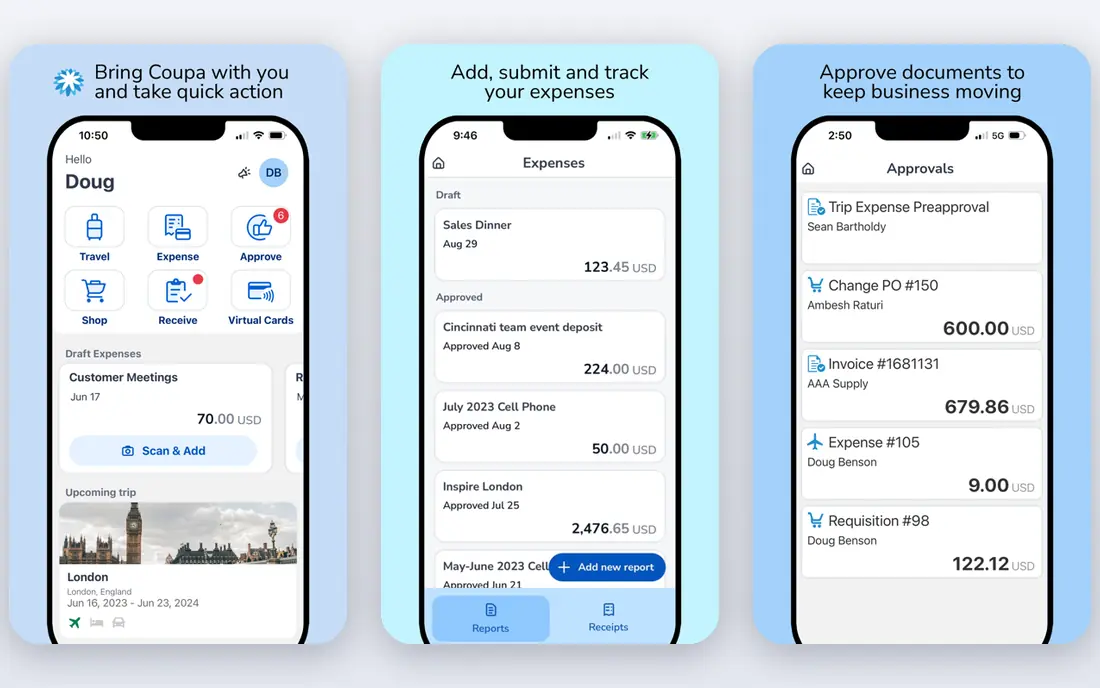
Coupa suits large companies replacing several buying systems at once. It covers sourcing, contracts, purchasing, invoicing and payments, with analytics that compare spend patterns across customers. For a finance team trying to control spend across many business units, that breadth is the point.
The cost is commitment, not just money. Implementation, training and supplier onboarding take time, and pricing is custom. Smaller firms should not start here. Large firms with mature procurement teams will get more from Coupa than from a narrow intake tool.
- Full source-to-pay coverage
- Spend analytics and benchmarking
- Broad supplier and catalog features
- Quote-based enterprise pricing
- Rollout takes months and needs a dedicated team
SAP Ariba is the natural choice for companies already running SAP. Its supplier network is one of the largest available, and its prebuilt ERP links reduce custom integration work. Sourcing events, contract management and invoice collaboration all sit inside the same platform.
Outside the SAP world, the case weakens. The interface is complex, projects run long, and pricing is custom. A non-SAP company usually finds a faster, simpler fit elsewhere, while an SAP company gains the most from staying in the same ecosystem.
- Very large supplier network
- Deep SAP ERP integration
- Sourcing, contracts and invoicing in one suite
- Steep learning curve
- Long rollout
- Best value only for existing SAP customers

Oracle Procurement Cloud fits companies already on Oracle Fusion ERP. Because procurement lives inside the ERP, purchase orders, receipts and invoices share the same data and controls without a separate sync. That reduces reconciliation work for finance teams.
The drawback is scope and skill. Pricing depends on modules and users, and implementation needs people who know Oracle well. Companies without Oracle ERP should look at standalone tools first, since they deploy faster and cost less to run.
- ERP-native purchasing with no separate integration layer
- Sourcing and supplier qualification
- Strong controls for large firms
- Quote-based pricing by module and user
- Rollout needs Oracle expertise
Precoro is the clearest mid-market pick for teams formalising spend control. It handles purchase requests, approvals, budgets, purchase orders and invoice matching in one system, and its published Core price makes budgeting simple. Setup is measured in weeks, not quarters.
It is not a full sourcing suite. Complex sourcing events, contract lifecycle depth and global supplier networks are weaker here than in Coupa or Ariba. For purchase-to-pay control, though, Precoro covers the daily work most mid-market firms actually need.
- Published pricing, rare in this category
- Budgets, purchase orders and three-way matching
- Fast setup for its size
- Less sourcing depth than enterprise suites
- Higher plans needed for advanced automation
Procurify stops overspend at the request stage, which is where control matters most. Staff see remaining budget before they submit, managers approve from a phone, and finance sees committed spend in real time. Spending cards extend the same controls to smaller purchases.
Pricing is modular and quote-based, so the final cost depends on which modules you choose. Ask for a written quote that includes every module you need, and test the mobile approval flow during a trial, since that is where most teams feel the benefit.
- Live budget visibility when a request is made
- Spending cards and mobile approvals
- Punchout catalogs
- Quote-based modular pricing
- Reporting depth varies by plan
Zip solves a specific pain, which is messy intake. Instead of requests arriving by email, chat and forms, staff use one intake form that routes to finance, legal, security and procurement in the right order. That cuts cycle time even when the ERP stays in place.
It is an orchestration layer, not a replacement suite. Sourcing, supplier management and payments still live elsewhere, often in the ERP. Companies whose main problem is approval chaos should demo Zip first. Companies needing full sourcing should shortlist a suite instead.
- One intake front door for all purchase types
- Routes approvals across departments
- Works alongside an existing ERP
- Not a full source-to-pay suite
- Quote-based pricing
- Needs process design to work well
Airbase combines guided purchasing with bill pay and cards, which suits mid-market finance teams that want fewer systems. Staff request spend through guided workflows, managers approve, and the same platform handles invoices and card transactions. That single record simplifies month-end close.
Enterprise sourcing and complex supplier qualification are outside its core strength. If your main need is controlled purchasing and clean accounts payable, Airbase is a strong fit. If you run large sourcing events, a suite will serve you better.
- Guided purchasing with approvals
- Bill pay and corporate cards in one place
- Good accounting integrations
- Quote-based pricing
- Procurement depth is mid-market, not enterprise
Ramp is the best starting point for a smaller business that needs control without an enterprise budget. Its free core plan covers corporate cards, expenses, travel and basic bill pay, with procurement features on paid tiers. Setup is fast compared with suites.
The free plan is not a full procurement suite. Advanced approvals, deeper purchase order controls and some integrations need paid plans, and some features are US-focused. For a growing firm, Ramp is a low-risk first step, with a clear upgrade path as needs grow.
- Core platform free with cards and expenses
- Bill pay and basic procurement workflows
- Fast setup
- Procurement depth sits on paid plans
- US-focused card and banking features
Tipalti fits companies paying many suppliers across borders. It handles supplier onboarding, tax form collection, invoice approval and payouts in multiple currencies and payment methods. That compliance layer saves finance teams from manual tax and payment work.
It is payment-led, not intake-led. If your main problem is purchase requests and approvals, start with Zip, Precoro or Procurify. If your main problem is paying hundreds of suppliers correctly and on time, Tipalti is the specialist to shortlist.
- Global payouts in many currencies and methods
- Supplier onboarding and tax forms
- Invoice and payment controls
- Quote-based pricing
- Procurement intake is less central than payments
Basware suits multinationals where spend data lives in invoices. It captures, matches and approves invoices at volume, connects suppliers through e-invoicing, and gives finance a clear audit trail. For companies processing thousands of invoices a month, that automation matters.
Smaller firms will find it heavy. Pricing tied to volume and a long enterprise rollout make it a poor fit for a team with modest invoice counts. Large firms with complex, multi-country invoicing will get the most value from its depth.
- High-volume invoice processing and matching
- Supplier network for e-invoicing
- Strong compliance controls
- Pricing often by invoice volume
- Rollout is enterprise-scale and slow
How we picked these
We compared official feature pages, pricing pages and public documentation, and kept tools that automate a real procurement stage for businesses in October 2026. We included enterprise suites, mid-market purchase-to-pay tools and payment specialists, so the list covers different company sizes. Tools with no working official site, or with only vague automation claims, were left out.
How to choose for your company size
Start from your bottleneck, not from a feature list. If requests get lost, you need intake. If budgets are blown, you need request-time budget control. If invoices pile up, you need invoice automation. If suppliers are paid late or incorrectly, you need a payments specialist.
Run a pilot on one spend category
Pick one category, such as software or marketing spend, and run the tool for a full approval cycle. Measure cycle time, off-policy requests and finance hours saved. A pilot exposes integration gaps and training needs before you commit the whole company.
Check ERP and accounting links before signing
Confirm the tool syncs purchase orders, receipts, invoices and payments with your ERP or accounting system. Ask about data export terms and what happens to your history if you leave. A tool that creates a second, disconnected record will cost more in reconciliation than it saves in approvals.
FAQ
What is procurement automation?
Procurement automation uses software to handle purchase requests, approvals, purchase orders, supplier management, invoice matching and payments with less manual work. It routes requests to the right approvers, checks budgets, creates orders and matches invoices to orders. The goal is faster buying with fewer errors and better control.
How much does procurement software cost?
Enterprise suites are quote-based and often run into six figures a year for mid-size deployments. Mid-market tools such as Precoro publish prices from $499 per month, while others quote by modules and users. Ramp is the exception, with a free core plan and procurement on paid tiers. Always confirm the full quote, including implementation.
How long does implementation take?
Ramp or Airbase can go live in days to weeks. Mid-market tools such as Precoro and Procurify usually take weeks. Enterprise suites such as Coupa, SAP Ariba and Oracle often take three to nine months, including process design, integrations and supplier onboarding. Plan training time as well as software time.
Do I need procurement software if I already have an ERP?
Not always. Many companies add Zip for intake and approvals on top of their ERP, which fixes the employee experience without replacing anything. Consider a full suite only when sourcing, supplier management or global compliance outgrow what the ERP handles well on its own.
What is three-way matching?
Three-way matching compares the purchase order, the goods receipt and the supplier invoice before payment. If quantities and prices match, the invoice can be paid automatically. If they differ, the system flags the exception for review. It is a core control against overpayment and duplicate invoices.
Which tool is best for a small business?
Ramp is the best low-cost start, since its core plan is free and covers cards, expenses and basic workflows. Precoro is the next step when you need formal purchase orders and budget control. Enterprise suites are usually too costly and slow for firms under 200 employees.