Best Primer Design Software in 2026: 8 PCR Tools Compared
We compare the best primer design software or PCR primer tools, including Primer3, Benchling, and SnapGene, with prices and honest limits for labs in 2026.
- Editor's choice
 Primer3
Free routine PCR primer design
Starts atFreeVisit primer3.orgFull review - Great alternative
 Primer3Plus
Free web primer design with more guidance
Starts atFreeVisit primer3plus.comFull review - Also consider
 NCBI Primer-BLAST
Primers checked for specificity
Starts atFreeVisit ncbi.nlm.nih.govFull review
TL;DR:
- Primer3 and Primer3Plus remain the free starting point for routine PCR, while Primer-BLAST adds a specificity check against sequence databases.
- Benchling and SnapGene suit labs that want primer design inside a wider sequence and plasmid workflow.
- Geneious Prime and IDT tools suit teams that need deeper analysis or direct ordering links, at a higher cost or with a narrower scope.
- Always check a candidate pair against your template and controls, since no tool can replace a failed reaction check.
Quick comparison
| Tool | Best for | Starts at | Free plan? | |
|---|---|---|---|---|
| Primer3 | Free routine PCR primer design | Free | Yes | Visit |
| Primer3Plus | Free web primer design with more guidance | Free | Yes | Visit |
| NCBI Primer-BLAST | Primers checked for specificity | Free | Yes | Visit |
 Benchling | Cloud primer design in a lab platform | See website | Free trial | Visit |
 SnapGene | Visual primer design for cloning | See website | Free trial | Visit |
 Geneious Prime | Full sequence analysis with primer tools | See website | Free trial | Visit |
 IDT OligoAnalyzer | Checking primer properties before ordering | Free | Yes | Visit |
 IDT PrimerQuest Tool | Primer picking linked to ordering | Free | Yes | Visit |
The best primer design software
PCR primer design rewards careful checking. A good tool balances melting temperature, GC content, specificity, and dimer risk, then shows its work so you can review each candidate before ordering.
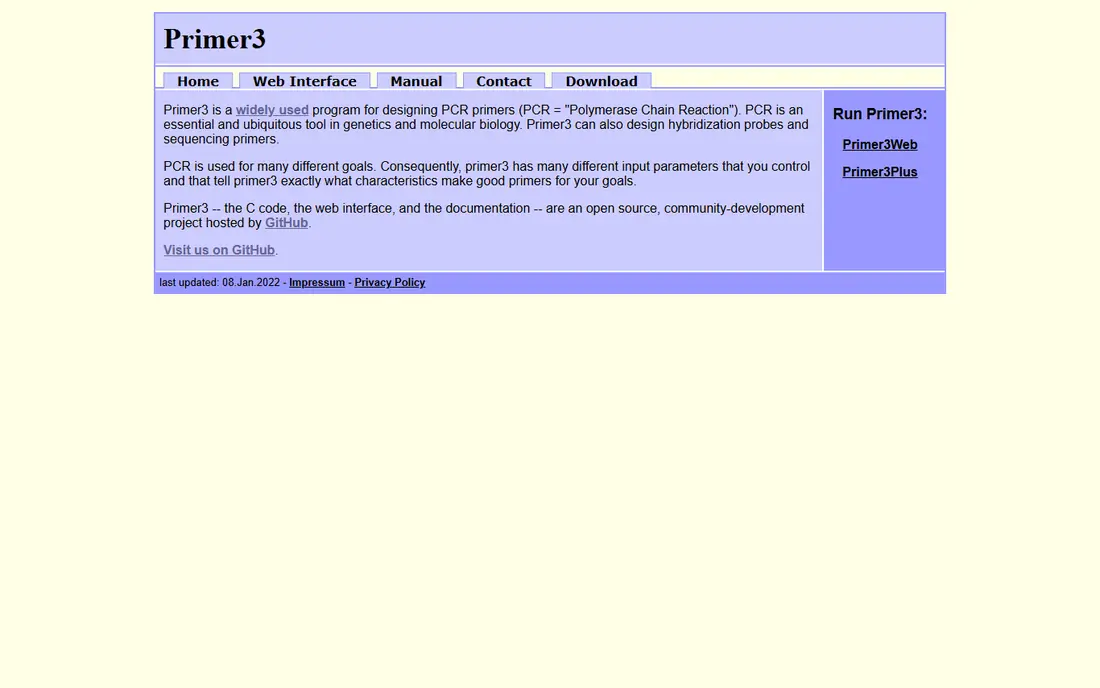
Primer3 is a good match for labs and students who need routine PCR primers without a budget. It gives fine control over primer length, melting temperature, GC content, and product size. The open source code also powers many other tools, so results are easy to reproduce and explain. A clear display matters more than a long feature list, because a result that is hard to check is hard to trust when a deadline is close.
The main catch is its plain interface can feel slow for newcomers. Start with its default settings for a standard assay, then adjust one parameter at a time when results look weak. Set up a small trial with real work, not sample data, and note how long each step takes from start to finish.
- Free and widely used
- Highly tunable parameters
- Works for many PCR types
- Dated web interface
- No built-in sequence database check
Primer3Plus is a good match for researchers who want Primer3 power with a friendlier web form. It keeps the core Primer3 engine but organises settings around common tasks such as cloning and sequencing. That structure helps when you design primers for different jobs in the same week. Price alone is a weak guide here, since the cheapest option can cost more time if it needs manual checking at every step.
The main catch is it does not manage plasmids or lab records. Save your settings with each project, since a small change in product size can change the whole candidate list. Ask who will use the tool each week, since a tool that suits one specialist may slow down a wider team.
- Free to use in a browser
- Clearer task settings than Primer3
- Good for cloning and sequencing primers
- Still a web form, not a full sequence editor
- Limited collaboration features
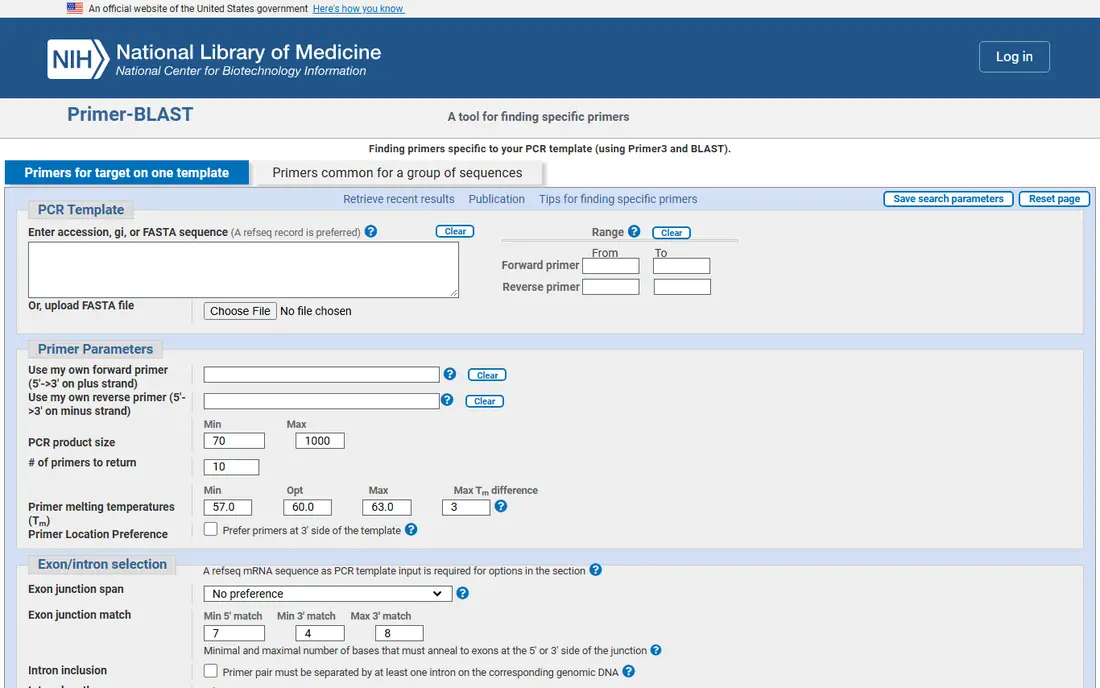
NCBI Primer-BLAST is a good match for anyone who needs confidence that a primer will hit only the intended target. It combines primer picking with a BLAST specificity check, which is the step many simple tools skip. You can limit the search to an organism or database, which sharpens the result for diagnostic work. We found the shortlist easier to judge once we compared the same basics for every option: fit for the job, clarity of the results, and what the paid tier actually adds.
The main catch is broad searches can return long reports that need careful reading. Narrow the organism first, then widen the search only if no good pair appears. Before you commit, test the tool on a case you already know well, so you can judge its output against a result you trust.
- Free
- Checks primers against NCBI databases
- Useful for avoiding off-target binding
- Interface takes practice
- Searches can be slow for broad databases
Benchling is a good match for labs that want primers, sequences, and records in one cloud system. It places primer design inside sequence maps and plasmid tools, so a primer stays linked to its construct. Team sharing and version history help when several people work on the same project. A clear display matters more than a long feature list, because a result that is hard to check is hard to trust when a deadline is close.
The main catch is the free tier does not cover every lab feature. Map your current plasmid workflow before you migrate, and test sharing permissions with a small team first. Set up a small trial with real work, not sample data, and note how long each step takes from start to finish.
- Cloud sequence tools
- Team sharing and records
- Primer design inside plasmid maps
- Paid plans can be costly for small labs
- Setup takes time for full lab use
SnapGene is a good match for molecular biologists who design primers while planning cloning. It shows primers on a visual sequence map, which makes it easy to spot overlaps, sites, and reading frames. The cloning views help when a primer must add a restriction site or overlap for assembly. Price alone is a weak guide here, since the cheapest option can cost more time if it needs manual checking at every step.
The main catch is it is not a replacement for a database specificity search. Use it for planning and visualisation, then run a specificity check for diagnostic or published assays. Ask who will use the tool each week, since a tool that suits one specialist may slow down a wider team.
- Clear sequence maps
- Strong cloning and primer views
- Good for teaching and routine lab work
- Subscription cost
- Less suited to large database searches
Geneious Prime is a good match for research teams that need primer design plus alignment, assembly, and annotation. It covers primer design as part of a broad analysis package, so one program can carry a project from raw sequence to annotated result. That breadth helps when a primer question turns into an alignment or assembly question. We found the shortlist easier to judge once we compared the same basics for every option: fit for the job, clarity of the results, and what the paid tier actually adds.
The main catch is the learning curve is steeper than a single-purpose primer tool. Start with the primer workflow only, and add other modules once the team is comfortable. Before you commit, test the tool on a case you already know well, so you can judge its output against a result you trust.
- Wide sequence analysis suite
- Primer design plus alignment and assembly
- Good for varied research
- Higher price
- More tool than a primer-only user needs
IDT OligoAnalyzer is a good match for researchers who already have a candidate primer and want to check it. It reports melting temperature, GC content, hairpins, and dimer risk in a clear format. That detail is useful before ordering, especially for primers with tricky sequences. A clear display matters more than a long feature list, because a result that is hard to check is hard to trust when a deadline is close.
The main catch is it will not pick a pair from a long template on its own. Check both primers together, not one at a time, since pair interactions cause many failures. Set up a small trial with real work, not sample data, and note how long each step takes from start to finish.
- Free
- Detailed melting and structure analysis
- Direct link to IDT ordering
- Analysis only, not full primer picking
- Focused on IDT products
IDT PrimerQuest Tool is a good match for labs that order from IDT and want a fast primer pick. It picks primers for standard PCR and qPCR and connects the result to ordering and further analysis. That short path from design to order saves time for routine assays. Price alone is a weak guide here, since the cheapest option can cost more time if it needs manual checking at every step.
The main catch is expert users may want finer parameter control. Compare its top pair with a Primer3 result for important assays, so you keep an independent check. Ask who will use the tool each week, since a tool that suits one specialist may slow down a wider team.
- Free
- Picks primers for PCR and qPCR
- Links to IDT ordering and analysis
- Tied closely to the IDT catalogue
- Less control than Primer3 for experts
How we picked these
We compared official feature pages, pricing pages, and public documentation for each tool, and we checked which jobs each one actually covers, from simple PCR to cloning and qPCR. We gave weight to specificity checking, clarity of results, and how easily a primer moves from design to ordering. We did not claim hands-on lab testing, and we left out tools that only analyse a sequence without helping to design or check primers.
What to check before you buy
Match the tool to the assay
A routine PCR primer needs different checks from a qPCR assay or a cloning primer with added sites. Start with the assay type, then pick a tool that handles that case well, rather than buying a broad suite for one job.
Check specificity early
A primer that binds in the wrong place wastes reagents and time. Use a database check for diagnostic work and for any target in a complex genome, and keep the report with your lab notes.
Look at the whole workflow
Some tools only pick primers, while others manage sequences, plasmids, and orders. A wider tool can help a busy lab, but it can also add setup time and cost that a single researcher does not need.
Test with a known target
Run any new tool on a target with a known result before you trust it for new work. That one test reveals interface problems, parameter quirks, and reporting gaps faster than a feature list.
FAQ
What is the best primer design software for beginners?
Primer3Plus is a good starting point, since it is free and organises Primer3 settings around common tasks. SnapGene suits beginners who also want visual sequence maps, though it is a paid tool. Start free, then move to a paid tool when you need its wider workflow.
Is Primer3 still good in 2026?
Yes, for routine PCR it remains a strong and widely used option, and its engine powers many other tools. It lacks a built-in database specificity check, so pair it with Primer-BLAST for work where off-target binding matters.
What is the best primer design software or PCR tool for qPCR?
Primer3, Primer3Plus, and PrimerQuest all support qPCR primer picking, with attention to product size and melting temperature. For qPCR, check amplicon length and dimer risk with care, and validate the pair with a standard curve before routine use.
Do I need paid primer design software?
Not always. Free tools cover many routine jobs well, and paid tools earn their cost when you need visual cloning plans, team records, or a broad analysis suite. Pay when the wider workflow saves clear time each week, not for features you rarely open.
How do I check a primer before ordering?
Check melting temperature, GC content, hairpin and dimer risk, and specificity against the relevant database. Tools such as OligoAnalyzer and Primer-BLAST cover those checks, and a second tool gives an independent view for important assays.