Best Platform to Automate Expense Reports in 2026: 9 Tools Compared
Best platform to automate expense reports, compared for receipt capture, approvals, card sync and accounting, so month-end takes hours, not days in 2026.
- Editor's choice
 Expensify
Keeping existing cards
Starts at$5 per monthVisit expensify.comFull review - Great alternative
 Ramp
Cards plus automated expenses
Starts atFreeVisit ramp.comFull review - Also consider
 Brex
Startups and scaling teams
Starts atFreeVisit brex.comFull review
TL;DR:
- Expensify is the best starting point for teams that want to keep existing cards, while Ramp and Brex suit teams ready to switch to new cards.
- Receipt capture, approval rules and accounting sync are the three features that decide whether automation actually saves time.
- Card-first platforms are often free because they earn from card use, while classic expense tools charge per user but work with any card.
- Set approval thresholds and receipt rules before rollout, because automation only helps when the policy inside the tool is clear.
Quick comparison
| Tool | Best for | Starts at | Free plan? | |
|---|---|---|---|---|
| Expensify | Keeping existing cards | $5 per month | Yes | Visit |
| Ramp | Cards plus automated expenses | Free | Yes | Visit |
| Brex | Startups and scaling teams | Free | Yes | Visit |
 SAP Concur | Large enterprise travel and expense | See website | No | Visit |
 Zoho Expense | Budget teams and Zoho users | $3 per month | Yes | Visit |
 Navan | Travel plus expense in one place | Free for first 5 users | Yes | Visit |
 Airbase | Procure-to-pay expense control | See website | Free trial | Visit |
 BILL Spend & Expense | Budget-first expense control | Free | Yes | Visit |
 Fyle | Real-time expense automation | See website | Free trial | Visit |
The best platform to automate expense reports
Automating expense reports means removing the manual steps: chasing receipts, retyping amounts, routing approvals and fixing accounting codes. The tools below do that in different ways, from card-first automation to classic receipt scanning that works with any card. Pick based on your cards, your accounting system and your approval needs.
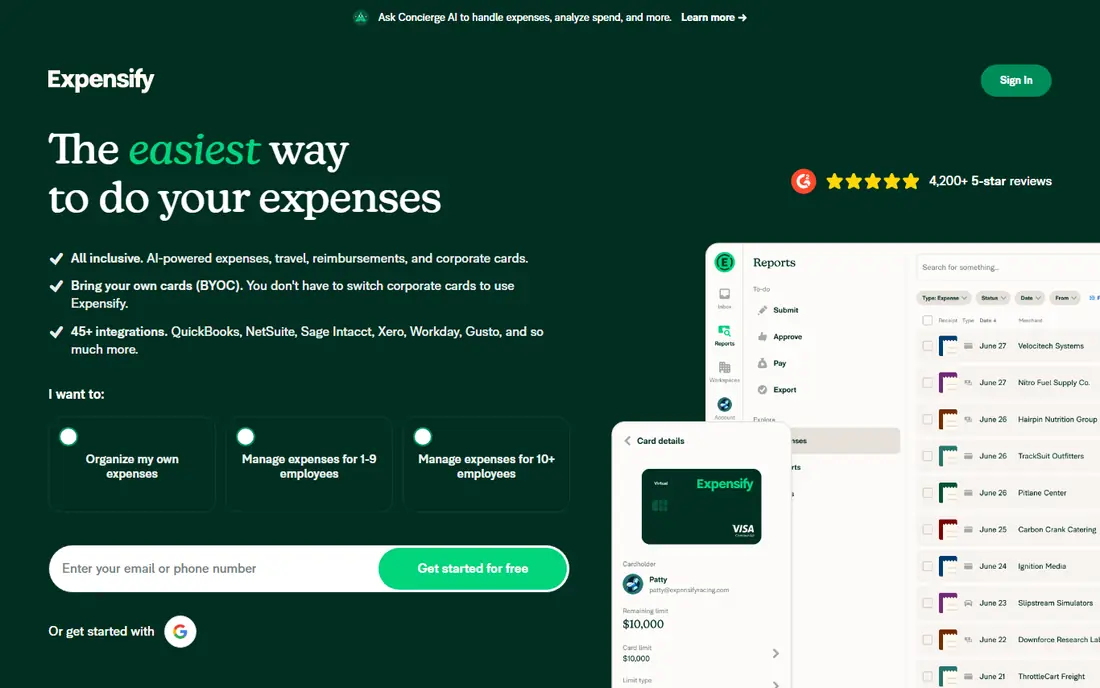
Expensify is our pick for most teams that do not want to change cards. Collect starts at $5 per unique member per month, and SmartScan captures receipt details from a photo, so employees spend less time typing. Expenses can be submitted, approved and reimbursed in the app, and accounting sync pushes coded expenses to QuickBooks, Xero or NetSuite.
The catch is that advanced controls and the Expensify Card features sit on higher tiers, and the per-member price can add up for a large team. For a team that already has bank cards and wants reliable automation without reissuing cards, Expensify remains the most flexible classic expense tool. It is also a good fit for teams with a mix of card and out-of-pocket expenses.
- SmartScan receipt capture
- Works with existing corporate cards
- Strong QuickBooks, Xero and NetSuite integrations
- Higher tiers cost more for advanced controls
- Card features are less deep than Ramp or Brex

Ramp automates expense reports by starting at the card, not at the receipt. When a Ramp card is used, the transaction appears instantly, receipts can be captured automatically, and accounting codes can be suggested based on past spend. That removes the end-of-month receipt chase for card spend, which is most spend for many teams.
The trade-off is that the deepest automation comes with Ramp cards. A team that keeps old bank cards will get less benefit, and Plus at $15 per user per month plus a platform fee is needed for advanced controls. For a team willing to switch cards, Ramp offers the most complete free automation on this list, and it is our pick for card-first expense automation.
- Free core tier
- Automatic receipt capture and coding
- Real-time spend controls
- Best value requires using Ramp cards
- Plus adds a platform fee on top of per-user price

Brex, like Ramp, automates expenses through its cards. Essentials is free and includes cards, expense management, spend controls and basic integrations, while Premium at $12 per user per month adds deeper accounting integrations and priority support. Receipt capture and approval workflows run in the same app as the cards, so finance sees spend as it happens.
The limitation is eligibility and integration depth. Brex underwrites based on company cash and structure, and some accounting integrations that Ramp offers are not available. For a startup that qualifies and wants free card-led expense automation, Brex is a strong choice, especially when travel and software spend dominate.
- Free Essentials tier
- Cards with spend controls
- Automated expense capture and approvals
- Eligibility depends on company cash and structure
- Premium needed for deeper integrations
SAP Concur is the enterprise standard for travel and expense, and it suits large companies with complex policies, multi-entity structures and global travel. It handles expense reports, travel booking and invoice management in one system, with policy checks, audit trails and integrations into SAP and other ERPs. For a company with hundreds of travellers and strict compliance needs, that depth matters.
The drawback is cost and complexity. Pricing is quote-based, often described around $7 per expense report for the base plan, and implementation takes longer than with Expensify or Ramp. A small team will find Concur heavy and expensive. For a large enterprise that needs audited, policy-driven expense workflows, Concur remains the benchmark.
- Deep travel and expense policy controls
- Strong ERP integration
- Global enterprise support
- Quote-based pricing
- Setup and admin effort is higher than simpler tools
Zoho Expense is the budget pick for small teams, especially those already using Zoho Books or other Zoho apps. Standard starts at $3 per user per month billed annually, and a free plan covers up to 3 users. Autoscan captures receipt details, approvals can be routed by amount or project, and expenses sync to accounting without manual retyping.
The catch is scan limits. Autoscan is capped at 20 receipts per user per month on Free, 200 on Standard and 1,000 on Premium, so a team with heavy receipt volume should check the right tier. Zoho Expense also lacks the card-first controls of Ramp and Brex. For a small, budget-conscious team, especially one on Zoho, it is excellent value.
- Low entry price
- Free plan for up to 3 users
- Strong Zoho Books and accounting integrations
- Receipt scan limits on lower plans
- Fewer card-first features than Ramp or Brex
Navan, formerly TripActions, is the pick when travel and expenses belong together. Employees book travel inside policy, and expenses from those trips flow into the same system for approval and reimbursement. For companies under 300 employees, the first 5 monthly expensing users are free, then expense pricing is $15 per active user per month.
The drawback is that a team with little travel may pay for a travel platform it rarely uses, and the per-user price after the free users is higher than Expensify or Zoho Expense. For a team that flies often, however, combining booking policy and expense automation in one place saves time and reduces out-of-policy spend. That combined workflow is Navan's real advantage.
- Travel booking and expenses together
- First 5 expensing users free for smaller companies
- Real-time policy enforcement
- Expense pricing rises to $15 per user per month after the free users
- Travel focus may be more than some teams need
Airbase suits mid-market finance teams that want expense reports inside a wider procure-to-pay process. A request moves from approval to card or bill payment to expense record to accounting sync without leaving the platform. That gives finance a clear audit trail and reduces the manual matching that causes month-end delays.
The trade-off is scope and price. Airbase is quote-based and aimed at mid-market teams, so a small team may find it heavier than Expensify or Zoho Expense. For a finance team that needs procurement controls, expense automation and bill pay in one system, Airbase is a strong, if premium, choice.
- Cards, approvals, bill pay and expenses in one workflow
- Strong accounting sync
- Good audit trail
- Quote-based pricing
- May be more system than a small team needs
BILL Spend & Expense automates expenses through budget-based card controls. Managers set budgets by team or project, cards draw against those budgets, and expenses are captured and coded as spend happens. If you already use BILL for accounts payable, the combined workflow means payables and card spend can be reviewed together.
The catch is pricing clarity for larger use, since BILL says pricing is based on business needs and user count. A team should confirm what the free plan includes and what needs a paid tier. For budget-led control, especially alongside BILL payables, it is a practical free starting point for expense automation.
- Free plan with BILL corporate cards
- Budget-based controls
- Works well with BILL payables
- Pricing for wider use depends on business needs
- Rewards and features vary by plan
Fyle focuses on real-time expense capture, pulling receipts from email, messaging apps and card feeds as spend happens, rather than waiting for month-end. That approach reduces lost receipts and speeds up approvals, because expenses are coded and routed while the trip or purchase is still fresh. Integrations with major accounting systems help finance close the books faster.
The drawback is pricing transparency. Fyle offers a free trial but does not publish starting prices as clearly as Expensify or Zoho Expense, so a team needs a quote. It is also a smaller brand than the enterprise tools here. For a team frustrated by late receipts and manual entry, Fyle's real-time model is worth a demo.
- Real-time receipt capture from email, apps and cards
- Strong accounting integrations
- Flexible approvals
- Pricing is not published as clearly as rivals
- Smaller brand than Expensify or Concur
How we picked these
We compared official feature pages, pricing pages and public expense software comparisons in October 2026. We favoured tools with receipt capture, approval workflows, card or bank feeds, and accounting sync, and we noted where pricing was free, published or quote-only. We did not claim hands-on testing. We included card-first, classic and enterprise options, because expense automation looks different for a startup, a mid-market team and a large enterprise.
How to automate expense reports in practice
Start by writing the policy that the tool will enforce. Decide the receipt threshold, the approval amounts for managers and finance, the categories and projects employees must use, and the deadline for submitting expenses. Enter those rules into the tool before rollout, because automation that enforces a vague policy will only produce faster confusion.
Next, connect cards and accounting on day one, and test with a small group. Submit a card expense, an out-of-pocket expense and a mileage claim, approve each one, and check that the accounting sync codes them correctly. Train employees on receipt capture in the first week, because the most common failure is not the software, but receipts that arrive late, blurry or not at all. Review unsubmitted expenses weekly for the first month, then monthly once the habit is set.
What to check before you buy
Check how the tool handles your accounting system, your card provider and your approval chain, not just how it looks in a demo. Ask about receipt scan limits, per-user versus per-active-user pricing, and what happens when an employee leaves. Ask how expenses are handled for contractors, and whether multi-currency and VAT are supported if you travel abroad. A tool that fits those details will save more time than a tool with a longer feature list that misses one of them.
FAQ
What is the best platform to automate expense reports?
Expensify is the best starting point for teams that want to keep existing cards, while Ramp and Brex are best for teams ready to switch to new cards. SAP Concur suits large enterprises with complex travel policies, and Zoho Expense suits small budget-conscious teams. Choose based on your cards, accounting system and approval needs, and trial the top two on real expenses before deciding.
Can expense reports be fully automated?
Most routine card expenses can be automated, from capture to coding to approval, but not every expense. Out-of-pocket claims, mileage and unusual purchases still need a human check, and finance should review exceptions and high-value items. The goal is to automate the routine 80 percent and focus human time on the exceptions, not to remove review entirely.
Is Ramp free for expense reports?
Yes, Ramp's core tier is free and includes cards, expense management and receipt capture. Plus at $15 per user per month plus a platform fee adds advanced controls and some integrations. The free tier suits many small and mid-size teams, especially those willing to use Ramp cards for most spend. Check the current fee schedule for ACH and other transaction fees before rollout.
How does Expensify pricing work?
Expensify Collect starts at $5 per unique member per month, with a free tier for individuals. Higher tiers add advanced controls, card features and integrations, and pricing can vary with card use. Expensify charges per unique member who submits or approves expenses in a billing period, rather than per total employee, which can help teams with occasional submitters. Confirm the current plan details on Expensify's pricing page before buying.
Do I need to change corporate cards to automate expenses?
No. Expensify, Zoho Expense, Fyle and similar tools work with existing bank and corporate cards through bank feeds. Card-first tools such as Ramp and Brex offer deeper automation, including real-time controls and instant receipt matching, but only when you use their cards. If changing cards is disruptive, start with a classic expense tool and switch cards later if control becomes the main problem.
How long does it take to set up expense automation?
A small team can set up Expensify, Zoho Expense or Ramp in days, while a larger team with complex approvals and accounting integrations may need several weeks. The work is mostly policy decisions, accounting codes and training, not software installation. Pilot with a small group, test card, out-of-pocket and mileage expenses end to end, and expand once the accounting sync is proven.