Best Platform for Creating Interactive Demos in 2026: 9 Tools Compared
Looking for the best platform for creating interactive demos? We compared 9 tools on price, capture type, analytics, and ease of use for busy SaaS teams.

- Editor's choice
 Storylane
All round demo hubs
Starts at$40 per monthVisit storylane.ioFull review - Great alternative
 Supademo
Low cost multi format demos
Starts at$38 per creator per monthVisit supademo.comFull review - Also consider
 Navattic
HTML demos for marketing
Starts at$500 per monthVisit navattic.comFull review
TL;DR:
- Storylane is our pick for most teams because it covers screenshot, HTML, and video demos in one place, with a free plan and paid plans from $40 per month.
- Supademo and Guideflow are the strongest low cost options, with free plans and paid plans from $38 and $35 per month.
- Navattic and Walnut suit larger teams that need HTML demos, personalization, and deeper sales workflow features, but they cost far more.
- HTML capture matters when buyers need to click through a realistic product, while screenshot tours work well for simple website demos.
- Check which plan includes HTML editing before you buy, since several vendors put it on a higher tier than the entry plan.
Quick comparison
| Tool | Best for | Starts at | Free plan? | |
|---|---|---|---|---|
| Storylane | All round demo hubs | $40 per month | Yes | Visit |
| Supademo | Low cost multi format demos | $38 per creator per month | Yes | Visit |
| Navattic | HTML demos for marketing | $500 per month | Yes | Visit |
 Arcade | Polished visual tours | See website | Yes | Visit |
 Walnut | Enterprise sales personalization | See website | No | Visit |
 Tourial | Demo centers for buying groups | See website | No | Visit |
 Guideflow | Guided product tours | $35 per month | Yes | Visit |
 HowdyGo | Flat priced HTML demos | $159 per month | Free trial | Visit |
 Floik | Simple demo videos and tours | See website | Yes | Visit |
The best platforms for creating interactive demos
An interactive demo lets a buyer click through your product without booking a call or waiting for a sales rep. We compared official feature pages, pricing pages, and public reviews to find tools that fit different budgets and team sizes.

Storylane is the broadest fit on this list, and it is our pick for most teams. You can build a quick screenshot tour for a landing page, a deeper HTML demo for a sales follow up, and a short video demo for onboarding, all without switching tools. Demo hubs then group those pieces into one page for a prospect, a customer, or an internal team.
The trade off is tiering. The entry plan at $40 per month covers screenshot demos, while HTML editing starts on a higher plan. If HTML is your core format, budget for Growth rather than Starter and confirm the price before you commit. Analytics help you see where buyers stop, so you can shorten a tour or fix a confusing step instead of guessing.
- Screenshot, HTML, and video demos in one editor
- Demo hubs group tours for different audiences
- Strong analytics on steps and drop off
- HTML editing sits on higher tiers
- Costs rise as seats are added
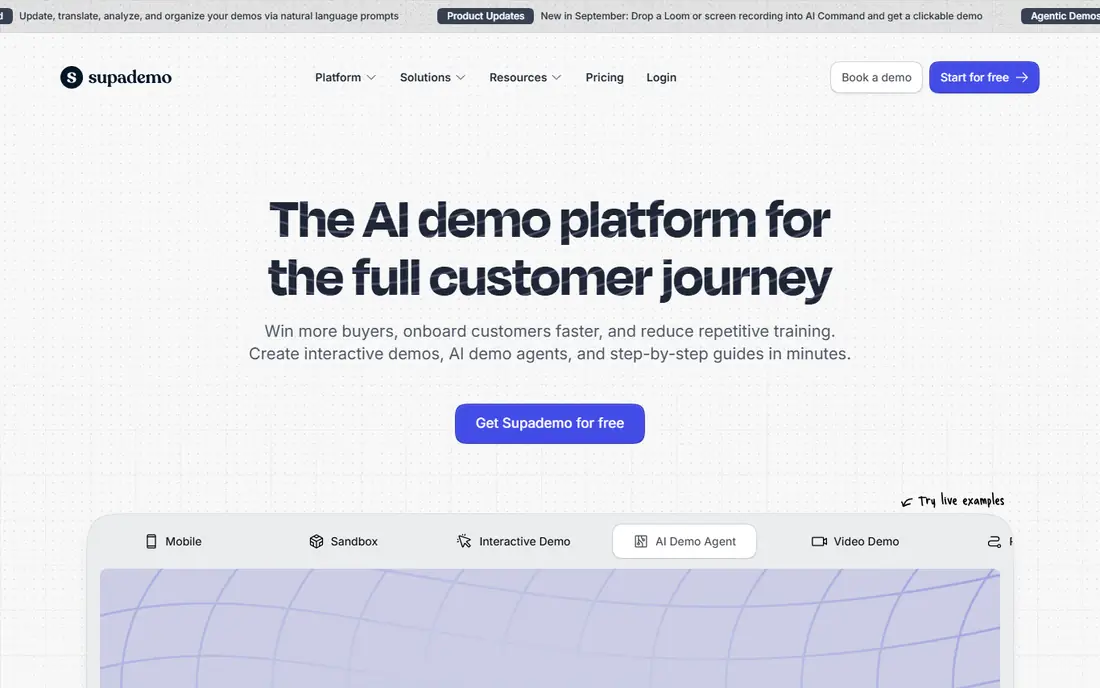
Supademo is a strong choice for solo creators and small teams that want a lot for a modest monthly fee. The free plan lets you publish a handful of demos, which is enough to test the editor and share a first tour with a real prospect. Paid plans add more demos, branding control, and AI features such as voiceover.
The editor is quick to learn, and the output looks clean on a website or in an email. Larger teams should watch the per creator model, since every person who builds demos adds to the bill. For a small marketing team, though, Supademo gives you most of what Storylane offers at a lower starting point.
- Free plan with several demos
- AI voiceover and editing features
- Simple sharing and embedding
- Per creator pricing adds up for large teams
- Advanced analytics sit on higher plans

Navattic focuses on HTML demos, which means buyers interact with a copy of your product interface rather than a set of screenshots. That realism helps when your product has complex workflows, filters, or data views that screenshots cannot show well. Marketing teams can also personalize demos for an account or an industry.
The catch is price. Paid plans start around $500 per month, so Navattic makes sense when demos are a core part of your pipeline, not an occasional experiment. Small teams with a simple product will get similar results from a cheaper screenshot tool. For mid market and enterprise marketing teams, the realism and analytics justify the cost.
- True HTML capture for realistic demos
- Good CRM and analytics options
- Strong fit for marketing led teams
- High starting price
- Overkill for a single simple tour
Arcade started as a design led tool for screenshot tours, and that polish still shows in its output. Tours look sharp, load fast, and work well on landing pages and in sales emails. Recent plans also add video generation and AI narration, which help small teams produce more content without a video editor.
Pricing is the main thing to check closely. Arcade moved to flat pricing on its Growth plan, which changed the math for small teams compared with older per seat pricing. The free plan remains useful for testing, but confirm the current paid price on the vendor site before you plan a budget around it.
- Very polished visual output
- Video and GIF style exports
- Free plan for testing
- Pricing has risen for small teams
- HTML capture requires higher tiers
Walnut is built for sales teams that personalize every demo for a specific account. You can swap in a prospect company name, logo, data, and relevant use case, so the demo feels made for that buyer rather than generic. It also connects with sales tools that larger teams already use.
This is not a tool for a startup on a tight budget. There is no free plan, and pricing is quoted by sales, with third party comparisons putting entry plans in the hundreds of dollars per month. If your average deal is large and personalization wins deals, Walnut can pay for itself. If you only need a website tour, a cheaper tool will do.
- Deep personalization for accounts
- Strong sales workflow features
- Built for larger sales teams
- No free plan
- Pricing is sales led and high
Tourial suits companies selling to buying groups, where several people at one account need to see different parts of a product. A demo center groups tours by role or use case, so a finance lead sees pricing workflows while an operations lead sees daily tasks. That structure helps when a single tour cannot serve everyone.
The downside is access. There is no free plan, and pricing is quote based, so you will need a sales conversation to get a number. Tourial fits mid market and enterprise teams with a clear demo center need. Smaller teams can get similar results by grouping tours in Storylane or Supademo.
- Demo centers for multiple stakeholders
- Good for complex buying groups
- Strong analytics
- No free plan
- Quote based pricing
Guideflow is one of the cheapest paid options here, and it shines for guided tours rather than full product clones. Product and customer success teams use it for onboarding checklists, feature walkthroughs, and support guides that live inside or beside the product. The builder is simple, which means a new team member can publish a tour quickly.
It is less strong for deep HTML demos or large sales personalization projects. If your main need is a clear, step by step tour that helps a new user get started, Guideflow is hard to beat on price. If you need a sales demo center, look at Navattic or Tourial instead.
- Low starting price
- Simple guided tour builder
- Good for onboarding and support
- Less suited to deep HTML demos
- Fewer enterprise features
HowdyGo appeals to teams that hate per seat pricing. Plans are flat priced, so adding teammates does not raise the bill in the same way it does with per creator tools. HTML capture is central to the product, so demos feel closer to the real product than a screenshot tour.
The feature set is narrower than Storylane or Walnut, and there is no permanent free plan, only a trial. For a small to mid sized team that wants HTML demos without seat math, that trade off is often worth it. Check the current plan limits on the vendor site, since flat pricing still has demo and feature caps.
- Flat pricing with unlimited users on plans
- HTML capture included
- Simple pricing model
- Smaller feature set than enterprise rivals
- Trial only, no free plan
Floik is a lighter option for teams that want a demo up fast and do not need a full demo platform. You can record and share interactive tours and short videos, then embed them on a website or send them in an email. The free plan is enough to test whether interactive demos help your conversion rate.
Enterprise teams with complex personalization or CRM needs will find Floik thin compared with Walnut or Navattic. For startups, agencies, and small SaaS teams, it is a low risk way to start. Confirm pricing on the vendor site, since plans and limits change.
- Quick to create simple demos
- Video and interactive formats
- Free plan for testing
- Less depth for enterprise sales
- Pricing varies by plan
How we picked these
We compared official feature pages, pricing pages, and public reviews for tools that capture, edit, and share interactive demos. We favored tools that are still actively sold in October 2026, publish at least a free plan, trial, or starting price signal, and serve a distinct use case, from low cost tours to enterprise demo centers. We did not claim hands on testing. We weighed capture type, personalization, analytics, sharing options, and total cost, including seat based pricing.
What to check before you pay
Start with the format your buyers actually need. If they must try filters, search, and data views, choose an HTML tool such as Navattic or HowdyGo. If they only need to see the main workflow, a screenshot tour from Storylane, Supademo, or Guideflow will be faster to build and cheaper to run.
Match the plan to the format
Read the pricing page for the exact tier that includes HTML editing, branding removal, and analytics. Entry plans often cover only one format. A tool that looks cheap at $35 or $40 per month can cost several times more once you add the format you need.
Test sharing and analytics
Publish a test demo and send it to a colleague on a phone and a laptop. Check load time, mobile layout, and whether analytics show step completion. A demo that looks great in the editor but loads slowly on a phone will lose buyers.
Plan for upkeep
Products change, and demos go stale fast. Pick a tool your team will actually update, with an editor a marketer or product manager can use without engineering help. Set a quarterly review to refresh screenshots, copy, and data in each published tour.
FAQ
What is the best software for creating interactive demos?
Storylane is the best all round choice for most teams because it covers screenshot, HTML, and video formats. Supademo is the best low cost alternative, and Navattic is the best choice when HTML realism is the priority.
Are interactive demos better than video demos?
Interactive demos let buyers click at their own pace and skip to the parts they care about, while video demos control the pace for them. Many teams use both, with a short video for awareness and an interactive tour for evaluation.
Do I need HTML capture or are screenshots enough?
Screenshots are enough for simple, linear workflows and landing page tours. HTML capture is better for products with search, filters, dashboards, or data entry, where a static image cannot show how the product responds.
How much does interactive demo software cost?
Free plans exist from Storylane, Supademo, Navattic, Guideflow, Arcade, and Floik. Paid plans start around $35 to $40 per month for smaller tools, while mid market HTML tools start around $159 to $500 per month and enterprise tools are quote based.
Can I embed an interactive demo on my website?
Yes, most tools on this list offer an embed code or a share link for websites, landing pages, and emails. Check that the embed works on mobile and does not slow down your page.
How long does it take to build an interactive demo?
A simple screenshot tour can take under an hour once you know the workflow. An HTML demo with personalization and branching can take several days, especially if you need to clean up sample data first.