Best Pixel Art Software in 2026: 8 Tools Compared
Compare the best pixel art software for sprites, tiles and animation, from free browser editors to the paid desktop standard, with prices and honest trade-offs.

- Editor's choice
 Aseprite
Professional sprite work
Starts at$19.99 one-timeVisit aseprite.orgFull review - Great alternative
 Piskel
Free browser animation
Starts atFreeVisit piskelapp.comFull review - Also consider
 Pixilart
Casual art and community
Starts atFreeVisit pixilart.comFull review
TL;DR:
- Aseprite remains the desktop standard for serious sprite work, thanks to its animation timeline, onion skinning and palette tools.
- Piskel, Pixilart, Pixelorama and Libresprite cover most beginner needs for free, with Piskel the simplest route to an animated sprite sheet.
- Pyxel Edit is the strongest pick for tilesets and repeating environments, while Pro Motion NG suits artists who want precise control over every pixel.
- Start free if you are learning, and pay only when you need stronger animation, tile or export tools for a shipped game.
Quick comparison
| Tool | Best for | Starts at | Free plan? | |
|---|---|---|---|---|
| Aseprite | Professional sprite work | $19.99 one-time | No | Visit |
| Piskel | Free browser animation | Free | Yes | Visit |
| Pixilart | Casual art and community | Free | Yes | Visit |
 Pixelorama | Free Aseprite-style editing | Free | Yes | Visit |
 Libresprite | Free desktop editing | Free | Yes | Visit |
 Pyxel Edit | Tilesets and environments | $9 one-time | No | Visit |
 Pro Motion NG | Precise technical pixel art | $39 one-time | No | Visit |
 Krita | Painting alongside pixel work | Free | Yes | Visit |
The best pixel art software
Pixel art looks simple, but the right editor saves hours on animation, palettes and exports. We compared official feature pages, pricing pages and app listings, focusing on tools that still work today and truly handle pixel-level drawing, not just photo filters. The list below mixes free editors with paid tools worth the money.
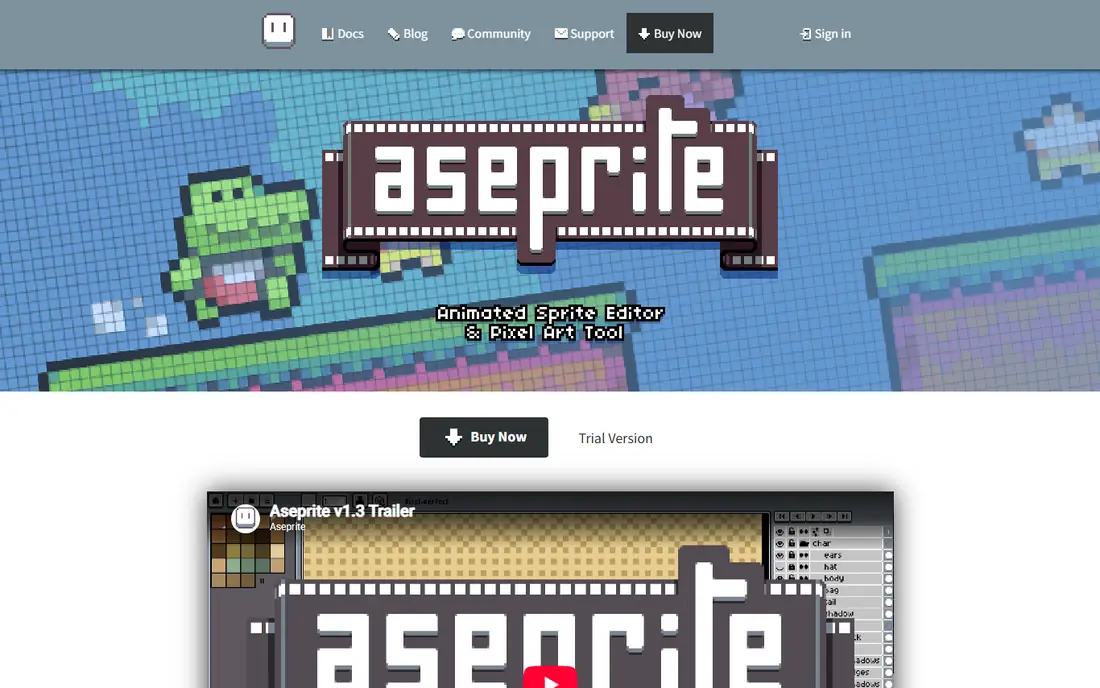
Aseprite is the tool most game artists end up using, and the reasons are practical rather than fashionable. Its timeline makes frame-by-frame animation clear, onion skinning shows neighboring frames while you draw, and palette controls help keep a character consistent across dozens of sprites. The pixel-perfect drawing mode also keeps lines clean, which matters when a single stray pixel shows up at game scale.
The main drawback is the price, though $19.99 as a one-time purchase is modest compared with a monthly subscription. You can compile the source yourself for free for personal use, but most artists will prefer the ready-built version. If you plan to make and animate game sprites regularly, Aseprite is our pick for most people.
- Strong animation timeline
- Onion skinning and palette tools
- Sprite sheet export for games
- Paid license required for the ready-built app
- Tile features are less focused than Pyxel Edit
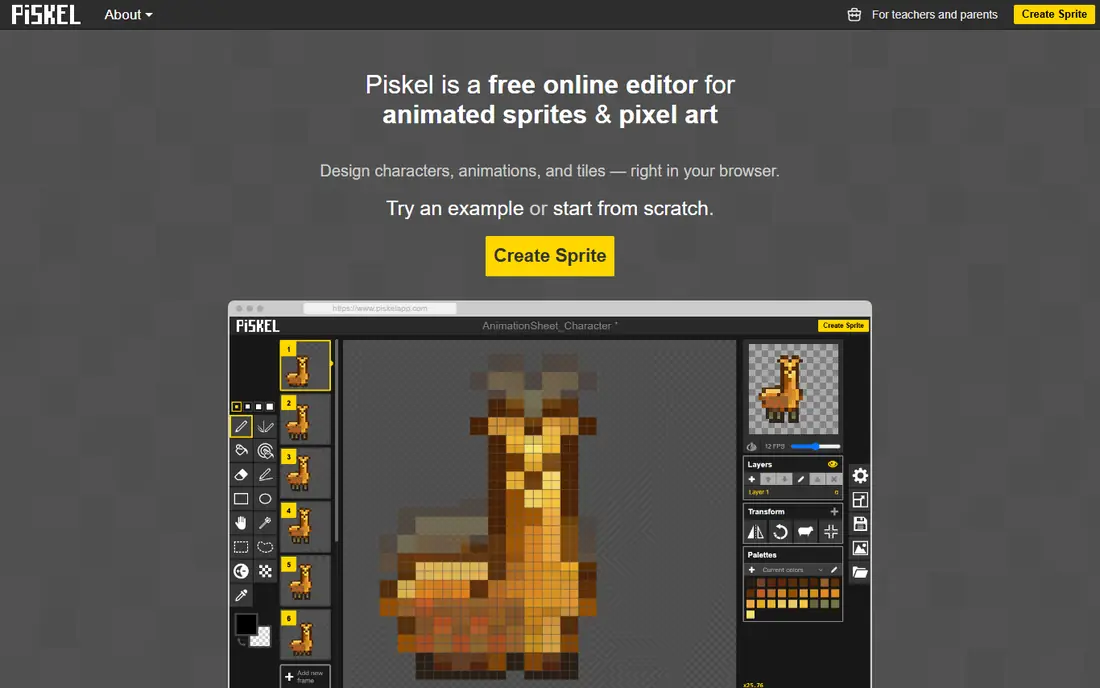
Piskel is the fastest free way to learn pixel animation. You open it in a browser, draw frame by frame, preview the animation live, and export a sprite sheet or animated file for a game. There is no install step and no payment step, which makes it ideal for students, game jam teams and anyone testing whether pixel art suits them.
The simplicity has a cost. Piskel lacks some of the deeper palette, layer and tile tools found in paid editors, and large projects can feel cramped. For a first character, a small enemy set or a jam game, those limits rarely matter. Start here, and move to Aseprite only when you keep hitting a specific missing feature.
- Free and open source
- Runs in a browser
- Simple animation preview and sprite sheet export
- Fewer advanced tools than Aseprite
- Interface feels basic on large projects
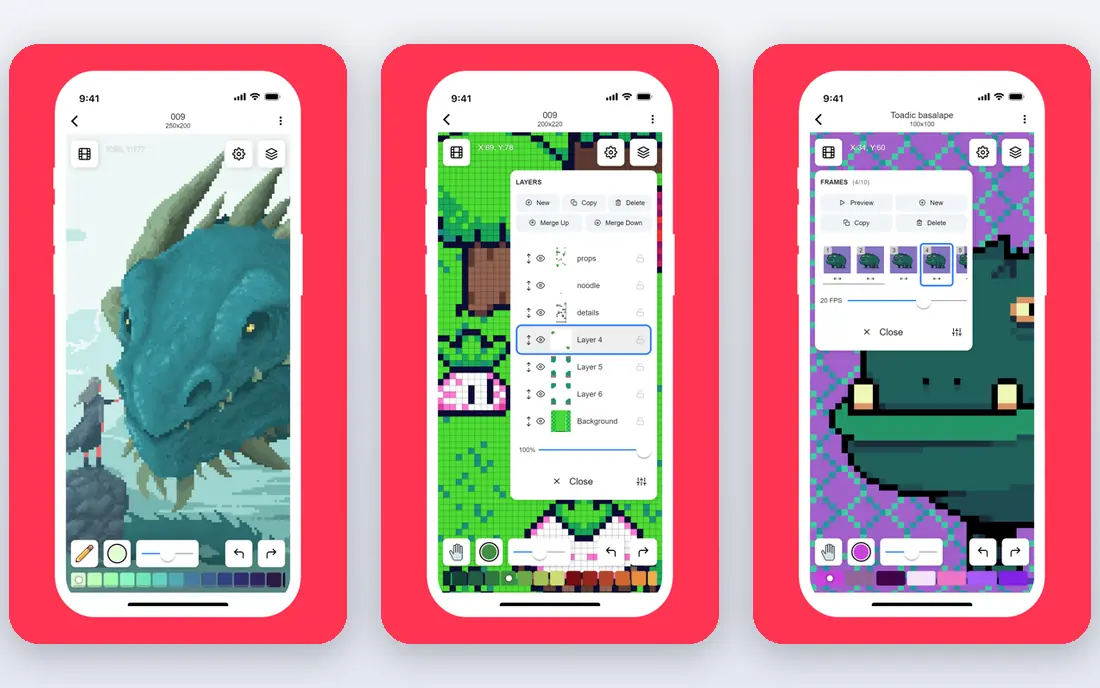
Pixilart blends a browser editor with a social gallery, which makes it a good place to learn in public. Beginners can browse other artists, join challenges and pick up techniques from shared work, then try the same ideas in their own drawings. The editor covers layers, animation and basic palette work, so it handles more than quick doodles.
The trade is focus. Pixilart is built for sharing as much as for shipping game art, and ads support the free service. Artists who need strict export control, tile maps or a desktop workflow will prefer Piskel or Aseprite. For casual artists and younger creators who want feedback and inspiration, Pixilart is a friendly starting point.
- Free browser editor
- Large public gallery
- Challenges and tutorials for learners
- Ad-supported free experience
- Tools are lighter than desktop editors
Pixelorama is the closest free editor to Aseprite in feel, and that is why it earns a high spot here. It offers layers, animation timelines, tile mode and a range of pixel tools, all without a purchase. It also runs as a desktop app and in a browser in some builds, which helps artists on locked-down machines or shared computers.
The honest catch is polish. As an open-source project, Pixelorama can feel a little rougher around the edges than a paid product, and you may need to save often on larger projects. For artists who want Aseprite-style depth at zero cost, it is the best free desktop-style choice on this list.
- Free and open source
- Animation and tile tools
- Active development and desktop plus web options
- Interface and stability can feel less polished than Aseprite
- Documentation is thinner in places
Libresprite is a free fork of an older version of Aseprite, and it still works well for basic sprite drawing and animation. If you learned Aseprite years ago, or you want a desktop editor that feels familiar without paying, Libresprite gets you drawing quickly. It supports layers, animation and palette work, and it runs offline.
The limit is age. Libresprite does not include the newer features added to Aseprite over recent years, so artists who need modern tile tools, newer export options or current interface improvements will notice the gap. Use it as a free desktop fallback, and treat Pixelorama as the more actively developed free alternative.
- Free and open source
- Familiar Aseprite-style layout
- Works offline on Windows, Mac and Linux
- Based on an older Aseprite codebase
- Missing many newer features
Pyxel Edit is the specialist pick for environments. Its tile system lets you draw a tile and see it repeat live in a larger map, which makes it easy to spot seams and test patterns before you export. Level designers and artists building towns, dungeons or platformer backgrounds will save real time here compared with drawing tiles one by one in a general editor.
Animation is not its strength, so character animators should pair it with Aseprite or Piskel rather than forcing every job into Pyxel Edit. At $9 as a one-time purchase, it is cheap enough to own alongside a main editor. If tilesets are your main work, Pyxel Edit is the tool to buy first.
- Excellent tile tools
- Live tile preview while drawing
- One-time price
- Animation tools are weaker than Aseprite
- Interface takes time to learn
Pro Motion NG is the tool for artists who want control over details that other editors gloss over. It offers precise animation, palette management, tile handling and brush controls that suit technical pixel work, including retro-style game graphics. Artists who grew up with classic pixel tools often find its approach familiar and powerful.
The learning curve is real, and the interface looks older than newer editors. Windows is its main home, which limits some Mac and Linux users. If you are a beginner, start with a free editor first. If you already know pixel art and want finer control, Pro Motion NG rewards the effort.
- Deep pixel and animation controls
- Strong palette and tile features
- Long track record with game artists
- Windows-focused
- Interface feels dated
- Steeper learning curve than Piskel
Krita is a full digital painting program, not a dedicated pixel editor, but it belongs here for artists who mix pixel art with painted work. It offers layers, brushes, animation timelines and color management, all free. That breadth helps illustrators who want to sketch a character in detail, then produce a pixel version for a game.
The catch is workflow. Pixel-specific features such as strict pixel grids, tile previews and sprite sheet export need manual setup or plugins, and the interface is larger than a focused pixel tool. Use Krita when your project blends painting and pixel art, and use a dedicated editor when sprites and tiles are the whole job.
- Free and open source
- Strong painting and layer tools
- Good for mixed illustration projects
- Not built for pixel art first
- Sprite sheet and tile workflows need extra setup
How we picked these
We compared official feature pages, pricing pages, download options and app listings for editors that handle true pixel-level drawing and animation. We favored tools that are still maintained, export usable sprite sheets or animation files, and fit a clear use case, from free learning to professional game work. We did not include general photo editors that only add a pixel filter, since they do not support the animation and tile workflows pixel artists need.
How to choose pixel art software for your project
Match the tool to the job, not to the longest feature list. For a first animated character, a free browser editor such as Piskel removes every barrier and teaches the core skills of frames, timing and palettes. For a shipped indie game, Aseprite is worth the one-time cost because its timeline, export options and palette tools hold up across hundreds of sprites. For environments, add Pyxel Edit for tiles, even if Aseprite remains your main editor.
Check three practical details before you commit. First, confirm the export formats your game engine needs, including sprite sheets and animated GIF or PNG sequences. Second, test the animation preview at the size your game will actually display, since art that looks clean at large size can blur or flicker at small size. Third, save your palette early and reuse it across characters and tiles, since a consistent palette does more for a cohesive game than any single brush or effect.
FAQ
What is the best pixel art software for beginners?
Piskel is the best free starting point because it runs in a browser, teaches animation quickly and exports sprite sheets. Pixilart is a good alternative if you want community feedback and challenges. Move to Aseprite when you need stronger animation, palette and export tools for regular game work.
What is the best free pixel art software?
Pixelorama is the strongest free desktop-style editor, while Piskel is the simplest free browser option. Libresprite is another free desktop choice, though it is based on older code. All three are free and open source, so try each for one small project and keep the one whose interface feels clearest to you.
Is Aseprite worth paying for?
For most serious sprite artists, yes, because $19.99 is a one-time purchase for a mature animation timeline, onion skinning and export tools. Casual artists and students can learn the same basics for free in Piskel or Pixelorama. Pay when you are making sprites often enough that animation and palette tools save you time every week.
What software is best for pixel animation?
Aseprite leads for animation, with a clear timeline, onion skinning and sprite sheet export. Piskel and Pixelorama both handle frame-by-frame animation for free, and Pro Motion NG suits technical animators who want finer control. Choose based on how many frames you manage and whether you need tile or palette features alongside animation.
Can I make pixel art on a phone or tablet?
Yes, though desktop editors offer more control for larger projects. Browser tools such as Piskel and Pixilart work on many tablets, and Krita runs on some tablets as well. For small sprites and quick tests, a tablet is fine, but a mouse or stylus on a desktop usually gives cleaner pixel placement for game-ready art.