Best Personal Task Management Apps in 2026: 10 Apps Compared
We compare the best personal task management apps across 10 options, covering fast capture, daily planning, habits, calendars and current pricing in 2026.

- Editor's choice
 Todoist
Fast capture on any device
Starts atFreeVisit todoist.comFull review - Great alternative
 TickTick
Tasks, calendar and habits in one
Starts atFreeVisit ticktick.comFull review - Also consider
 Things 3
Apple-only design
Starts at$9.99 one-timeVisit culturedcode.comFull review
TL;DR:
- Todoist and TickTick suit most people, with fast capture, free plans and apps on every platform.
- Things 3 suits Apple-only users who prefer a one-time purchase over a subscription.
- Microsoft To Do and Trello suit users who want a free or visual starting point without a new subscription.
- Sunsama and Motion-style planning tools suit people who plan each day by time, not just by list.
Quick comparison
| Tool | Best for | Starts at | Free plan? | |
|---|---|---|---|---|
| Todoist | Fast capture on any device | Free | Yes | Visit |
| TickTick | Tasks, calendar and habits in one | Free | Yes | Visit |
| Things 3 | Apple-only design | $9.99 one-time | Free trial | Visit |
 Microsoft To Do | Free Microsoft ecosystem tasks | Free | Yes | Visit |
 Any.do | Daily planning and family lists | Free | Yes | Visit |
 Notion | Tasks inside a workspace | Free | Yes | Visit |
 ClickUp | Power users wanting everything | Free | Yes | Visit |
 Sunsama | Guided daily planning | $20 per month | Free trial | Visit |
 Remember The Milk | Smart lists and reminders | Free | Yes | Visit |
 Trello | Visual kanban planning | Free | Yes | Visit |
The best personal task management apps
We compared official pricing pages, app listings and public reviews to find apps that help individuals capture tasks, plan days and follow through. Our pick for most people is Todoist, with TickTick close behind for users who also want habits and a calendar in the same app.
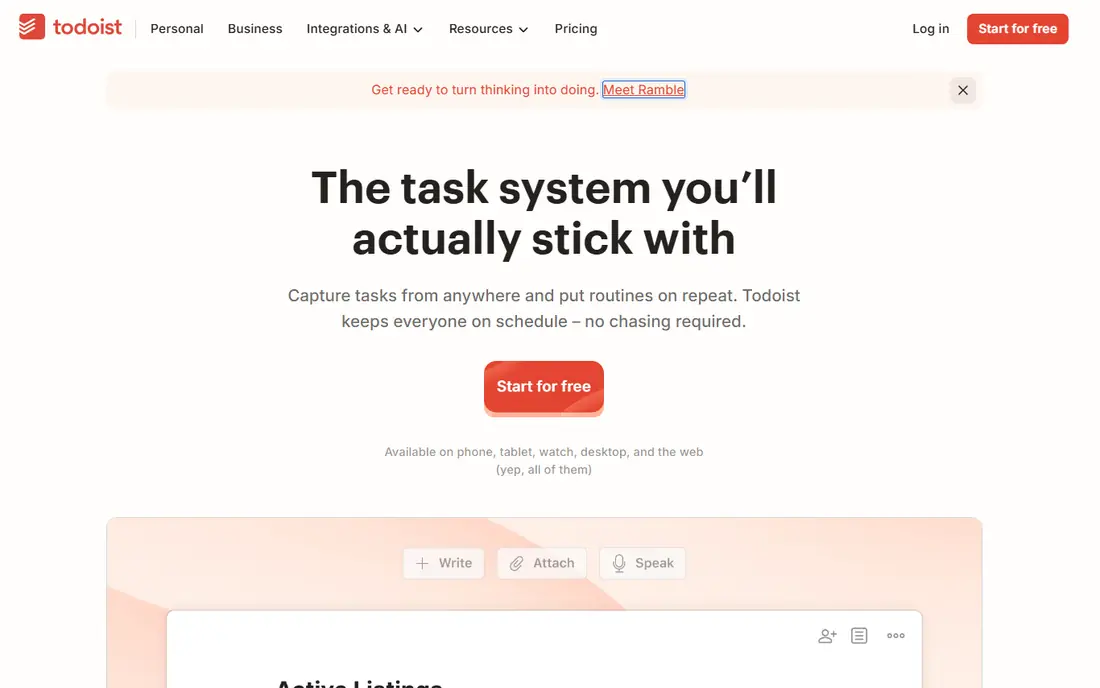
Todoist earns its default status through capture speed. Type a task with a date and time in plain words and Todoist parses it, files it and sets the reminder. Projects, labels, priorities and recurring tasks cover most personal systems, and apps run on web, desktop, mobile and wearables.
The free plan covers a serious personal setup but limits projects and collaborators, and the Pro plan at $5 per month on annual billing adds filters, reminders and calendar layout. Todoist still works as a list first, so users who want their day scheduled by the hour may pair it with a calendar habit or choose Sunsama.
- Natural language input
- Apps on every platform
- Projects, labels and filters
- Free plan limits projects
- No built-in time blocking or calendar planning
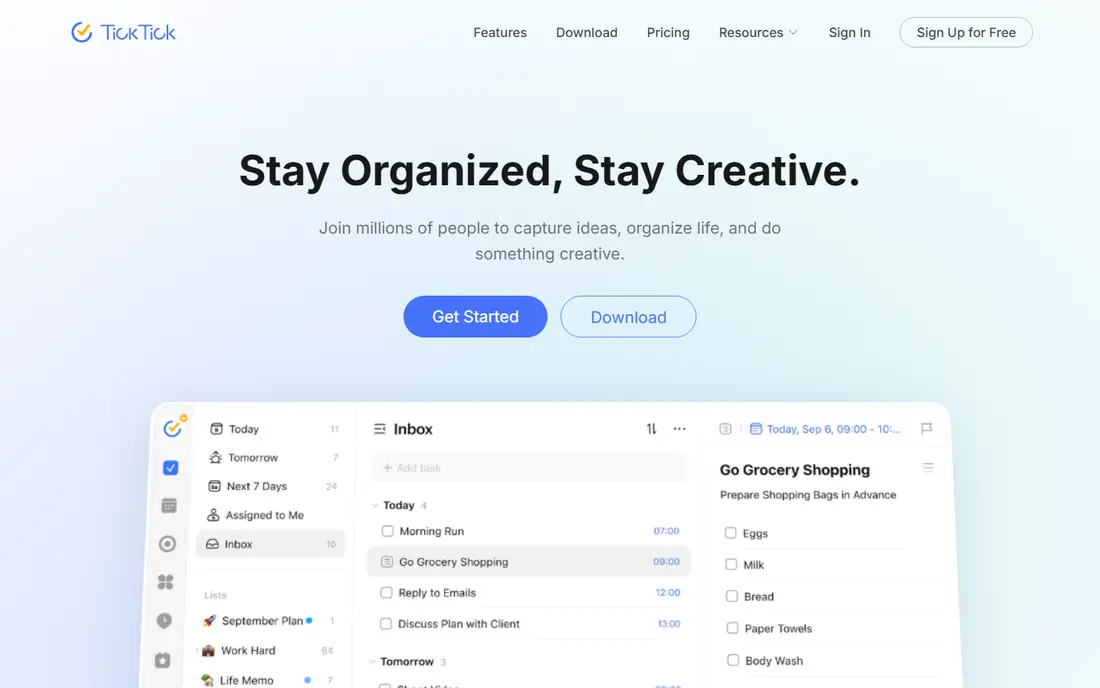
TickTick combines tasks, calendar, habits and a focus timer in one app, which removes the need for three separate tools. The free plan includes unlimited tasks, 9 lists, a calendar view and habit tracking, while Premium at about $3 per month on annual billing adds unlimited lists and more calendar features.
The extra features make the interface denser than Todoist, and users who want only a simple list may find the extra buttons distracting. For people who track habits, time focus sessions and plan by calendar, TickTick offers the best value on this list.
- Calendar view, habits and Pomodoro timer included
- Fast capture
- Low Premium price
- Interface feels busier than Todoist
- Some features need Premium

Things 3 is the design pick for Apple users. Tasks, projects, areas and a Today view feel calm and intentional, and the app syncs instantly across iPhone, iPad and Mac. Pricing is a one-time purchase starting at $9.99 for iPhone, with separate purchases for iPad and Mac, so there is no monthly subscription to maintain.
The limit is platform. There is no Android, Windows or web version, and sharing is weaker than in Todoist or Any.do. For Apple-only users who want a beautiful list they own outright, Things 3 remains a favorite years after launch.
- Beautiful, calm design
- One-time purchase, no subscription
- Strong Apple integration
- Apple devices only
- No Android, Windows or web version
- Collaboration is limited
Microsoft To Do is the free option many people already have. It syncs with Outlook tasks and Microsoft 365, offers a My Day view for daily planning, and covers lists, reminders and shared lists without a subscription. For Windows and Outlook users, setup takes minutes.
Power users will miss Todoist natural language input, advanced filters and habit tracking. To Do is best as a simple, reliable list, not as a full planning system, but at free with no catch, it is hard to fault for basic personal use.
- Completely free
- My Day planning view
- Syncs with Outlook and Microsoft 365
- Fewer power features than Todoist or TickTick
- No natural language parsing depth
Any.do centers on a daily planning moment that asks you to review today tasks each morning. That ritual helps people who add tasks but forget to review them, and shared spaces suit couples and families. The Family plan covers up to four members at a flat price, with shared calendars and grocery boards.
The free plan covers unlimited tasks and basic reminders, while Premium at $4.99 per month on annual billing adds advanced reminders, Focus Mode and color tags. Users who need deep filters or project templates may prefer Todoist, but for households, Any.do is a strong pick.
- Simple daily planning moment
- Family plan for up to four people
- Calendar and grocery lists
- Premium features cost $4.99 per month on annual billing
- Power filtering lags Todoist
Notion suits people who already keep notes, docs and projects in one workspace. Tasks can live in databases with kanban, calendar and timeline views, and templates cover personal planners, habit trackers and goal systems. The free plan is generous for personal use, with paid plans adding collaboration and larger uploads.
Notion can feel heavy if you only want a quick list. Opening a workspace, finding a database and adding a task takes longer than Todoist capture, and offline use is limited. For users who want tasks connected to notes and projects, that trade-off is worth it.
- Tasks live beside notes, docs and databases
- Flexible views
- Strong free plan
- Can feel heavy for a simple list
- Offline use is limited
ClickUp is the most complete workspace on this list. Personal users can manage tasks, docs, goals, habits and time tracking in one app, with list, board, calendar and timeline views. The free plan covers a solid personal setup, and paid plans start at $7 per user per month on annual billing for larger teams.
That breadth is also the drawback. New users can spend days configuring ClickUp before it feels simple, and the interface is busier than Todoist or Things. Power users who want everything in one place will love it, while minimalists should start elsewhere.
- Tasks, docs, goals and time tracking in one place
- Many views
- Generous free plan
- Setup and interface can overwhelm new users
- Best features sit on paid plans
Sunsama takes a different approach from list apps. Each day, it guides you through planning tasks onto a calendar, estimating time and reviewing what is realistic. That ritual suits people whose lists grow endlessly because they never decide when work happens. It also pulls tasks from Todoist, Asana, Trello and other tools.
The price is the main barrier. At $20 per month with a trial rather than a free plan, Sunsama costs more than Todoist and TickTick combined. For users who struggle with time planning rather than capture, that guided ritual can justify the cost.
- Guided daily planning ritual
- Tasks plus calendar in one view
- Integrations with Todoist, Asana and others
- Higher price at $20 per month
- No free plan, only a trial
Remember The Milk has served task users for many years, and its smart lists and reminder flexibility remain strong. You can build lists from tags, dates, priorities and locations, and set reminders by time or place. The free plan covers basic use, with Pro adding unlimited sharing and advanced features.
The design feels older than Todoist, TickTick or Things, and the app lacks the calendar and habit depth of newer rivals. For users who love smart lists and want a dependable, long-lived task app, Remember The Milk still holds up.
- Flexible smart lists and reminders
- Long track record
- Works on web and mobile
- Design feels older than rivals
- Some features require Pro
Trello turns tasks into cards on boards, which suits visual planners. Move a card from To Do to Doing to Done, add checklists, dates and attachments, and the whole week is visible at a glance. The free plan covers personal boards well, with paid plans adding more views and automation.
Long lists with many dates and priorities fit less naturally on a board than in Todoist, and power features such as calendar view and automation sit on paid plans. For visual thinkers and household or hobby projects, Trello is an easy, free starting point.
- Visual boards that are easy to grasp
- Free plan covers personal use
- Many Power-Ups
- Less suited to long task lists with dates
- Advanced features sit on paid plans
How we picked these
We reviewed official pricing pages, app listings and public reviews, favoring apps with current free or trial options, apps on major platforms and clear personal-use features. We mixed simple lists, visual boards, workspaces and guided planners because personal task management is personal, and the best app depends on how you think about your day. Where prices differ by billing cycle, we note annual billing.
How to pick a personal task app that sticks
Choose by capture speed first. If adding a task takes more than a few seconds, you will stop using the app, no matter how many features it has. Try your top two apps for a week each with real tasks, and keep the one you actually open each morning.
Build a review habit, not just a list
Pick three to five tasks for today, review the list each evening and move the rest to later dates or delete them. No app fixes a list with hundreds of overdue tasks, but a daily review with a simple app beats a complex system you ignore.
Keep it to one system
Use one app for personal tasks, even if work uses another tool. Splitting tasks across three apps guarantees that something gets missed, while one trusted list, checked daily, keeps small commitments from slipping.
FAQ
What is the best personal task management app for most people?
Todoist is the best all-around pick for most people, thanks to fast capture, a free plan and apps on every platform. TickTick is close behind for users who also want habits, a calendar and a focus timer in the same app.
What is the best app for personal task management on Apple devices?
Things 3 is the best Apple-only pick, with a calm design and a one-time purchase instead of a subscription. If you also use Android or Windows, Todoist or TickTick are better choices since Things has no version for those platforms.
Is there a good free personal task management app?
Yes, Microsoft To Do is completely free, while Todoist, TickTick, Any.do, Notion, ClickUp, Remember The Milk and Trello all offer useful free plans. Start free and pay only when a limit, such as project count or reminders, actually blocks you.
How much do personal task management apps cost?
Free plans cover many personal needs, while paid plans commonly cost $3 to $7 per month on annual billing. Things 3 uses one-time purchases from $9.99, and Sunsama costs $20 per month for guided daily planning.
Can a task app help with habits and time management?
Yes, TickTick includes habits and a Pomodoro timer, Sunsama plans tasks by time on a calendar, and Notion and ClickUp can track habits through templates. If habits are your main goal, TickTick offers the most built-in habit support at the lowest price.